Vapi AI is a plugin designed to seamlessly integrate an AI voice bot into your website with comprehensive customization options. You can utilize a bubble element or the default button provided by Vapi as your call-to-action button.
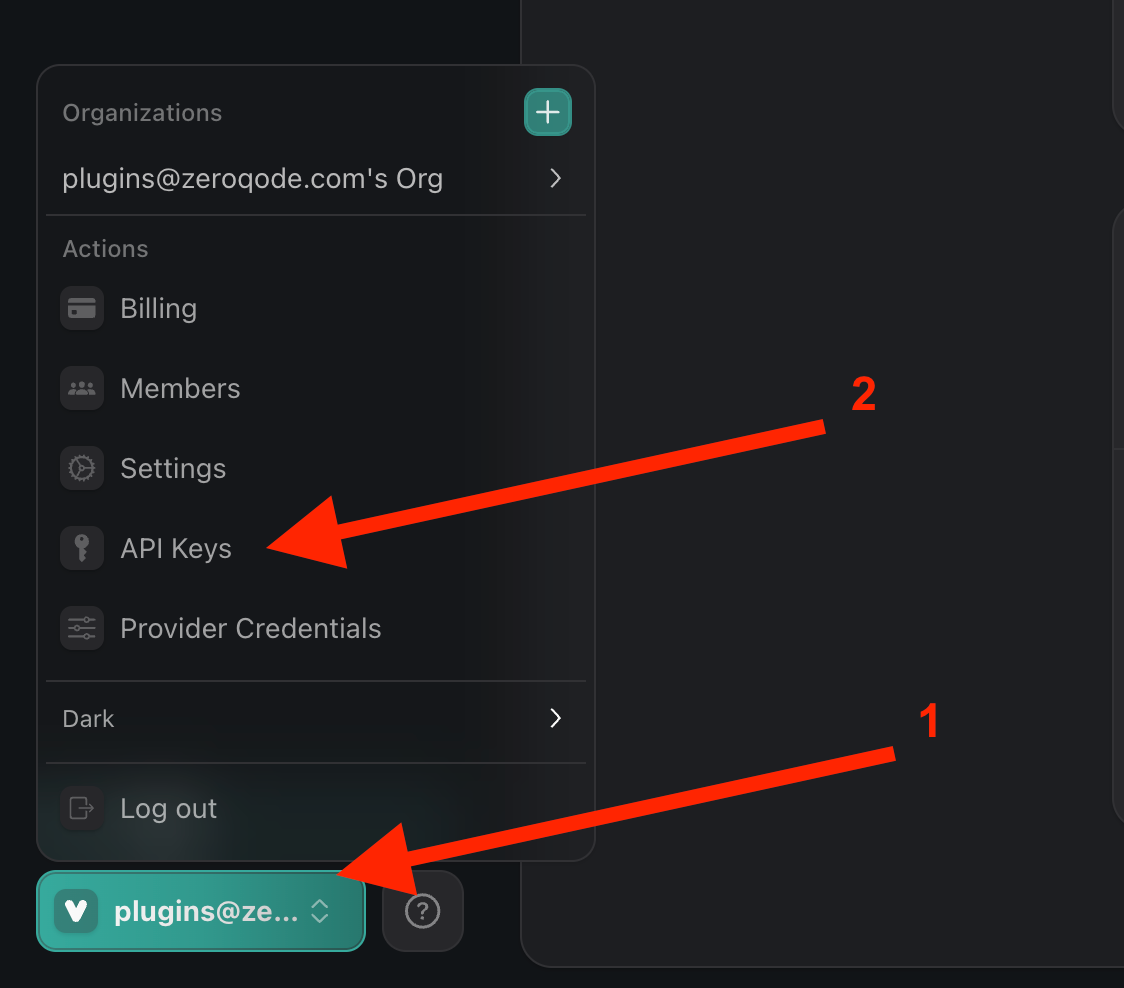
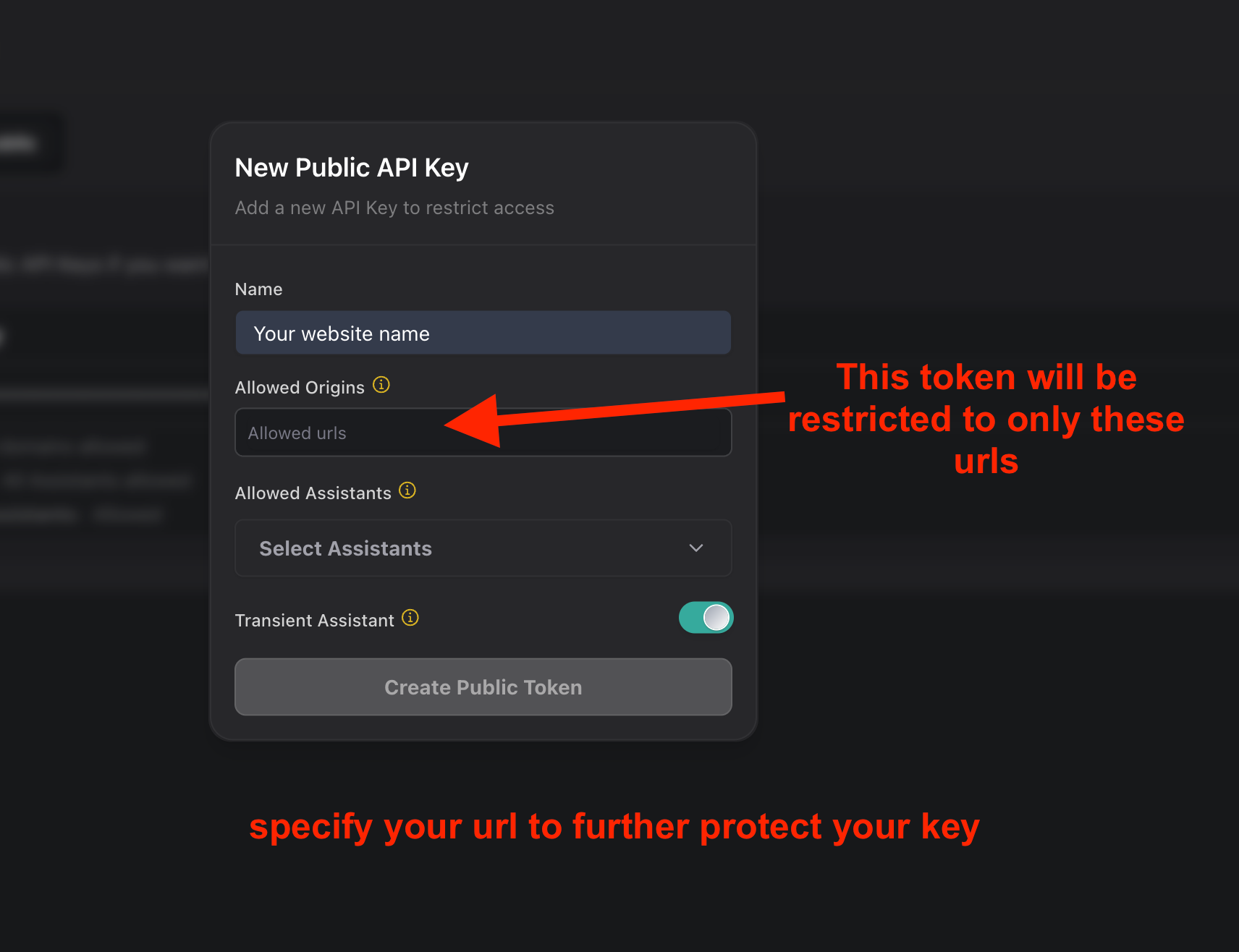
After completing your registration, you will need to navigate to the API Keys section and create a new key pair.
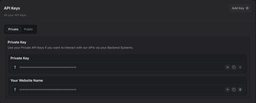
Now we have access to public and private keys
Tutorial
How to setup
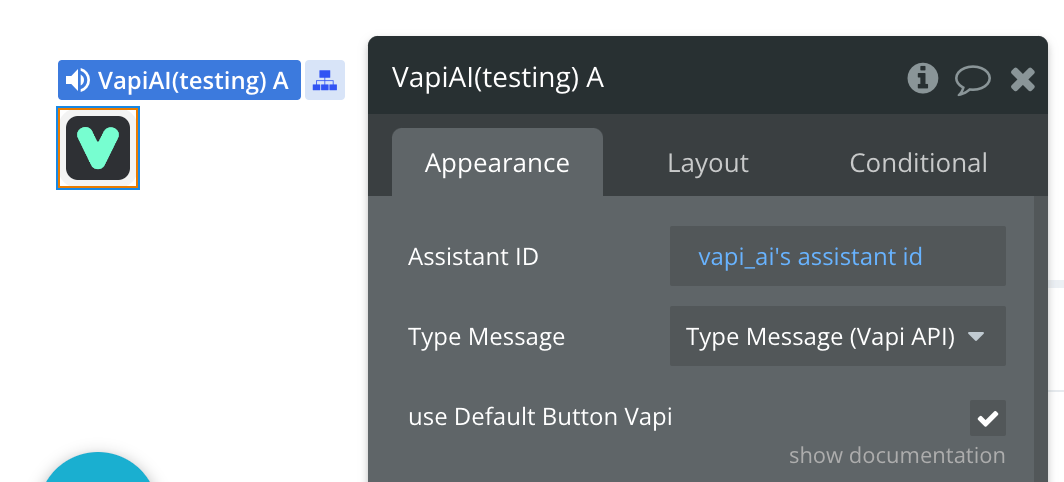
You need to position the element on the page. After that, we need to set Type Message -> Type Message. We also need to specify the Assistant ID. We can create it via API or via Vapi Dashboard
let's figure out how to create assistants with dashboard:
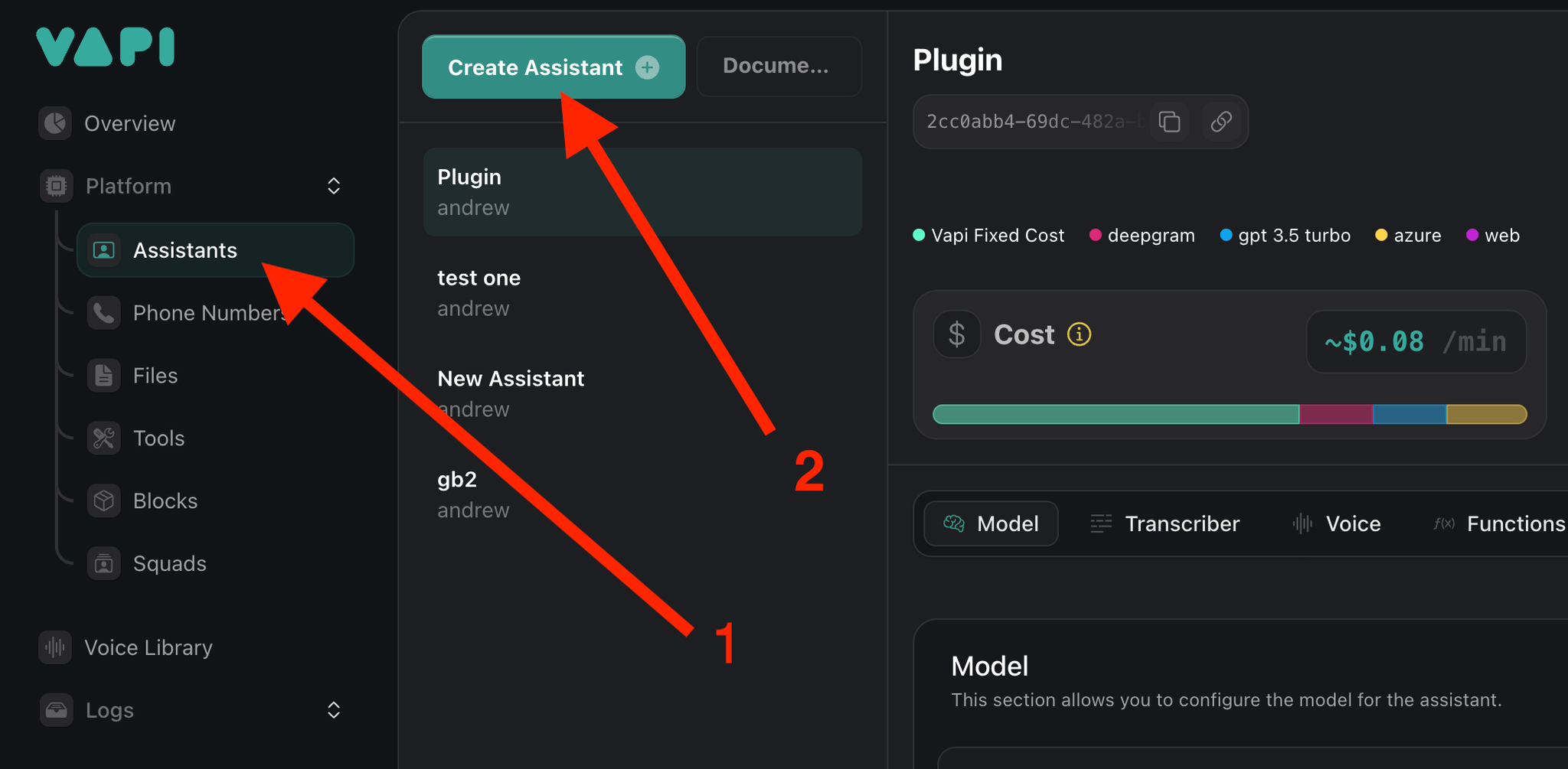
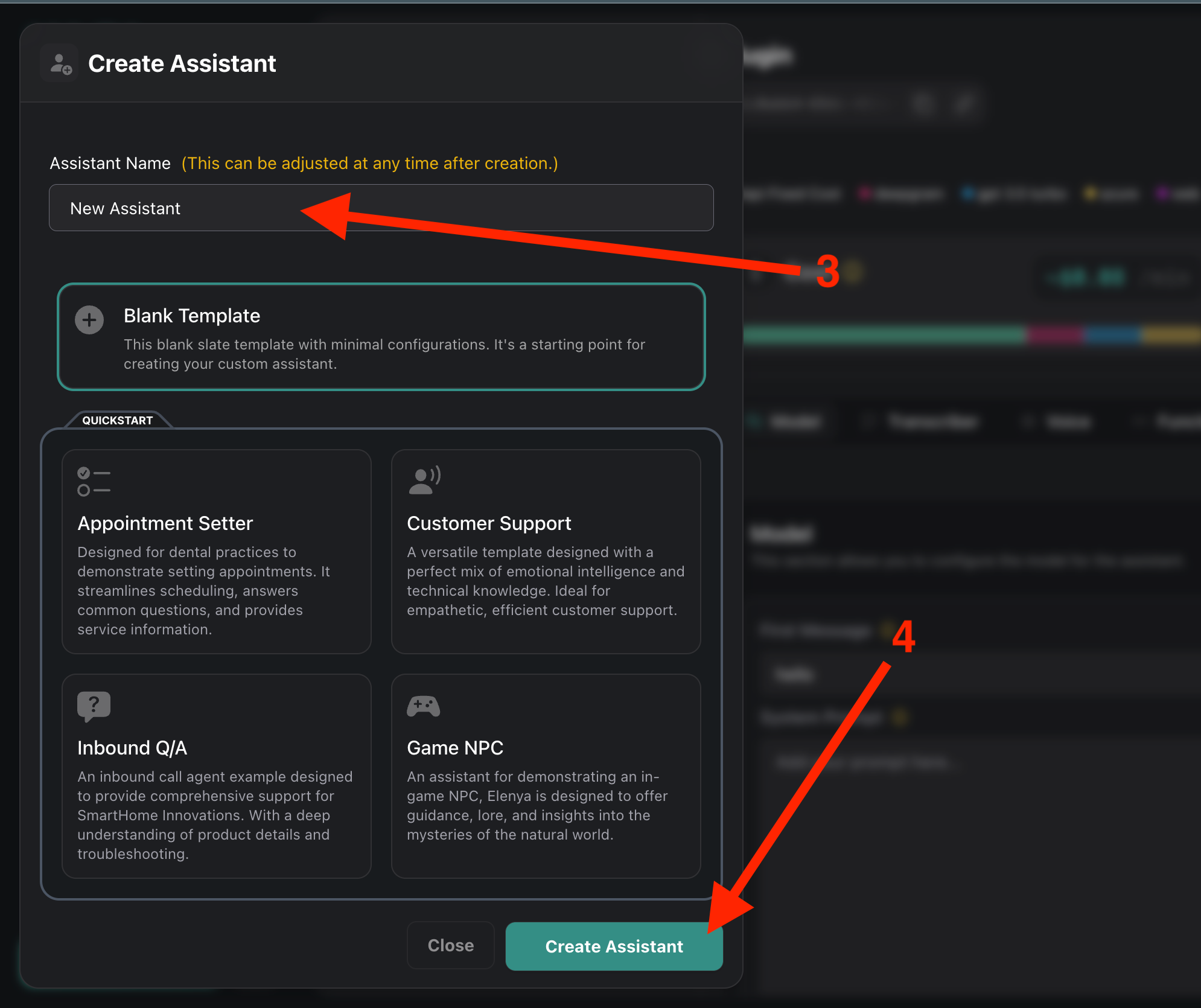
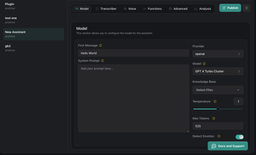
we need to go to the Assistants section and click ‘Create Assistant’. Then we need to choose a name for the assistant, you can also choose the pre-made model below. After that we need to click Create
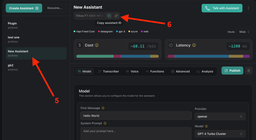
Next, we need to select the created Assistant and copy it. This ID we need to paste into our element in Bubble.
Below we can see all the settings of our Assistant. We can customise his voice, language, manner of speech and much more. We will talk about all this a little later. Also, below we will see how to interact with assistants through our plugin.
Plugin Element Properties
The plugin contains a Vapi AI visual element that should be used on a page.
Vapi AI
💡
You can use two options to interact with the voice assistant:
Vapi default button
Element actions (start, end)
Vapi Default button can be of two types:
Pill
Round
Fields:
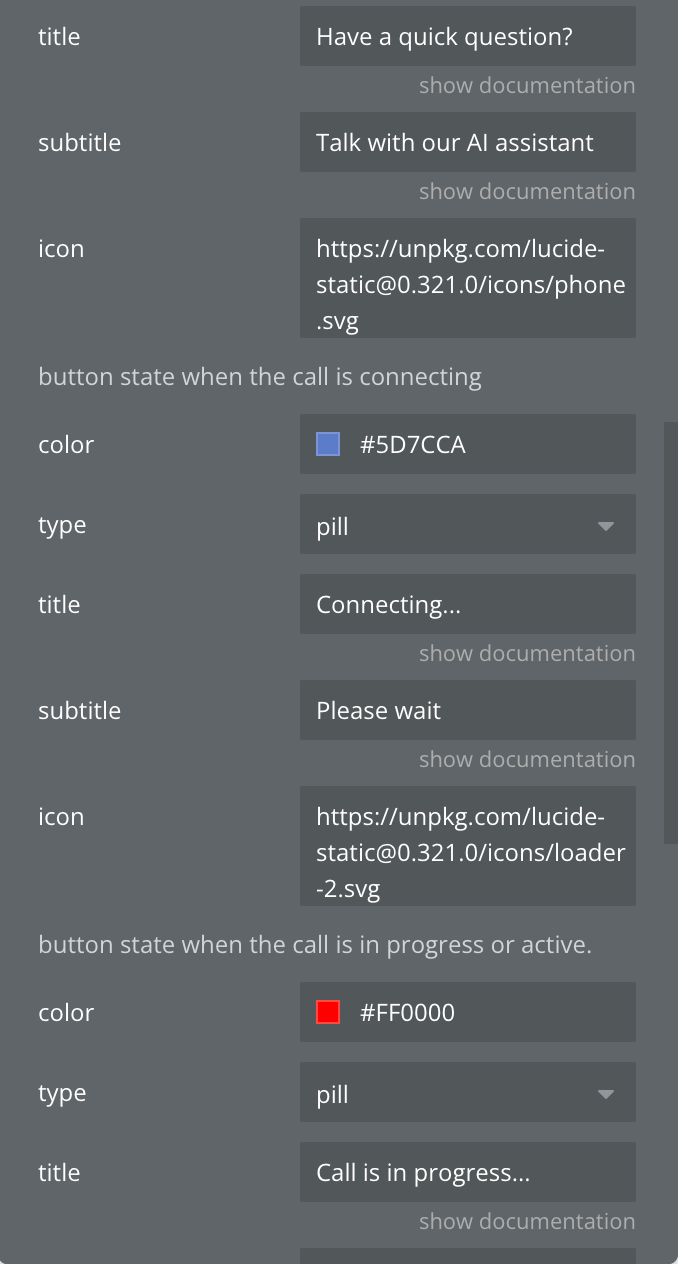
Title
Description
Type
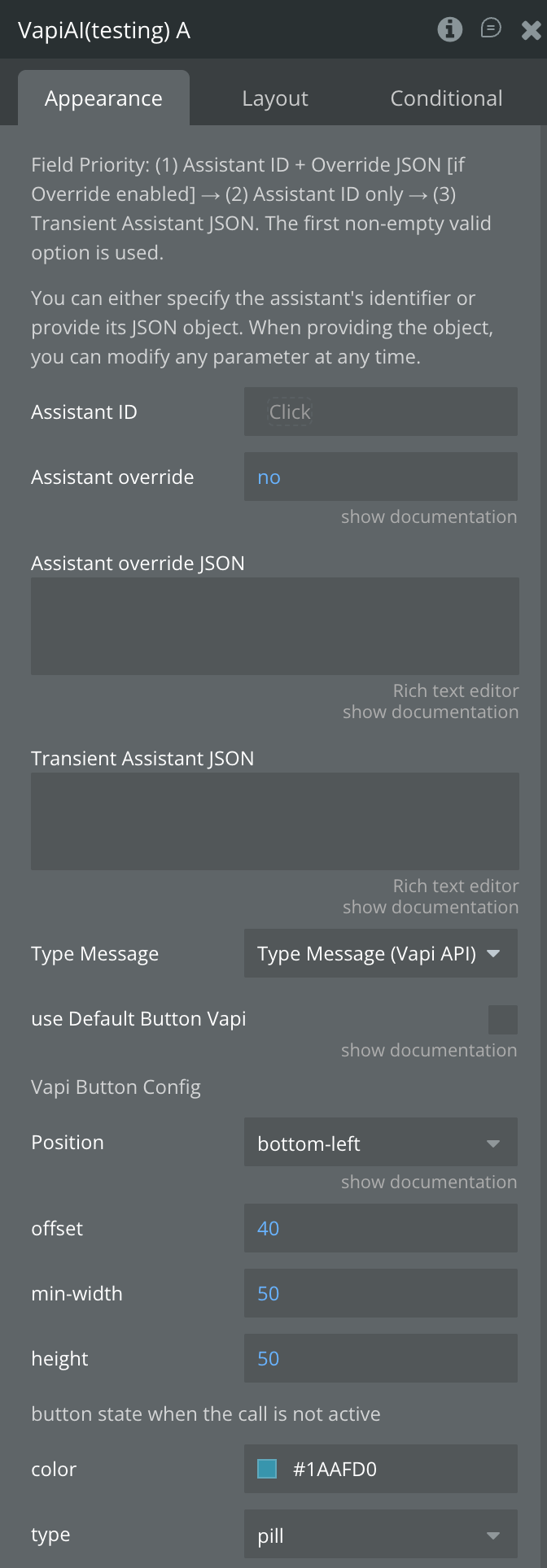
Field Priority:
(1) Assistant ID + Override JSON [if Override enabled]
(2) Assistant ID only
(3) Transient Assistant JSON. The first non-empty valid option is used.
Enable Assistant Override mode. When checked, the plugin will use the Assistant ID combined with the Override JSON to modify specific assistant parameters at runtime — without changing the underlying saved assistant configuration. If unchecked, the Assistant ID is used as-is.
Checkbox
Assistant override JSON
A JSON object containing only the assistant properties you want to override for this specific call. Requires Assistant ID to be set and "Use Assistant Override" checkbox to be enabled.
Leave empty if not using Override mode.
Example: change the first message and system prompt without modifying the saved assistant.
You need to specify ‘Type Message’. You will have this type after the plugin is installed.
App Type
use Default Button Vapi
Determines whether the VAPI AI default button will be added.
If you prefer not to use the VAPI button, simply disable this field. Below are all the button settings.
Checkbox
Vapi Button Config
Position
Determines where the button will be positioned on the page
Default: bottom-right
Could be: bottom, top, left, right, top-right, top-left, bottom-left, bottom-right
Dropdown
offset
decide how far the button should be from the edge (px)
Default: 40
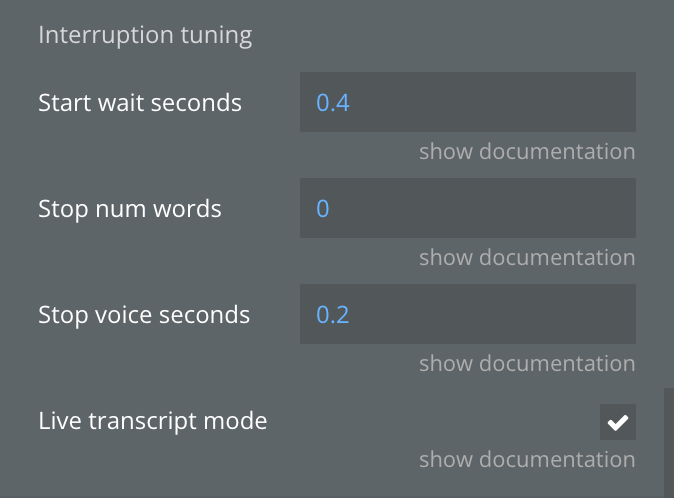
How long the assistant waits (in seconds) after the user stops speaking before it starts responding.
Lower values make the assistant feel more responsive; higher values reduce the chance of cutting off the user mid-thought.
Number
Stop num words
The minimum number of words the user must speak before the assistant stops talking. Set to 0 to let the assistant stop immediately on any user speech.
Increase this value to prevent the assistant from stopping on short accidental sounds or filler words like "uh" or "hmm".
Number
Stop voice seconds
How many seconds of detected user voice are required before the assistant stops speaking.
Works together with Stop Num Words — both conditions must be met for the assistant to yield the turn.
Number
Live transcript mode
When enabled, Messages state updates on every final transcript event for near-real-time display.
When disabled (default), updates on conversation-update which is slightly delayed but fully aggregated including user messages.
Checkbox
Element Actions
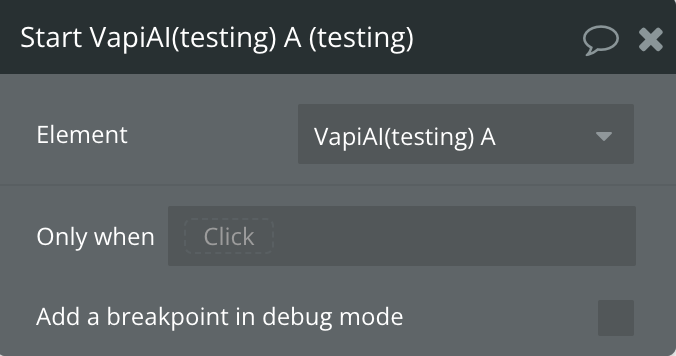
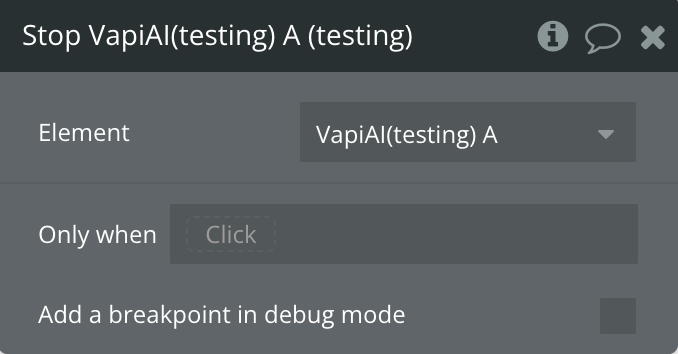
Element Vapi AI has two actions for interacting with the voice assistant: Start, and Stop.
Start
The action starts a voice session with the assistant.
💡
If the user runs this action for the first time, the plugin will automatically request access to the microphone from the user
Stop
Action stops a voice session with an assistant
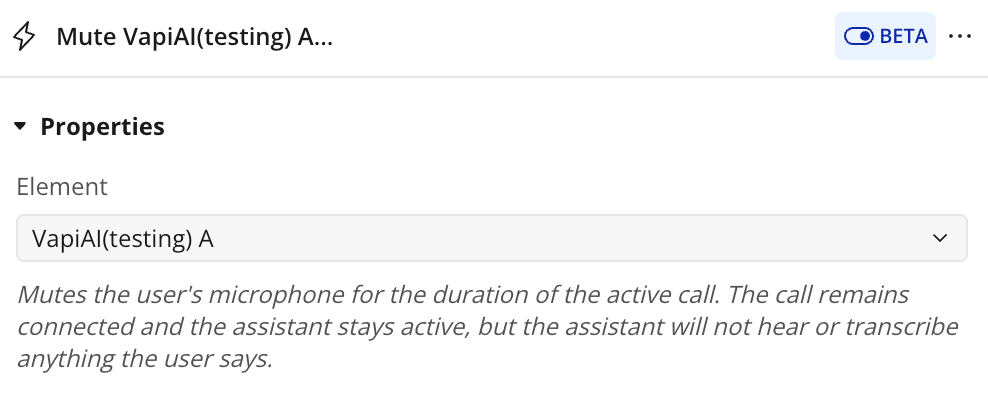
Mute
Action mutes user microphone
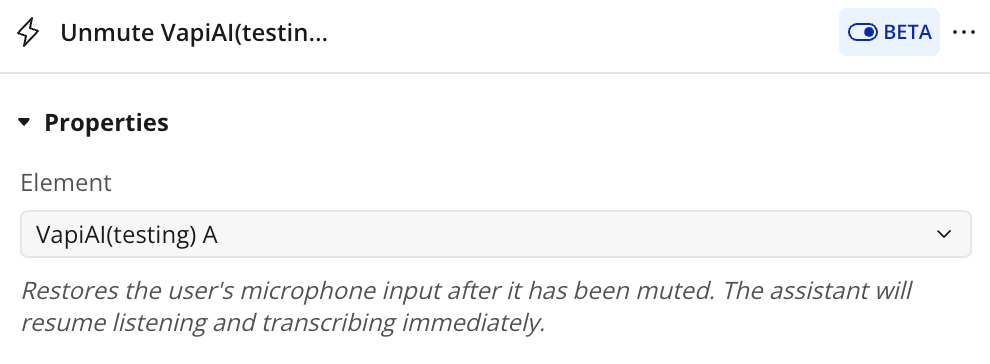
Unmute
Action restores microphone
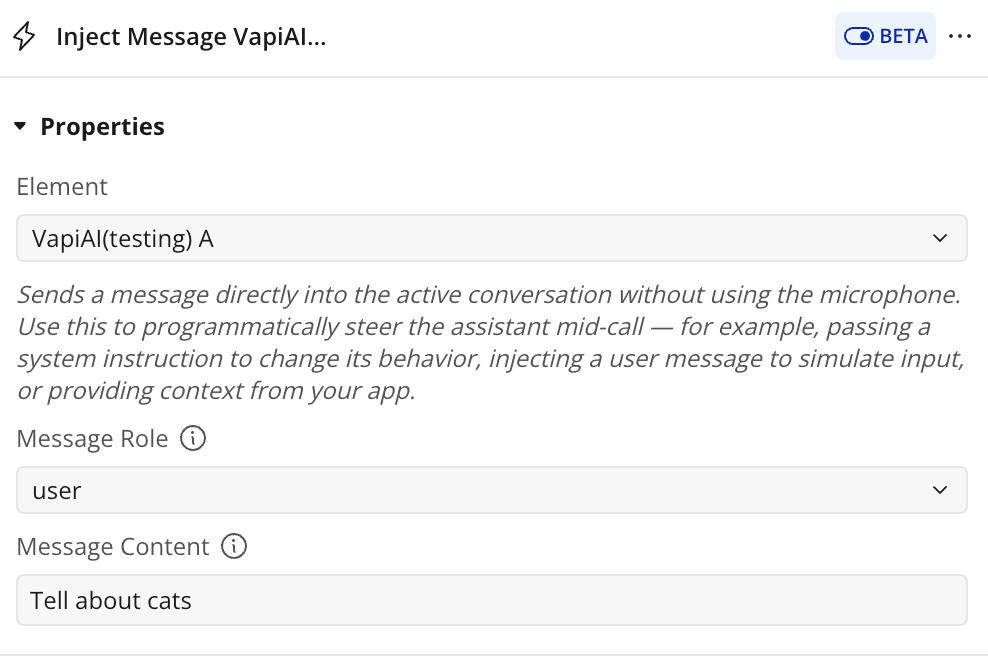
Inject Message
Action sends a message directly into the active call without mic
Name
Description
Type
Message Role
The role under which the injected message appears in the conversation. Use system to silently change the assistant's behavior mid-call, user to simulate user input without the microphone, or assistant to inject a response as if the assistant said it.
Dropdown
Message Content
The text content of the message to inject into the active call. The assistant will process and respond to this message immediately after injection (unless role is system).
textT
Exposed states
Name
Description
Type
Call has started?
It's to see if there's a voice conversation going on or not.
yes/no
Messages
Array of messages in the conversation session with the assistant. Contains type (user or assistant) and content of the message
as message type
Volume Level
Sound level of the assistant. It is needed for beautiful animation on the app
Number
Error
Contains the text of any error in the plugin
Text
Call ID
Current call ID
Text
Call org ID
Organization ID of the current call
Text
Last transcript text
The most recent transcript text received from the active call. Updated on every transcript event — both partial and final. Use alongside the "Transcript received" event to display live captions.
Text
Last transcript role
The speaker role associated with the most recent transcript update. Value is either "user" or "assistant". Use this to style captions differently depending on who is speaking.
Text
Last transcript type
Indicates whether the most recent transcript is a partial or final result. Value is either "partial" (still being spoken) or "final" (utterance is complete). Partial transcripts update rapidly; final transcripts are stable and accurate.
Text
Is muted
Reflects the current mute state of the user's microphone. True when the microphone is muted, false when it is active. Updated immediately by the Mute and Unmute actions. Use this state to show or hide a mute indicator in your UI.
yes/no
Interrupted words spoken
Contains the words the assistant had already spoken at the moment the user interrupted it. Updated when the \"User interrupted\" event fires. Useful for logging how far into a response the assistant got before being cut off.
Number
Element Events
Name
Description
Call has started
Triggered when the call has started
Call has stopped
Triggered when the call has stopped
Speech has started
Triggered when your AI assistant has started speaking.
Speech has ended
Triggered when your AI assistant has finished speaking.
Conversation updated
Triggers when a new message appears in the dialogue between user and assistant
Error
Triggers when some error occurs during plugin work
Transcript received
Triggered on every partial/final transcript
User interrupted
Triggered when user interrupts the assistant
Assistant speaking updated
Triggered when assistant starts a speech segment
Plugin Data/Action Calls
💡
Assistant is a fancy word for an AI configuration that can be used across phone calls and Vapi clients. Your voice assistant can augment your customer support and experience for call centers, business websites, mobile apps, and much more.
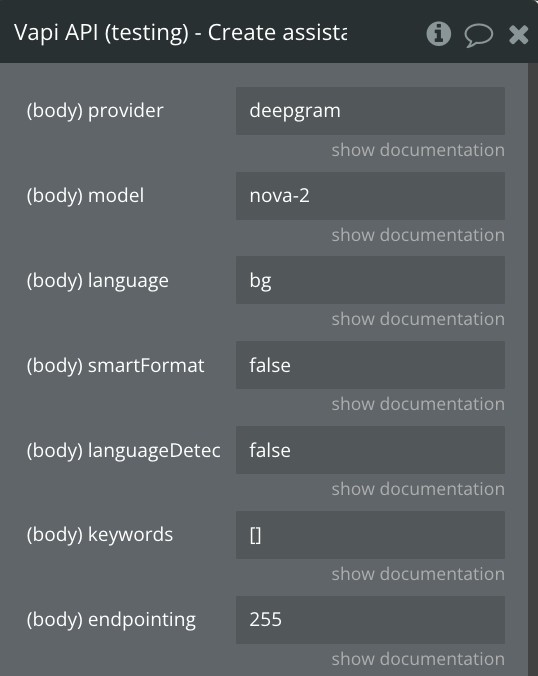
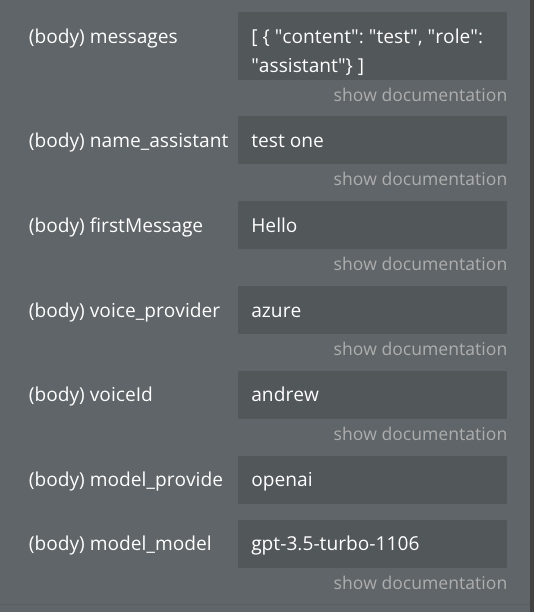
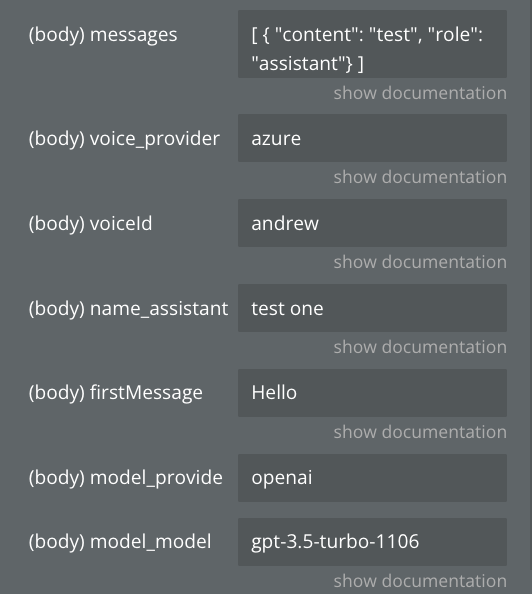
Create assistant
Generates an assistant and retrieves all its information
Fields:
Name
Description
Type
provider
This is the transcription provider that will be used.
Text
model
This is the Deepgram model that will be used. A list of models can be found here: https://developers.deepgram.com/docs/models-languages-overview
Available options: nova-2, nova-2-general, nova-2-meeting, nova-2-phonecall, nova-2-finance, nova-2-conversationalai, nova-2-voicemail, nova-2-video, nova-2-medical, nova-2-drivethru, nova-2-automotive, nova, nova-general, nova-phonecall, nova-medical, enhanced, enhanced-general, enhanced-meeting, enhanced-phonecall, enhanced-finance, base, base-general, base-meeting, base-phonecall, base-finance, base-conversationalai, base-voicemail, base-video
Text
language
This is the language that will be set for the transcription. The list of languages Deepgram supports can be found here: https://developers.deepgram.com/docs/models-languages-overview
Available options: bg, ca, cs, da, da-DK, de, de-CH, el, en, en-AU, en-GB, en-IN, en-NZ, en-US, es, es-419, es-LATAM, et, fi, fr, fr-CA, hi, hi-Latn, hu, id, it, ja, ko, ko-KR, lt, lv, ms, multi, nl, nl-BE, no, pl, pt, pt-BR, ro, ru, sk, sv, sv-SE, ta, taq, th, th-TH, tr, uk, vi, zh, zh-CN, zh-Hans, zh-Hant, zh-TW
Text
smartFormat
This will be use smart format option provided by Deepgram. It's default disabled because it can sometimes format numbers as times but it's getting better.
Text
languageDetectionEnabled
This enables or disables language detection. If true, swaps transcribers to detected language automatically. Defaults to false.
Text
keywords
These keywords are passed to the transcription model to help it pick up use-case specific words. Anything that may not be a common word, like your company name, should be added here.
Text (Array)
endpointing
This is the timeout after which Deepgram will send transcription on user silence. You can read in-depth documentation here: https://developers.deepgram.com/docs/endpointing.
Here are the most important bits:
Defaults to 10. This is recommended for most use cases to optimize for latency.
10 can cause some missing transcriptions since because of the shorter context. This mostly happens for one-word utterances. For those uses cases, it's recommended to try 300. It will add a bit of latency but the quality and reliability of the experience will be better.
If neither 10 nor 300 work, contact support@vapi.ai and we'll find another solution.
Text
messages
This is the starting state for the conversation
Text (Array)
name_assistant
This is the name of the assistant.
This is required when you want to transfer between assistants in a call
Text
firstMessage
This is the first message that the assistant will say. This can also be a URL to a containerized audio file (mp3, wav, etc.).
If unspecified, assistant will wait for user to speak and use the model to respond once they speak.
Text
voice_provider
This is the voice provider that will be used.
Available options:
- azure
- neets
- deepgram
- 11labs
- lmnt
- openai
- playht
- rime-ai
- tavus
Text
voiceId
This is the provider-specific ID that will be used.
Available options:
if "voice_provider" is "azure" voiceId could be: andrew, brian, emma
if "voice_provider" is "neets" voiceId could be: vits
if "voice_provider" is "deepgram" voiceId could be: asteria, luna, stella, athena, hera, orion, arcas, perseus, angus, orpheus, helios, zeus
if "voice_provider" is "11labs" voiceId could be: burt, marissa, andrea, sarah, phillip, steve, joseph, myra, paula, ryan, drew, paul, mrb, matilda, mark
if "voice_provider" is "lmnt" voiceId could be: lily, daniel
if "voice_provider" is "openai" voiceId could be: alloy, echo, fable, onyx, nova, shimmer, ash, ballad, coral, sage, verse
if "voice_provider" is "playht" voiceId could be: jennifer, melissa, will, chris, matt, jack, ruby, davis, donna, michael
if "voice_provider" is "rime-ai" voiceId could be: marsh, bayou, creek, brook, flower, spore, glacier, gulch, alpine, cove, lagoon, tundra, steppe, mesa, grove, rainforest, moraine, wildflower, peak, boulder, abbie, allison, ally, alona, amber, ana, antoine, armon, brenda, brittany, carol, colin, courtney, elena, elliot, eva, geoff, gerald, hank, helen, hera, jen, joe, joy, juan, kendra, kendrick, kenneth, kevin, kris, linda, madison, marge, marina, marissa, marta, maya, nicholas, nyles, phil, reba, rex, rick, ritu, rob, rodney, rohan, rosco, samantha, sandy, selena, seth, sharon, stan, tamra, tanya, tibur, tj, tyler, viv, yadira
if "voice_provider" is "tavus" voiceId could be: r52da2535a
Text
model_provider
Example: openai
Text
model_model
This is the name of the model. model must be one of the following values: gpt-4o-mini, gpt-4o-mini-2024-07-18, gpt-4o, gpt-4o-2024-05-13, gpt-4o-2024-08-06, gpt-4-turbo, gpt-4-turbo-2024-04-09, gpt-4-turbo-preview, gpt-4-0125-preview, gpt-4-1106-preview, gpt-4, gpt-4-0613, gpt-3.5-turbo, gpt-3.5-turbo-0125, gpt-3.5-turbo-1106, gpt-3.5-turbo-16k, gpt-3.5-turbo-0613
Text
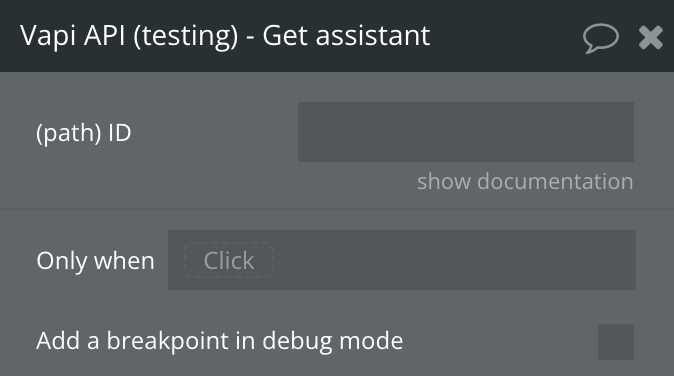
Get assistant
Gets all the information about the assistant.
Fields:
Name
Description
Type
ID
This is the unique identifier for the assistant.
Text
Return values:
Name
Description
Type
id
This is the unique identifier for the assistant.
Text
orgId
This is the unique identifier for the org that this assistant belongs to.
Text
name
Assistant Name
Text
voice
These are the options for the assistant's voice.
Object
createdAt
This is the ISO 8601 date-time string of when the assistant was created.
Date
updatedAt
This is the ISO 8601 date-time string of when the assistant was last updated.
Date
model
an object that contains all the information about the model
Object
firstMessage
This is the first message that the assistant will say. This can also be a URL to a containerized audio file (mp3, wav, etc.).
If unspecified, assistant will wait for user to speak and use the model to respond once they speak.
Text
voicemailMessage
This is the message that the assistant will say if the call is forwarded to voicemail.
If unspecified, it will hang up.
Text
endCallMessage
This is the message that the assistant will say if it ends the call.
If unspecified, it will hang up without saying anything.
Text
transcriber
These are the options for the assistant's transcriber.
Object
silenceTimeoutSeconds
How many seconds of silence to wait before ending the call. Defaults to 30.
@default 30
Number
hipaaEnabled
When this is enabled, no logs, recordings, or transcriptions will be stored. At the end of the call, you will still receive an end-of-call-report message to store on your server. Defaults to false.
Boolean
maxDurationSeconds
This is the maximum number of seconds that the call will last. When the call reaches this duration, it will be ended.
@default 600 (10 minutes)
Number
backgroundSound
This is the background sound in the call. Default for phone calls is 'office' and default for web calls is 'off'.
Text
And other details…….
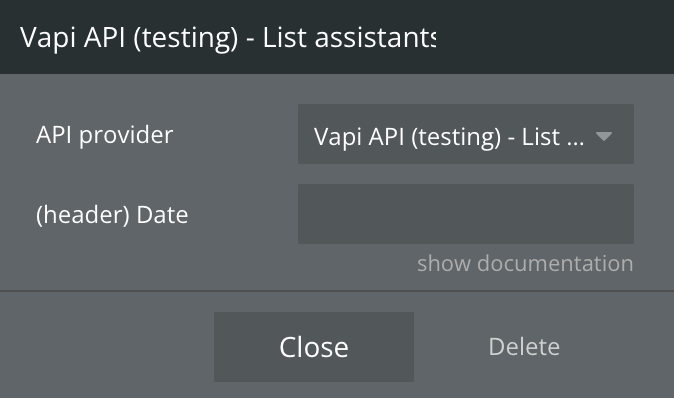
List assistants
Returns a list of data of all assistants. (Data call)
Fields:
Name
Description
Type
Date
Optional. It specifies 'Current date/time.extract(timestamp)' to update data in the RepeatingGroup without reloading the page
Text
Return:
It returns an array of objects. Each object contains data about the assistant. All the data is the same as in the action 'Get Assistant
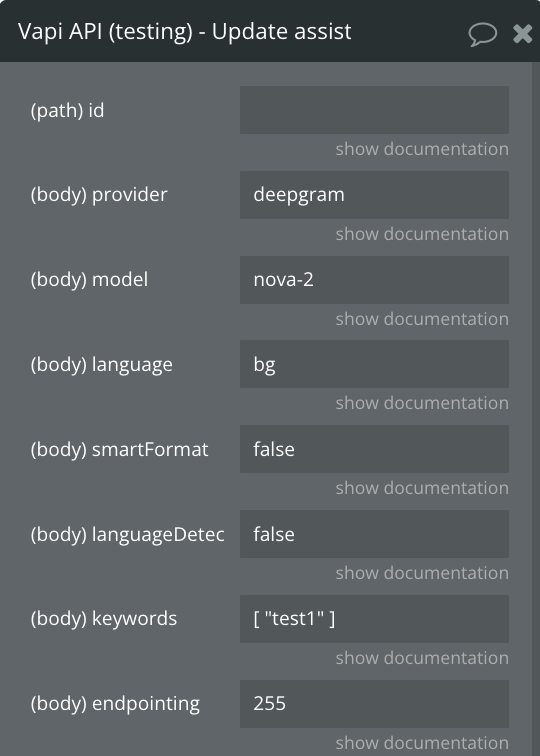
Update assistant
It updates the assistant with the specified data. To select the assistant, you need to provide their ID
Fields:
Name
Description
Type
id
Assistant ID
Text
provider
This is the transcription provider that will be used.
Text
model
This is the Deepgram model that will be used. A list of models can be found here: https://developers.deepgram.com/docs/models-languages-overview
Available options: nova-2, nova-2-general, nova-2-meeting, nova-2-phonecall, nova-2-finance, nova-2-conversationalai, nova-2-voicemail, nova-2-video, nova-2-medical, nova-2-drivethru, nova-2-automotive, nova, nova-general, nova-phonecall, nova-medical, enhanced, enhanced-general, enhanced-meeting, enhanced-phonecall, enhanced-finance, base, base-general, base-meeting, base-phonecall, base-finance, base-conversationalai, base-voicemail, base-video
Text
language
This is the language that will be set for the transcription. The list of languages Deepgram supports can be found here: https://developers.deepgram.com/docs/models-languages-overview
Available options: bg, ca, cs, da, da-DK, de, de-CH, el, en, en-AU, en-GB, en-IN, en-NZ, en-US, es, es-419, es-LATAM, et, fi, fr, fr-CA, hi, hi-Latn, hu, id, it, ja, ko, ko-KR, lt, lv, ms, multi, nl, nl-BE, no, pl, pt, pt-BR, ro, ru, sk, sv, sv-SE, ta, taq, th, th-TH, tr, uk, vi, zh, zh-CN, zh-Hans, zh-Hant, zh-TW
Text
smartFormat
This will be use smart format option provided by Deepgram. It's default disabled because it can sometimes format numbers as times but it's getting better.
Text
languageDetectionEnabled
This enables or disables language detection. If true, swaps transcribers to detected language automatically. Defaults to false.
Text
keywords
These keywords are passed to the transcription model to help it pick up use-case specific words. Anything that may not be a common word, like your company name, should be added here.
Text (Array)
endpointing
This is the timeout after which Deepgram will send transcription on user silence. You can read in-depth documentation here: https://developers.deepgram.com/docs/endpointing.
Here are the most important bits:
Defaults to 10. This is recommended for most use cases to optimize for latency.
10 can cause some missing transcriptions since because of the shorter context. This mostly happens for one-word utterances. For those uses cases, it's recommended to try 300. It will add a bit of latency but the quality and reliability of the experience will be better.
If neither 10 nor 300 work, contact support@vapi.ai and we'll find another solution.
Text
messages
This is the starting state for the conversation.
Text (Array)
voice_provider
This is the voice provider that will be used.
Available options:
- azure
- neets
- deepgram
- 11labs
- lmnt
- openai
- playht
- rime-ai
- tavus
Text
voiceId
This is the provider-specific ID that will be used.
Available options:
if "voice_provider" is "azure" voiceId could be: andrew, brian, emma
if "voice_provider" is "neets" voiceId could be: vits
if "voice_provider" is "deepgram" voiceId could be: asteria, luna, stella, athena, hera, orion, arcas, perseus, angus, orpheus, helios, zeus
if "voice_provider" is "11labs" voiceId could be: burt, marissa, andrea, sarah, phillip, steve, joseph, myra, paula, ryan, drew, paul, mrb, matilda, mark
if "voice_provider" is "lmnt" voiceId could be: lily, daniel
if "voice_provider" is "openai" voiceId could be: alloy, echo, fable, onyx, nova, shimmer, ash, ballad, coral, sage, verse
if "voice_provider" is "playht" voiceId could be: jennifer, melissa, will, chris, matt, jack, ruby, davis, donna, michael
if "voice_provider" is "rime-ai" voiceId could be: marsh, bayou, creek, brook, flower, spore, glacier, gulch, alpine, cove, lagoon, tundra, steppe, mesa, grove, rainforest, moraine, wildflower, peak, boulder, abbie, allison, ally, alona, amber, ana, antoine, armon, brenda, brittany, carol, colin, courtney, elena, elliot, eva, geoff, gerald, hank, helen, hera, jen, joe, joy, juan, kendra, kendrick, kenneth, kevin, kris, linda, madison, marge, marina, marissa, marta, maya, nicholas, nyles, phil, reba, rex, rick, ritu, rob, rodney, rohan, rosco, samantha, sandy, selena, seth, sharon, stan, tamra, tanya, tibur, tj, tyler, viv, yadira
if "voice_provider" is "tavus" voiceId could be: r52da2535a
Text
name_assistant
This is the name of the assistant.
This is required when you want to transfer between assistants in a call
Text
firstMessage
This is the first message that the assistant will say. This can also be a URL to a containerized audio file (mp3, wav, etc.).
If unspecified, assistant will wait for user to speak and use the model to respond once they speak.
Text
model_provider
Example: openai
Text
model_model
This is the name of the model. model must be one of the following values: gpt-4o-mini, gpt-4o-mini-2024-07-18, gpt-4o, gpt-4o-2024-05-13, gpt-4o-2024-08-06, gpt-4-turbo, gpt-4-turbo-2024-04-09, gpt-4-turbo-preview, gpt-4-0125-preview, gpt-4-1106-preview, gpt-4, gpt-4-0613, gpt-3.5-turbo, gpt-3.5-turbo-0125, gpt-3.5-turbo-1106, gpt-3.5-turbo-16k, gpt-3.5-turbo-0613
Text
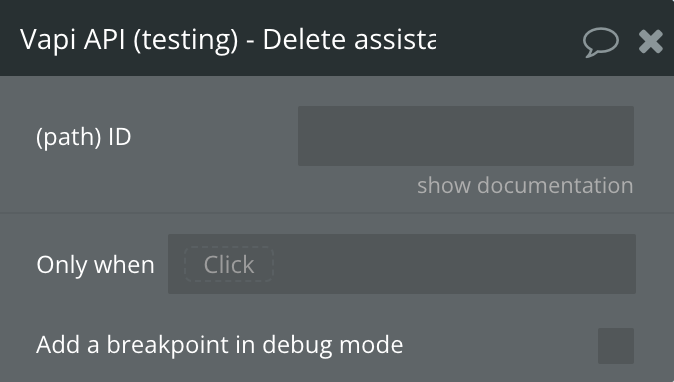
Delete assistant
Deletes assistant by id
Fields:
Name
Description
Type
ID
Assistant ID
Text
Changelogs
Update 16.06.26 - Version 1.19.0
Adapt message state to Bubble Native JSON Parsing.
Update 16.06.26 - Version 1.18.0
Live transcript mode with partial/final transcript tracking
transcript received, user interrupted, assistant speaking updated events
States: last transcript text, last transcript role, last transcript type, is muted, interrupted words spoken