
Link to the plugin page: https://zeroqode.com/plugin/1617628120512x425771135726235700
Demo to preview the plugin:
Introduction
Looking for a tool that displays dropdown labels in your Bubble App? Try out this no-code plugin by Zeroqode that allows you to display dropdown labels different from the values.

Note:
If you have multiple dropdowns, ensure that each ID attribute value is different.
For further discussions, please refer to this forum thread: https://forum.bubble.is/t/new-free-plugin-air-static-dropdown-labels/41360.
👛 Please support our efforts to keep this plugin free—your donations help us invest the time and resources needed to continue maintaining and improving it for everyone’s benefit: https://zeroqo.de/support.

How to setup
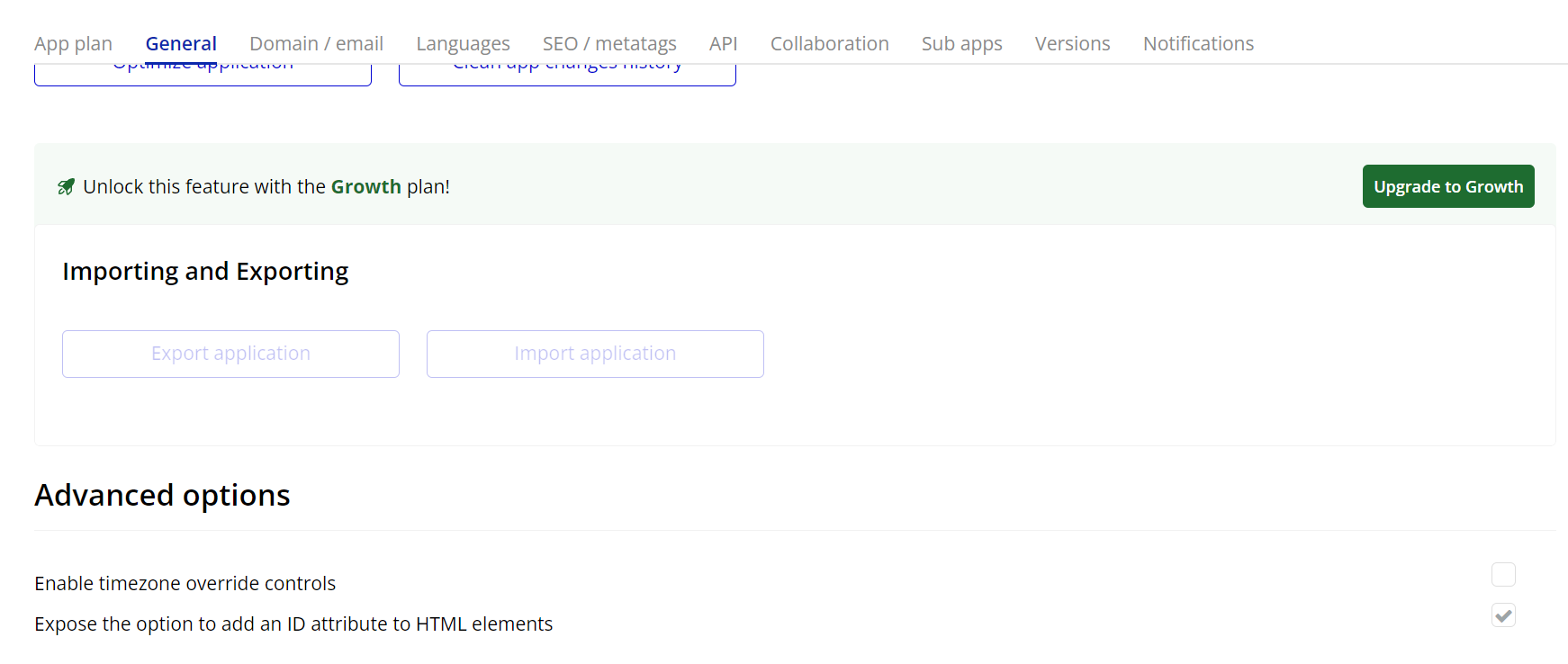
- Enable ID Attributes
Go to the settings page in your editor. Under the General tab click on the checkbox “Expose the option to add an ID attribute to HTML elements”
- Add the Plugin Element:
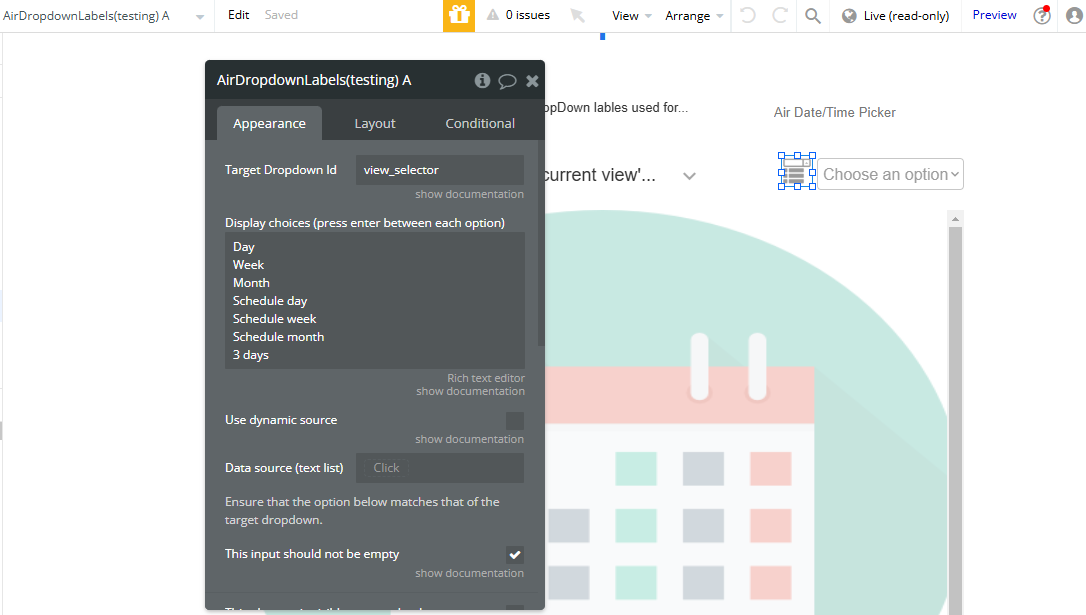
- Drag the Air Static Dropdown Labels element from the plugin section into your page.
- Configure Dropdown Labels:
- Bind Data:
- You can use dynamic data or static labels for the dropdown options in the element's settings.
Plugin Element Properties
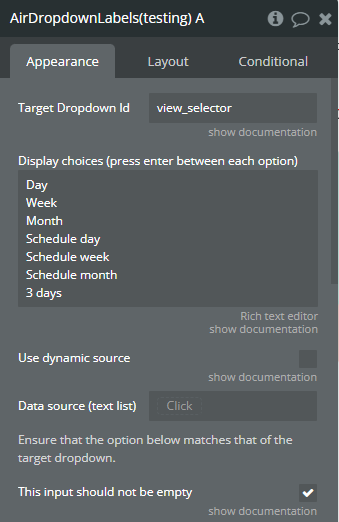
Air DropdownLabels
Fields:
Title | Description | Type |
Target Dropdown Id | The Id Attribute of the dropdown to modify | Text |
Display choices (press enter between each option) | Enter the labels corresponding to the dropdown values. One on each line. Should be same length as the dropdown values. | Text (optional) |
Use dynamic source | Check this box to use a dynamic text list. | Checkbox (yes/no) |
Data source (text list) | Specify the dynamic data source that will populate the dropdown labels. This should be a text list coming from a database or an API. | Text (optional) |
Ensure that the option below matches that of the target dropdown. | ||
This input should not be empty | Check this box if you don’t want to select an empty value | Checkbox (yes/no) |
