
Demo to preview the plugin:
Introduction
Enhance your Bubble app with the countdown feature using our no-code plugin. With this easy-to-use tool, you can effortlessly add countdown functionality to your application. Trigger custom workflow actions when the countdown reaches its end using the plugin’s event feature, allowing you to create dynamic user experiences tailored to your specific needs. Simplify your development process and engage your users with interactive countdowns that seamlessly integrate into your Bubble app.
Features
🚀 Easily create countdown timers on your Bubble app.
🌟 Customize the design of your countdown timer to match your brand.
🔔 Set up reminders for important events or deadlines.
📊 Track the progress of your countdown timer in real-time.
📧 Notify users via email when the countdown timer reaches zero.
🎯 Set specific goals or targets for your countdown timer.
💬 Engage users with interactive features on your countdown timer.
📌 Increase user retention and engagement with dynamic countdown timers.
Risk-free Trial
The most risk-free way to try out this plugin is to subscribe to it. If you unsubscribe a few days later you will be charged on a pro-rata basis, so for example if the plugin monthly price is $5 then you’d pay only 17¢ per day ($5/30 days)!

How to setup
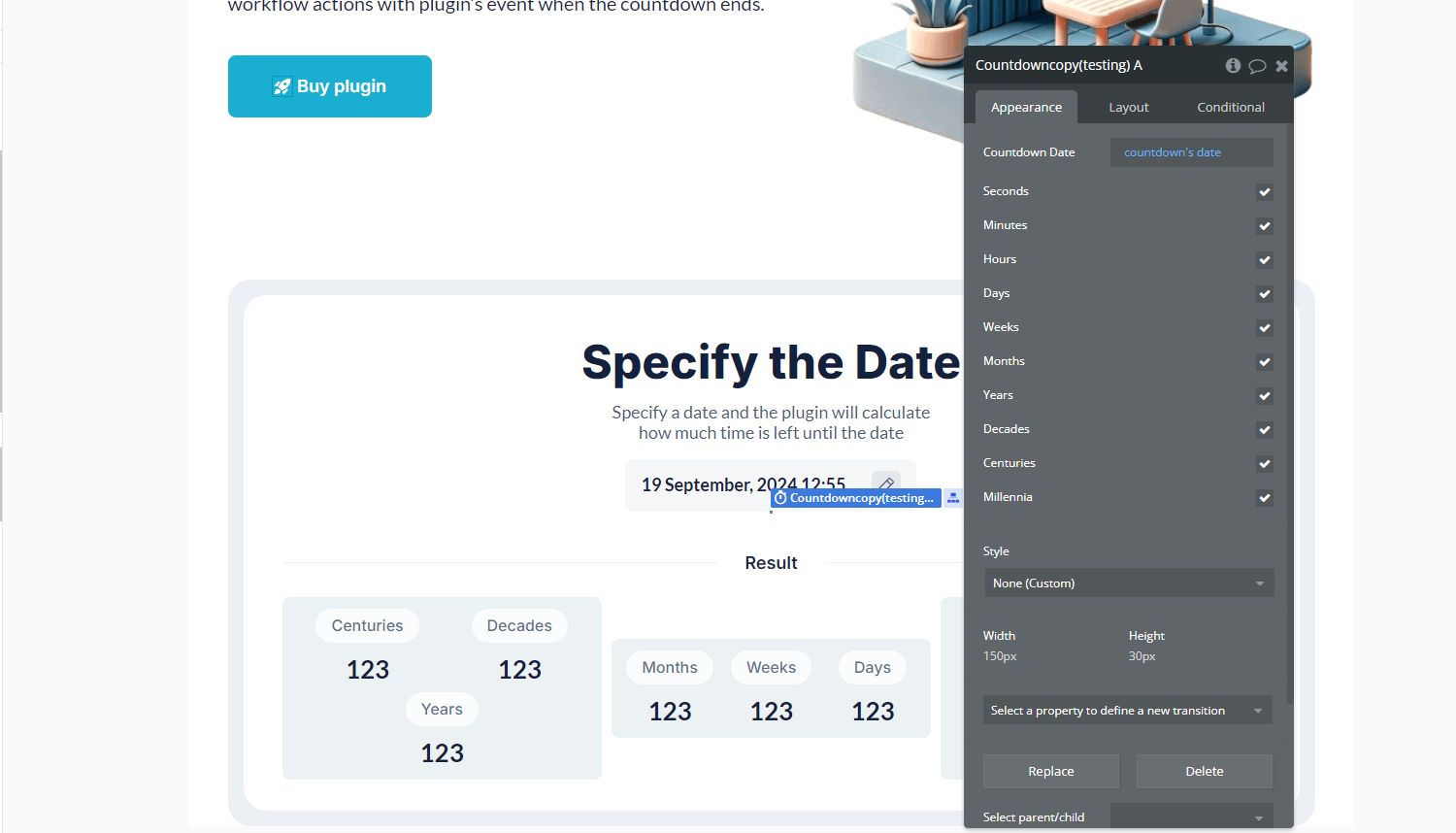
- Add the Countdown Copy element to your page:
- Drag and drop the element onto your Bubble application page.
- Configure its properties to match your design and functional requirements (e.g., start time, format).
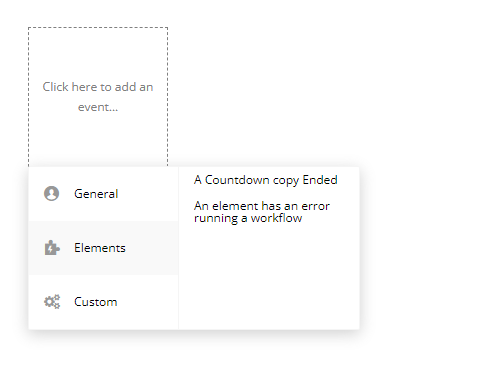
- Use the event A Countdown Copy Ended to define workflows triggered when the countdown ends:
- Go to the Workflow tab.
- Create a new event.
- Choose the A Countdown Copy Ended event from the list of available triggers.
- Define the actions you want to execute when the countdown reaches zero.
Plugin Element Properties
Countdown copy
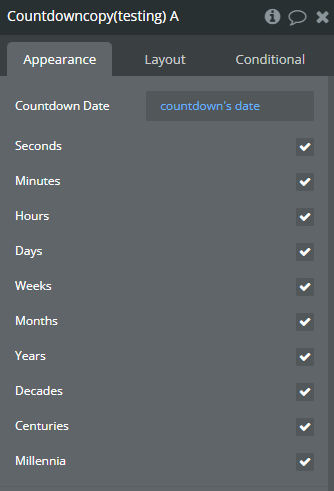
Fields:
Title | Description | Type |
Countdown Date | The target date and time for the countdown to reach zero. | Text |
Seconds | Whether to include seconds in the countdown display. | Checkbox (yes/no) |
Minutes | Whether to include minutes in the countdown display. | Checkbox (yes/no) |
Hours | Whether to include hours in the countdown display. | Checkbox (yes/no) |
Days | Whether to include days in the countdown display. | Checkbox (yes/no) |
Weeks | Whether to include weeks in the countdown display. | Checkbox (yes/no) |
Months | Whether to include months in the countdown display. | Checkbox (yes/no) |
Years | Whether to include years in the countdown display. | Checkbox (yes/no) |
Decades | Whether to include decades in the countdown display. | Checkbox (yes/no) |
Centuries | Whether to include centuries in the countdown display. | Checkbox (yes/no) |
Millennia | Whether to include millennia in the countdown display. | Checkbox (yes/no) |
Exposed states
Title | Description | Type |
SECONDS | Current countdown value in seconds. | Number |
MINUTES | Current countdown value in minutes. | Number |
HOURS | Current countdown value in hours. | Number |
DAYS | Current countdown value in days. | Number |
WEEKS | Current countdown value in weeks. | Number |
MONTHS | Current countdown value in months. | Number |
YEARS | Current countdown value in years. | Number |
DECADES | Current countdown value in decades. | Number |
CENTURIES | Current countdown value in centuries. | Number |
MILLENNIA | Current countdown value in millennia. | Number |
Element Events
Title | Description |
Ended | Triggers when countdown ended. |
