
Link to the plugin page: https://zeroqode.com/plugin/1522924825300x969067798583574500
Demo to preview the plugin:
Introduction
Does your project on Bubble requires information about an image’s width (in pixels), height (in pixels), and size (in MB)? Our plugin can assist you with that after a simple setup.
Our no-code plugin can assist you with that after a simple setup. Just add the plugin element to your page and retrieve the information in custom states.
You can indicate the image source dynamically using a Bubble input or by providing a URL.

How to setup
- Add the "Get Image Info" Element
- In the Bubble editor, go to the Design tab.
- Drag the Get Image Info element onto the page where you want to process images.
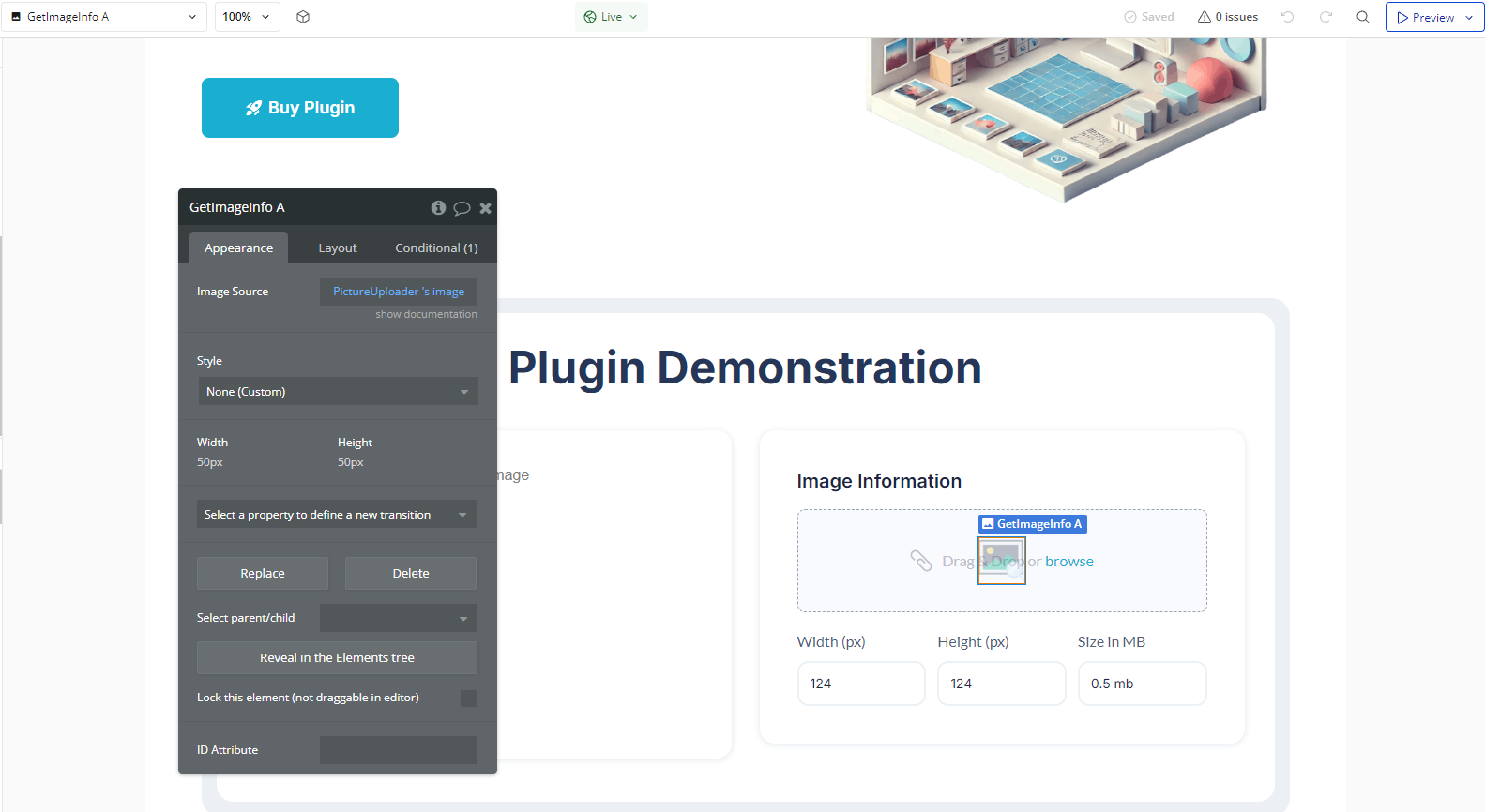
- Configure the Image Source
- This can be an external link or an image uploaded by the user.
- The plugin will automatically extract details such as width, height, file size, and format.
- Create a Workflow to Capture the Data
- Go to the Workflow tab in Bubble.
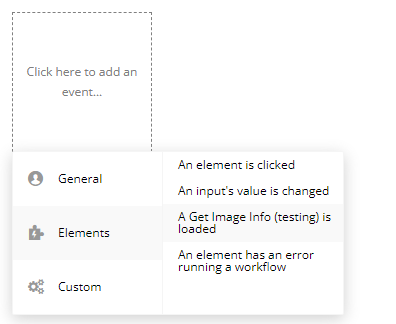
- Add a new event of type "A Get Image Info Is Loaded".
- This event triggers when the image information is successfully loaded.
- Inside this event, you can add actions such as:
- Displaying an alert if the image does not meet certain requirements.
- Allowing the image to be processed only if it meets the required conditions.
Plugin Element Properties
Get Image Info
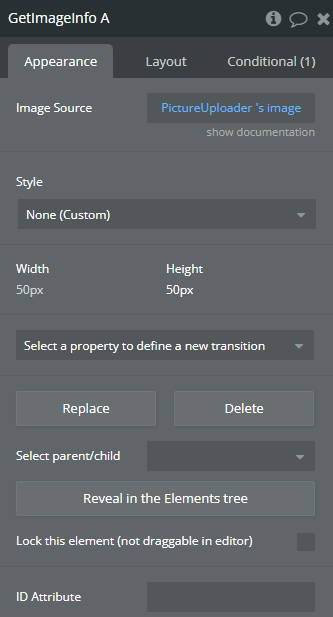
Fields:
Title | Description | Type |
Image Source | Image URL | Text |
Exposed states
Title | Description | Type |
Loading | Loading | Checkbox (yes/no) |
Image Height (px) | Image Height | Number |
Image Width (px) | Image Width | Number |
Image Size (MB) | Image Size | Number |
Element Events
Title | Description |
is loaded | is loaded |
