
Link to the plugin page: https://zeroqode.com/plugin/1617954749713x744565614860441600
Demo to preview the plugin:
Introduction
Get this no-code plugin to determine your Bubble app’s internet connection status. It detects whether the connection is on or off and provides information about the connection speed.
The plugin offers two states: ‘Connection status’ and ‘Connection speed’.
It is easy to use. Simply place the element on the page and refer to its states to display the data. Once the element is added to a page, it automatically starts detecting the internet connection.

How to setup
- Add the Plugin Element:
- In the Bubble editor, drag and drop the
Connection Checkerelement onto your page.

- Actions
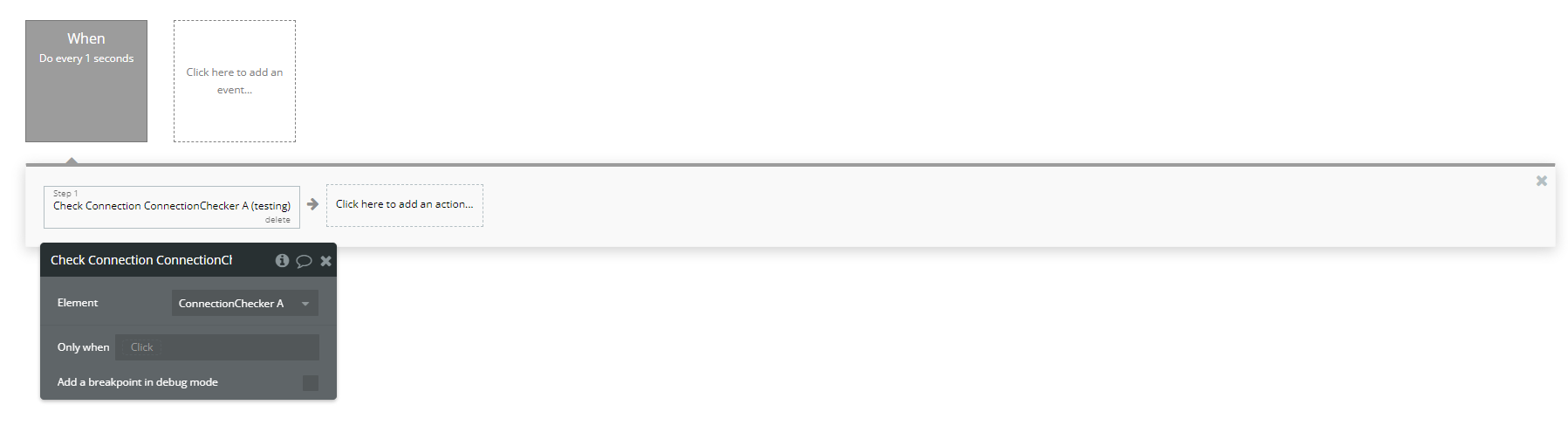
- Check Connection A Connection Checker
- Purpose: Verifies the availability and status of the internet connection.
- How to Use:
- In your workflow, select this action to validate if the user is connected to the internet.
- Purpose: Retrieves additional details about the internet speed test.
- Speed
- How to Use:
- This action can be used in conjunction with the speed checker to obtain more granular speed data.
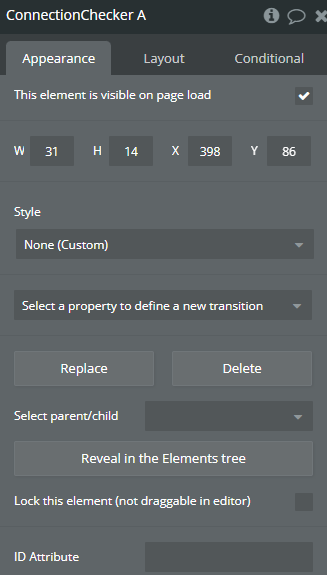
Plugin Element Properties
Connection Checker
Element Actions
- Check Connection - Checks whether the internet connection is active and stable.
- Check Connection Speed - Measures the download and upload speeds of the user's internet connection.
- speed - Performs a detailed internet speed test, measuring download, upload, and ping values.
Title | Description | Type |
Token | Authentication token used for internal checks during the speed test. | Text |
Exposed states
Title | Description | Type |
Connection Status | Indicates whether the device is currently connected to the internet. | Checkbox (yes/no) |
Connection Speed | Shows the average speed of the internet connection in Mbps. | Number |
Download_speed | Displays the download speed as a text-based value. | Text |
Is_testing | Indicates whether a speed test is currently running. | Checkbox (yes/no) |
Error_message | Provides error details if the connection test fails. | Text |
Plugin Actions
Return Values:
Title | Description | Type |
DownloadSpeed | The measured download speed in Mbps. | Number |
UploadSpeed | The measured upload speed in Mbps. | Number |
Ping | The round-trip time for a signal to reach the server in milliseconds. | Number |
Error | Provides details about any errors encountered during the test. | Text |
