
Link to the plugin page: https://zeroqode.com/plugin/dynamic-page-title-plugin-for-bubble-1739741645244x265106082560160770
Demo to preview the plugin:
Introduction
This plugin allows you to add a dynamic page title to the pages within your application. You can choose the effect that should be used as well as the delay between the different titles.
Having a dynamic page title will make your application stand out in the user’s browser and allows you to display more information than when using a static title.

How to setup
- Add the Element
- Go to the Design tab.
- Drag the Dynamic Title element anywhere onto your page (it's invisible).
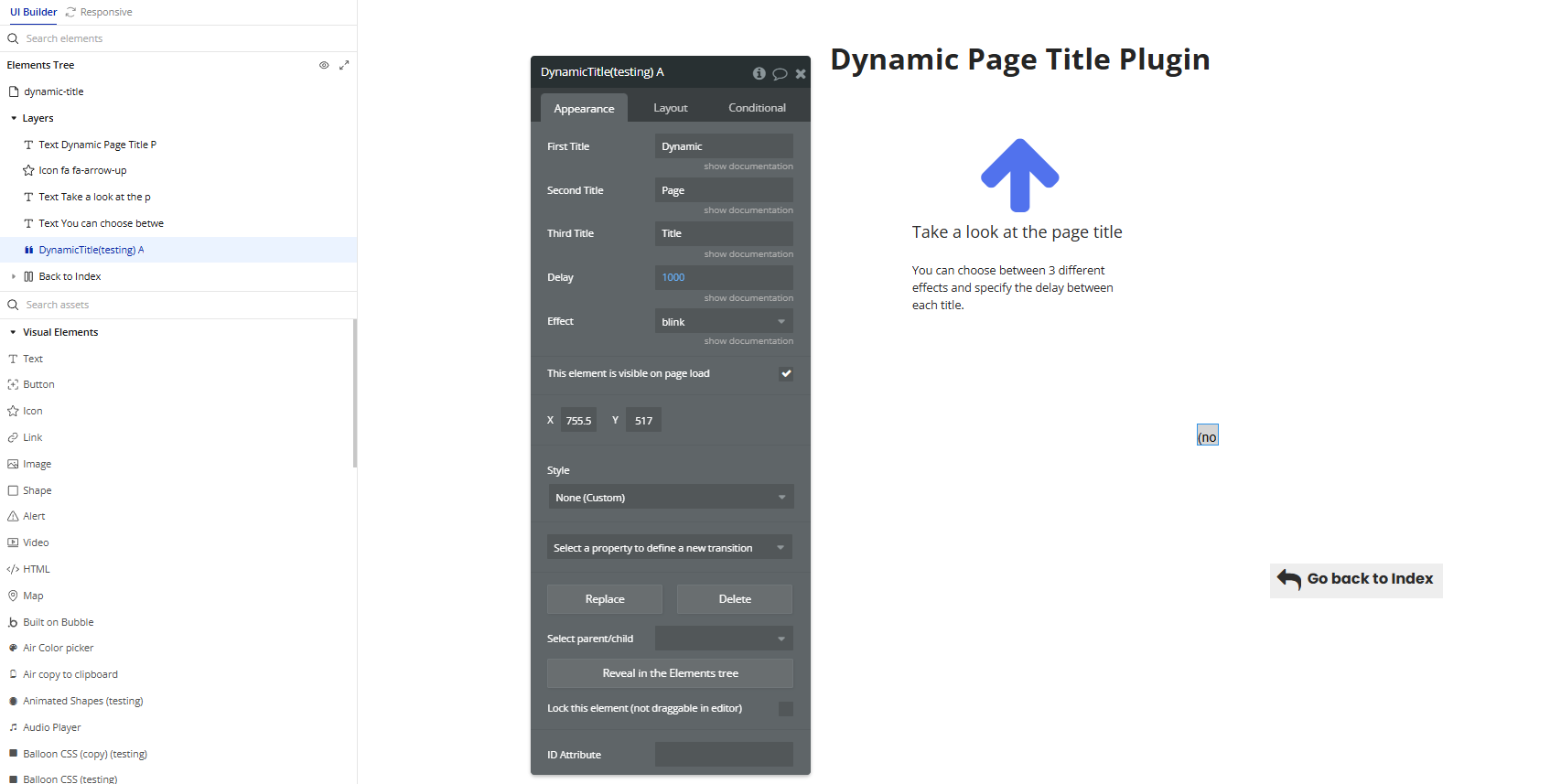
- Configure the Element Properties
- First Title: Text or dynamic expression to appear first in the browser tab title.
- Second Title: Text or dynamic value to show after the first title.
- Third Title: Optional suffix text.
- Delay: Interval (in milliseconds) between title updates (e.g., 1000 for 1 second).
- Effect: Animation effect for the title update:
- Options include
blink,typing, and more (check dropdown for all).
Select the
Dynamic Title element and fill in the following fields in the Appearance tab:Plugin Element Properties
Dynamic Title
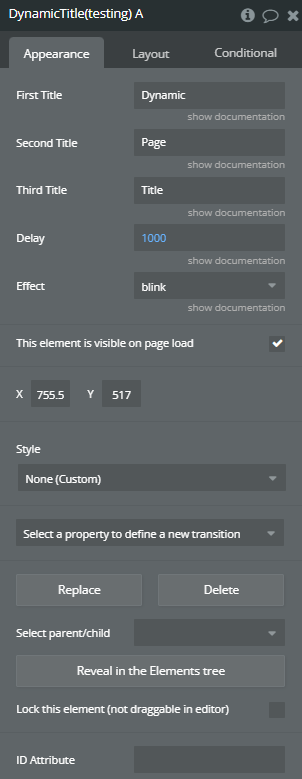
Fields:
Title | Description | Type |
First Title | Choose the first title that will be displayed. | Text |
Second Title | Choose the second title that will be displayed. | Text |
Third Title | Choose the third title that will be displayed. | Text |
Delay | Specify the delay between each title. | Number |
Effect | Choose an effect. Available options: blink, replace, scroll | Dropdown |
