
✅
Demo to preview the plugin:
✅
Live Demo: https://stylable-video-player.bubbleapps.io
✅
Introduction
A powerful and fully customizable video player for Bubble that supports HTML5 videos, HLS streams, YouTube, and Vimeo. Designed with responsiveness and flexibility in mind, this plugin allows you to control layout, aspect ratios, cropping behavior, styling, and advanced playback features to create a seamless video experience tailored to your app.
Key Features
- Advanced Styling Options
- Subtitles & Captions Support
- Fully Responsive Design
- External Video Integration
- Flexible Interface Controls

How to setup
Step 1 – Install the Plugin
- Go to the Plugin Tab
- Open your Bubble Editor.
- Navigate to the Plugins tab on the left panel.
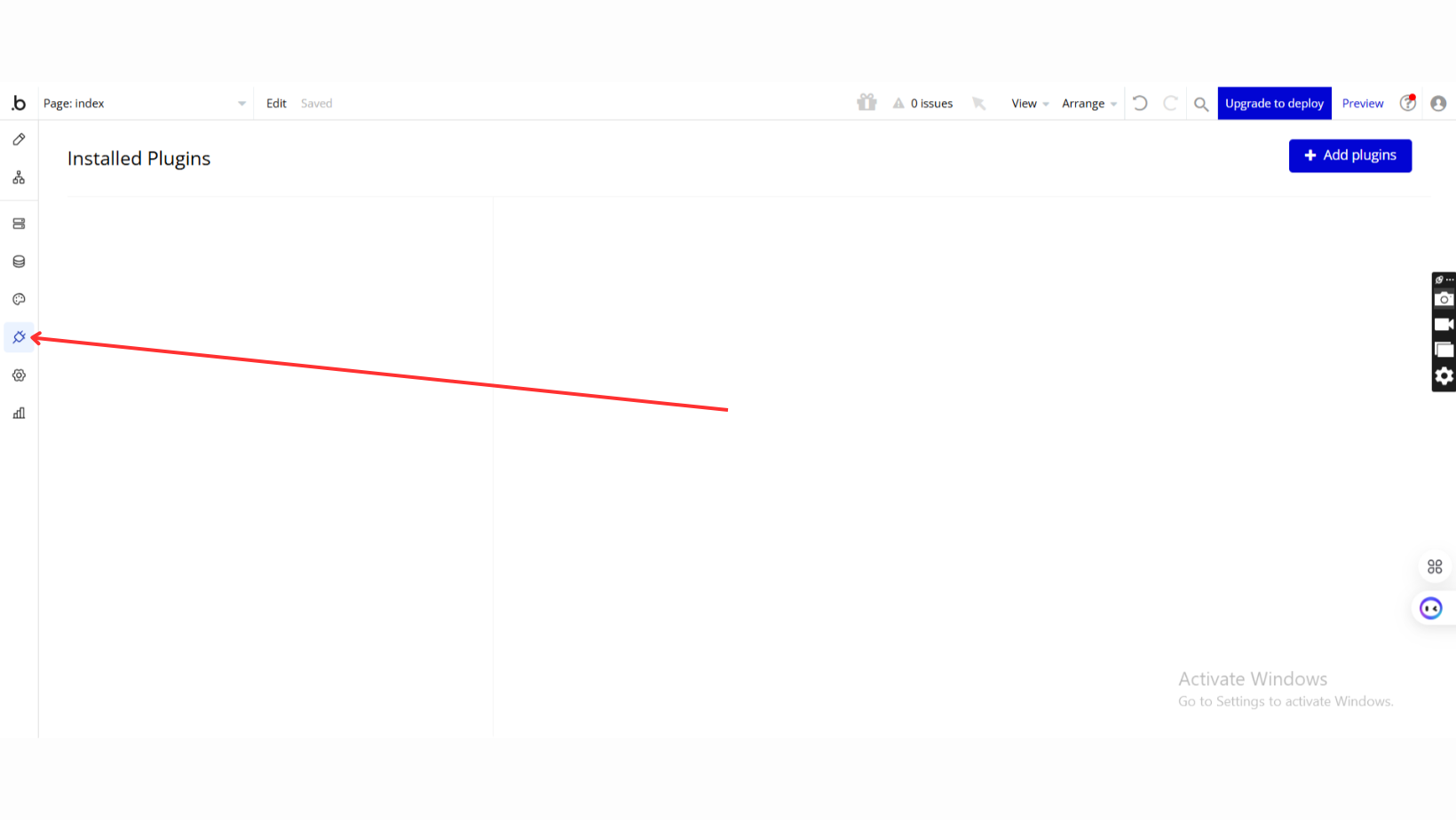
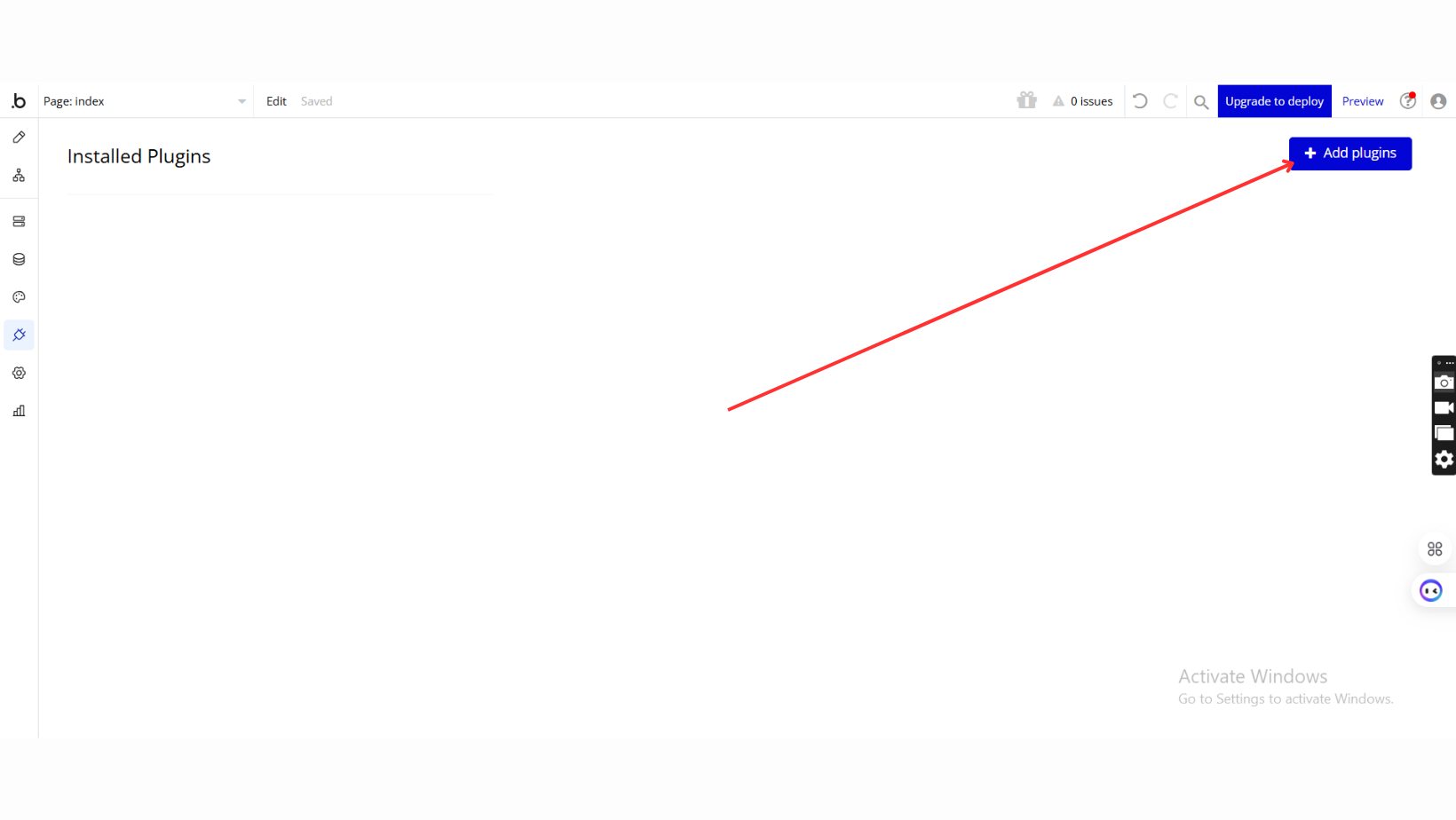
- Add Plugins
- Once in the Plugins tab, click the Add Plugins button.
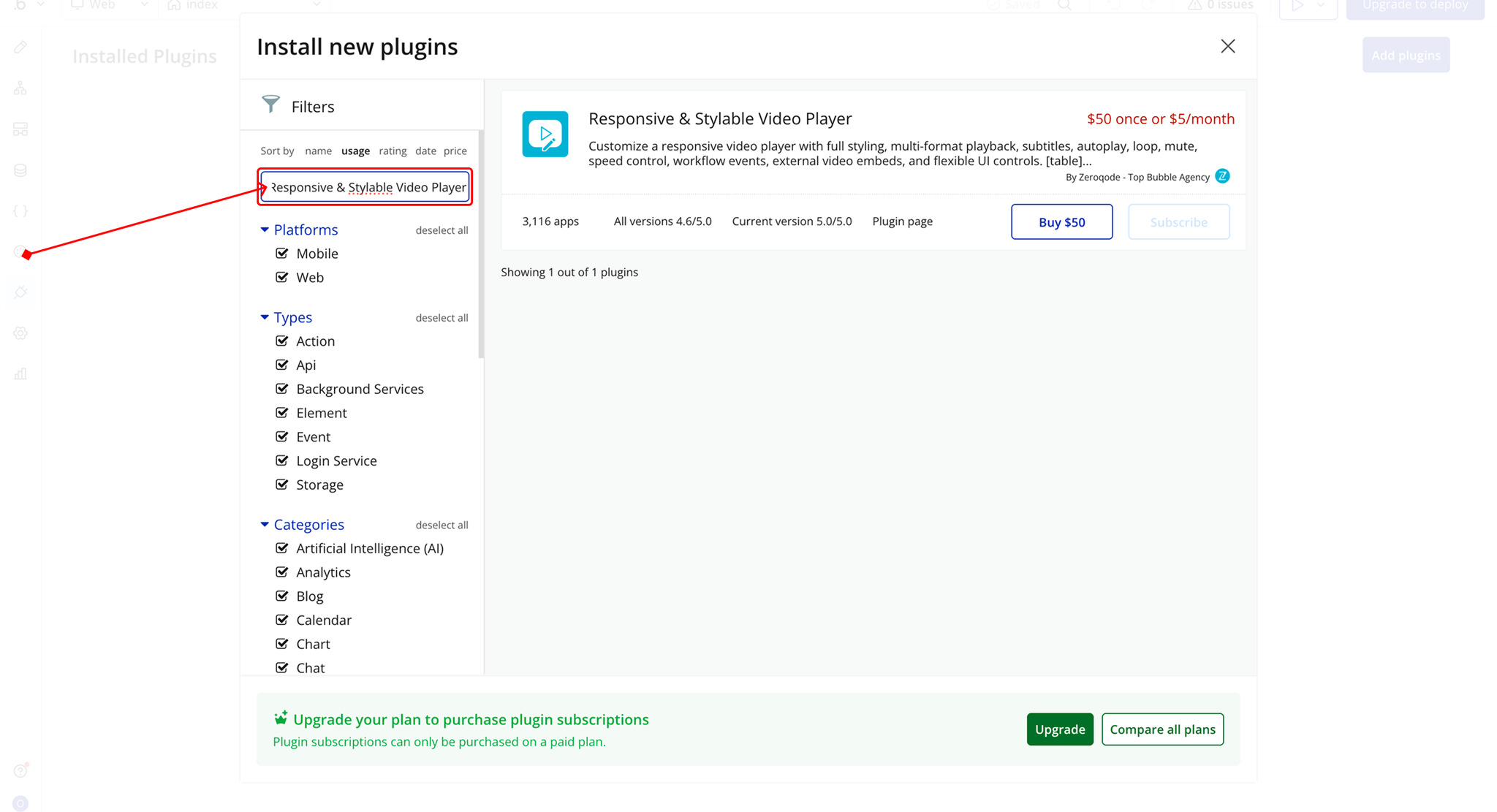
- Search for the Plugin
- Use the search bar to type Responsive & Stylable Video Player.
- Locate the plugin in the search results.
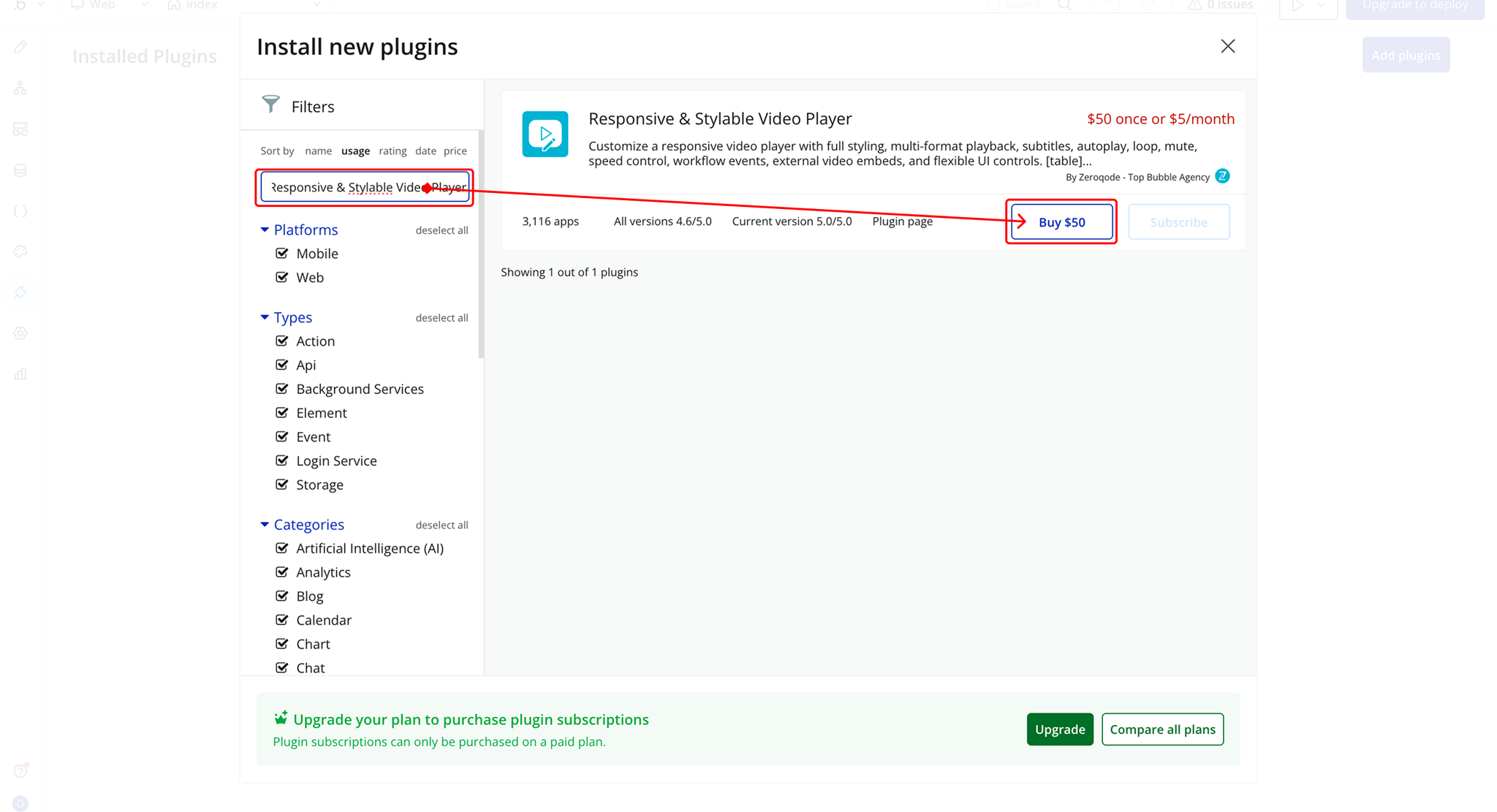
- Install/Buy
- If the plugin is free, click Install to add it to your application.
- For a paid plugin, click Buy and follow the purchase instructions.
- Payment Information (For Paid Plugins)
- If the plugin is a paid one, fill in your payment details and make payment.
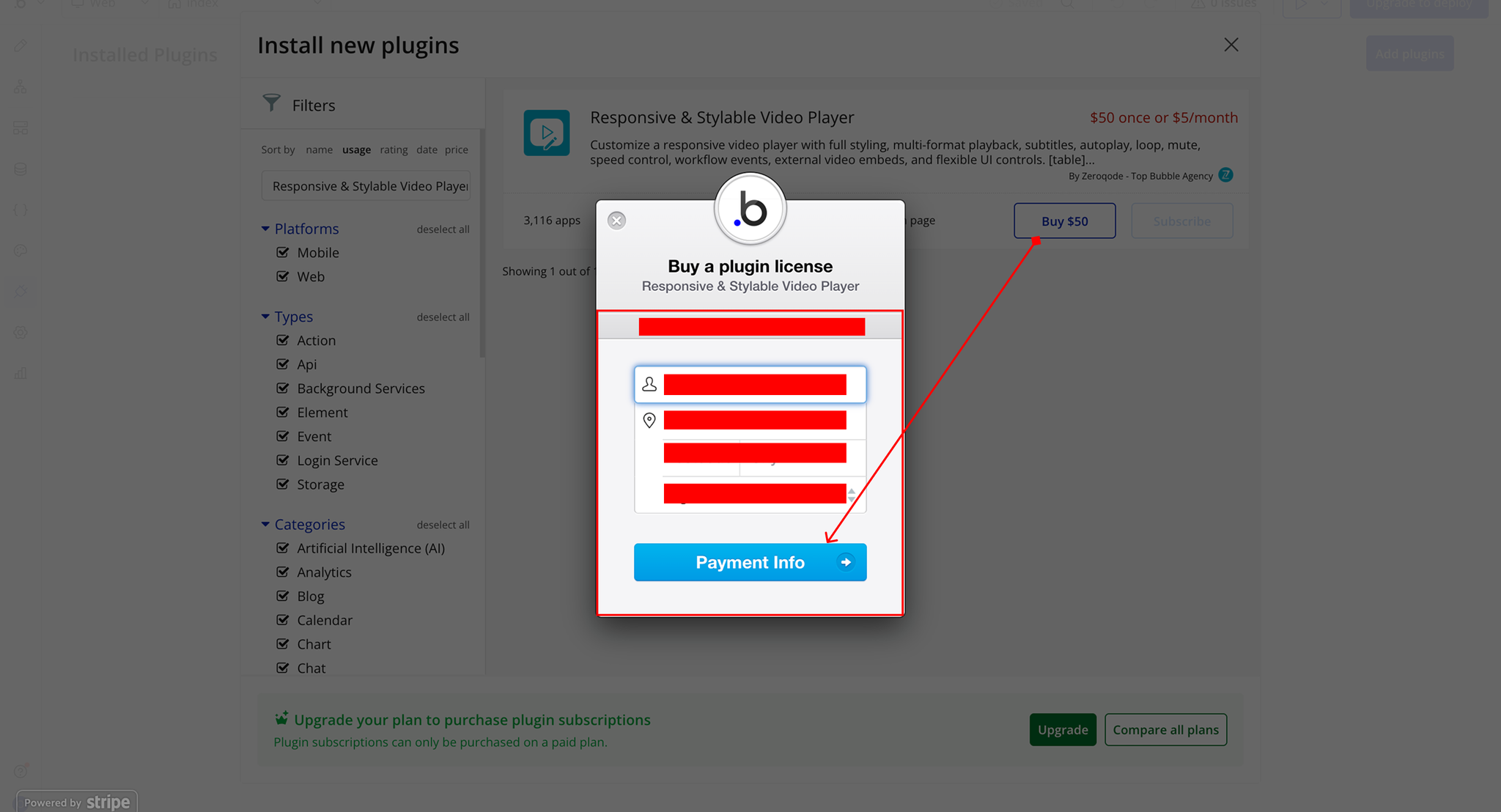
- Charges will be added to your Bubble billing account.
- Remember, if you unsubscribe from the plugin shortly after installation, charges will be prorated based on the days used.
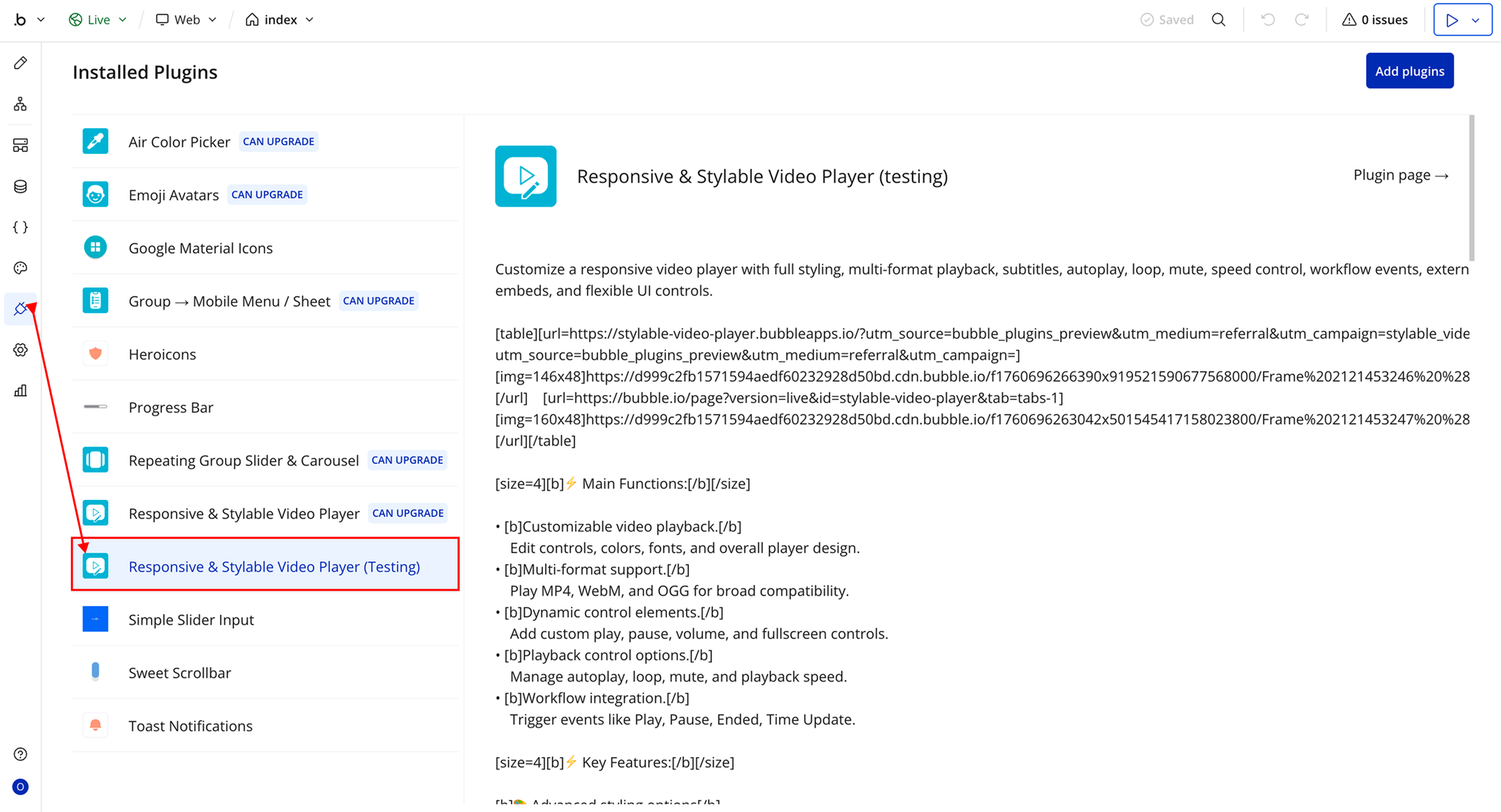
- Plugin Installed
- Once installed, the plugin will appear under the Installed Plugins list in your Bubble Editor.
Step 2 – Add the Plugin Element to Your Page
- Open the Design tab in your Bubble editor.
- Search for the Video Player element in the Elements panel.
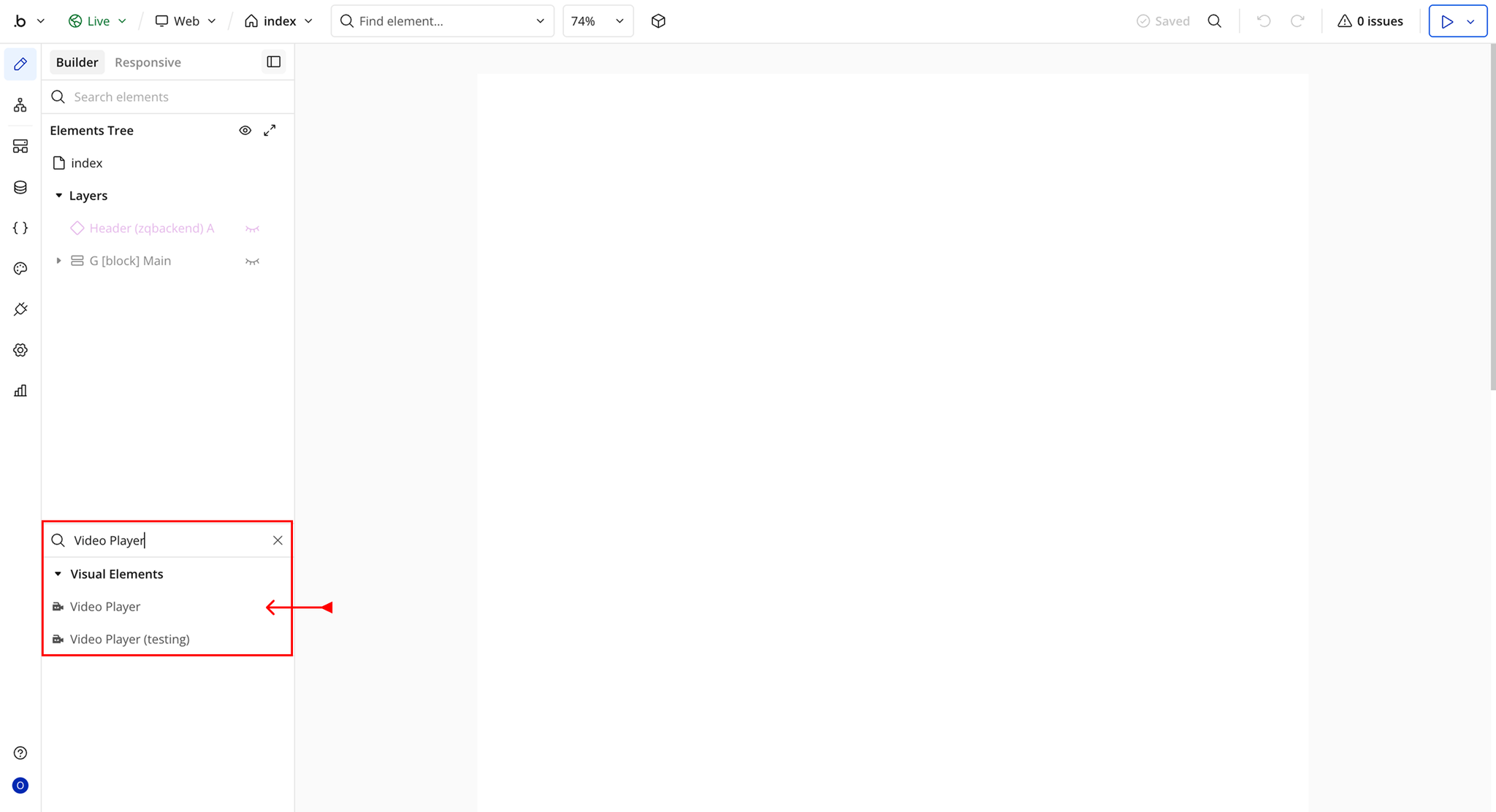
- You’ll see one option:
- Video Player
- Drag and drop the element onto your page.
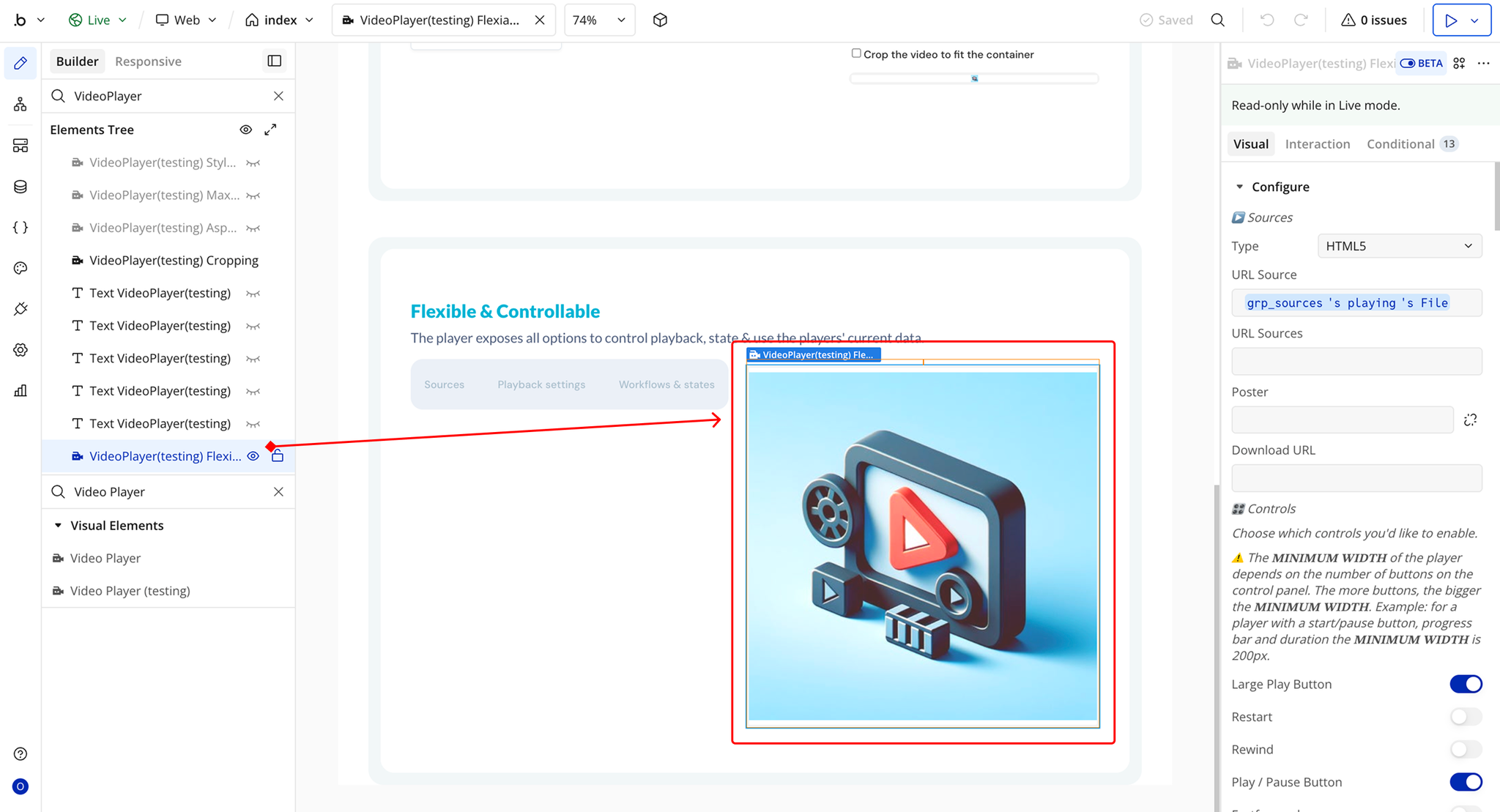
Plugin Element Properties - Video Player
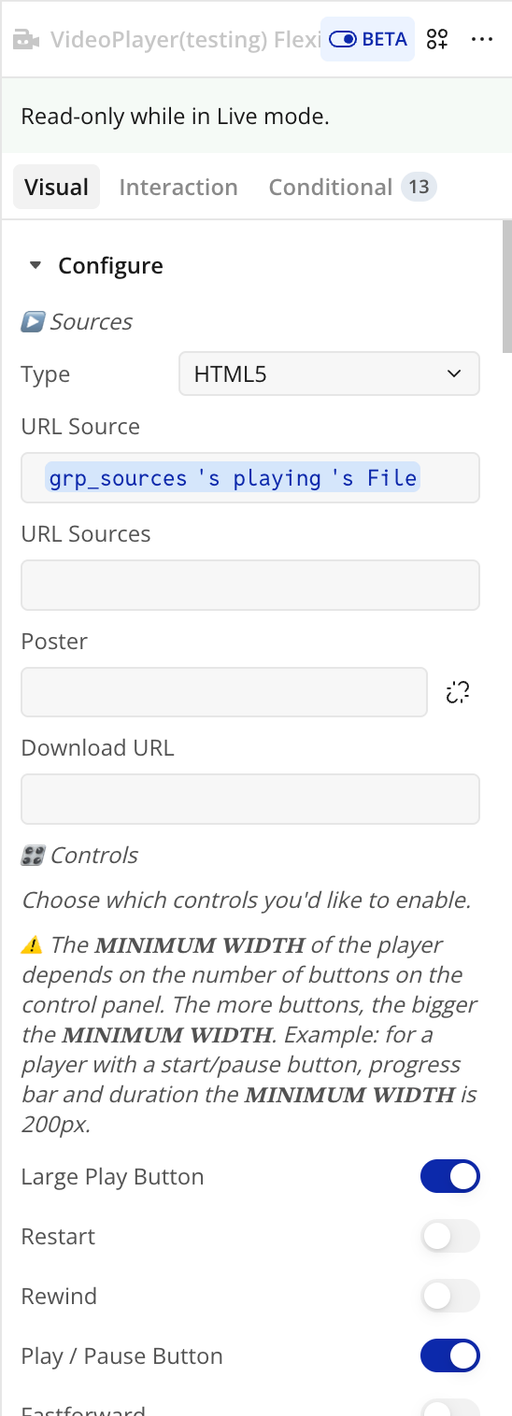
Fields
Title | Description | Type |
▶️ Sources | ||
Type | Select the type of video source you want to play. Use HTML5 for direct video files (MP4, WebM, OGG). | Dropdown (HTML5, YouTube, Vimeo, HLS) |
URL Source | The main video URL. Can be an HTML5 file link, YouTube URL, Vimeo URL, or HLS stream. | Text (optional) |
URL Sources | (HTML5 only) Provide multiple video file URLs (e.g., MP4 + WebM) for broader browser support. Overrides “URL Source” if set. | Text (optional) |
Poster | Poster image displayed before playback starts (HTML5 only). | Image (optional) |
Download URL | Media file URL used when the download button is enabled. | Text (optional) |
🎛️ Controls | Select which player controls should be visible. ⚠️ The minimum player width increases as more controls are enabled. Example: Play/Pause + Progress + Duration requires at least 200px width. | |
Large Play Button | Display a large play button centered over the video. | Checkbox |
Restart | Show a restart playback button. | Checkbox |
Rewind | Rewind playback by the defined seek time (default 10s). | Checkbox |
Play / Pause Button | Toggle playback state. | Checkbox |
Fast Forward | Fast forward by the defined seek time (default 10s). | Checkbox |
Progress Bar | Display playback progress and buffering bar. | Checkbox |
Current Time | Show the current playback time. | Checkbox |
Duration | Display total media duration. | Checkbox |
Mute Button | Show mute/unmute toggle. | Checkbox |
Volume | Display volume slider control. | Checkbox |
Settings | Show settings menu button. | Checkbox |
Picture-in-Picture | Enable Picture-in-Picture mode (Safari supported). | Checkbox |
AirPlay | Enable AirPlay support (Safari supported). | Checkbox |
Download | Show download button linked to the Download URL. | Checkbox |
Fullscreen | Enable fullscreen toggle. | Checkbox |
Hide Controls Automatically | Automatically hide controls after 2 seconds of inactivity. Controls reappear on interaction or pause. | Checkbox |
Auto Hide Buttons | Automatically hide controls that don't fit the player width into a dropdown menu. | Checkbox |
⚙️ Settings Menu | Configure which options appear inside the settings menu (requires Settings control enabled). | |
Video Quality | Allow manual quality selection (HLS / MPEG-DASH only). | Checkbox |
Playback Speed | Allow playback speed adjustment. | Checkbox |
Captions Settings | Show captions toggle inside settings menu. | Checkbox |
🔊 Playback Settings | Define initial playback behavior. | |
Autoplay | Start playback automatically when loaded. | Checkbox |
Autopause | Pause other players when this one starts playing. | Checkbox |
Seek Time | Number of seconds to skip when using rewind/fast forward. | Number |
Volume Level | Initial volume level (0 to 1). | Number |
Muted | Start playback muted. | Checkbox |
Click To Play | Allow clicking/tapping the video area to toggle play/pause. | Checkbox |
Reset On End | Reset video to start after playback finishes. | Checkbox |
Keyboard Shortcuts | Enable keyboard controls. | Checkbox |
Tooltips | Show tooltips for control buttons. | Checkbox |
Show Captions Icon | Display captions icon in toolbar. | Checkbox |
Loop | Loop video playback continuously. | Checkbox |
🎨 Styles | Customize player appearance and branding. | |
Main Color | Primary theme color of the player. | Color |
Video Background | Background color behind video/poster. | Color |
Badge Background | Background color for menu badges. | Color |
Badge Text Color | Text color for menu badges. | Color |
Badge Border Radius | Border radius applied to badges. | Text |
Tab Focus Color | Highlight color when navigating with keyboard. | Color |
Captions Background | Background color of captions (not supported for Vimeo). | Color |
Captions Text Color | Text color of captions (not supported for Vimeo). | Color |
Control Icon Size | Size of control icons. | Text |
Control Spacing | Space between control elements. | Text |
Control Padding | Padding inside control buttons. | Text |
Control Radius | Border radius of control buttons. | Text |
Toggle Checked Bg | Background color for selected menu items. | Color |
Video Controls Bg | Background color of video controls bar. | Color |
Video Control Color | Icon/text color of video controls. | Color |
Control Color Hover | Icon/text color on hover/focus. | Color |
Control Bg Hover | Background color on hover/focus. | Color |
Audio Controls Bg | Background color for audio controls. | Color |
Audio Control Color | Icon/text color for audio controls. | Color |
Audio Control Hover | Icon/text color on hover (audio). | Color |
Audio Control Bg Hover | Background color on hover (audio). | Color |
Menu Background | Background color of settings menu. | Color |
Menu Color | Text/icon color inside menu. | Color |
Menu Shadow | Shadow styling for menu container. | Text |
Menu Radius | Border radius for menu container. | Text |
Menu Arrow Size | Size of menu arrow indicator. | Text |
Menu Item Arrow Color | Color of submenu arrows. | Color |
Menu Item Arrow Size | Size of submenu arrows. | Text |
Menu Border Color | Border color of submenu header back button. | Color |
Menu Shadow Color | Shadow color below submenu header border. | Color |
Progress Loading Size | Size of loading stripes in progress bar. | Text |
Progress Loading Bg | Background color during loading state. | Color |
Video Buffered Bg | Buffer progress color (video). | Color |
Audio Buffered Bg | Buffer progress color (audio). | Color |
Range Thumb Height | Height of scrubber thumb handle. | Text |
Range Thumb Bg | Background color of scrubber thumb. | Color |
Range Thumb Shadow | Shadow styling of scrubber thumb. | Text |
Thumb Active Shadow Width | Shadow width when scrubber is active (pressed). | Text |
Range Track Height | Height of progress track. | Text |
Range Fill Bg | Fill color of progress bar. | Color |
Video Range Track Bg | Background color of video progress track. | Color |
Audio Thumb Active Shadow | Active shadow color for audio scrubber thumb. | Color |
Tooltip Background | Tooltip background color. | Color |
Tooltip Color | Tooltip text color. | Color |
Tooltip Padding | Tooltip padding. | Text |
Tooltip Arrow Size | Tooltip arrow size. | Text |
Tooltip Radius | Tooltip border radius. | Text |
Tooltip Shadow | Tooltip shadow styling. | Text |
Font Family | Custom font family for the player. | Text (optional) |
Font Size Base | Base font size (primarily captions). | Text |
Font Size Small | Small font size. | Text |
Font Size Large | Large font size. | Text |
Font Size XLarge | Extra-large font size. | Text |
Time Font Size | Font size for time display. | Text |
Menu Font Size | Font size inside menus. | Text |
Font Size Badge | Font size for badges. | Text |
Font Weight Regular | Regular font weight value. | Text |
Font Weight Bold | Bold font weight value. | Text |
Line Height | Line height applied to player text. | Text |
Font Smoothing | Enable font antialiasing inside player. | Checkbox |
🧩 SVG Sprites | Configure custom SVG icons. | |
Load Sprite | Automatically load SVG sprite from Icon URL. | Checkbox |
Icon URL | URL/path to custom SVG sprite file. | Text (optional) |
Icon Prefix | Prefix for SVG icon IDs to avoid conflicts. | Text |
📐 Aspect Ratio | Control video proportions and cropping behavior. | |
Aspect Ratio | Force a specific aspect ratio (e.g., 16:9). Defaults to native ratio. | Text (optional) |
Crop Video | Crop video to fully fill container. | Checkbox |
Crop Preview | Crop poster image to fill container. | Checkbox |
Start From Second | Define the starting playback time in seconds. | Number |
Element Actions
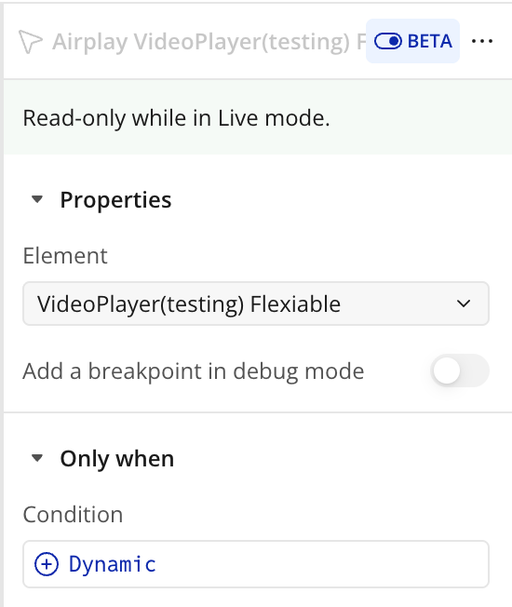
Airplay
Opens the AirPlay dialog on supported devices, allowing users to stream the video to compatible AirPlay-enabled devices such as Apple TV or other AirPlay receivers.
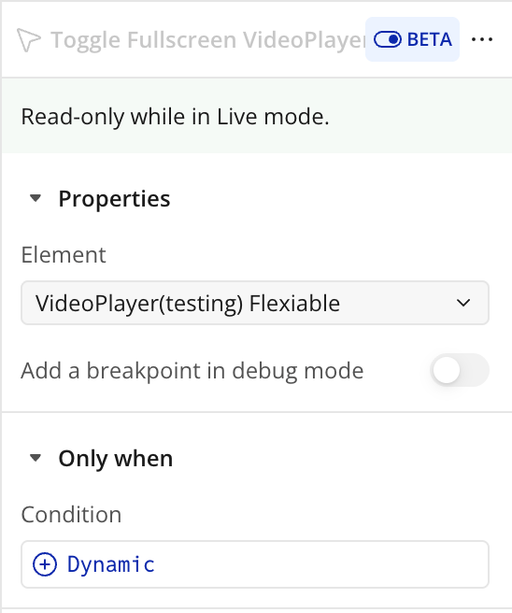
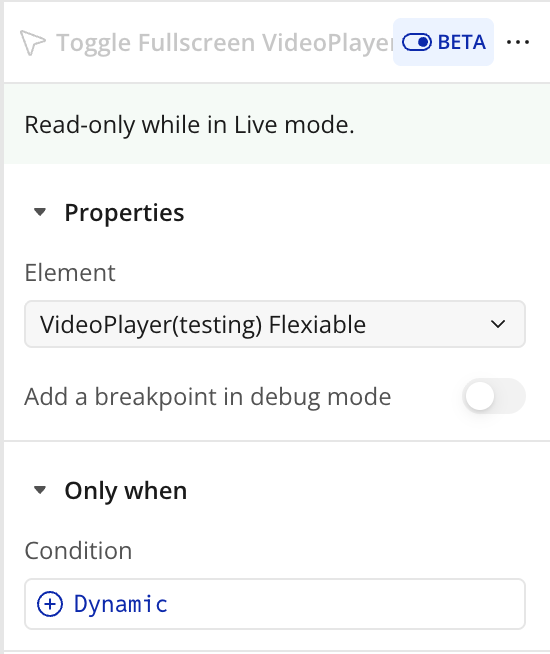
Toggle Fullscreen
Switches the video player between fullscreen mode and its original size. If the player is not in fullscreen, it will enter fullscreen; if it is in fullscreen, it will exit.
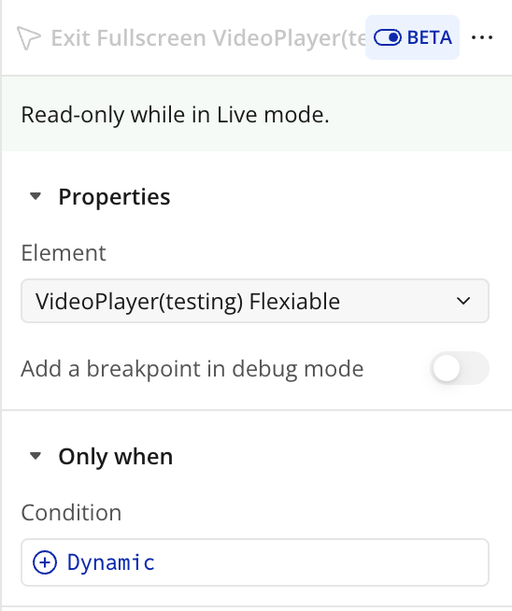
Exit Fullscreen
Exits fullscreen mode and returns the video player to its original size and layout.
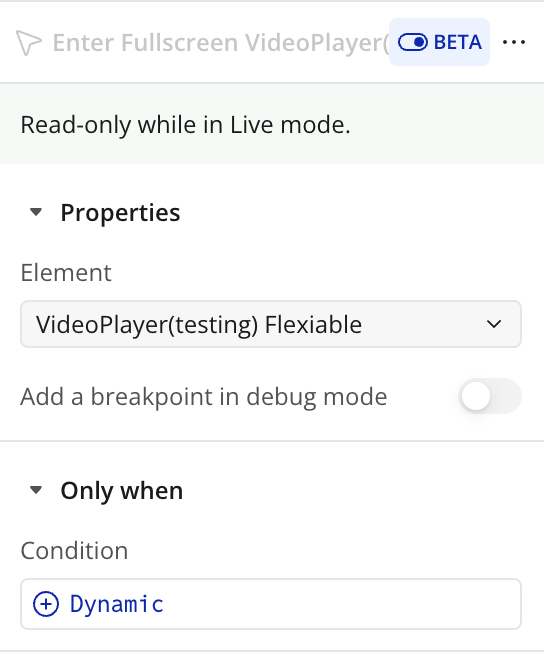
Enter Fullscreen
Enters fullscreen mode for the video player. If the device or browser does not support fullscreen, the player will expand to fill the entire browser window or viewport as a fallback.
Change Source
Updates the video player to play a new video from the specified source URL. The current playback will stop, and the new video will load
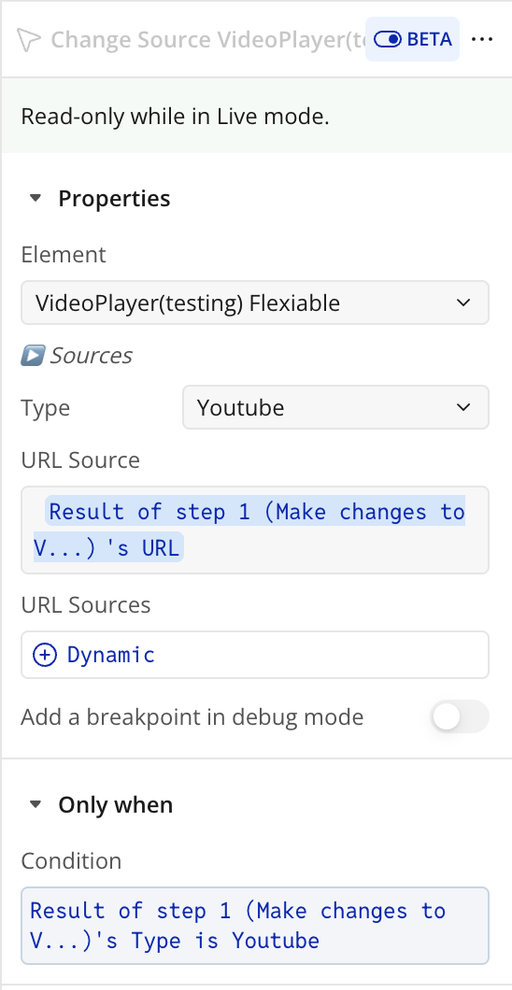
Title | Description | Type |
▶️ Sources | ||
Type | The type of video to play. Use HTML5 for video files (MP4/WebM), or select YouTube or Vimeo for streaming links. | Dropdown |
URL Source | The primary URL of the video to play. Can be a direct HTML5 video file, a YouTube link, or a Vimeo link. | Text |
URL Sources | (HTML5 only) List multiple video URLs for different formats (e.g., MP4, WebM). This takes precedence over the single URL Source if provided. | Text (optional) |
Decrease Volume
Decreases the player’s volume by the specified step value. If no value is provided, the default step will be applied.
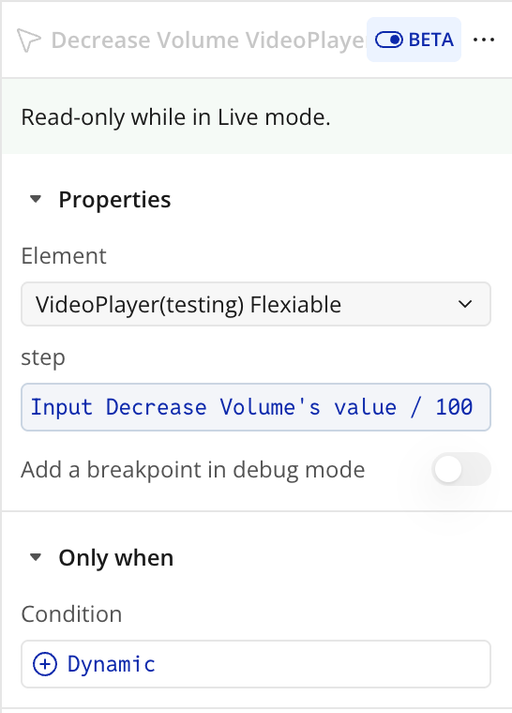
Title | Description | Type |
Step | A number between 0 and 1 specifying how much to decrease the volume. | Number |
Increase Volume
Increases the player’s volume by the specified step value. If no value is provided, the default step will be applied.
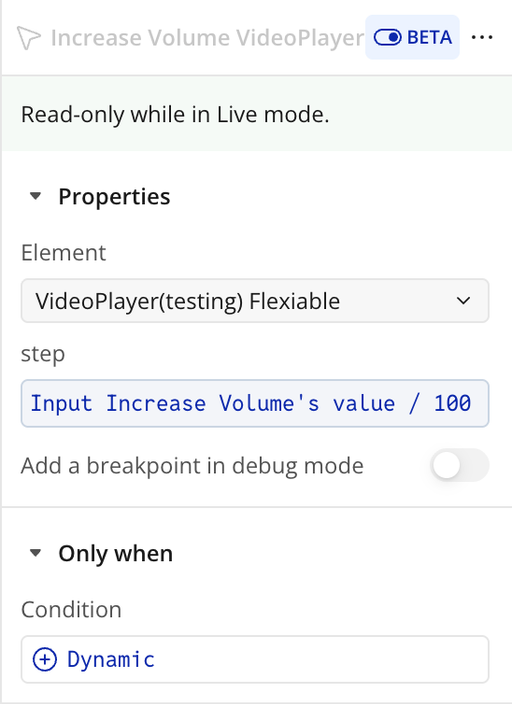
Title | Description | Type |
Step | A number between 0 and 1 specifying how much to increase the volume. | Number |
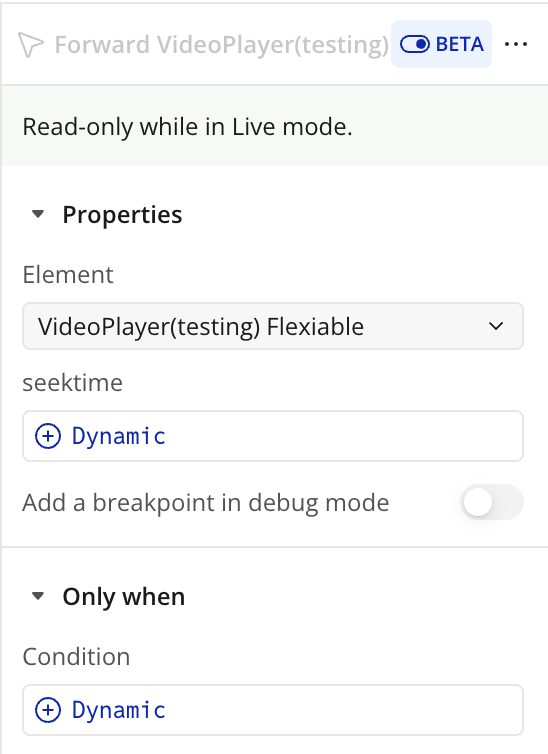
Forward
Fast-forwards playback by the specified number of seconds. If no value is provided, the default seek time will be used.
Title | Description | Type |
Seek Time | The number of seconds to fast-forward when the forward control is triggered. | Number |
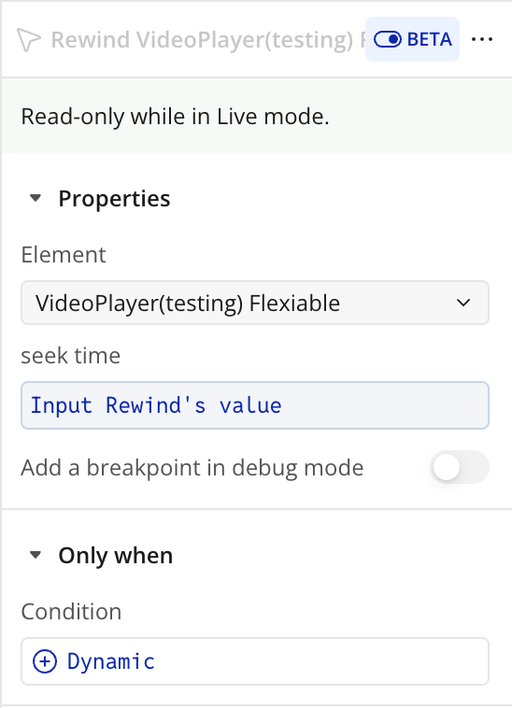
Rewind
Rewinds playback by the specified number of seconds. If no value is provided, the default seek time will be used.
Title | Description | Type |
Seek Time | The number of seconds to rewind or fast-forward when the control is triggered. | Number |
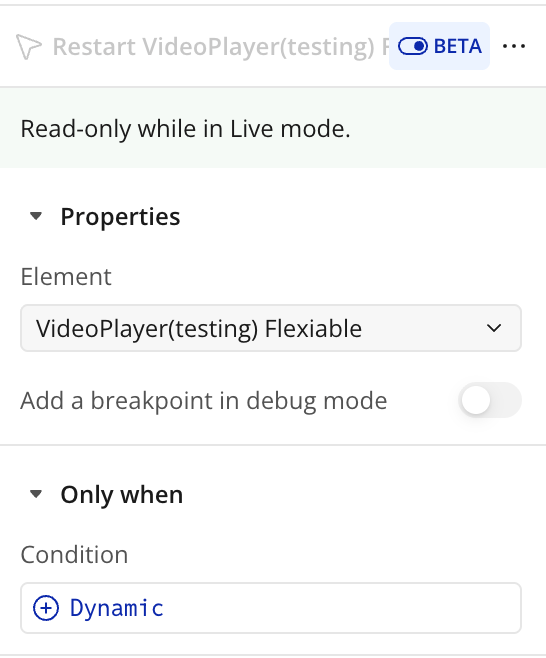
Restart
Restarts playback from the beginning of the video (00:00).
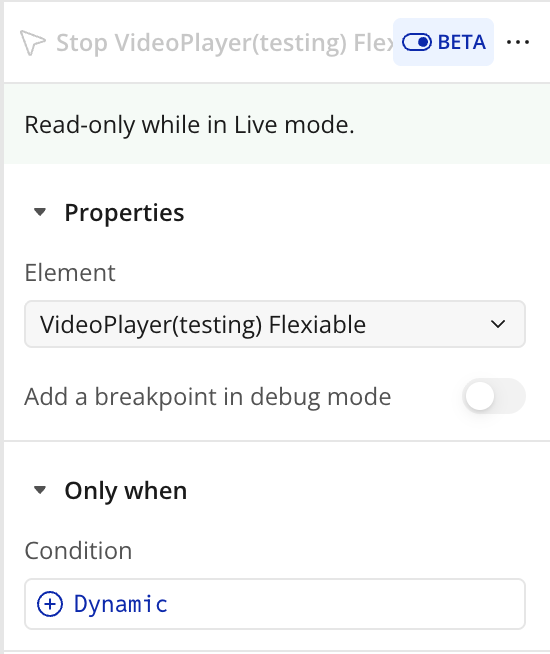
Stop
Stops playback and resets the video to the beginning (00:00).
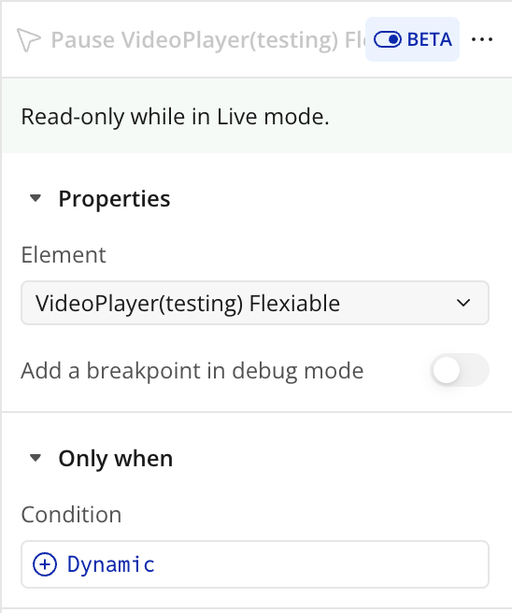
Pause
Pauses video playback at the current position. Playback can be resumed later from the same point.
Toggle Play
Switches between play and pause. If no parameters are provided, playback will toggle automatically based on the current state (plays if paused, pauses if playing).
Title | Description | Type |
Toggle | Enable or disable this option. When checked, the setting is turned on; when unchecked, it is turned off. | Checkbox (yes/no) |
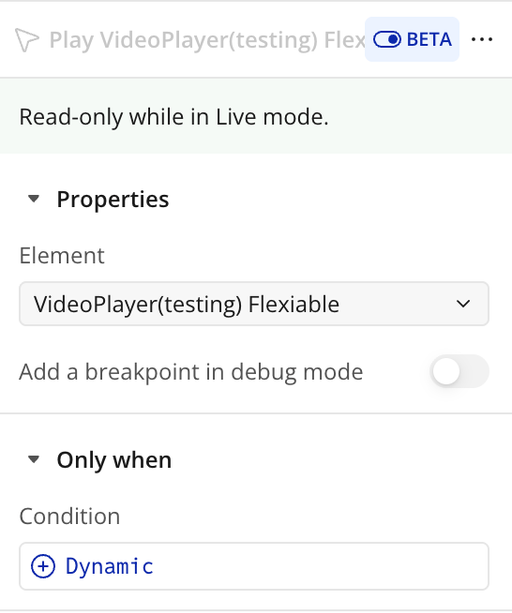
Play
Starts video playback from the current position. If the video is paused, it will resume playing.
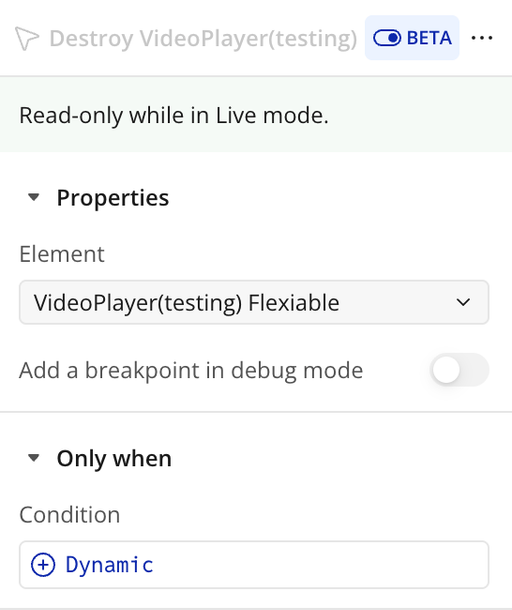
Destroy
Completely removes the video player instance from the page and cleans up all associated elements, event listeners, and memory. Use this when the player is no longer needed to prevent memory leaks and ensure proper resource cleanup.
Set Time
Updates the video’s playback position to a specific time, specified in seconds from the start of the video.
Title | Description | Type |
Time | The target playback position in seconds to set the video player to. | Number |
Exposed states
Title | Description | Type |
Current Time | The current playback position of the video in seconds. | Number |
Formatted Time | The current playback position formatted as mm:ss for readability. | Text |
Is Ready | Indicates whether the video player is fully loaded and ready to play. | Checkbox (yes/no) |
Is Playing | Indicates whether the video is currently playing. | Checkbox (yes/no) |
Is Fullscreen | Indicates whether the video player is currently in fullscreen mode. | Checkbox (yes/no) |
Element Events
Title | Description |
is paused | Triggered when the video playback is paused. |
starts to play | Triggered when the video begins playing from a paused or stopped state. |
is playing | Triggered while the video is actively playing. |
is downloading progress | Triggered when the video is buffering or loading additional data. |
is updating its time | Triggered when the current playback time updates (e.g., during playback or seeking). |
is seeking | Triggered when the user jumps to a different position in the video. |
has ended | Triggered when the video reaches the end of its duration. |
enters fullscreen | Triggered when the video player enters fullscreen mode. |
exits fullscreen | Triggered when the video player exits fullscreen mode. |
is ready | Triggered when the video is fully loaded and ready to play. |
Workflow example
Workflow 1: Play the Video
- Place the Easy Video Player element on your page.
- Add a Button labeled Play.
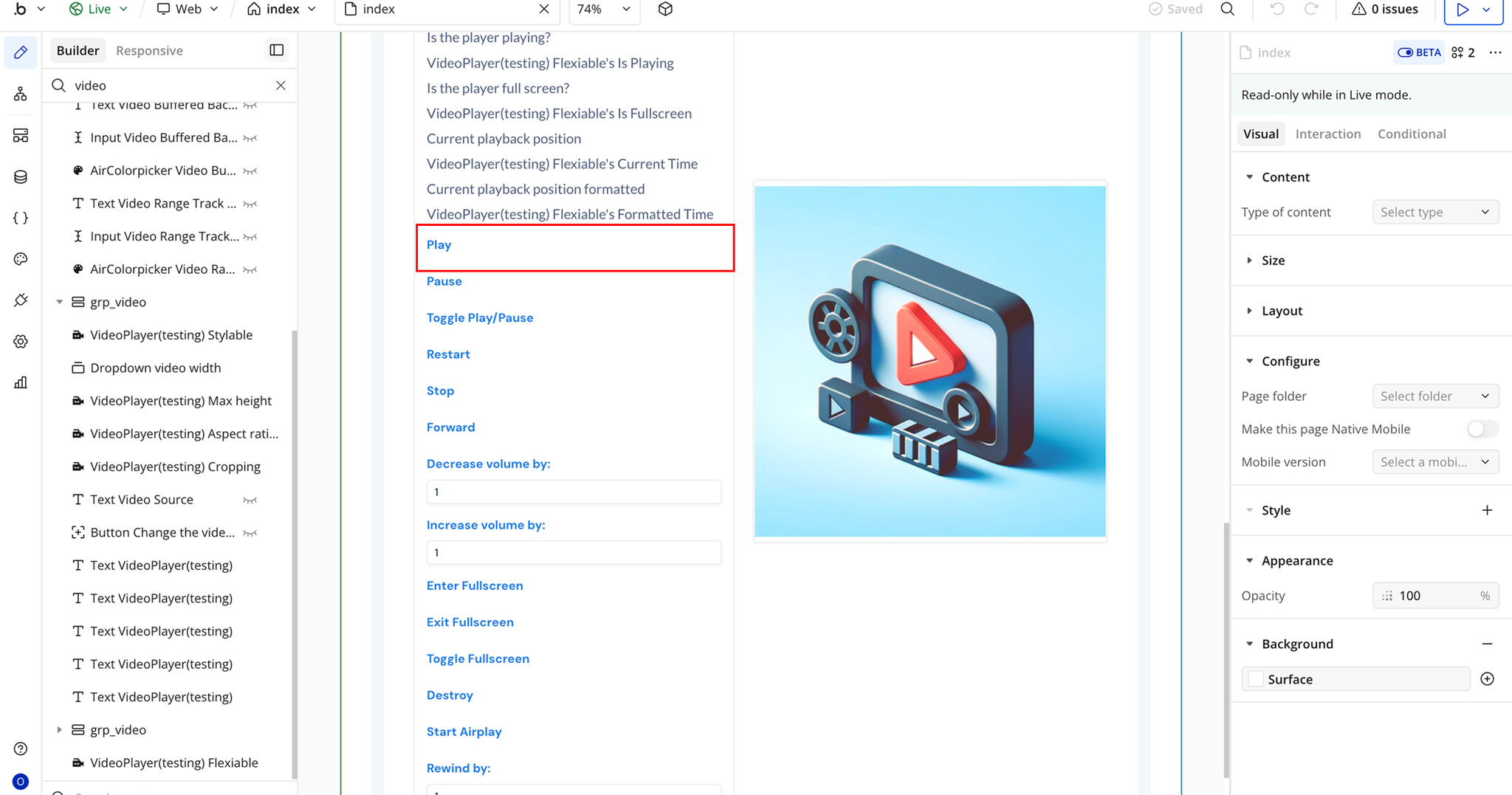
- Create a workflow: When Play Button is clicked.
- Add the plugin action Play Video Player.
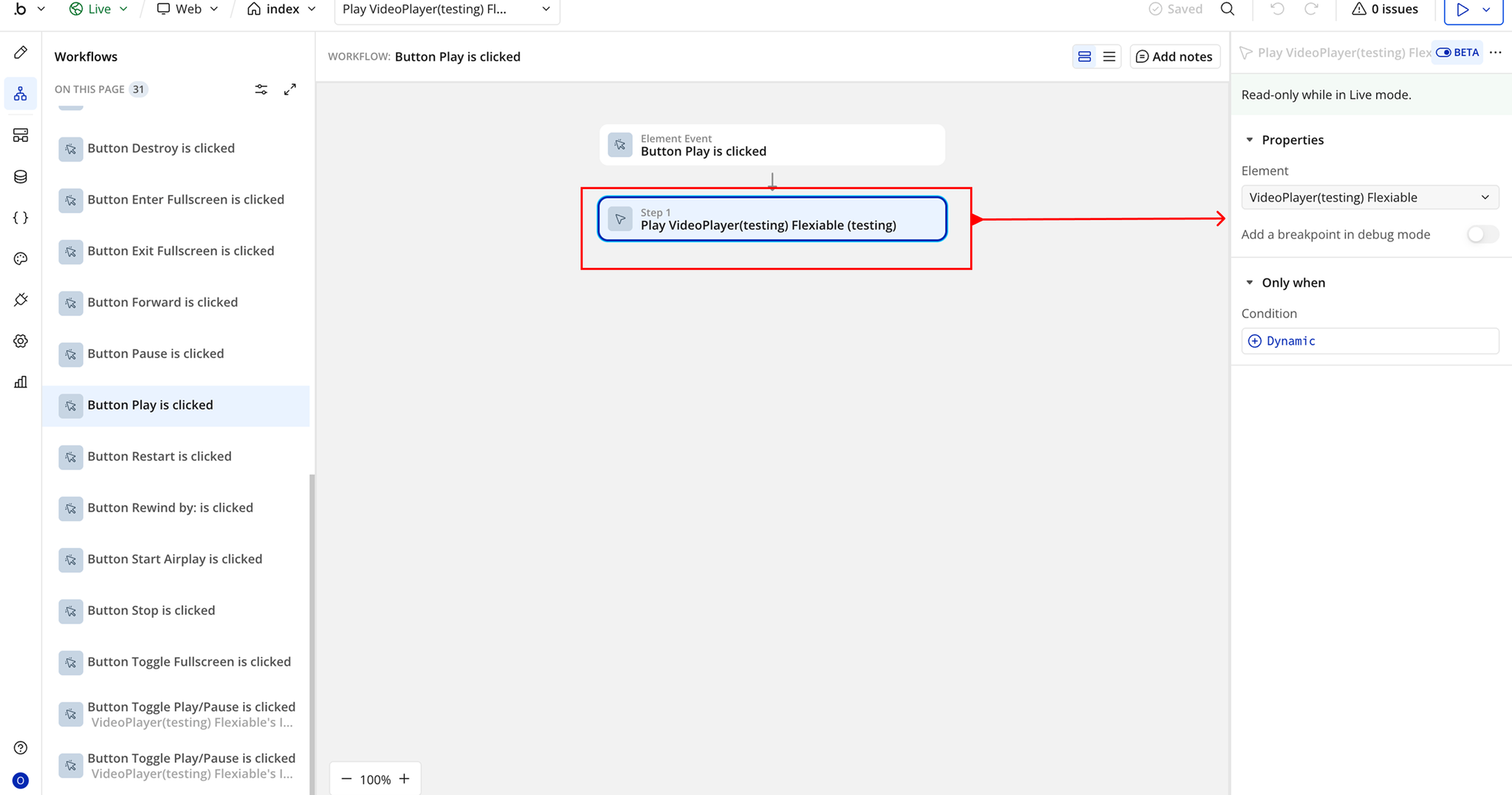
- In the Element field, select the Video Player element placed on the page.
Workflow 2: Restart the Video
- Add a Button labeled Restart on the page.
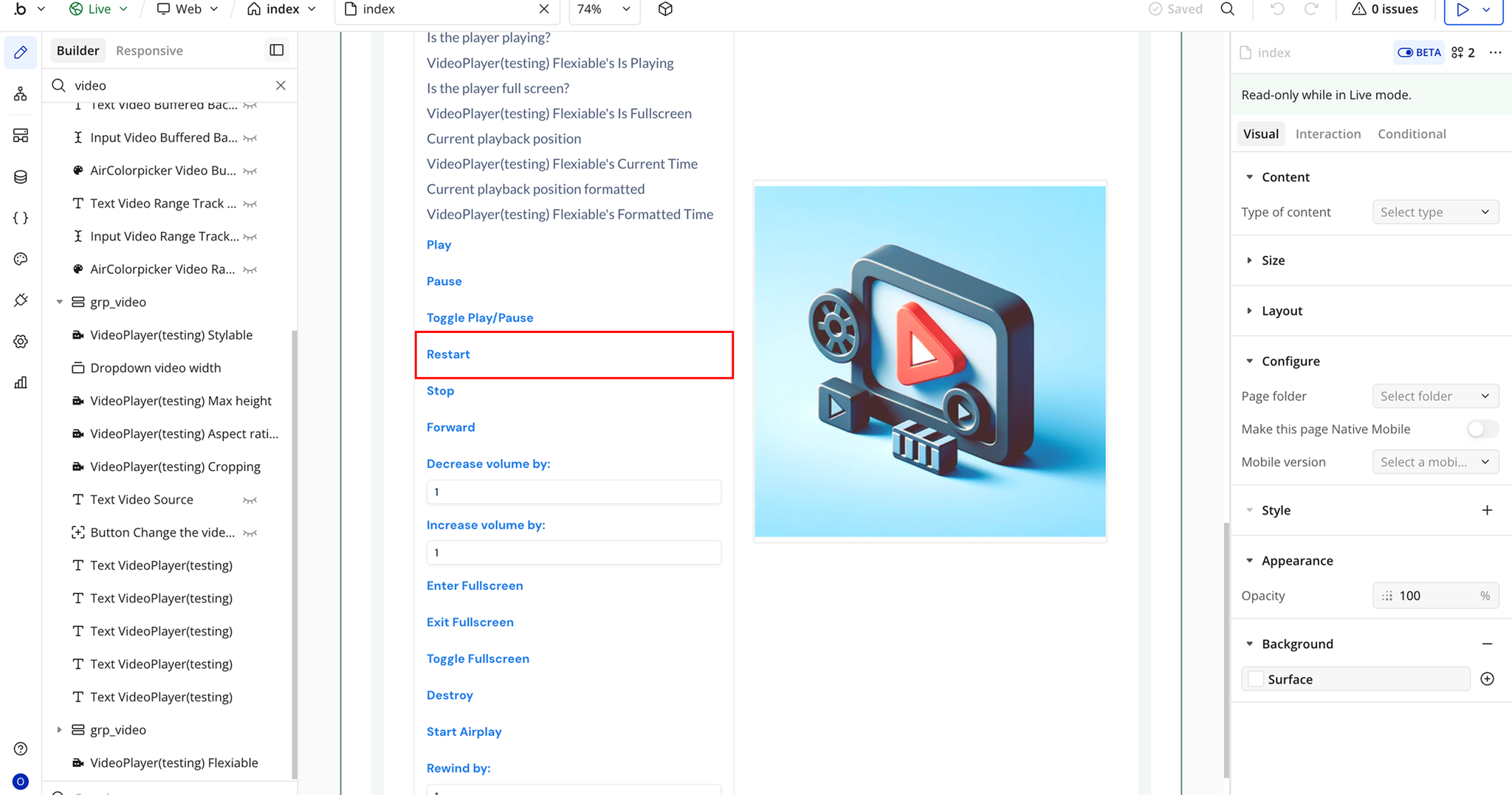
- Create a workflow: When Restart Button is clicked.
- Add the plugin action Restart Video Player.
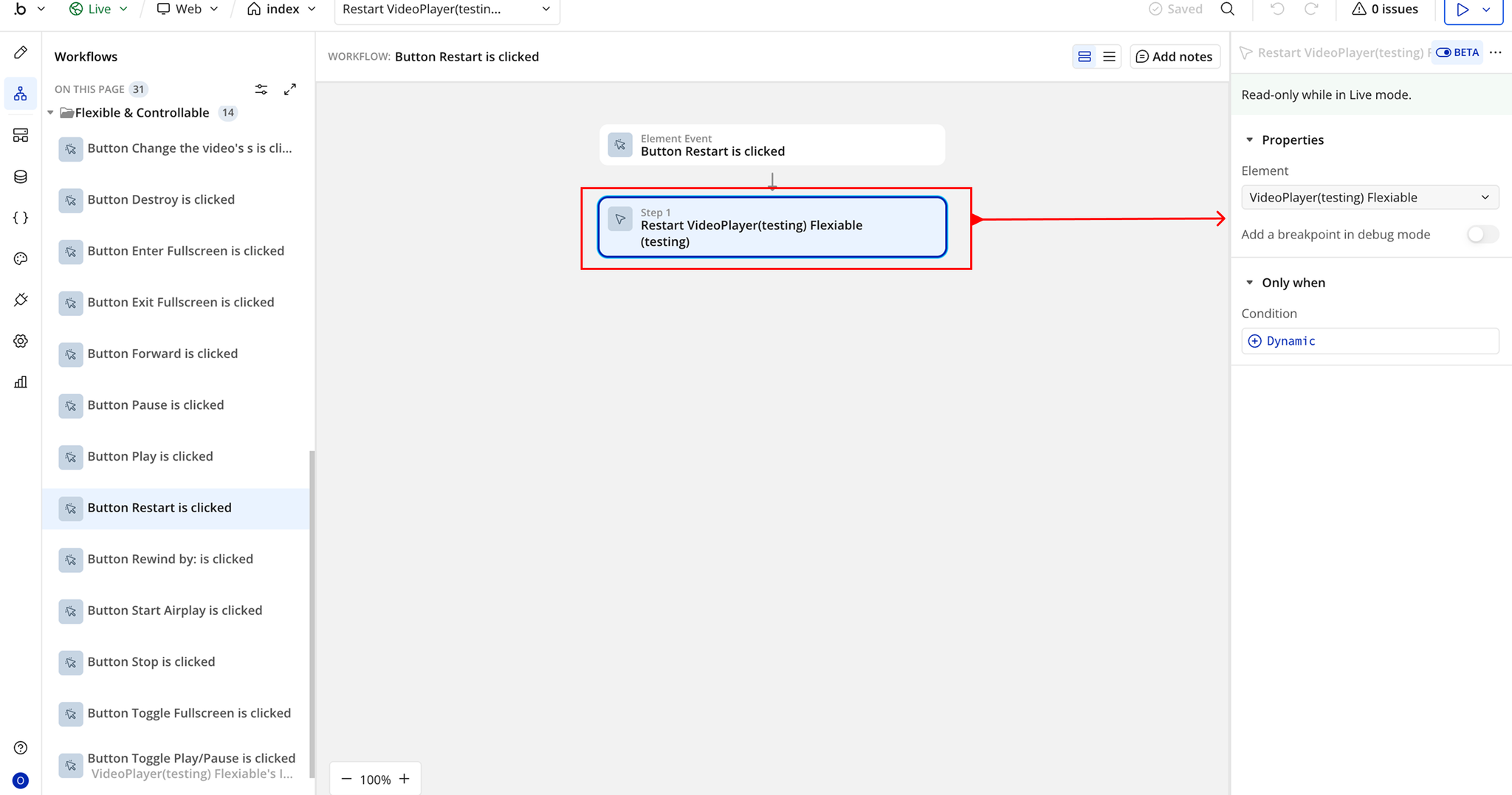
- In the Element field, select the Video Player element placed on the page.

Changelogs
Update 15.09.26 - Version 2.4.0
- iOS Fullscreen Layering Fix (Floating Groups Overlap)
Update 03.09.26 - Version 2.3.0
- iOS fullscreen fix + native fullscreen for HTML5/HLS on iPhone
Update 20.04.26 - Version 2.2.0
- Minor Fixes.
Update 15.04.26 - Version 2.1.0
- Added "Auto Hide Buttons" Field.
Update 26.03.26 - Version 2.0.0
- Bubble Plugin Page Update (Docs).
Update 01.12.25 - Version 1.24.0
- Bubble Plugin Page Update (Description).
Update 01.12.25 - Version 1.23.0
- Bubble Plugin Page Update (Description).
Update 14.11.25 - Version 1.22.0
- Bubble Plugin Page Update (Description).
Update 07.11.25 - Version 1.21.0
- Bubble Plugin Page Update (Description).
Update 04.11.25 - Version 1.20.0
- Resolved Audio Click Issue.
Update 09.07.25 - Version 1.19.0
- Bubble Plugin Page Update (Logo).
Update 19.06.25 - Version 1.18.0
- Bubble Plugin Page Update (Logo).
Update 19.12.24 - Version 1.17.0
- Added closed captions (CC) for Vimeo videos.
Update 28.11.24 - Version 1.16.0
- Responsive & Stylable Video Player.
Update 28.11.24 - Version 1.15.0
- Minor update(Marketing update).
Update 24.07.24 - Version 1.14.0
- Minor update .
Update 28.06.24 - Version 1.13.0
- Updated demo/service links.
Update 12.06.24 - Version 1.12.0
- Fixed YouTube muting issue.
Update 11.06.24 - Version 1.11.0
- Fixed "Range Thumb Bg" field.
Update 22.05.24 - Version 1.10.0
- Added dynamic height for drop-up menus on the control bar.
Update 14.05.24 - Version 1.9.0
- Updated show docs.
Update 07.05.24 - Version 1.8.0
- Fixed aspect ratio resizing.
Update 30.04.24 - Version 1.7.0
- added new Start from second field.
Update 30.04.24 - Version 1.6.0
- Fixed error in the console when the Progress Bar is hidden.
Update 20.02.24 - Version 1.5.0
- updated description.
Update 17.02.24 - Version 1.4.0
- updated description.
Update 12.02.24 - Version 1.3.0
- updated description.
Update 04.01.24 - Version 1.2.15
- Fix aspect ratio changes.
Update 14.12.23 - Version 1.2.14
- fix error logs.
Update 13.12.23 - Version 1.2.13
- Add download URL property.
Update 06.11.23 - Version 1.2.12
- update to v4.
Update 28.09.23 - Version 1.2.11
- Fix video cropping.
Update 18.09.23 - Version 1.2.10
- Add poster metadata.
Update 01.06.23 - Version 1.2.9
- Handle SetTime when Paused.
Update 01.06.23 - Version 1.2.8
- Add Set Time Action.
Update 01.06.23 - Version 1.2.7
- Add forward time as dynamic value.
Update 05.04.23 - Version 1.2.6
- Updated service url.
Update 30.03.23 - Version 1.2.5
- Prevent contextual menu on Youtube.
Update 30.03.23 - Version 1.2.4
- Reaload sources when controls have changed.
Update 08.02.23 - Version 1.2.3
- bugfix related to hls autoplay.
Update 08.02.23 - Version 1.2.2
- remove unnecesary console logs.
Update 08.02.23 - Version 1.2.1
- fix HLS media reload.
Update 07.02.23 - Version 1.2.0
- Add support for HLS .
Update 29.01.23 - Version 1.1.1
- remove 'dev' from element name.
Update 10.01.23 - Version 1.1.0
- Remove unfinished features.
Update 05.01.23 - Version 1.0.1
- Changed element name (removed (dev).
Update 05.01.23 - Version 1.0.0
- Added editor link & instructions.
Update 14.10.22 - Version 0.0.12
- update.
Update 26.05.22 - Version 0.0.11
- update.
Update 26.05.22 - Version 0.0.10
- remove dbg.
Update 26.05.22 - Version 0.0.9
- debug.
Update 26.05.22 - Version 0.0.8
- test.
Update 29.04.22 - Version 0.0.7
- piitch.
Update 29.04.22 - Version 0.0.6
- petch.
Update 25.04.22 - Version 0.0.5
- patch.
Update 18.04.22 - Version 0.0.4
- pls.
Update 15.04.22 - Version 0.0.3
- patchi.
Update 04.04.22 - Version 0.0.2
- patch.
Update 04.04.22 - Version 0.0.1
- init.