Link to the plugin page: https://zeroqode.com/plugin/slider-input-bubble-mobile-free-1767791846832x121169495098251150
Demo to preview the plugin:
Introduction
The Slider Input Bubble Mobile Free plugin provides a customizable slider input component specifically designed for mobile applications built with Bubble’s mobile editor. This plugin allows users to select numeric values within a defined range by dragging a handle along a track.
The slider features smooth animations, customizable appearance options including handle size, colors, and track styling, as well as an optional tooltip that displays the current value during interaction. It supports various animation types (spring, smooth, bounce) for a polished user experience and includes validation to ensure proper configuration.
Prerequisites
This plugin is designed specifically for the mobile version of the Bubble editor. To test the plugin on your mobile device, use the TestFlight app available at: https://testflight.apple.com/join/j73hHPR6
Please note that the testing app is currently available for iOS only.

How to setup
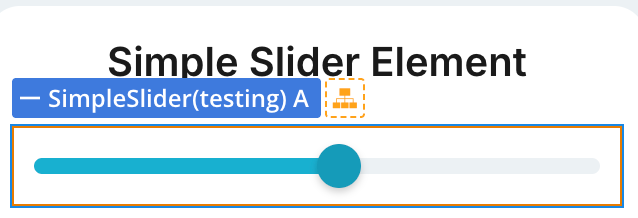
Plugin Element - Simple Slider
Visual element designed for numeric input through touch interaction.
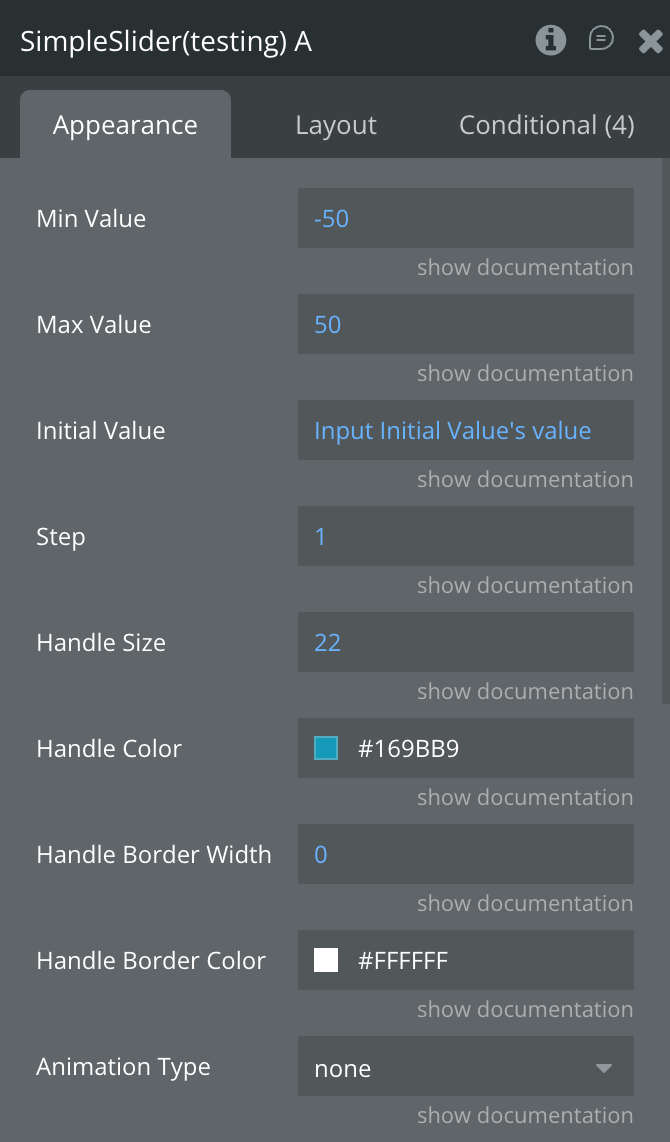
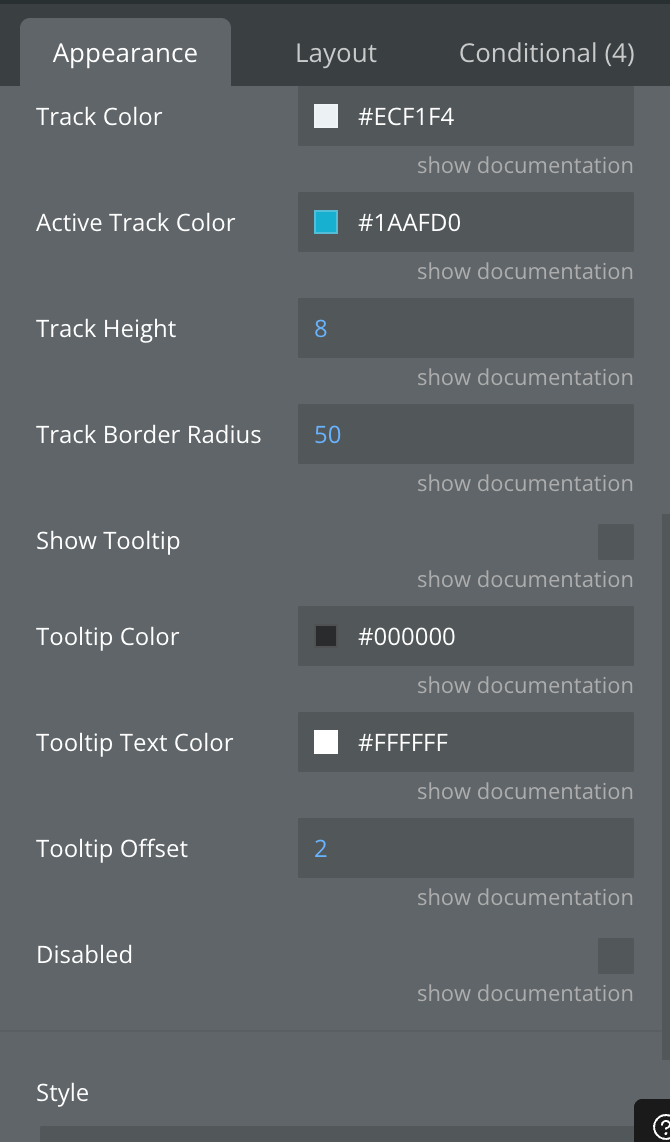
Fields
Exposed States
Element Events
Element Actions
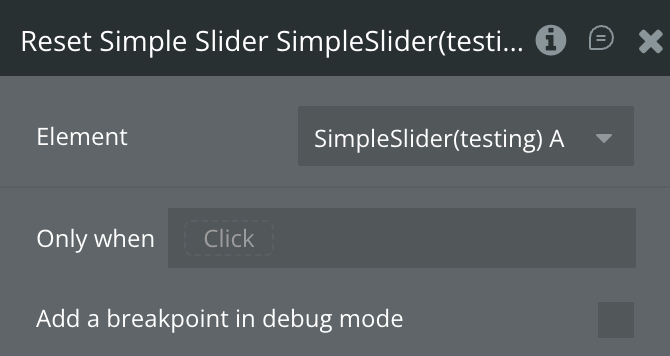
Workflow example
Here are some basic workflow examples to get you started with the Slider Input Bubble Mobile Free plugin:
Basic Slider Setup
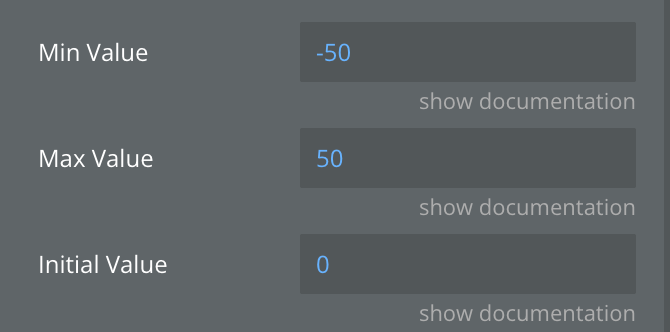
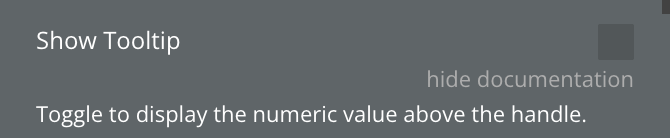
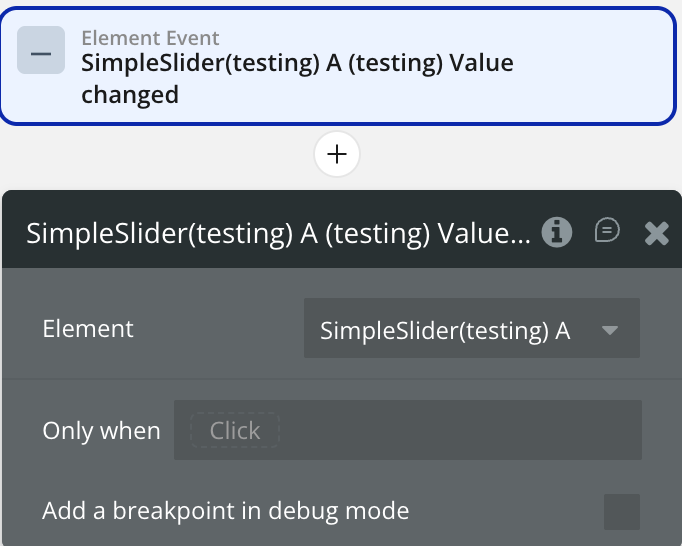
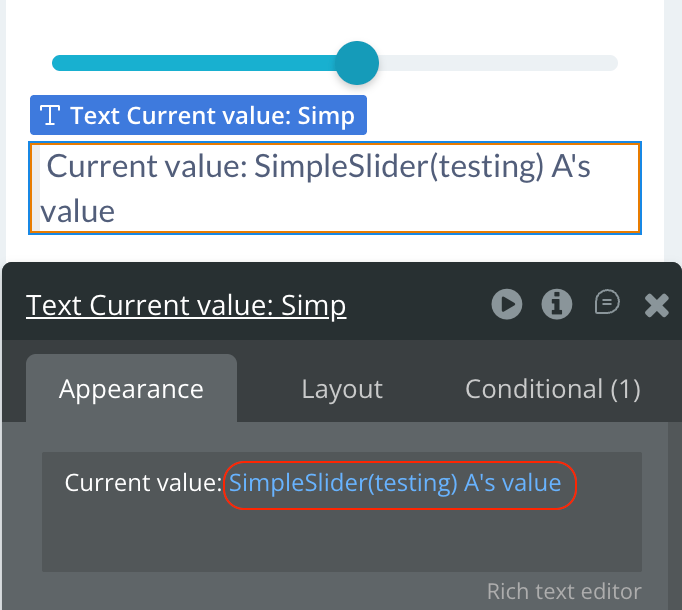
Capturing Slider Values
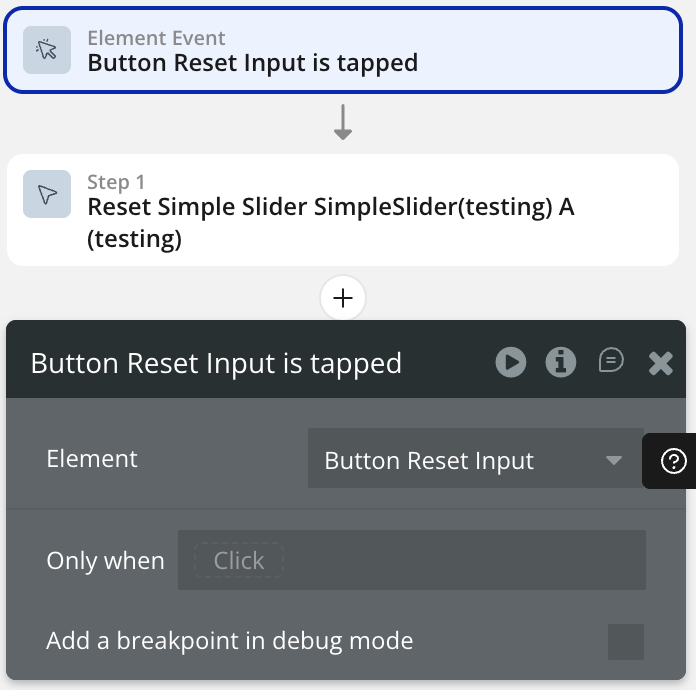
Reset Slider Functionality