Phone Number Input Pro is an advanced phone number input field for Bubble, designed for mobile and web applications.
It includes country prefix selection, automatic formatting based on country patterns, validation status, modal country picker, and multiple customization options for design and behavior.
Prerequisites
This plugin is designed specifically for the mobile version of the Bubble editor. To test the plugin on your mobile device, use the TestFlight app available at: https://testflight.apple.com/join/kW1puGu7
⚠️
Please note that the testing app is currently available for iOS only.

How to setup
Step 1 – Add the Plugin Element to Your Page
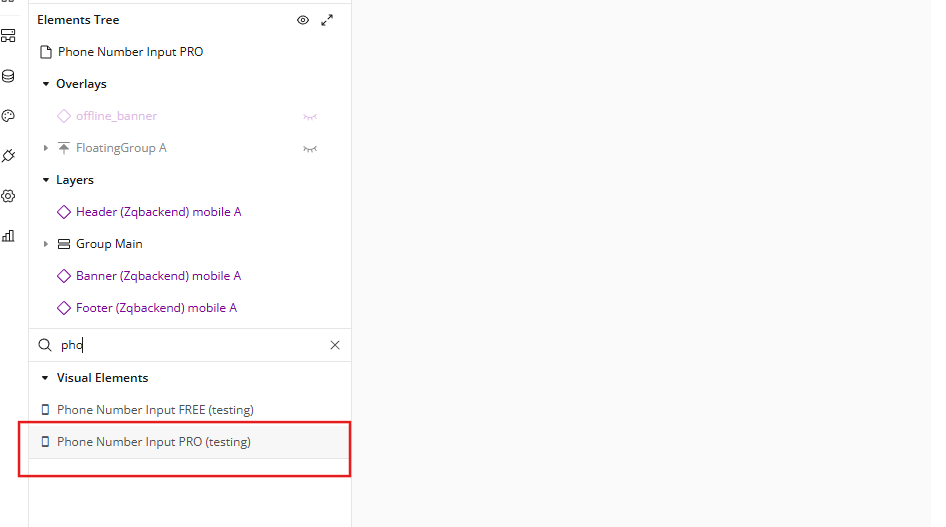
Open the Design tab in your Bubble editor.
Search for the Phone Number Input element in the Elements panel.
Drag and drop the element onto your page.
Step 2 – Configure Properties
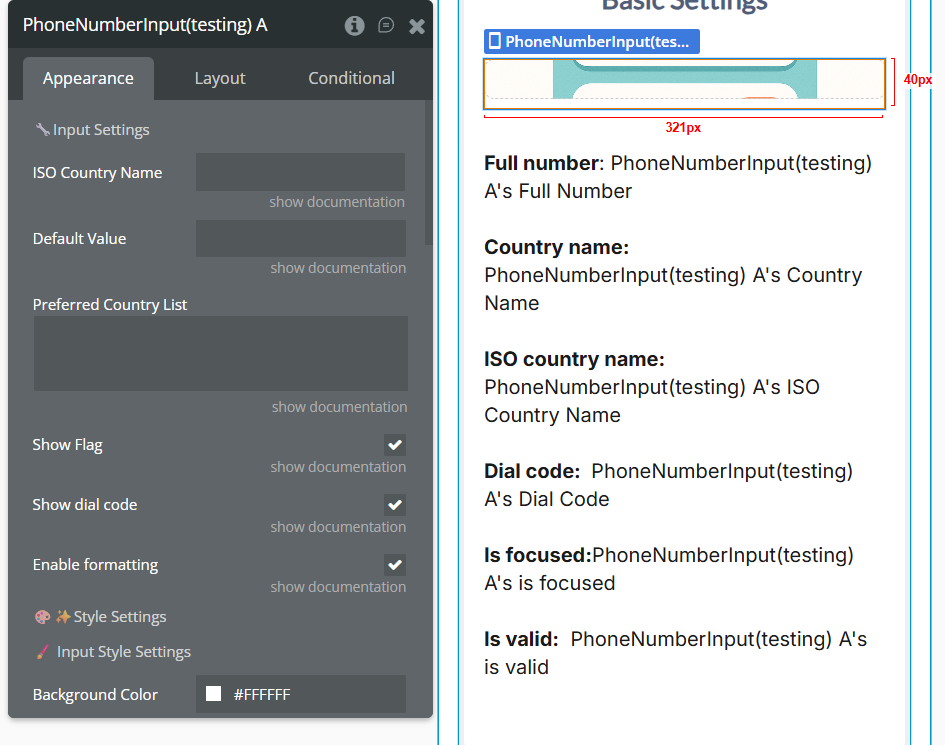
This element is an intelligent phone number input, designed to help users enter, validate, and automatically format international phone numbers. It includes a wide range of customizable UI settings, support for country selection, display of international dialing codes, and the ability to set a default value, either as a full number or using an ISO country code.
The element automatically handles:
country-based phone number formatting
numeric pattern detection
real-time validation
extraction of dial code, country information, and raw number
visual feedback for valid and invalid numbers
This makes the element ideal for forms, onboarding flows, checkout pages, user profiles, or any application where a clean, reliable phone number input is needed.
Setting ISO Country Name
This field allows you to set the initial country that the phone input should load when the page renders.
You can enter any ISO country code (e.g. AD, AF, AE, AL, US, CA).
When provided, the element will automatically:
select the matching country
display the correct flag
show the correct international dial code
apply the country’s phone number pattern
Example:
If you enter AD → the element loads Andorra (+376) as the default country.
Note: This must be the ISO Alpha-2 code, not the dial number.
Setting Default Value
This field allows you to preload a phone number inside the input when the element initializes.
You can enter either:
a raw number (digits only), or
a partially formatted number
The plugin will automatically:
strip non-digits
remove any prefix (if present)
format the number based on the selected country’s pattern
validate it instantly
Example:
If the default country is AD and the Default Value is:
12 3456 → The plugin formats it as:
12 3456
and outputs the full number:
+376 12 3456
☝
Combined Behavior (Important)
If both fields are provided, the plugin applies this logic:
ISO Country Name → sets the initial country
Default Value → formats the number according to the country selected above
This ensures correct formatting and validation from the start.
Plugin Element - Phone Number Input PRO
Element(s) proprieties will describe the element(s) if available for the plugin in detail, what is used for, and what are its proprieties fields.
Advanced Phone Input PRO is a fully customizable and highly accurate international phone number input element designed specifically for Bubble applications.
It provides smart country detection, dynamic formatting, validation, and a modern UI - all optimized for mobile and web workflows.
This plugin simplifies collecting phone numbers from users by handling formatting, country codes, and validation automatically, while still allowing full UI customization to match any design system.
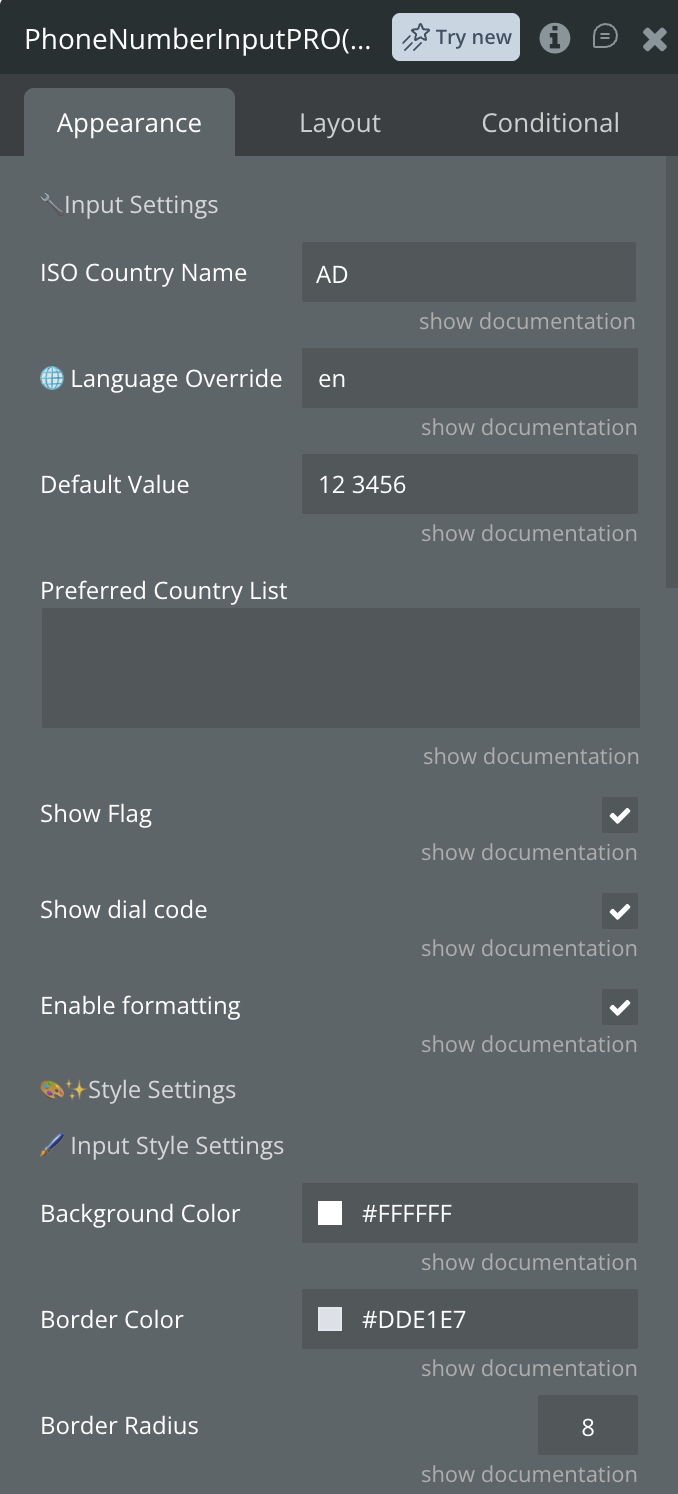
Fields
Name
Description
Type
Default value
Pre-fills the input with an existing phone number (with or without prefix).
Text
ISO Country Name
The ISO country code (e.g., AF, AE, AL).
Text
Enable formatting
Enables number formatting based on the selected country's phone pattern.
Yes/No
Input placeholder
Placeholder text displayed when the input is empty.
Text
Placeholder color
Color of the placeholder text.
Color
Input background color
Background color of the phone input box.
Color
Input border radius
Corner radius of the input field.
Number
Border color
Color of the input border.
Color
Border width
Width of the input border.
Number
Show flag
Toggles the flag in the prefix selector.
Yes/No
Show dial code
Toggles the dial code (+93, +40, +1).
Yes/No
Background color dropdown
Background color of the prefix selector.
Color
Dial code text color
Text color of the dial code.
Color
Dial code font size
Font size of the dial code text.
Number
Phone text color
Color of the typed phone number.
Color
Phone font size
Font size of the typed phone number.
Number
Modal background color
Background color of the country list modal.
Color
Modal header background color
Background color of the modal’s header section.
Color
Modal border color
Border color below the modal header.
Color
Custom modal title
Custom text displayed as the modal's title.
Text
Modal title color
Color of the modal title text.
Color
Modal title font size
Font size of the modal title.
Number
Search input border color
Border color of the search bar inside modal.
Color
Search input background color
Background color of the search bar.
Color
Search input text color
Text color for typing search input.
Color
Input placeholder text (search)
Placeholder text for search input field.
Text
Country name color
Color of country names in the modal list.
Color
Country dial color
Color of dial codes in the modal list.
Color
Highlight selected country
Background color used for the selected country row.
Color
List border color
Background overlay color behind modal container.
Color
Exposed States
Caption
Description
Type
Full Number
The complete formatted number, including the country prefix.
Text
Country Name
The name of the selected country.
Text
ISO Country Name
The ISO country code (e.g., AF, AE, AL).
Text
Dial Code
The country prefix (e.g., +93, +376).
Text
is focused
Becomes “yes” when the input is focused.
Yes / No
is valid
Indicates whether the number is valid according to the country pattern.
Yes / No
Error Message
The error message (optional, empty if none).
Text
Raw Number
The unformatted number (digits only).
Text
Element Events
Event Name
Description
Phone Changed
Triggered every time the user modifies the phone input value.
Phone Valid
Triggered when the phone number becomes valid according to the selected country’s pattern.
Phone Invalid
Triggered when the phone number becomes invalid (length or pattern mismatch).
Country Changed
Triggered after the user selects a different country from the dropdown modal.
Country Modal Opened
Triggered the moment the country selection modal becomes visible.
Country Modal Closed
Triggered when the country modal is closed.
Input Focused
Triggered when the phone input field receives focus.
Input Blurred
Triggered when the phone input loses focus.
Workflow example
Here are some basic workflow examples to get you started with the Phone Number Input Mobile Pro plugin:
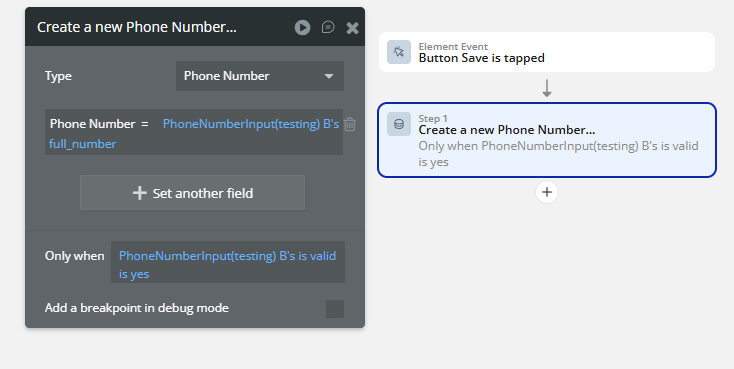
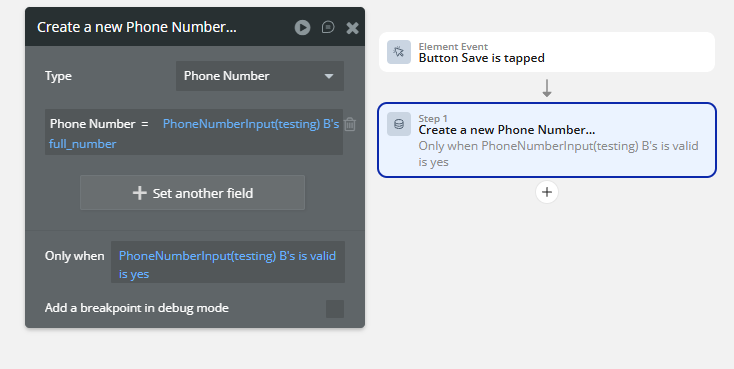
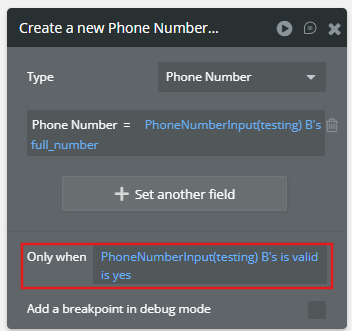
Saving a Valid Phone Number
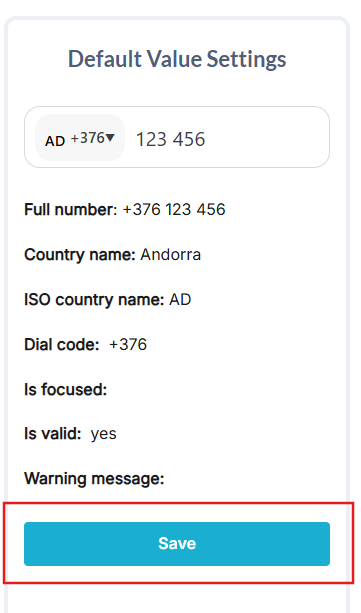
Save the phone number to the User record only if the input is valid.
Step 1 — Add a Button.
Step 2 — Create a Workflow.
Go to: Workflow → When Button Submit Phone Number is clicked.