
✅
Link to the plugin page: https://zeroqode.com/plugin/supabase-pro-kit-bubble-mobile-1780991346190x819203786524223000
Demo to preview the plugin:
Introduction
The SupaBase Pro Kit Bubble Mobile plugin provides comprehensive integration with Supabase, an open-source Firebase alternative that offers backend services including database, authentication, storage, and edge functions. This plugin enables you to build full-featured applications with real-time capabilities, user authentication, file management, and custom server-side logic directly within your Bubble app.
The plugin includes five main elements: Database operations for CRUD functionality with advanced filtering and real-time updates, Authentication for user management and OAuth integration, Storage for file upload/download operations, RPC for custom database functions, and Edge Functions for serverless compute.
Prerequisites
You must have a Supabase project to use this plugin. Create your project at: https://supabase.com
- Sign up for a Supabase account
- Create a new project
- Obtain your project URL and API key from Settings > API
- Configure your database tables, authentication settings, and storage buckets as needed
This plugin is designed specifically for the mobile version of the Bubble editor. To test the plugin on your mobile device, use the TestFlight app available at: https://testflight.apple.com/join/EcFCzJ32
⚠️
Please note that the testing app is currently available for iOS only.

How to setup Supabase
- Create a Supabase account: Create a new Supabase account from here. If you already have an account, simply login.
- Create a project: This project will serve as the backend for your Bubble.io app.
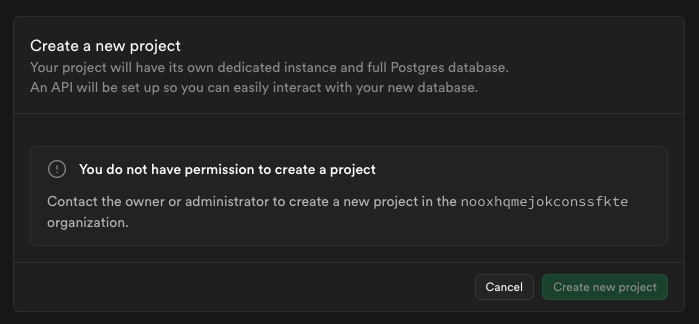
- Get your project settings: You can copy the following elements; we’ll need them to set up the plugin:
-
Supabase URL(Project Settings / Data API / Project URL) -Supabase Anon Key(Project Settings / API keys / Legacy API keys)
How to setup plugin
- Install the Plugin: Add the Supabase Native plugin to your Bubble app from the plugin marketplace.
- Configure API Keys: In your Bubble app settings, go to the Plugins tab and configure the Supabase Native plugin with:
- Supabase URL: Your project URL (Project Settings / Data API / Project URL)
- API Key: Your public anon key from Supabase project settings (Project Settings / API keys / Legacy API keys)
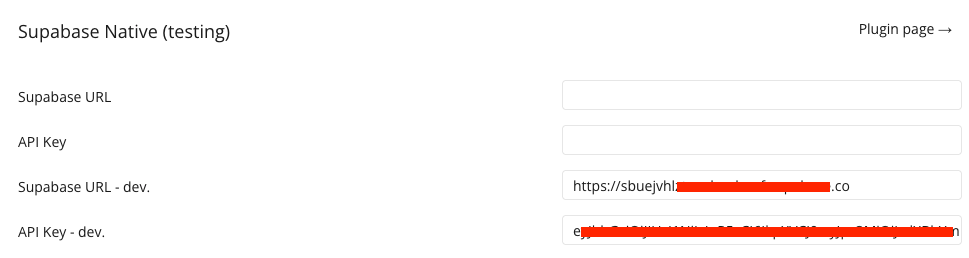
- Add Elements: Drag the appropriate Supabase elements to your pages:
- Supabase Database for data operations
- Supabase Auth for user authentication
- Supabase Storage for file management
- Supabase RPC for custom functions
- Supabase Edge Function for serverless functions
- Configure Data Types and API connector: Set up custom data types in Bubble’s Data Types tab to match your Supabase table structures.
- Test Connection: Use the plugin elements to test connectivity and ensure proper configuration.
How to setup your database
- Implementing a table on Supabase: You can use the SQL editor in the Supabase dashboard to create the table.
Below is a simple
CREATE TABLEstatement for the Todos table:
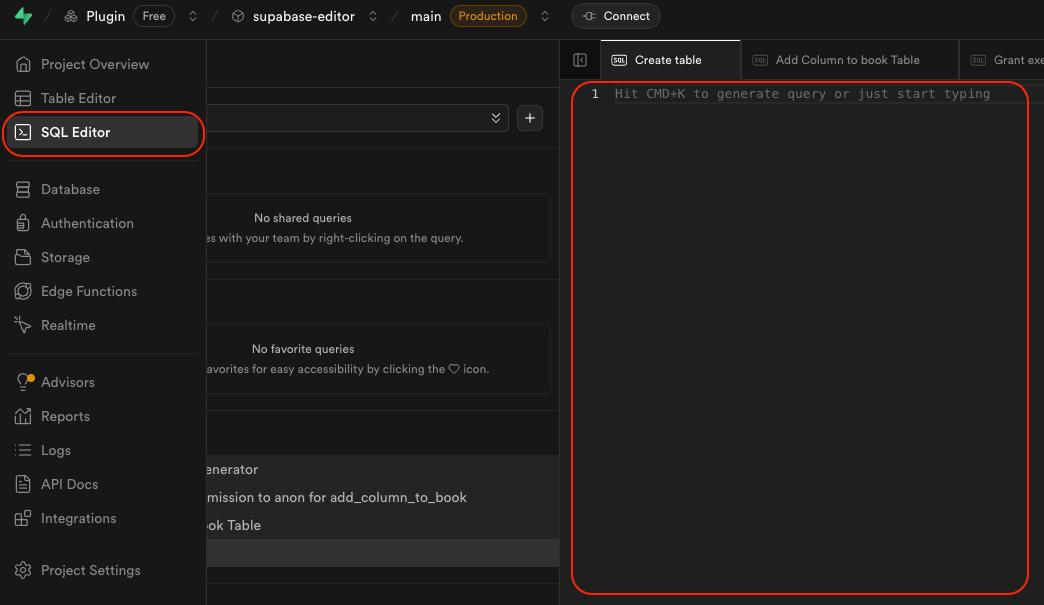
sqlCREATE TABLE your_table_name (
  id SERIAL PRIMARY KEY,
  user_id uuid NOT NULL REFERENCES auth.users(id) ON DELETE CASCADE,
  title TEXT NOT NULL,
  completed BOOLEAN DEFAULT false,
  created_at TIMESTAMP DEFAULT CURRENT_TIMESTAMP
);
- Set up Row-Level Security (RLS) policies: implement Row Level Security (RLS) in Supabase for your todos table that allows users to create, retrieve, update, and delete only their own todo items. This can be done in the Policies section or through the SQL editor.
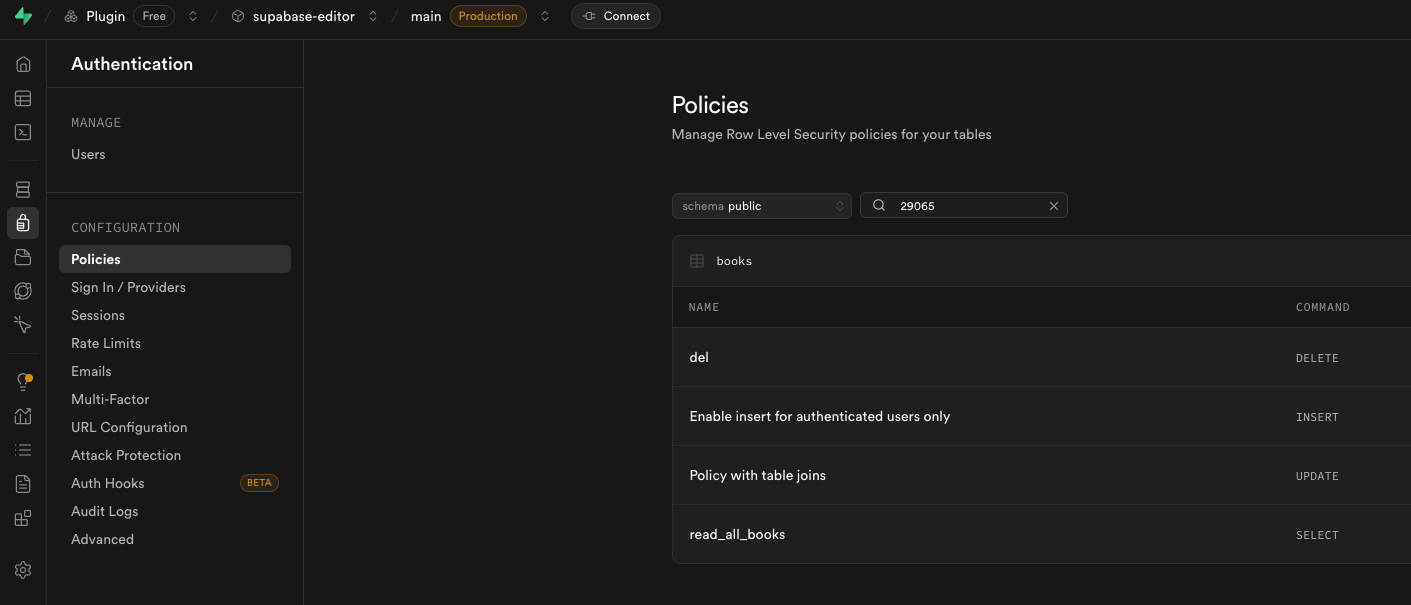
And create an RLS for each action:
Insert
sqlCREATE POLICY "Allow authenticated users to create your_table_name"
  ON public.your_table_name
  FOR INSERT
  TO authenticated
  WITH CHECK ( auth.uid() = user_id );
Get
sqlCREATE POLICY "Allow users to retrieve their own your_table_name"
  ON public.your_table_name
  FOR SELECT
  TO authenticated
  USING (auth.uid() = user_id);
Update
sqlCREATE POLICY "Allow users to update their own your_table_name"
  ON public.your_table_name
  FOR UPDATE
  TO authenticated
  USING (auth.uid() = user_id);
Delete
sqlCREATE POLICYAllow users to delete their own your_table_name"
  ON public.your_table_name
  FOR DELETE
  TO authenticated
  USING (auth.uid() = user_id);
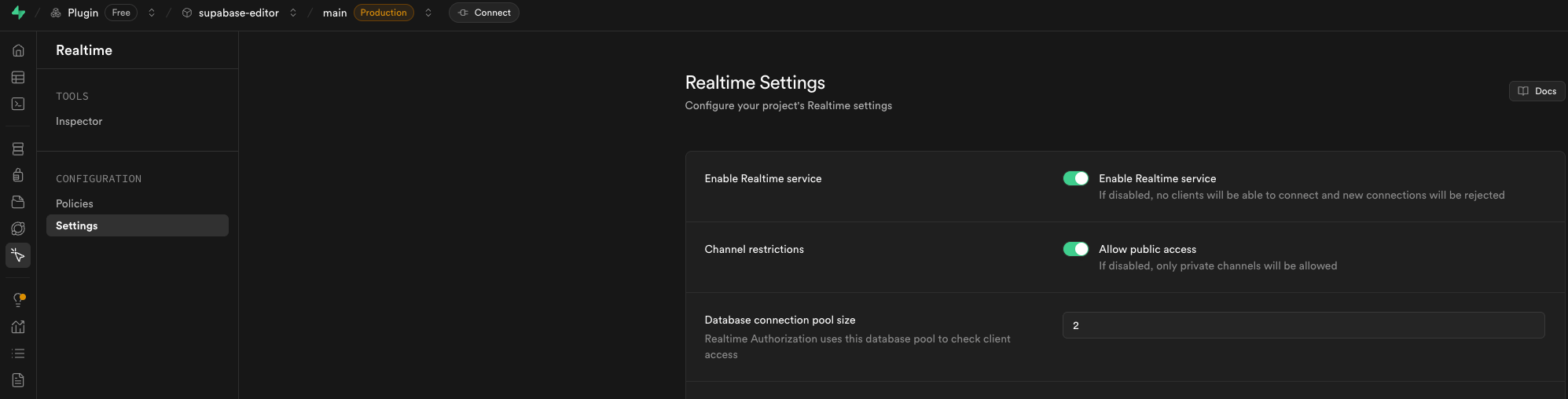
- Enabling Real-time: n addition, you have the option to enable real-time functionality in Supabase. By doing so, your Bubble.io app will automatically update and reflect any changes in the data in real-time.
How to setup the API connector
- Extract the table schema from Supabase: The first step when you want to manage Supabase data from your Bubble app is to initialize the data model of your table inside the API Connector.
❗
Note: This step must be performed for each table you want to manage through your Bubble.io app. Please note that you can have as much Database component as you want on your page.
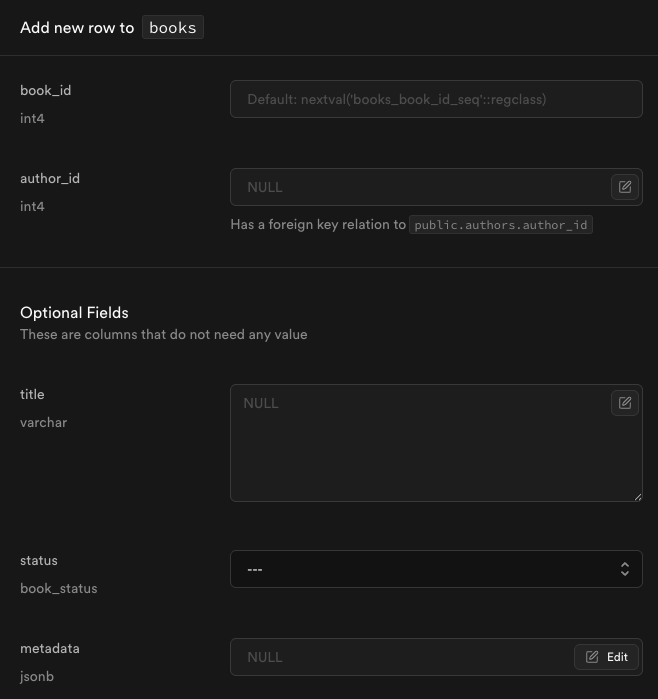
Let’s first create an entry in our table to be able to extract the schema easily later.
❗
Note: When creating an entry, be sure to fill in all possible fields. Also if there are related tables.
- Retrieve the todos item that we just created in the previous step, in JSON format.
Go to the Supabase SQL editor, select your table todos,
execute the following request and click on Copy cell content.
sqlSELECT row_to_json(t) as json_schema
FROM (
  SELECT * FROM your_table_name
  LIMIT 1
) t;
The schema copied should looks like this:
javascript{
	"book_id": 1,
	"title": "string value",
	"author_id": 1,
	"status": "string value",
	"authors": {
		"name": "string value",
		"description": "string value",
		"genre": {
			"name": "string value"
		}
	},
	"metadata": {
		"tags": [
			"string value"
		],
	"genre": "string value",
	"description": "string value",
	"published_year": 0
	}
}
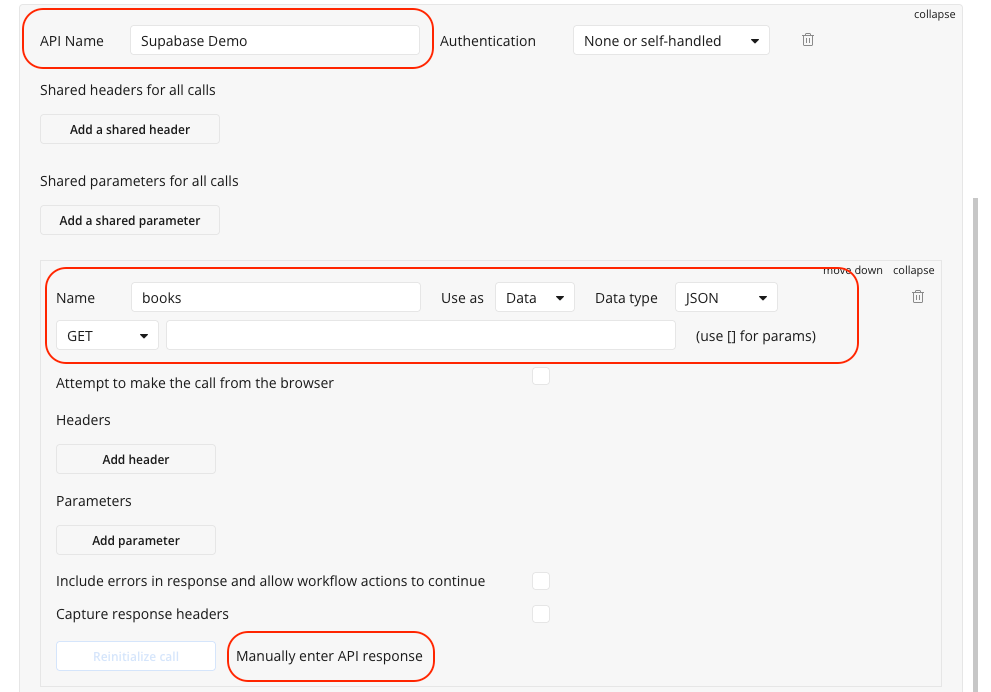
- Paste the schema to the Bubble.io API Connector
- If you have not already done so, install the
API Connectorplugin on your Bubble app - Go to the API Connector settings and click on
Add another APIif you have not yet configured an API related to Supabase - Enter a recognizable name for the API, such as
Supabase DB - Add a new API call, such as
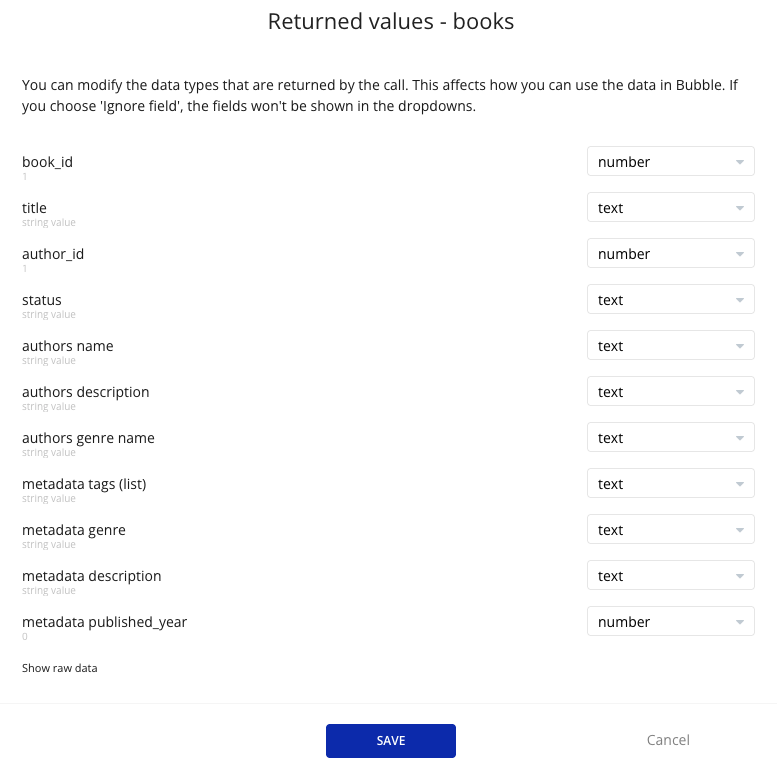
books - Click on Manually enter API response and copy/paste the JSON schema. For example:
- Save this response.
- Use the configured response as the data type in the plugin elements. For the "Supabase Storage" element, the data type is already configured in api call "Storage File".

Plugin Element - Supabase Database
The main element for database operations including Create, Read, Update, Delete (CRUD) operations with advanced filtering, sorting, and real-time capabilities.
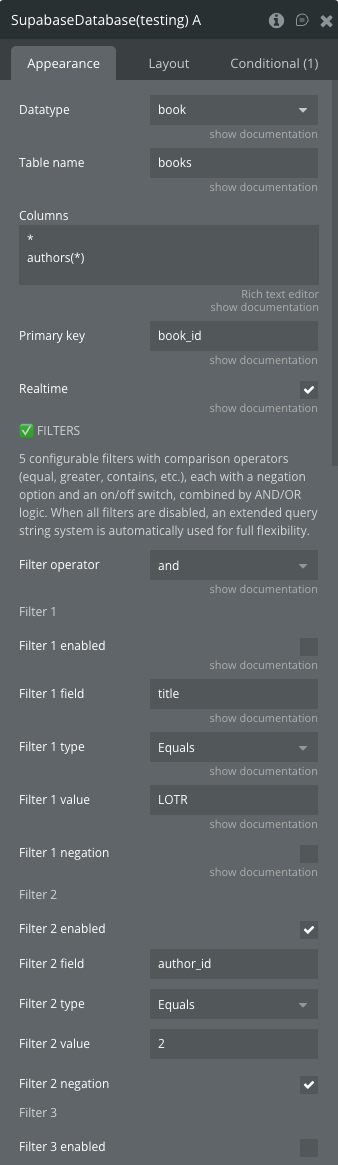
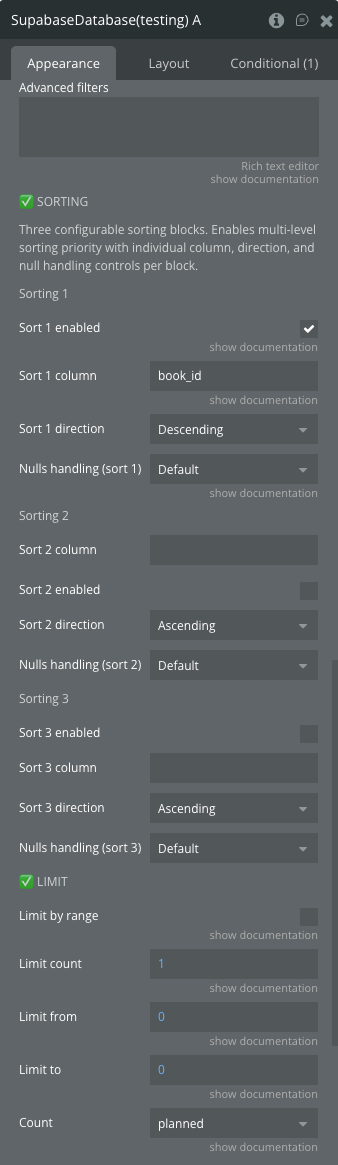
Fields
Title | Description | Type |
Datatype | Data type that you have initialized through the API connector | Custom Type |
Table name | Supabase table name | Text |
Columns | The default columns to retrieve, separated by newlines. Set to * to retrieve all columns | Text |
Primary key | Primary key column name for uniquely identifying records in realtime updates and upsert operations | Text |
Realtime | Enable or disable Realtime mode | Boolean |
Filter operator | The logical operator between filters (and/or) | Dropdown |
Filter 1-5 enabled | Enable or disable individual filters | Boolean |
Filter 1-5 field | The name of the column to filter on | Text |
Filter 1-5 type | The filter to apply (Equals, Greater Than, Contains, etc.) | Dropdown |
Filter 1-5 value | The value of the filter | Text |
Filter 1-5 negation | Match only rows which doesn’t satisfy the filter | Boolean |
Advanced filters | Apply any Supabase filter operators directly to your query | Text |
Sort 1-3 enabled | Enable or disable individual sorts | Boolean |
Sort 1-3 column | The name of the column to sort | Text |
Sort 1-3 direction | Sort direction (Ascending/Descending) | Dropdown |
Sort 1-3 nulls handling | Controls the NULL position | Dropdown |
Limit by range | Enable range-based limiting | Boolean |
Limit count | The maximum number of rows to return | Number |
Limit from | The starting index for range limiting | Number |
Limit to | The last index for range limiting | Number |
Count | Count algorithm to use (exact/planned/estimated) | Dropdown |
Supabase Database Actions
Select
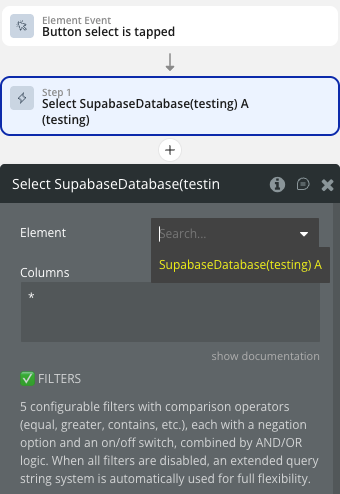
Retrieve records with custom filters, sorting, and limits.
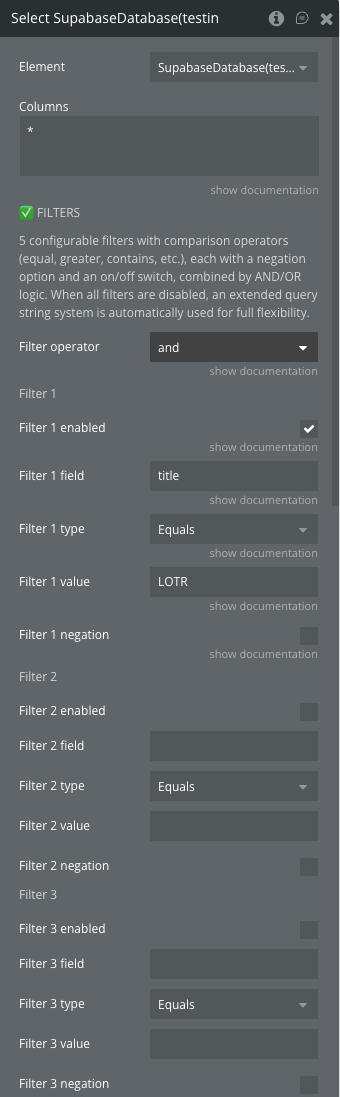
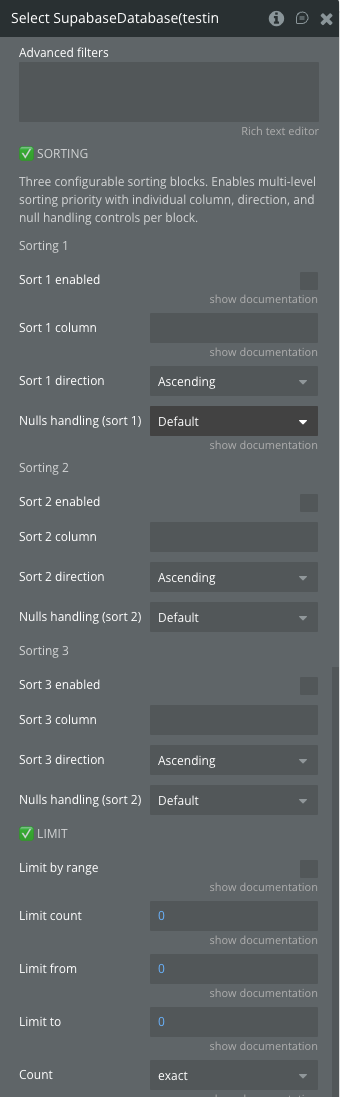
Fields:
Title | Description | Type |
Columns | The default columns to retrieve, separated by newlines | Text |
Filter operator | AND/OR logic for multiple filters | Dropdown |
Filter 1-5 enabled | Enable/disable individual filters | Boolean |
Filter 1-5 field | Column name to filter on | Text |
Filter 1-5 type | Filter operation (Equals, Greater Than, Contains, etc.) | Dropdown |
Filter 1-5 value | Filter value | Text |
Filter 1-5 negation | Negate the filter condition | Boolean |
Advanced filters | Raw Supabase filter string | Text |
Sort 1-3 enabled | Enable/disable sorting | Boolean |
Sort 1-3 column | Column to sort by | Text |
Sort 1-3 direction | Sort direction | Dropdown |
Sort 1-3 nulls handling | Handle null values | Dropdown |
Limit by range | Enable range limiting | Boolean |
Limit count | Maximum records to return | Number |
Limit from | Starting index | Number |
Limit to | Ending index | Number |
Count | Count algorithm | Dropdown |
Insert
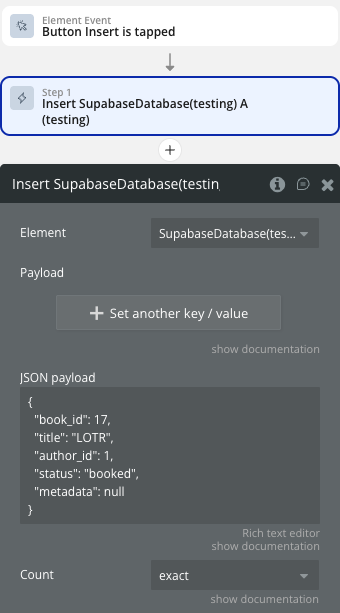
Insert new records into the database.
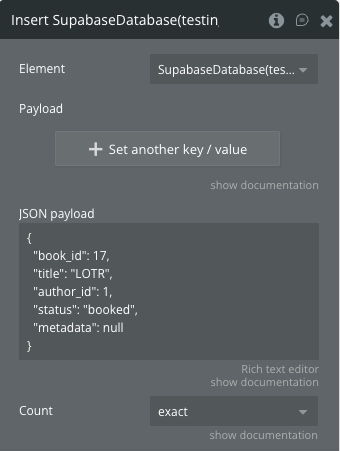
Fields:
Title | Description | Type |
Payload | Key-value pairs for the record | Key-Value List |
JSON payload | JSON object or array for bulk insert | Text |
Count | Count algorithm for inserted rows | Dropdown |
Update
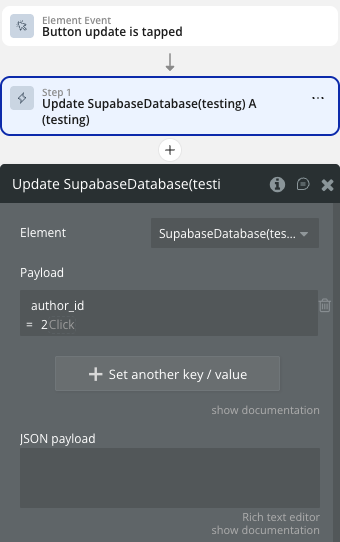
Update existing records with filters.
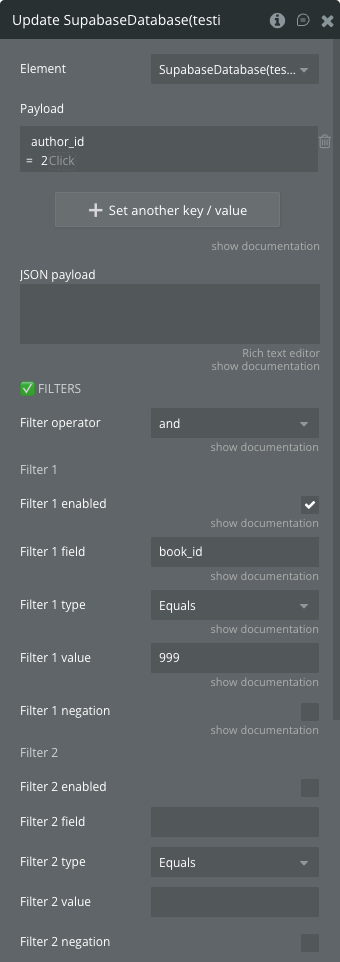
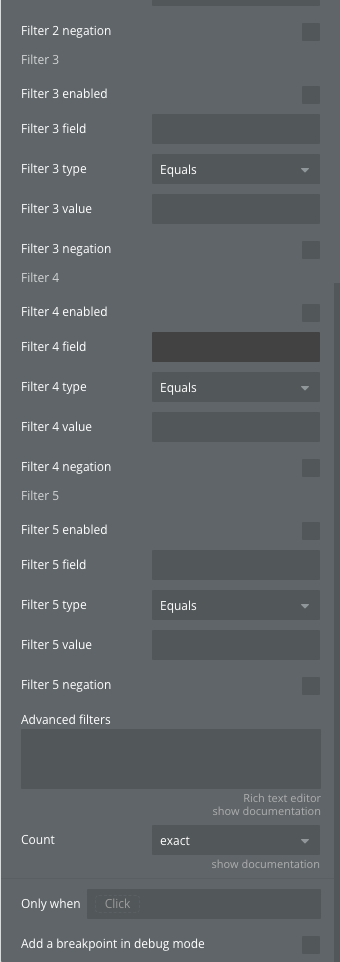
Fields:
Title | Description | Type |
Payload | Key-value pairs for updates | Key-Value List |
JSON payload | JSON object for updates | Text |
Filter operator | AND/OR logic for filters | Dropdown |
Filter 1-5 enabled | Enable/disable filters | Boolean |
Filter 1-5 field | Column to filter on | Text |
Filter 1-5 type | Filter operation | Dropdown |
Filter 1-5 value | Filter value | Text |
Filter 1-5 negation | Negate filter | Boolean |
Advanced filters | Raw filter string | Text |
Count | Count algorithm | Dropdown |
Delete
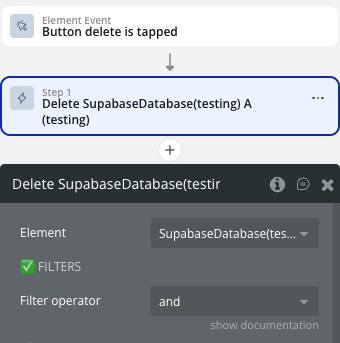
Delete records with filters.
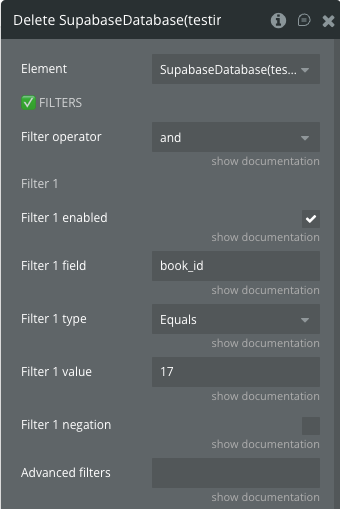
Fields:
Title | Description | Type |
Filter operator | AND/OR logic for filters | Dropdown |
Filter 1-5 enabled | Enable/disable filters | Boolean |
Filter 1-5 field | Column to filter on | Text |
Filter 1-5 type | Filter operation | Dropdown |
Filter 1-5 value | Filter value | Text |
Filter 1-5 negation | Negate filter | Boolean |
Advanced filters | Raw filter string | Text |
Upsert
Insert or update records based on conflicts.
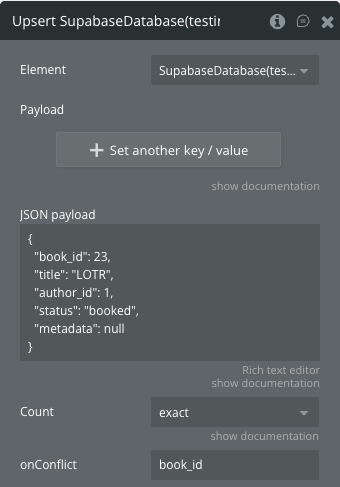
Fields:
Title | Description | Type |
Payload | Key-value pairs for the record | Key-Value List |
JSON payload | JSON object or array for bulk upsert | Text |
Count | Count algorithm | Dropdown |
onConflict | Fields for checking duplicates | Text |
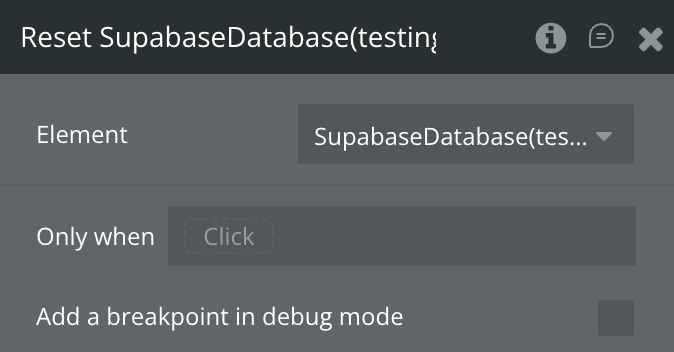
Reset
Reset the database element states.
Supabase Database States
Name | Description | Type |
Loading | Indicates if operation is in progress | Boolean |
Realtime connected | Connection status for realtime features | Boolean |
Objects | Retrieved database records | List of Custom Data |
Status message | Status or error message | Text |
Count | Number of records affected/returned | Number |
Last Insert | Last inserted record | Custom Data |
Last Inserts | Last inserted records for bulk operations | List of Custom Data |
last Update | Last updated record | Custom Data |
last Updates | Last updated records for bulk operations | List of Custom Data |
last Delete | Last deleted record | Custom Data |
last Deletes | Last deleted records for bulk operations | List of Custom Data |
last Upsert | Last upserted record | Custom Data |
last Upserts | Last upserted records for bulk operations | List of Custom Data |
Supabase Database Events
Name | Description |
Selected | Data retrieved successfully |
Select Error | Failed to retrieve data |
Inserted | Single record inserted successfully |
Insert Error | Failed to insert record |
Updated | Single record updated successfully |
Update Error | Failed to update record |
Deleted | Single record deleted successfully |
Delete Error | Failed to delete record |
Upserted | Single record upserted successfully |
Upsert Error | Failed to upsert record |
Bulk Inserted | Multiple records inserted successfully |
Bulk Insert Error | Failed to insert multiple records |
Bulk Updated | Multiple records updated successfully |
Bulk Update Error | Failed to update multiple records |
Bulk Deleted | Multiple records deleted successfully |
Bulk Delete Error | Failed to delete multiple records |
Bulk Upserted | Multiple records upserted successfully |
Bulk Upsert Error | Failed to upsert multiple records |
Realtime Inserted | Record inserted via realtime subscription |
Realtime Updated | Record updated via realtime subscription |
Realtime Deleted | Record deleted via realtime subscription |
Plugin Element - Supabase Auth
Handles user authentication including sign up, sign in, OAuth providers, and user management.
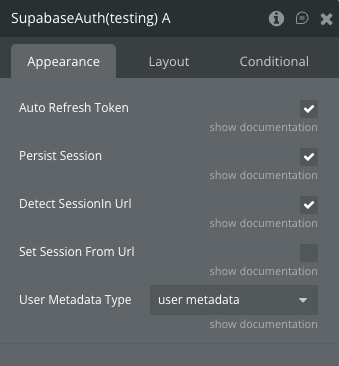
Fields
Title | Description | Type |
Auto Refresh Token | Automatically refreshes the token for logged-in users | Boolean |
Persist Session | Whether to persist a logged-in session to storage | Boolean |
Detect SessionIn Url | Detect a session from the URL | Boolean |
Set Session From Url | Automatically set session from URL after redirect | Boolean |
User Metadata Type | Data type for custom user metadata | Custom Type |
Supabase Auth Actions
Sign up
Sign up a new user with a password.
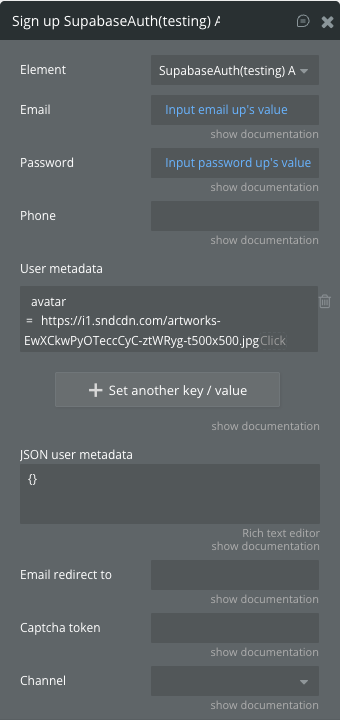
Fields:
Title | Description | Type |
Email | The user’s email | Text |
Password | The user’s password | Text |
Phone | The user’s phone | Text |
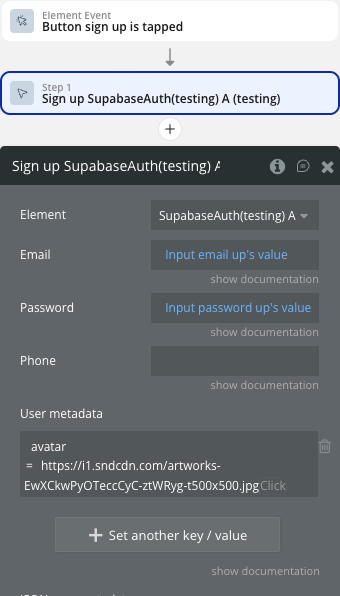
User metadata | Custom metadata key-value pairs | Key-Value List |
JSON user metadata | Custom metadata as JSON | Text |
Email redirect to | URL for email confirmation redirect | Text |
Captcha token | Verification token from captcha | Text |
Channel | Messaging channel (sms/whatsapp) | Dropdown |
Sign in with password
Log in an existing user with a password.
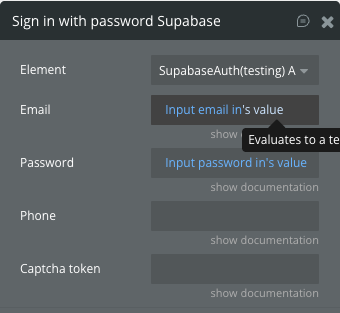
Fields:
Title | Description | Type |
Email | The user’s email | Text |
Password | The user’s password | Text |
Phone | The user’s phone | Text |
Captcha token | Verification token from captcha | Text |
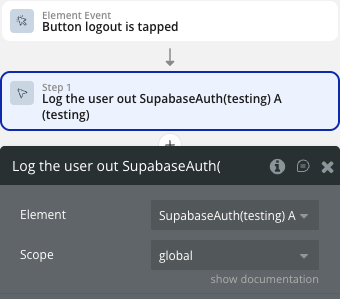
Log the user out
Log out the current user.
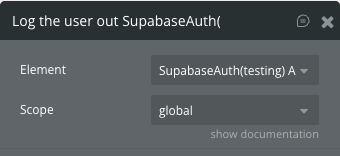
Fields:
Title | Description | Type |
Scope | Logout scope (global/local/others) | Dropdown |
Update user
Updates the logged in user.
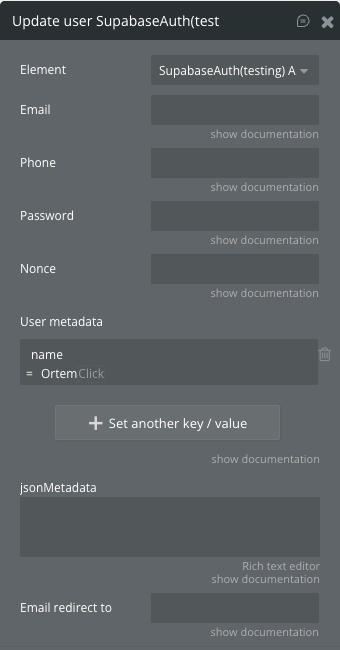
Fields:
Title | Description | Type |
Email | The user’s email | Text |
Phone | The user’s phone | Text |
Password | The user’s password | Text |
Nonce | Nonce for reauthentication | Text |
User metadata | Custom metadata key-value pairs | Key-Value List |
jsonMetadata | Custom metadata as JSON | Text |
Email redirect to | URL for email confirmation redirect | Text |
Sign in with OAuth
Log in via a third-party provider.
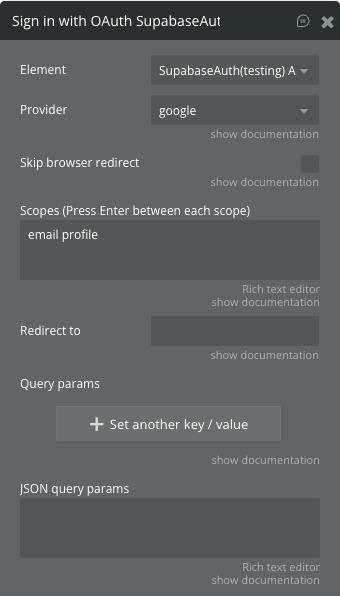
Fields:
Title | Description | Type |
Provider | OAuth provider (google, github, etc.) | Dropdown |
Skip browser redirect | Don’t redirect immediately | Boolean |
Scopes | List of scopes to request | Text |
Redirect to | URL to redirect after OAuth | Text |
Query params | Additional query parameters | Key-Value List |
JSON query params | Query parameters as JSON | Text |
Supabase Auth States
Name | Description | Type |
Loading | Authentication operation in progress | Boolean |
Status message | Authentication status message | Text |
Is logged in? | User authentication status | Boolean |
Access token | JWT access token for authenticated user | Text |
Refresh token | Refresh token for token renewal | Text |
Expires in | Token expiration time in seconds | Number |
Expires at | Token expiration timestamp | Number |
User id | Unique identifier for authenticated user | Text |
User email | Email address of authenticated user | Text |
User phone | Phone number of authenticated user | Text |
User role | Role assigned to authenticated user | Text |
User metadata object | Custom metadata for authenticated user | Custom Data |
Supabase Auth Events
Name | Description |
Supabase is loaded | Plugin initialization completed |
Signed up | User successfully registered |
Signed up error | User registration failed |
Signed in | User successfully authenticated |
Signed in error | User authentication failed |
Signed out | User successfully logged out |
Signed out error | User logout failed |
User updated | User profile updated successfully |
User updated error | User profile update failed |
Plugin Element - Supabase Storage
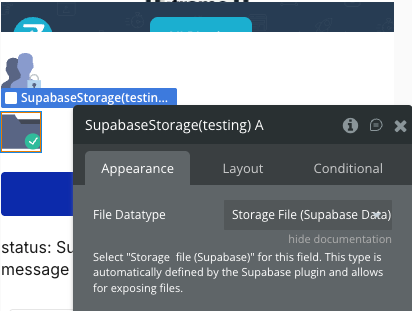
Manages file operations including upload, download, list, delete, move, copy, and URL generation.
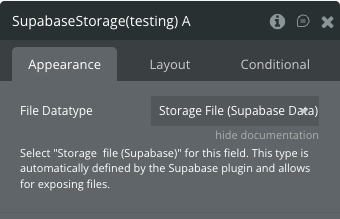
Fields
Title | Description | Type |
File Datatype | Select “Storage file (Supabase)” for this field | Custom Type |
Supabase Storage Actions
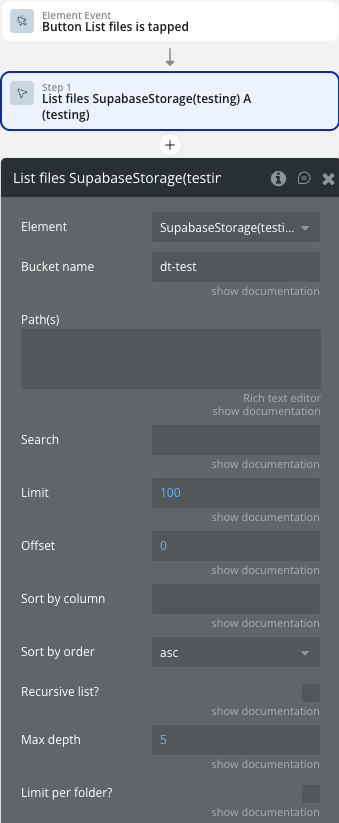
List files
Lists all files within a bucket.
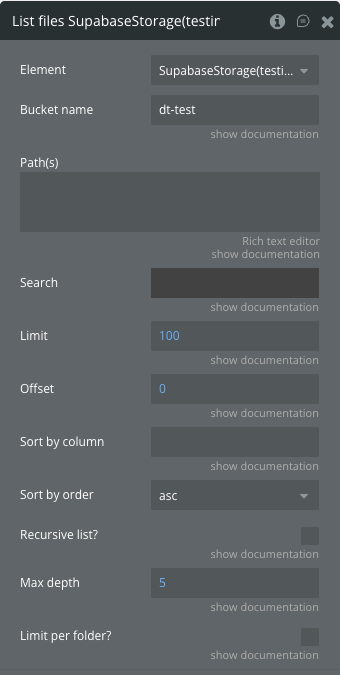
Fields:
Title | Description | Type |
Bucket name | Name of the bucket | Text |
Path(s) | Comma-separated list of paths | Text |
Search | Search string to filter files | Text |
Limit | Maximum number of files | Number |
Offset | Starting position | Number |
Sort by column | Column to sort by | Text |
Sort by order | Sort order (asc/desc) | Dropdown |
Recursive list? | Recursively list files | Boolean |
Max depth | Maximum recursion depth | Number |
Limit per folder? | Apply limit per folder | Boolean |
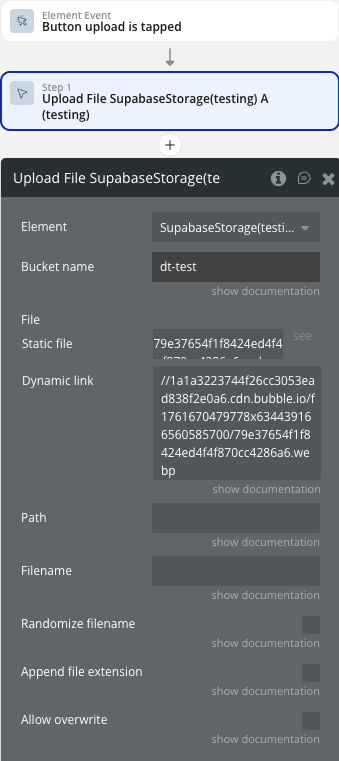
Upload File
Upload a file to a bucket.
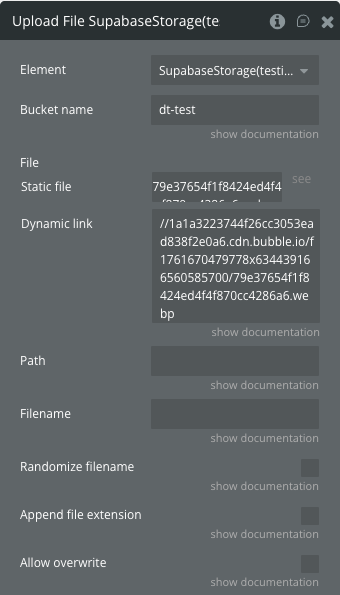
Fields:
Title | Description | Type |
Bucket name | Name of the bucket | Text |
File | The file to upload | File |
Path | File path without filename | Text |
Filename | Custom filename | Text |
Randomize filename | Append random UUID to filename | Boolean |
Append file extension | Auto-append file extension | Boolean |
Allow overwrite | Overwrite existing files | Boolean |
Delete Files
Delete files in a bucket.
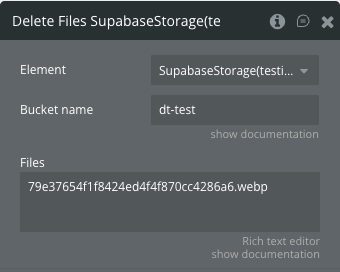
Fields:
Title | Description | Type |
Bucket name | Name of the bucket | Text |
Files | List of file paths to delete | Text |
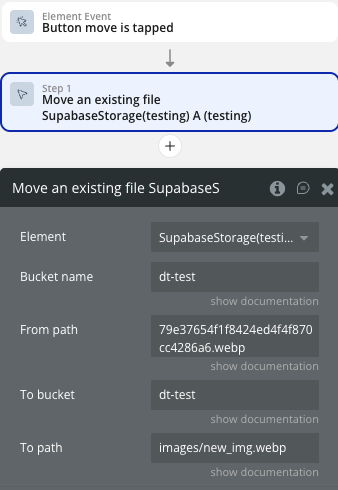
Move an existing file
Moves an existing file to a new path.
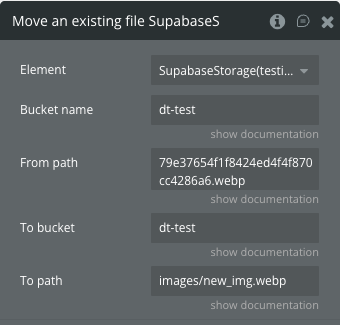
Fields:
Title | Description | Type |
Bucket name | Name of the bucket | Text |
From path | Original file path | Text |
To bucket | Destination bucket | Text |
To path | New file path | Text |
Copy an existing file
Copies an existing file to a new path.
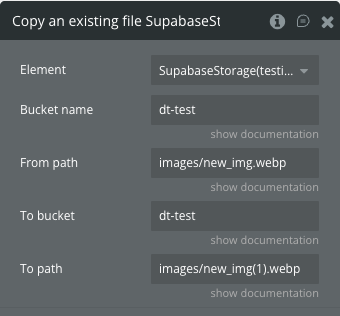
Fields:
Title | Description | Type |
Bucket name | Name of the bucket | Text |
From path | Original file path | Text |
To bucket | Destination bucket | Text |
To path | New file path | Text |
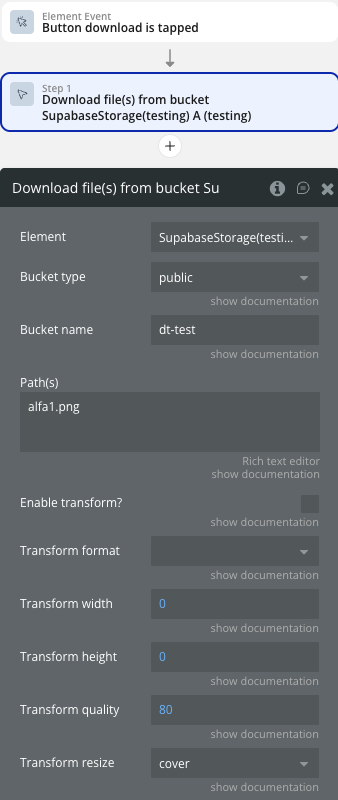
Download file(s) from bucket
Downloads files from a bucket.
❗
Note: The action opens a file in the browser for further download or creates a link in the clipboard.
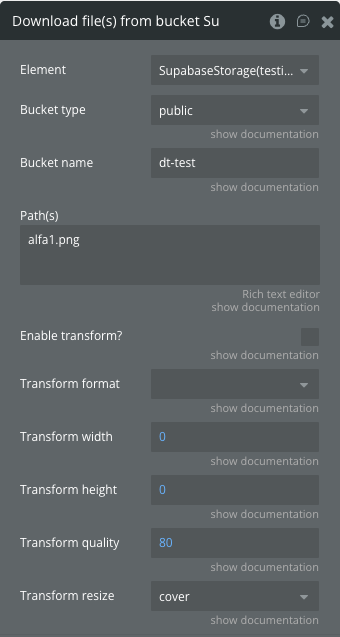
Fields:
Title | Description | Type |
Bucket type | Type of bucket (public/private) | Dropdown |
Bucket name | Name of the bucket | Text |
Path(s) | File paths to download | Text |
Enable transform? | Enable image transformation | Boolean |
Transform format | Image format (auto/jpeg/webp/png) | Dropdown |
Transform width | Image width in pixels | Number |
Transform height | Image height in pixels | Number |
Transform quality | Image quality (20-100) | Number |
Transform resize | Resize mode (cover/contain/fill) | Dropdown |
Create signed URLs
Creates signed URLs for file access.
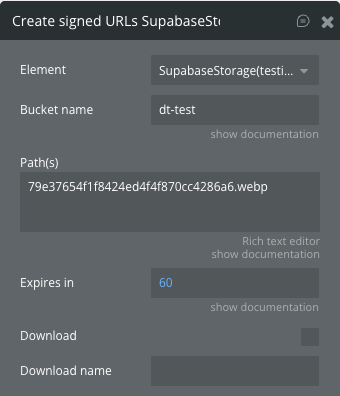
Fields:
Title | Description | Type |
Bucket name | Name of the bucket | Text |
Path(s) | File paths for signed URLs | Text |
Expires in | URL expiration time in seconds | Number |
Download | Force download | Boolean |
Download name | Custom download filename | Text |
Get public URL
Retrieve public URL for files.
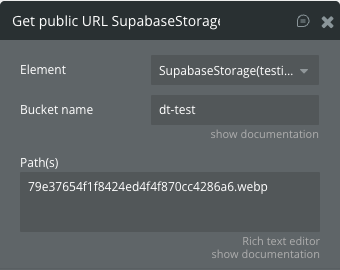
Fields:
Title | Description | Type |
Bucket name | Name of the bucket | Text |
Path(s) | File paths for public URLs | Text |
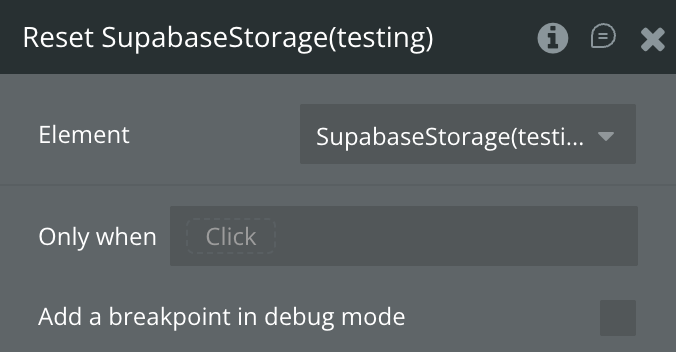
Reset
Reset the storage element states.
Supabase Storage States
Name | Description | Type |
Status message | Storage operation status message | Text |
Files | List of files from list operation | List of Custom Data |
Signed Url | Single signed URL for file access | Text |
Sgned Urls | Multiple signed URLs for file access | List of Text |
Public Url | Single public URL for file access | Text |
Public Urls | Multiple public URLs for file access | List of Text |
Loading | Storage operation in progress | Boolean |
Supabase Storage Events
Name | Description |
List Files Success | Files listed successfully |
List Files Error | Failed to list files |
Upload File Success | File uploaded successfully |
Upload File Error | Failed to upload file |
Delete Files Success | Files deleted successfully |
Delete Files Error | Failed to delete files |
Create Signed Url Success | Signed URLs created successfully |
Create Signed Url Error | Failed to create signed URLs |
Retrieve Public Url Success | Public URLs retrieved successfully |
Retrieve Public Url Error | Failed to retrieve public URLs |
Move File Success | File moved successfully |
Move File Error | Failed to move file |
Copy File Success | File copied successfully |
Copy File Error | Failed to copy file |
Plugin Element - Supabase RPC
Executes custom database functions (Remote Procedure Calls) with parameters.
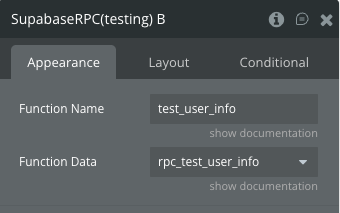
Fields
Title | Description | Type |
Function Name | Supabase function name | Text |
Function Data | Datatype for function return data | Custom Type |
Supabase RPC Actions
Call RPC
Call a remote procedure function.
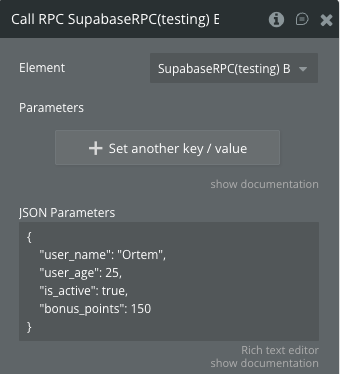
Fields:
Title | Description | Type |
Parameters | Function arguments as key-value pairs | Key-Value List |
JSON Parameters | Function arguments as JSON | Text |
Supabase RPC States
Name | Description | Type |
loading | RPC operation in progress | Boolean |
statusMessage | RPC operation status message | Text |
Objects | Results from RPC function call | List of Custom Data |
error | Error message if RPC fails | Text |
Supabase RPC Events
This element does not have specific events defined.
Plugin Element - Supabase Edge Function
Invokes Supabase Edge Functions with custom headers and body parameters.
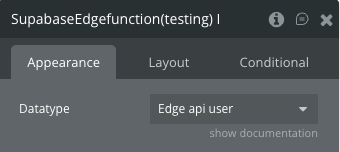
Fields
Title | Description | Type |
Datatype | Data type for function response | Custom Type |
Supabase Edge Function Actions
Invoke
Invoke a Supabase edge function.
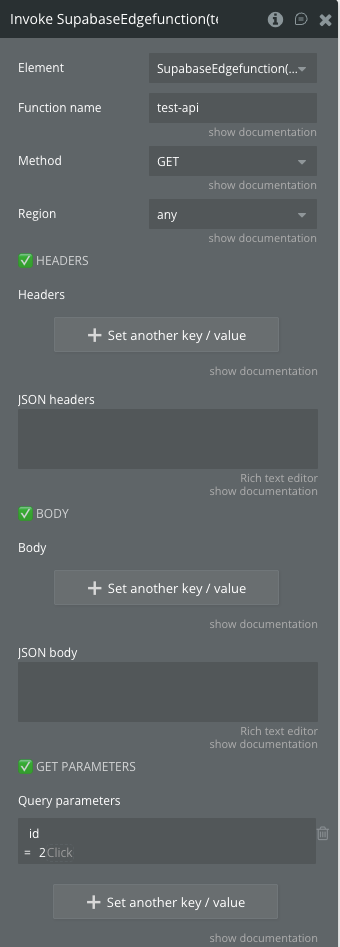
Fields:
Title | Description | Type |
Function name | Name of the function to invoke | Text |
Method | HTTP method (POST/GET/PUT/PATCH/DELETE) | Dropdown |
Region | Region to invoke function in | Dropdown |
Headers | Custom headers key-value pairs | Key-Value List |
JSON headers | Custom headers as JSON | Text |
Body | Request body as key-value pairs | Key-Value List |
JSON body | Request body as JSON | Text |
Query parameters | Query parameters for GET requests | Key-Value List |
Supabase Edge Function States
Name | Description | Type |
Loading | Function invocation in progress | Boolean |
Result | Function response data | Custom Data |
Status Message | Function invocation status message | Text |
Supabase Edge Function Events
Name | Description |
Function Success | Edge function executed successfully |
Function Error | Edge function execution failed |
Plugin Data/Action Calls (API Calls only)
Storage File
Retrieve file information from Supabase storage. It is used only to determine the data type in the "Supabase Storage" element.
Return values:
Name | Description | Type |
name | File name | Text |
path | File path in storage | Text |
id | Unique file identifier | Text |
updated_at | Last modification timestamp | Text |
created_at | Creation timestamp | Text |
last_accessed_at | Last access timestamp | Text |
isFolder | Whether item is a folder | Boolean |
metadata eTag | File entity tag | Text |
metadata size | File size in bytes | Number |
metadata mimetype | File MIME type | Text |
metadata cacheControl | Cache control header | Text |
metadata lastModified | Last modified date | Text |
metadata contentLength | Content length | Number |
metadata httpStatusCode | HTTP status code | Number |
Workflow example
Here are some basic workflow examples to get you started with the Supabase Native plugin:
Basic Database Operations
- Setup: Add a Supabase Database element to your page and configure the datatype, table name and columns. In the Data Type field, specify the previously configured API call in the API Connector.
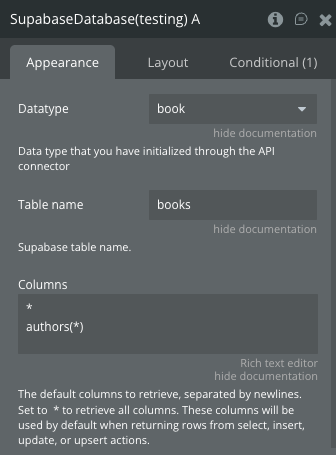
When an element appears on the page, the data is automatically added to the "Objects" state. You can customize the data display using combinations of filters and sorting.
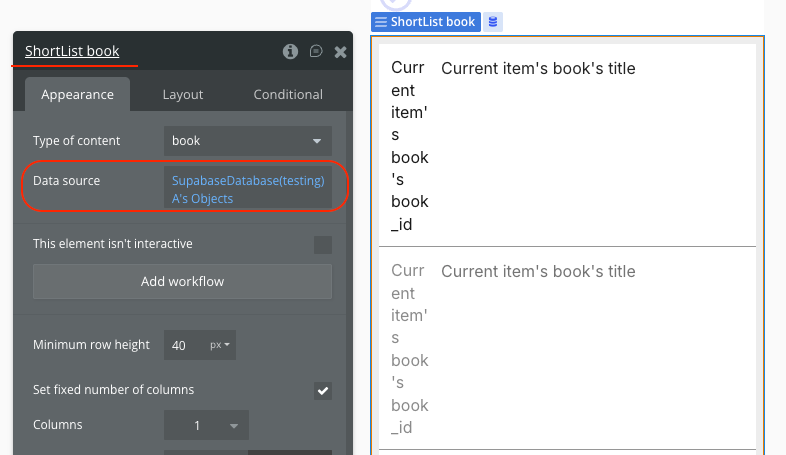
- Select Data: Use the Select action to retrieve records with optional filters and sorting
- Insert Record: Use the Insert action with either key-value payload or JSON data.
- Update Record: Use the Update action with filters to modify existing records.
- Delete Record: Use the Delete action with filters to remove records.
User Authentication Flow
- Setup: Add a Supabase Auth element to your page. In the User Metadata Type field, specify the previously configured API call in the API Connector.
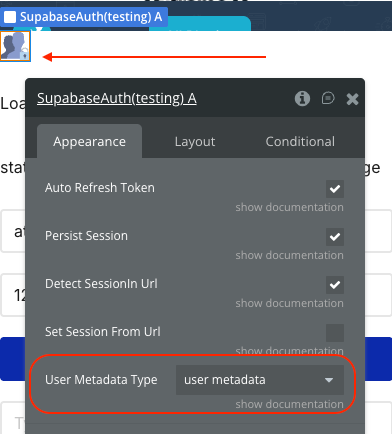
- Sign Up: Create a sign-up workflow using the Sign up action with email and password.
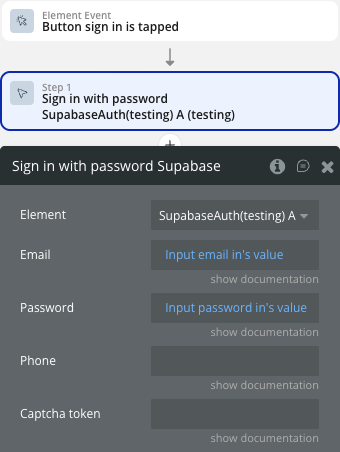
- Sign In: Implement login using the Sign in with password action.
- OAuth: Add OAuth login options using the Sign in with OAuth action.
- User Management: Update user profiles with the Update user action.
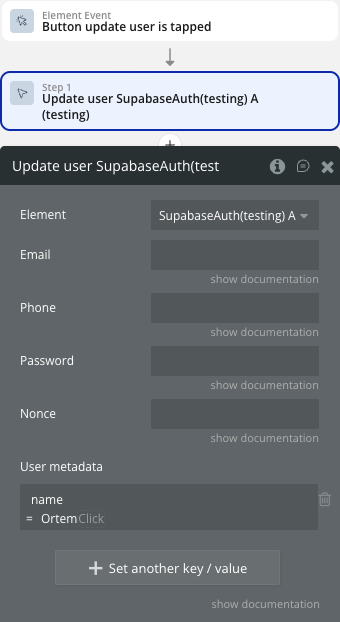
- Logout: Implement logout using the Log the user out action.
File Management
- Setup: Add a Supabase Storage element and configure your bucket. To determine the data type, use API call "Storage File".
- Upload Files: Use the Upload File action to store files in your bucket.
- List Files: Use the List files action to display stored files.
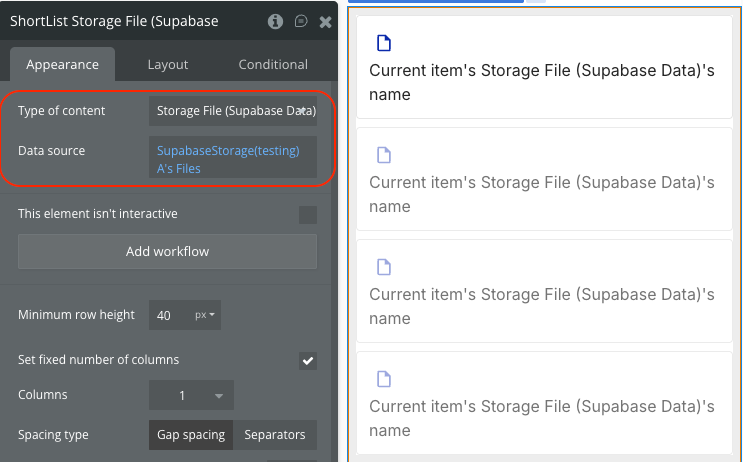
- Download Files: Downloads files from a bucket.
- File Operations: Move, copy, or delete files using respective actions.
Real-time Features
- Enable Realtime: Set the Realtime property to true on your Database element.
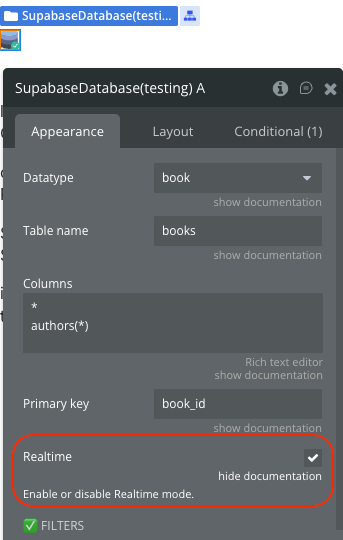
- Listen for Changes: Use the realtime events (Realtime Inserted, Updated, Deleted) to update your UI.
- Handle Updates: Update your interface automatically when data changes in real-time.

Changelogs
Update 09.10.26 - Version 1.3.0
- Fixed Realtime WebSocket connection errors for logged-in users in native apps and improved error reporting in the Supabase Database element.
Update 01.07.26 - Version 1.2.0
- Add "Expected response (JSON)" to Database & RPC.
Update 12.06.26 - Version 1.1.0
- Bubble Plugin Page Update (Description).
Update 05.06.26 - Version 1.0.0
- Initial Plugin Release.