
✅
Link to plugin page: https://zeroqode.com/plugin/repeating-group-to-csv-1525781404285x727100664288903200
Demo to preview the settings
✅
✅
Introduction
Exporting your data from your application will be now much easier with our CSV and XML export. This Zeroqode plugin will save every row in a selected repeating group into a downloadable CSV or XLS file with a single click. It will contain the same fields in the same order as they appear in the repeating group.

Tutorial
How to setup
Step 1 – Install the Plugin
- Go to the Plugin Tab
- Open your Bubble Editor.
- Navigate to the Plugins tab on the left panel.
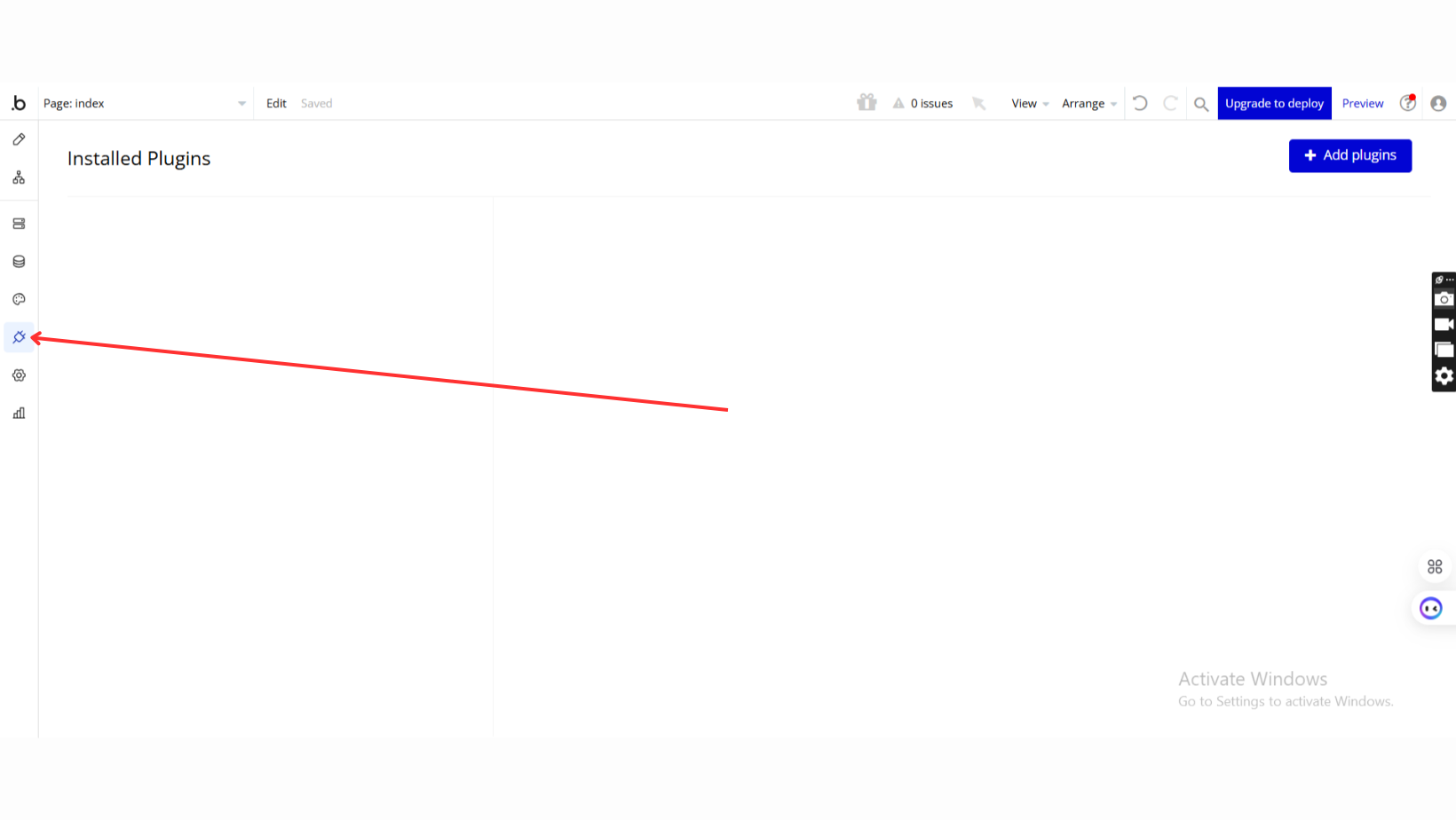
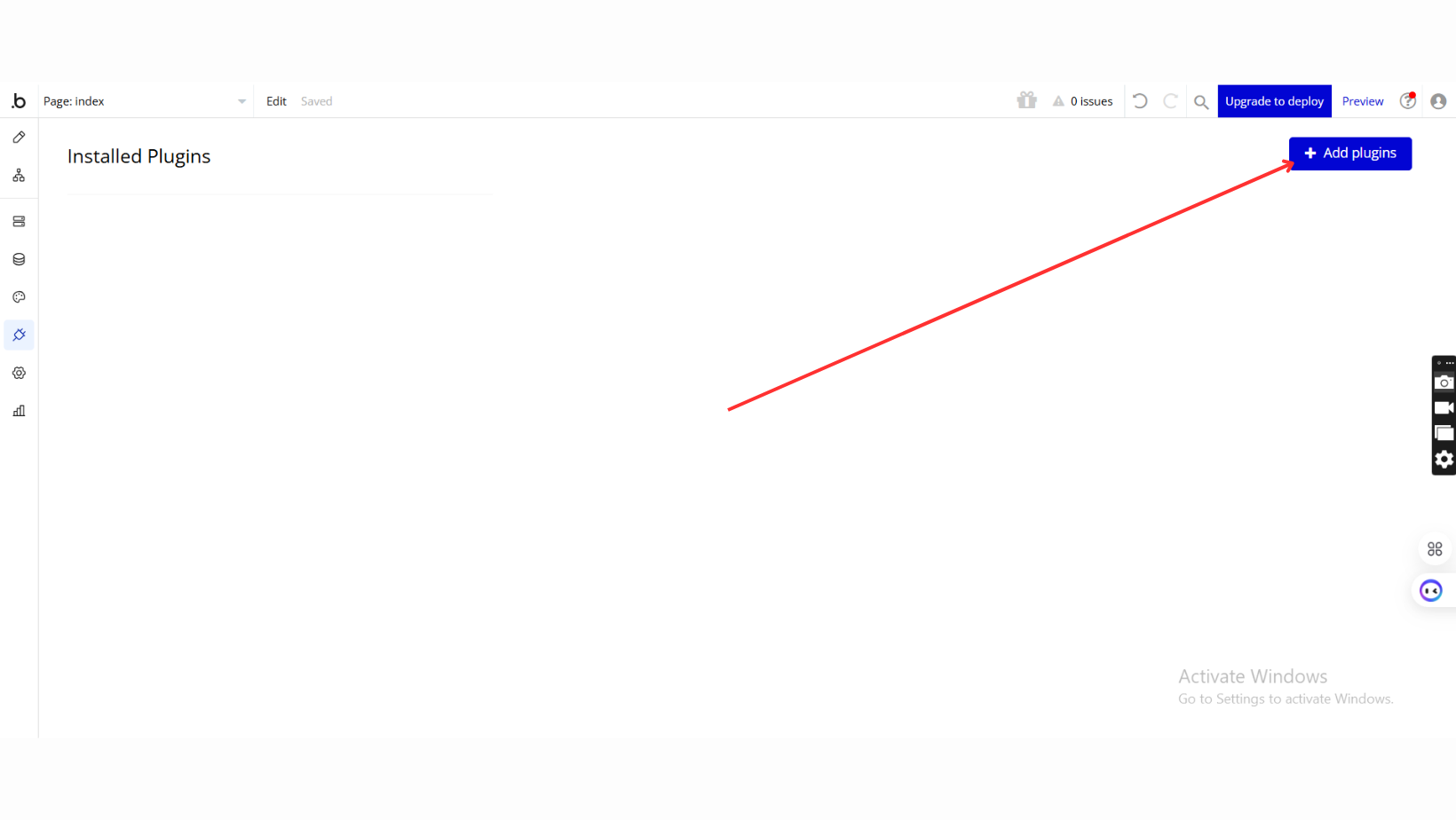
- Add Plugins
- Once in the Plugins tab, click the Add Plugins button.
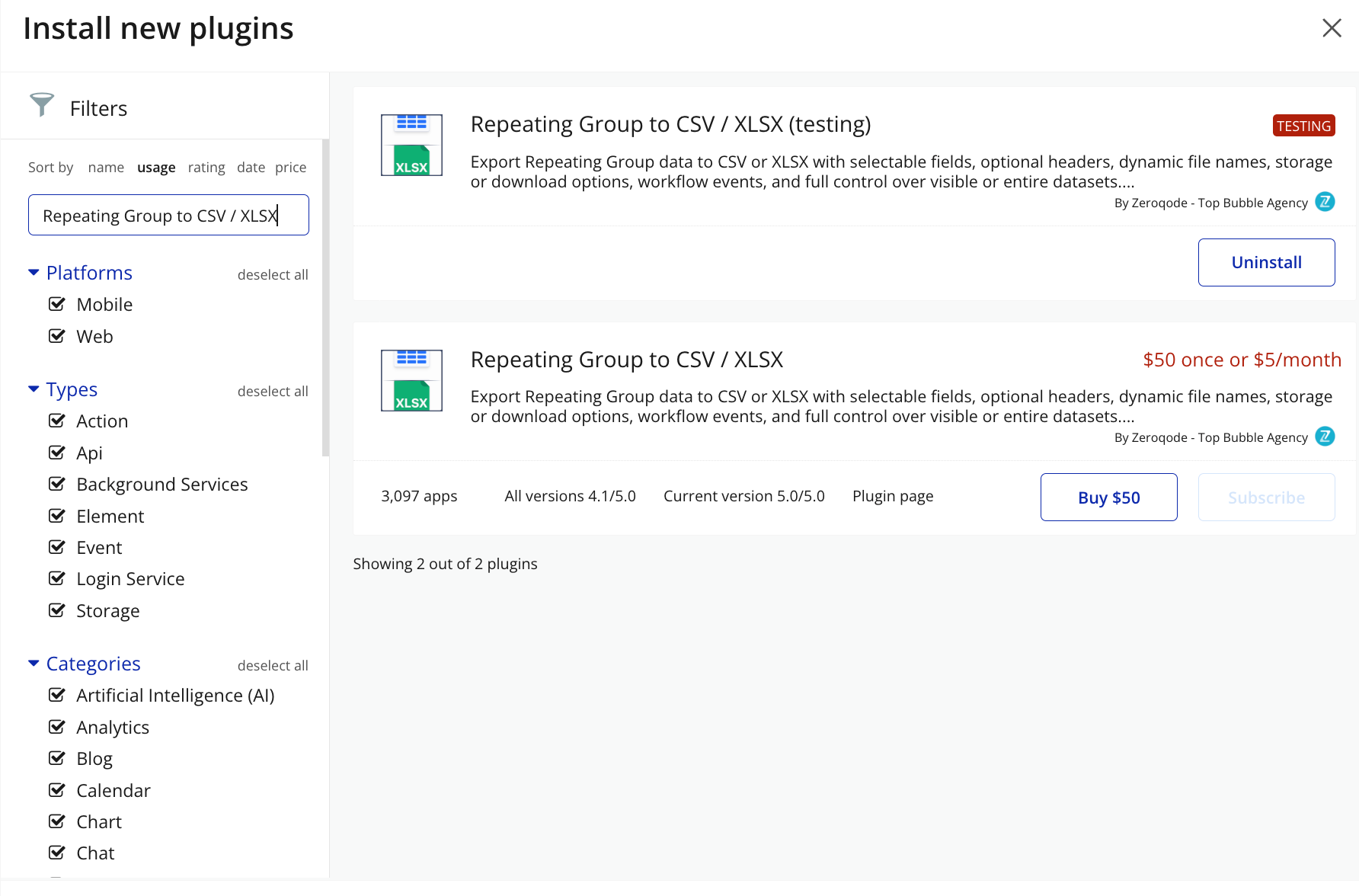
- Search for the Plugin
- Use the search bar to type Repeating Group to CSV / XLSX
- Locate the plugin in the search results.
- Install/Buy
- Click Buy and follow the purchase instructions.
- Charges will be added to your Bubble billing account.
- Remember, if you unsubscribe from the plugin shortly after installation, charges will be prorated based on the days used.
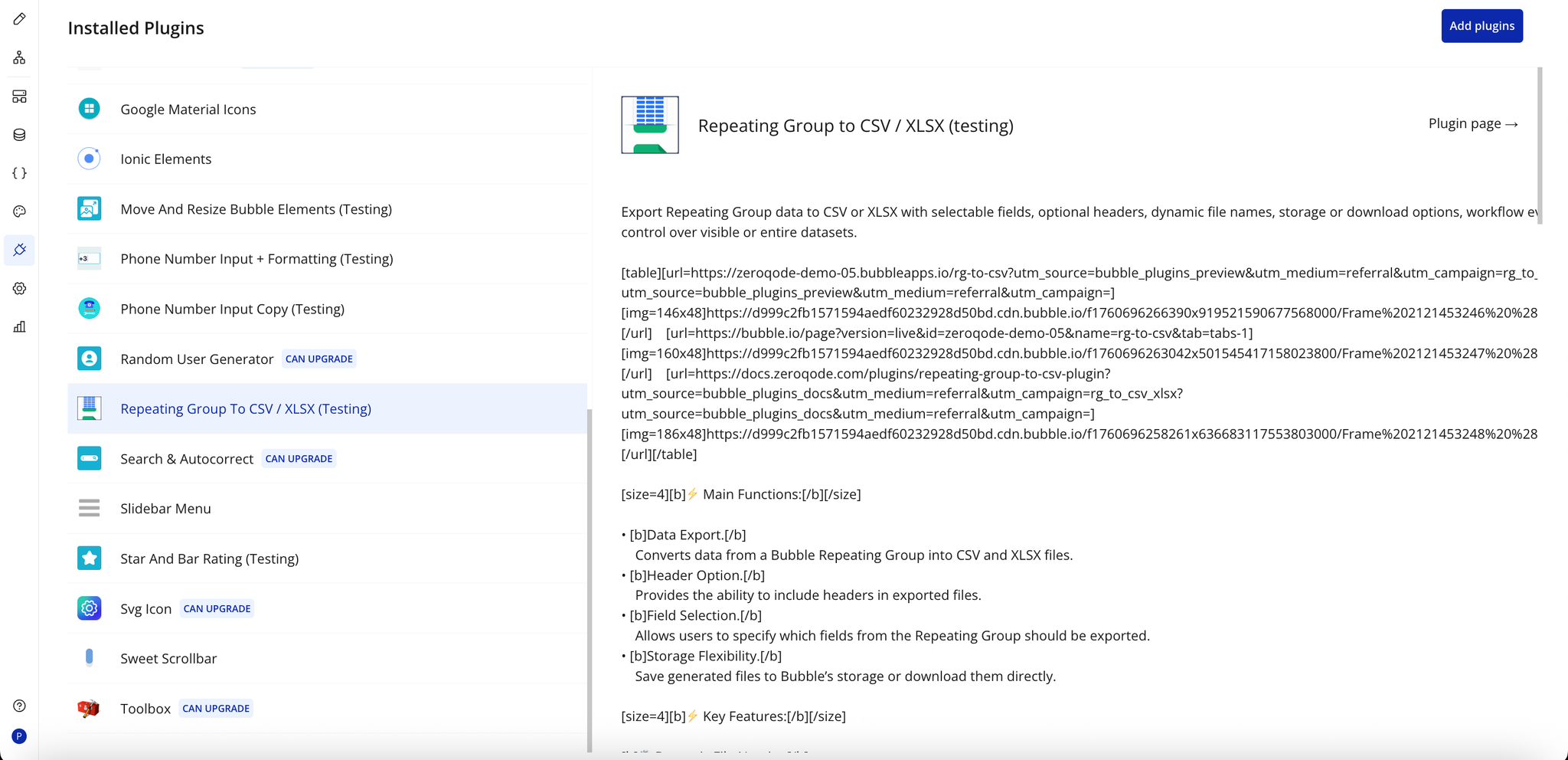
- Plugin Installed
- Once installed, the plugin will appear under the Installed Plugins list in your Bubble Editor.
Step 2 – Add the Plugin Element to Your Page
- Open the Design tab in your Bubble editor.
- Search for the rg-to-csv-xls element in the Elements panel.
- Drag and drop the desired elements onto your page.
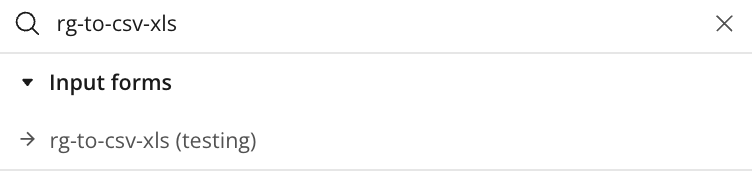
Step 3 – Configure Properties
Trigger a workflow and use the “Download File” action of the rg-to-csv-xls element to download data from a Repeating Group
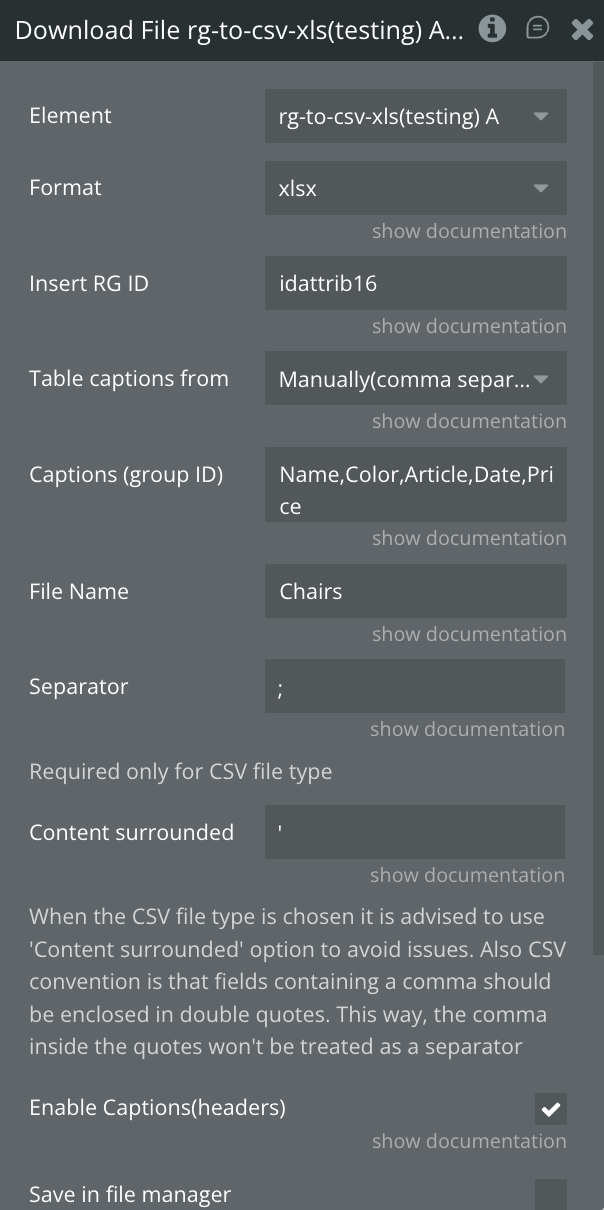
Plugin Element - rg-to-csv-xls
Element with one main action that allows downloading the RG into a CSV/XLS file
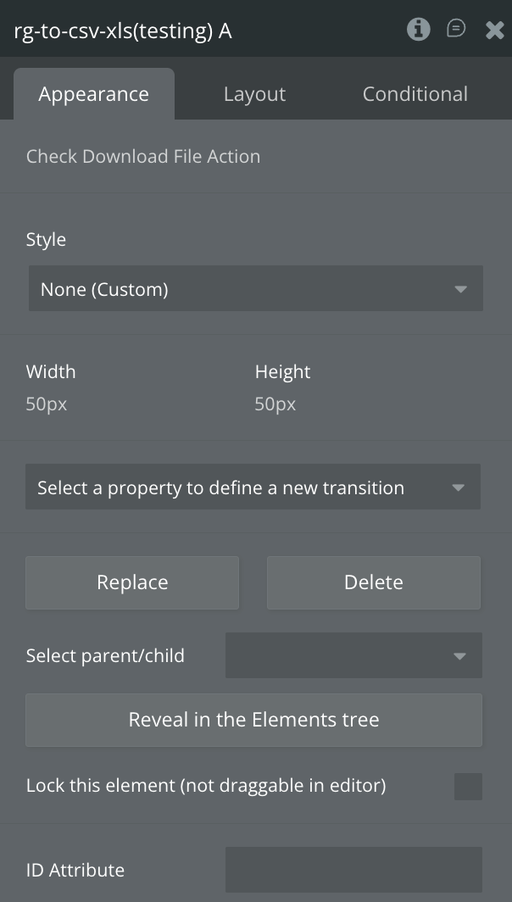
Exposed States
Name | Description | Type |
URL for downloading | URL to download the converted file | Text (list) |
Element Events
Name | Description |
File was uploaded | Triggered when a file is uploaded |
File was converted | Triggered when the file is converted |
Element Actions
Download File
Download File action has a few fields that have an impact on the output file.
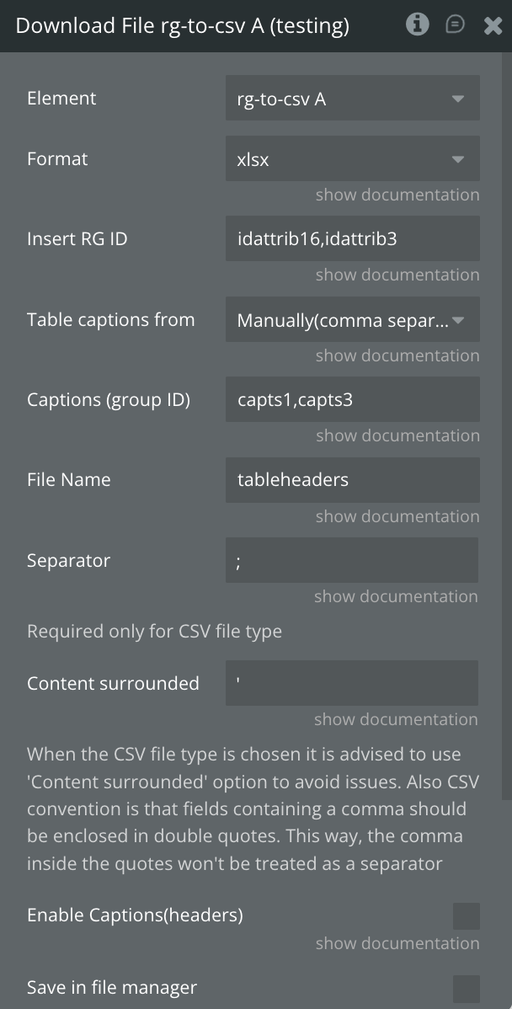
Title | Description | Type |
Format | Dropdown with two options representing the downloadable file type: CSV or XLS | Dropdown |
Insert RG ID | Repeating Group IDs separated by comma | Text (Dynamic) |
Table captions from | Dropdown with two options: Group or Manually. If Group is selected, column captions are taken from the group whose ID is specified in Captions (group ID). If Manually is selected, captions must be typed manually into the Captions (group ID) field | Dropdown |
Captions (group ID) | Group Captions’ IDs of RG separated by comma | Text |
File Name | Dynamic text value used to define the preferred name of the resulting file | Text (Dynamic) |
Separator | Static text defining the separator for CSV content. Default is a comma ,. Required only when CSV format is selected | Text (Static) |
Content surrounded | Static text option that surrounds the entire CSV content with double quotes " " by default. Recommended for CSV files to avoid separator-related issues | Text (Static) |
Enable Captions (headers) | Checkbox option. When unchecked, the resulting file will not include column captions | Checkbox |
Save in file manager | Will save the result into the bubble file manager | Checkbox |
Download the file | Will download the result | Checkbox |
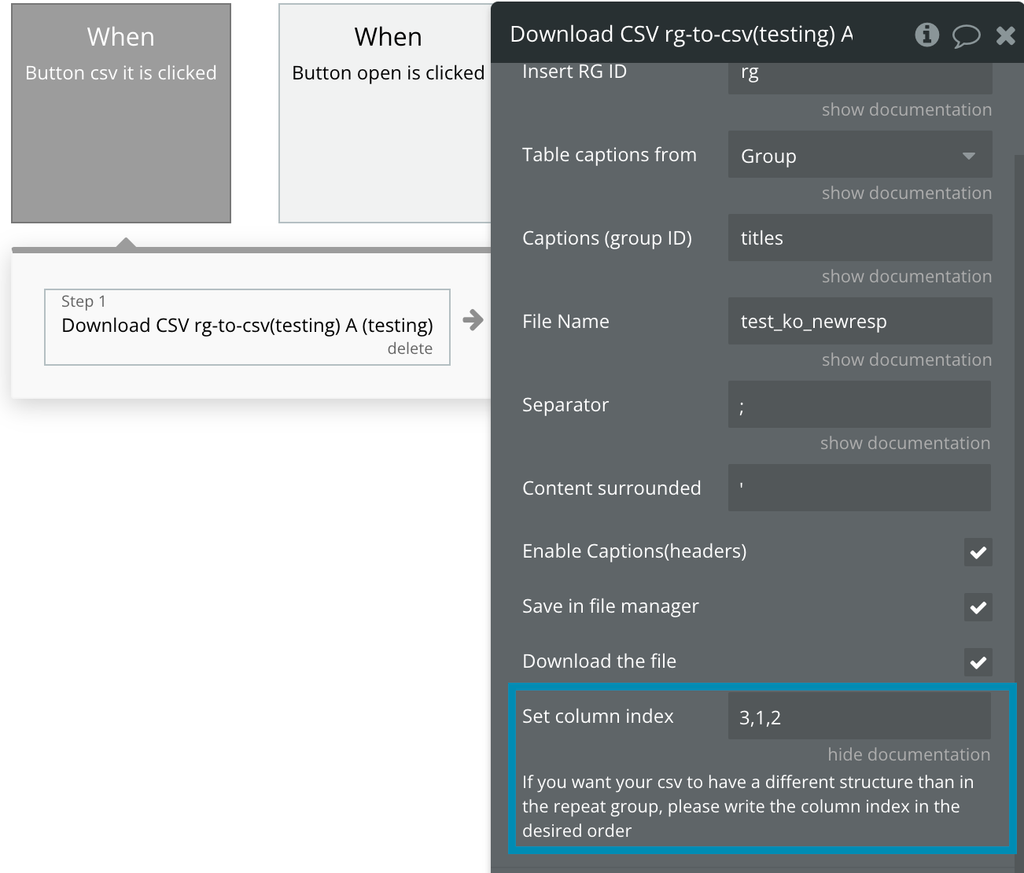
Set column index | If you want your csv to have a different structure than in the repeat group, please write the column index in the desired order | Checkbox |
❕
The plugin downloads only the data that is fully loaded and visible in the Repeating Group, available on a page.
Workflow example
Use case example
- Place the plugin element on the page:
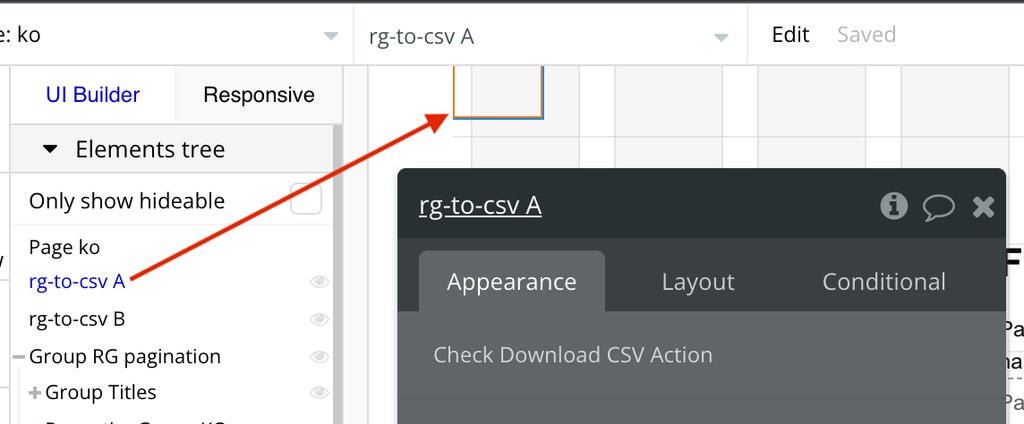
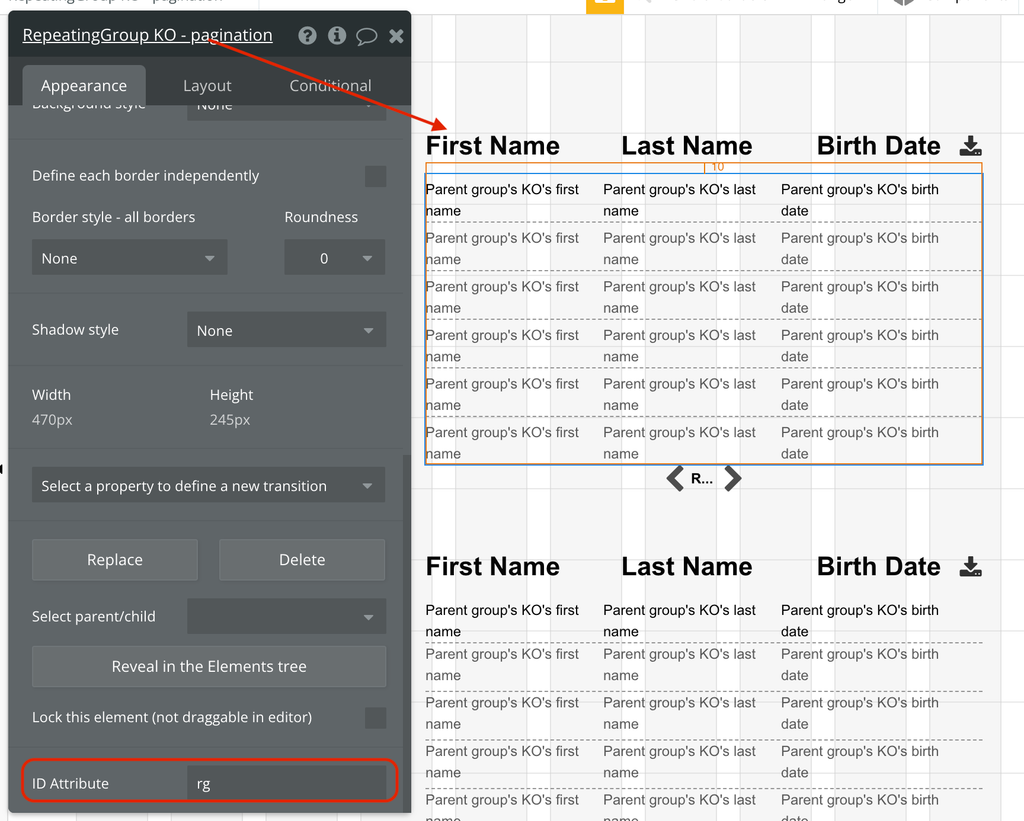
- Create a Repeating Group, assign an ID to it:
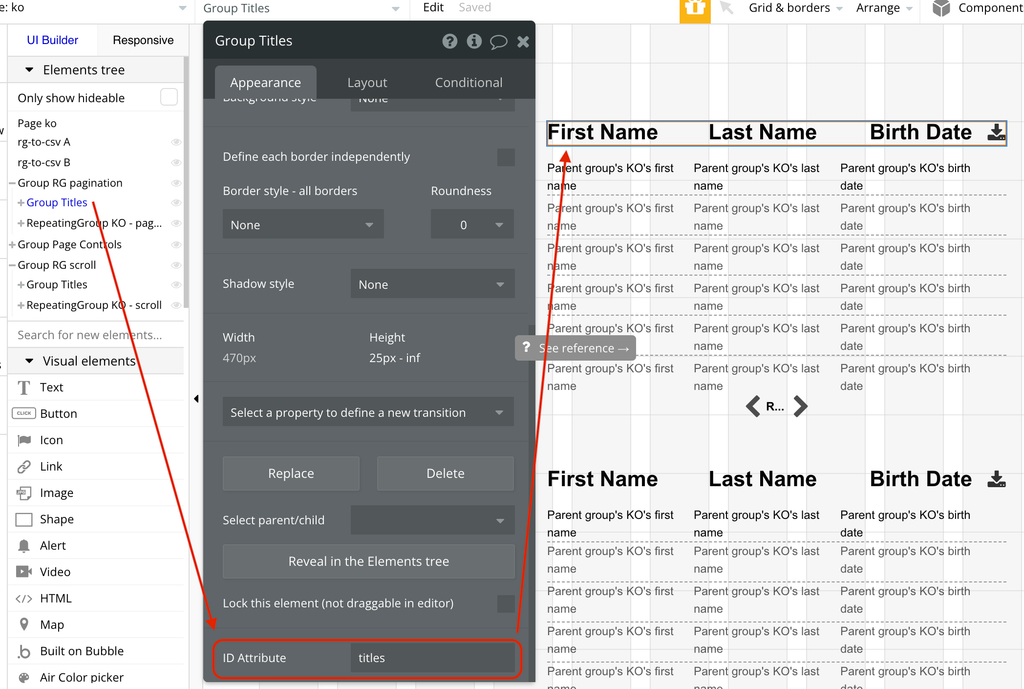
- Create a group, place text elements inside with the names of your Repeating group columns. Assign an ID to this group:
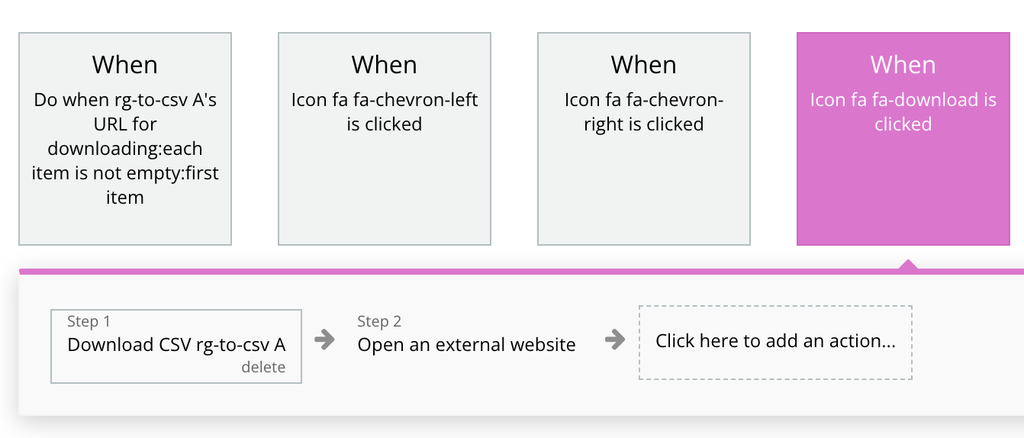
- Add a button or any other element that will trigger the RG to CSV action. Assign a workflow to it - the “Download CSV rg-to-csv A” action:
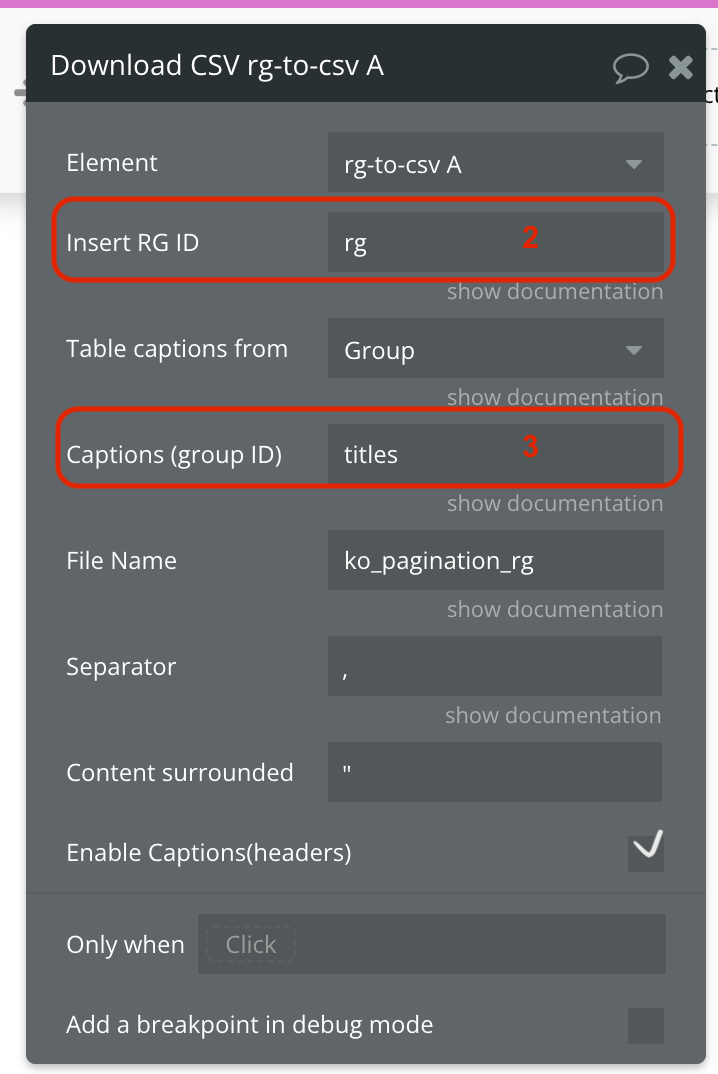
- In the “Download CSV rg-to-csv A” action, assign the Repeating group ID into the “Insert RG ID” field, and the ID of your Captions group into the “Captions (group ID)” field:
- Add your resulting CSV file and other parameters, according to your preferences.
- There are a few ways to get the resulting CSV file: - use the “Open external website” action. It will automatically download the CSV file when the conversion is finished; - use the “Link” element. In any case, you need to use the “URL for downloading” plugin state:

How to use the “Set column index” feature
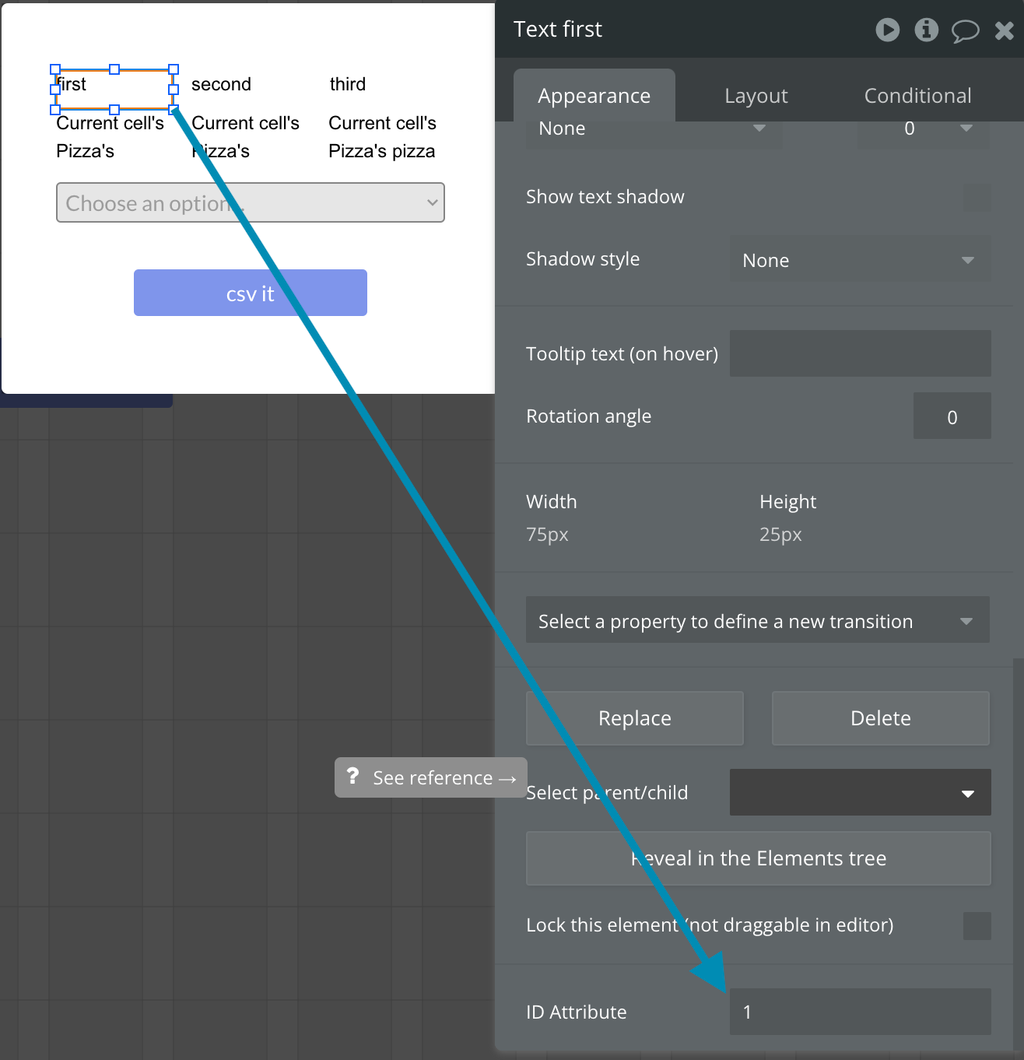
If you want your RG’s columns to appear in the resulting CSV file in a specific order, different from the one it renders on the page load, just assign the serial number value to the Column’s title ID field and indicate it in the Download CSV rg-to-csv A action:
Export multiple RGs into one Excel file (multi-sheet support)
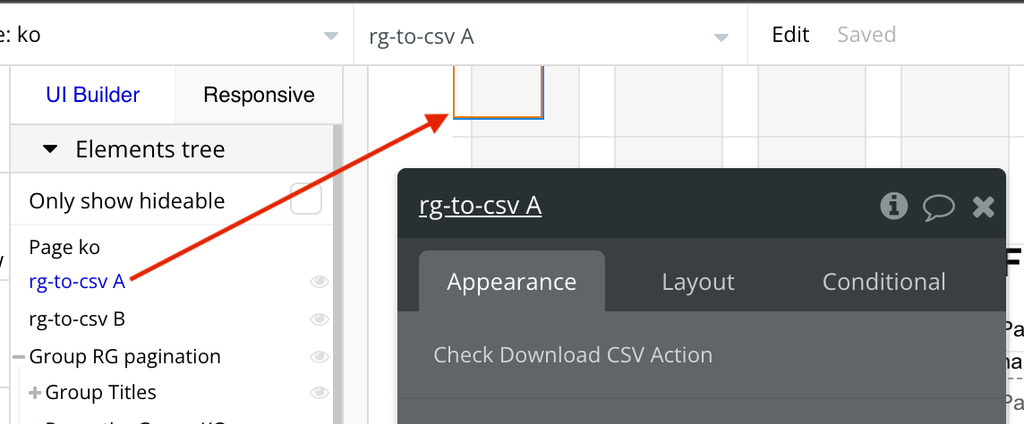
- Place the plugin element on the page:
- Create 2 Repeating Groups, assign an IDs to them:
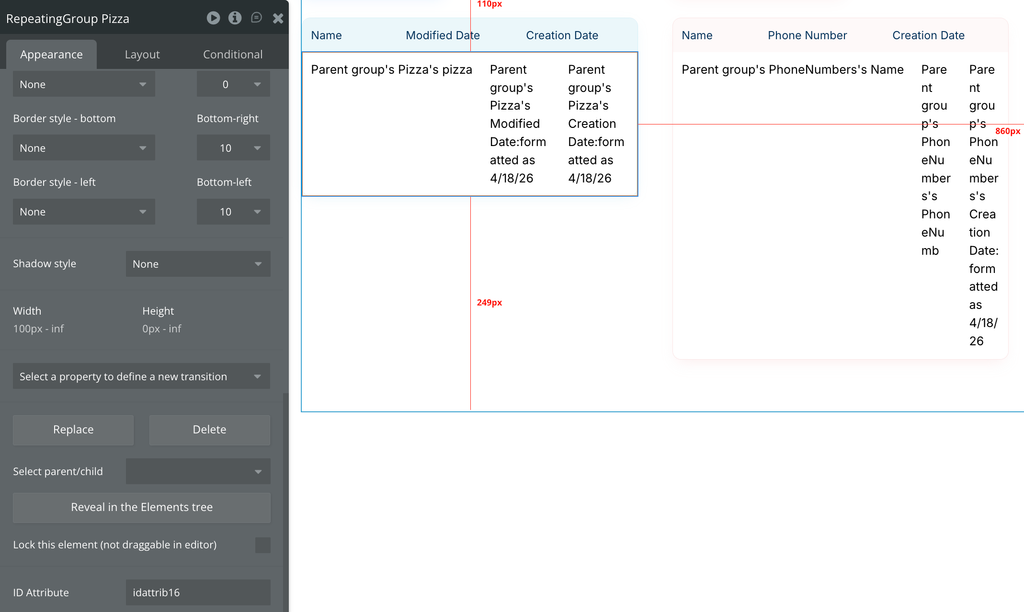
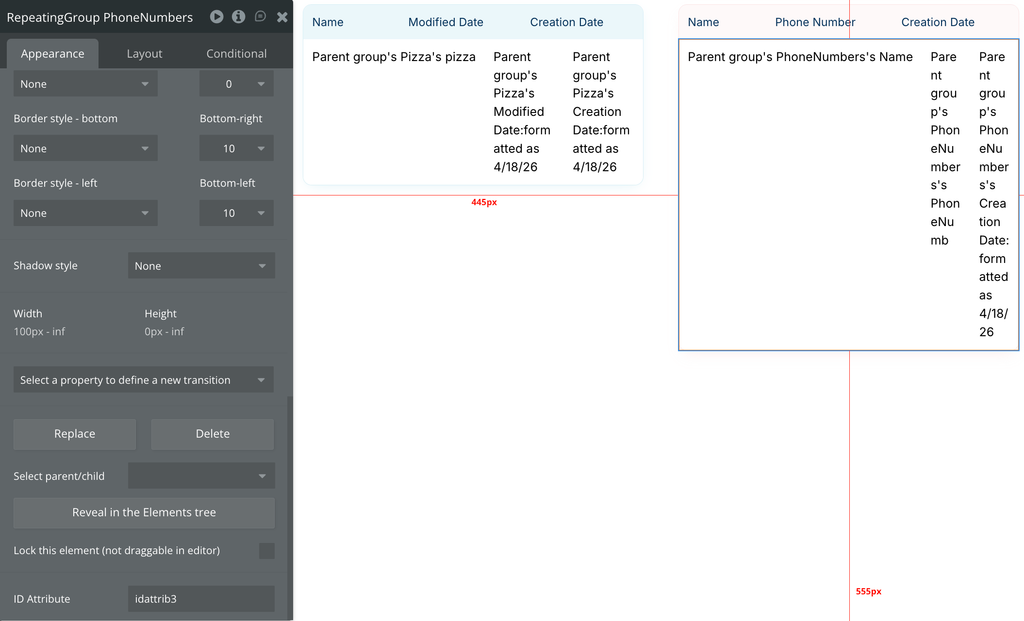
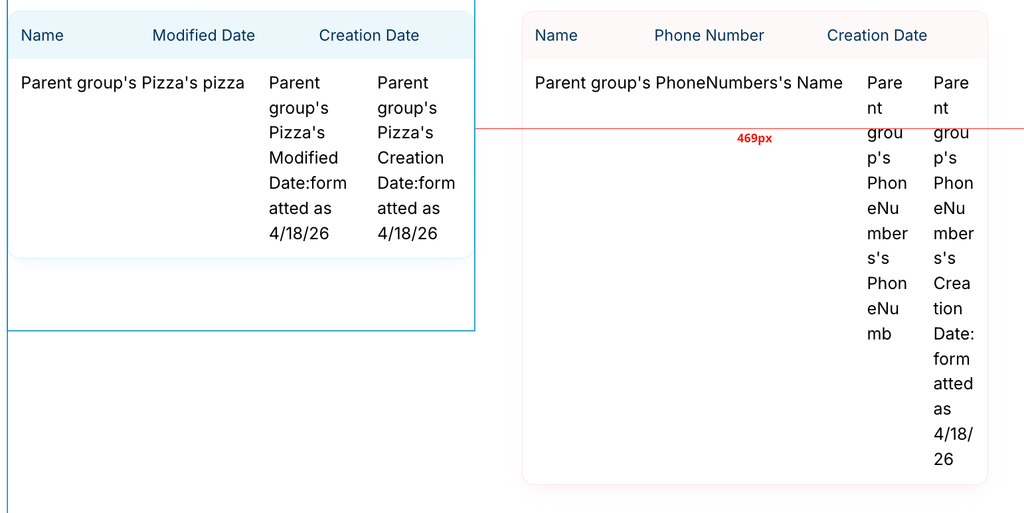
- Create 2 groups, place text elements inside with the names of your Repeating group columns. Assign an ID to this group:
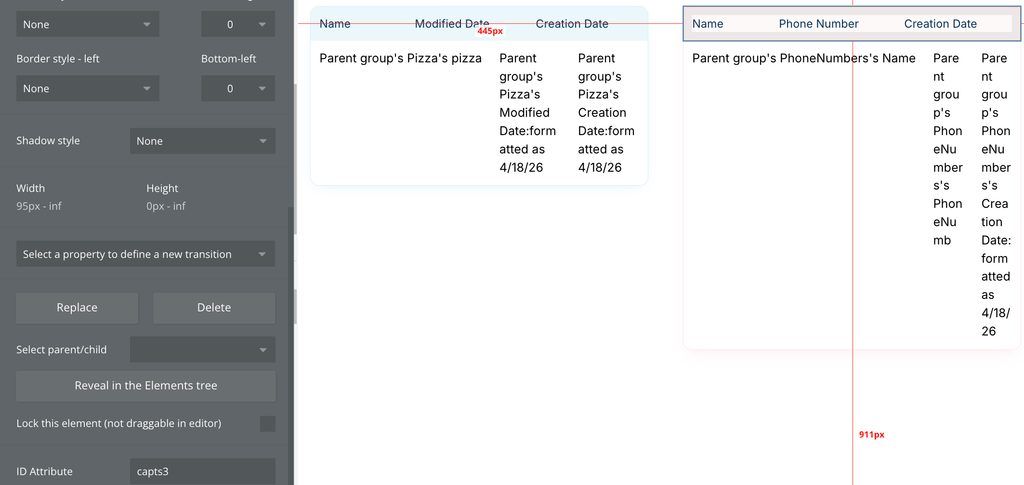
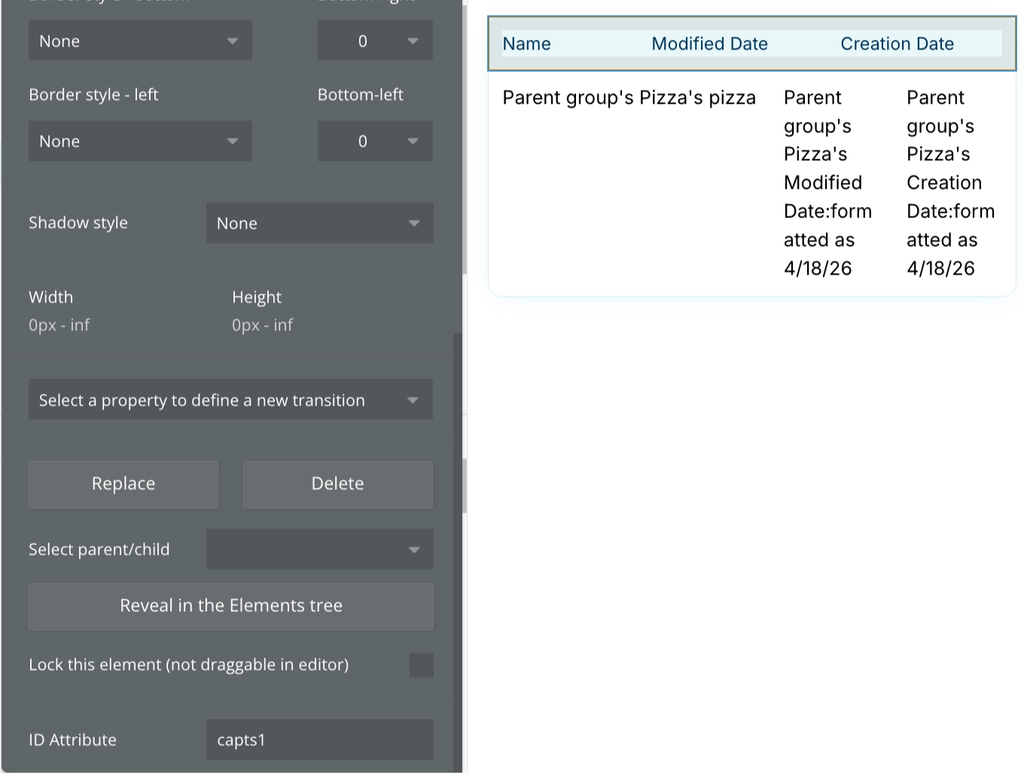
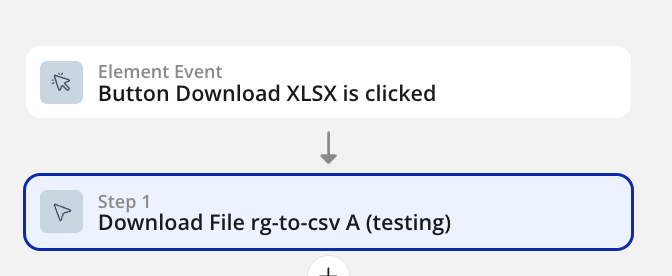
- Add a button or any other element that will trigger the RG to CSV action. Assign a workflow to it - the “Download CSV rg-to-csv A” action:
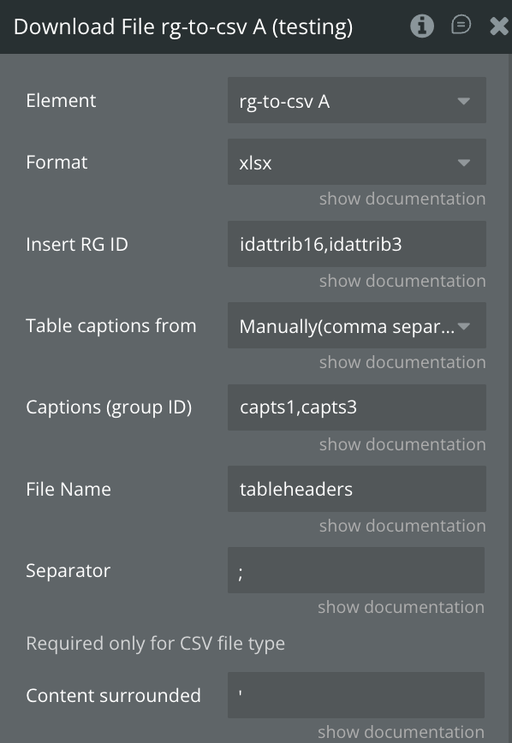
- In the “Download CSV rg-to-csv A” action, assign the Repeating group IDs separated by comma into the “Insert RG ID” field, and the IDs of your Captions groups into the “Captions (group ID)” field:

Changelogs
Update 08.06.26 - Version 1.77.0
- Security update: CSV/XLSX formula injection fix + pinned SheetJS 0.20.3.
Update 06.03.26 - Version 1.76.0
- Bubble Plugin Page Update (Category).
Update 01.12.25 - Version 1.75.0
- Bubble Plugin Page Update (Description).
Update 29.10.25 - Version 1.74.0
- Bubble Plugin Page Update (Description).
Update 29.10.25 - Version 1.73.0
- Bubble Plugin Page Update (Description).
Update 29.10.25 - Version 1.72.0
- Bubble Plugin Page Update (Recommendations).
Update 16.10.25 - Version 1.71.0
- Bubble Plugin Page Update (Logo).
Update 09.07.25 - Version 1.70.0
- Bubble Plugin Page Update (Logo).
Update 02.07.25 - Version 1.69.0
- the upgrade to version 4.
Update 20.06.25 - Version 1.68.0
- Bubble Plugin Page Update (Logo).
Update 28.11.24 - Version 1.67.0
- Minor update(Marketing update).
Update 14.11.24 - Version 1.66.0
- Minor update (Marketing update).
Update 14.11.24 - Version 1.65.0
- Minor update (Marketing update).
Update 24.10.24 - Version 1.64.0
- Minor update (Marketing update).
Update 21.10.24 - Version 1.63.0
- Minor update (Marketing update).
Update 24.07.24 - Version 1.62.0
- Minor update .
Update 16.07.24 - Version 1.61.0
- Minor update (Marketing update).
Update 26.06.24 - Version 1.60.0
- Dropdown support added.
Update 11.06.24 - Version 1.59.0
- Updated demo/service links.
Update 06.06.24 - Version 1.58.0
- Minor update.
Update 31.05.24 - Version 1.57.0
- Nested repeating groups support added.
Update 03.04.24 - Version 1.56.0
- updated description.
Update 27.03.24 - Version 1.55.0
- Download CSV bug fix.
Update 21.03.24 - Version 1.54.0
- Resolved issue ensuring that formulas are now saved correctly in xls files.
Update 24.01.24 - Version 1.53.0
- updated description.
Update 27.12.23 - Version 1.52.0
- updated description.
Update 26.12.23 - Version 1.51.0
- updated description.
Update 26.12.23 - Version 1.50.0
- updated description.
Update 19.12.23 - Version 1.49.0
- updated description.
Update 19.10.23 - Version 1.48.0
- Updated description.
Update 17.10.23 - Version 1.47.0
- updated plugin's name.
Update 17.10.23 - Version 1.46.0
- updated description.
Update 17.10.23 - Version 1.45.0
- updated plugin's name.
Update 17.10.23 - Version 1.44.0
- Added download in XLSX option.
Update 18.09.23 - Version 1.43.0
- updated description.
Update 13.09.23 - Version 1.42.0
- minor updates.
Update 06.09.23 - Version 1.41.0
- Obfuscation.
Update 06.09.23 - Version 1.40.0
- Obfuscation.
Update 27.07.23 - Version 1.39.0
- Fixed extension of the uploaded file (firefox).
Update 10.07.23 - Version 1.38.0
- updated description.
Update 05.07.23 - Version 1.37.0
- Fixed default display captions.
Update 16.06.23 - Version 1.36.0
- Updated the description .
Update 02.06.23 - Version 1.35.0
- Added new options Save in the file manager, Download the file, Set column index'.
Update 17.05.23 - Version 1.34.0
- reforming the text that start from the new line.
Update 03.05.23 - Version 1.33.0
- adapted for the new responsive.
Update 12.04.23 - Version 1.32.0
- Change log: Fixed "download CSV" action.
Update 22.03.23 - Version 1.31.0
- possibility to ignore RG from RG.
Update 13.03.23 - Version 1.30.0
- Fixed Manually table captions.
Update 07.03.23 - Version 1.29.0
- update the plugin for new responsive.
Update 23.02.23 - Version 1.28.0
- deleted the icons.
Update 21.02.23 - Version 1.27.0
- updated the description.
Update 02.02.23 - Version 1.26.0
- Updated description.
Update 27.01.23 - Version 1.25.0
- Added possibility with id "css_ignored" ignore column.
Update 20.01.23 - Version 1.24.0
- Updated description.
Update 19.09.22 - Version 1.23.0
- Adjusted common part.
Update 29.08.22 - Version 1.22.0
- Updated common part.
Update 06.06.22 - Version 1.21.0
- minor fixed.
Update 25.05.22 - Version 1.20.0
- fixed problem with header.
Update 24.05.22 - Version 1.19.0
- fixed problem with the new responsive.
Update 13.09.21 - Version 1.18.0
- fixed problem with checkbox status.
Update 28.07.21 - Version 1.17.0
- Updated description.
Update 19.07.21 - Version 1.16.0
- Updated icon.
Update 13.03.21 - Version 1.15.0
- Updated plugin name.
Update 03.03.21 - Version 1.14.0
- Updated description.
Update 19.02.21 - Version 1.13.0
- Fixed the bug with changing delimitor.
Update 18.02.21 - Version 1.12.0
- Updated icon.
Update 16.02.21 - Version 1.11.0
- Updated icon.
Update 27.09.19 - Version 1.10.0
- Improvement & Bug Fixing - add "csv_ignored" id to RG element to ignore it at the exporting time..
Update 30.08.19 - Version 1.9.0
- Issue fixed - csv headings separation fixed .
Update 07.05.19 - Version 1.8.0
- Minor improvements.
Update 27.03.19 - Version 1.7.0
- Added Enable Captions(headers) checkbox Fixed Content surrounded. .
Update 19.03.19 - Version 1.6.0
- Minor improvements and bug fixes.
Update 20.10.18 - Version 1.5.0
- Minor Improvements.
Update 01.10.18 - Version 1.4.0
- Minor Fixes.
Update 11.09.18 - Version 1.3.0
- Enabled dynamic values for file names.
Update 21.05.18 - Version 1.2.0
- Update of description.
Update 21.05.18 - Version 1.1.0
- updated description.
Update 18.05.18 - Version 1.0.0
- First deploy.