
✅
Link to the plugin page:
Demo to preview the plugin:
✅
Introduction
The 0x Crypto API plugin allows Bubble developers to integrate powerful decentralized exchange (DEX) functionality directly into their applications using the 0x protocol.
With this plugin, you can retrieve real-time swap prices, generate trade quotes, explore liquidity sources, and access order book data — all without writing backend code.
It is ideal for DeFi dashboards, crypto wallets, trading tools, analytics platforms, and blockchain-enabled SaaS products.
Key Features
- Get Swap Quotes
Retrieve executable trade quotes for token swaps.
- Get Swap Prices
Fetch real-time token pricing data from decentralized liquidity sources.
- Access Swap Sources
View liquidity providers and DEX sources used in routing.
- Order Books & Orders
Fetch order books and detailed order data for supported markets.
- Shared Header Authentication
Uses API keys securely via shared headers (production & development).
- No Backend Code Required
Fully usable inside Bubble workflows and API Connector logic.
Prerequisites
Before using the 0x Crypto API plugin, ensure the following:
- Bubble Account & Editor Access
You must have editor access to install and configure the plugin.
- Basic Understanding of Tokens & Swaps
Familiarity with token symbols (e.g., ETH, WETH, DAI, USDC) and swap concepts is recommended.
- Blockchain Network Awareness
Tokens must exist on the same supported network for valid swaps.
👛 Please support our efforts to keep this plugin free—your donations help us invest the time and resources needed to continue maintaining and improving it for everyone’s benefit: https://zeroqo.de/support.

How to Set Up
Step 1. Install the Plugin
- Open your Bubble Editor.
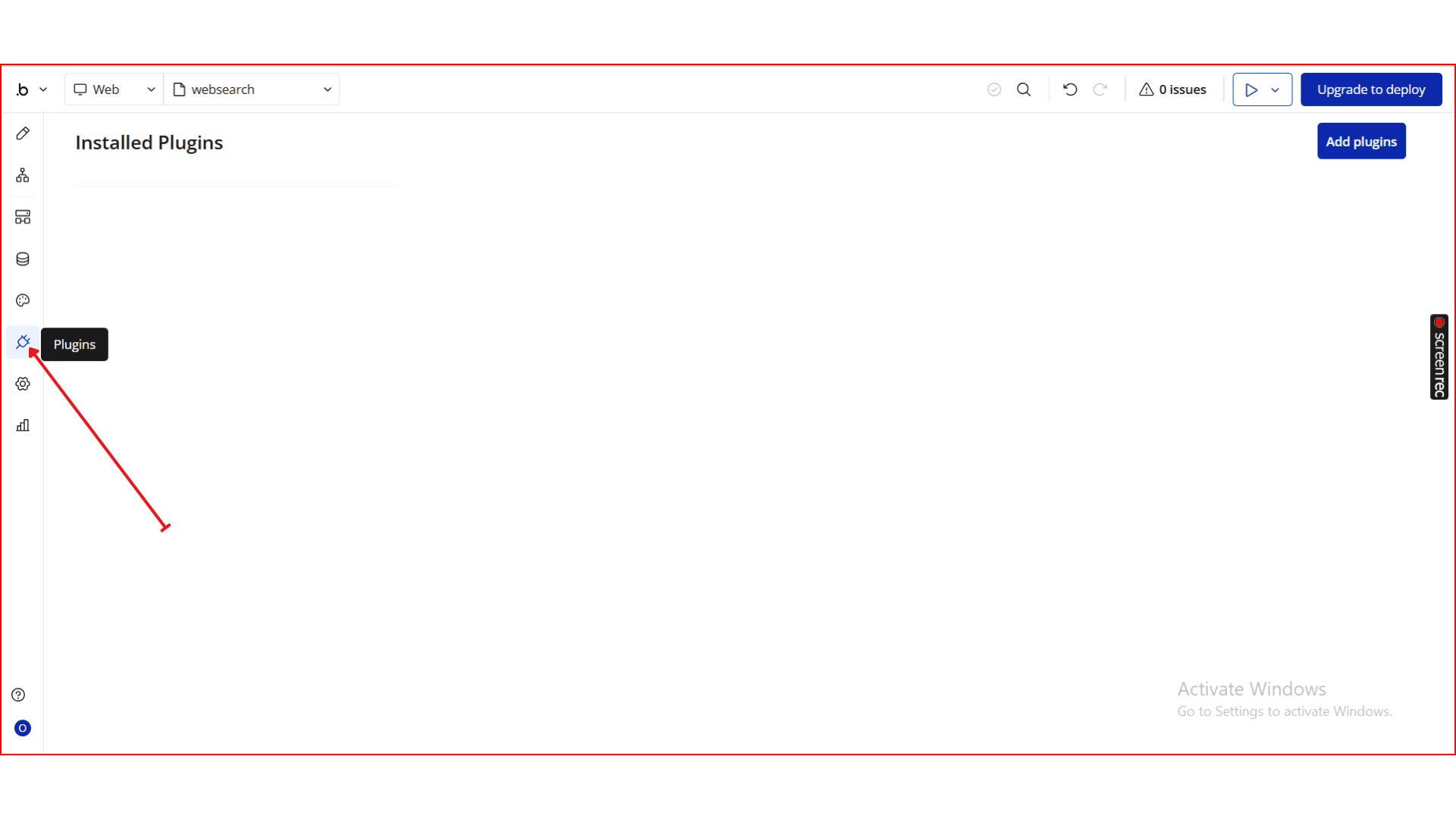
- From the left panel, go to the Plugins tab.
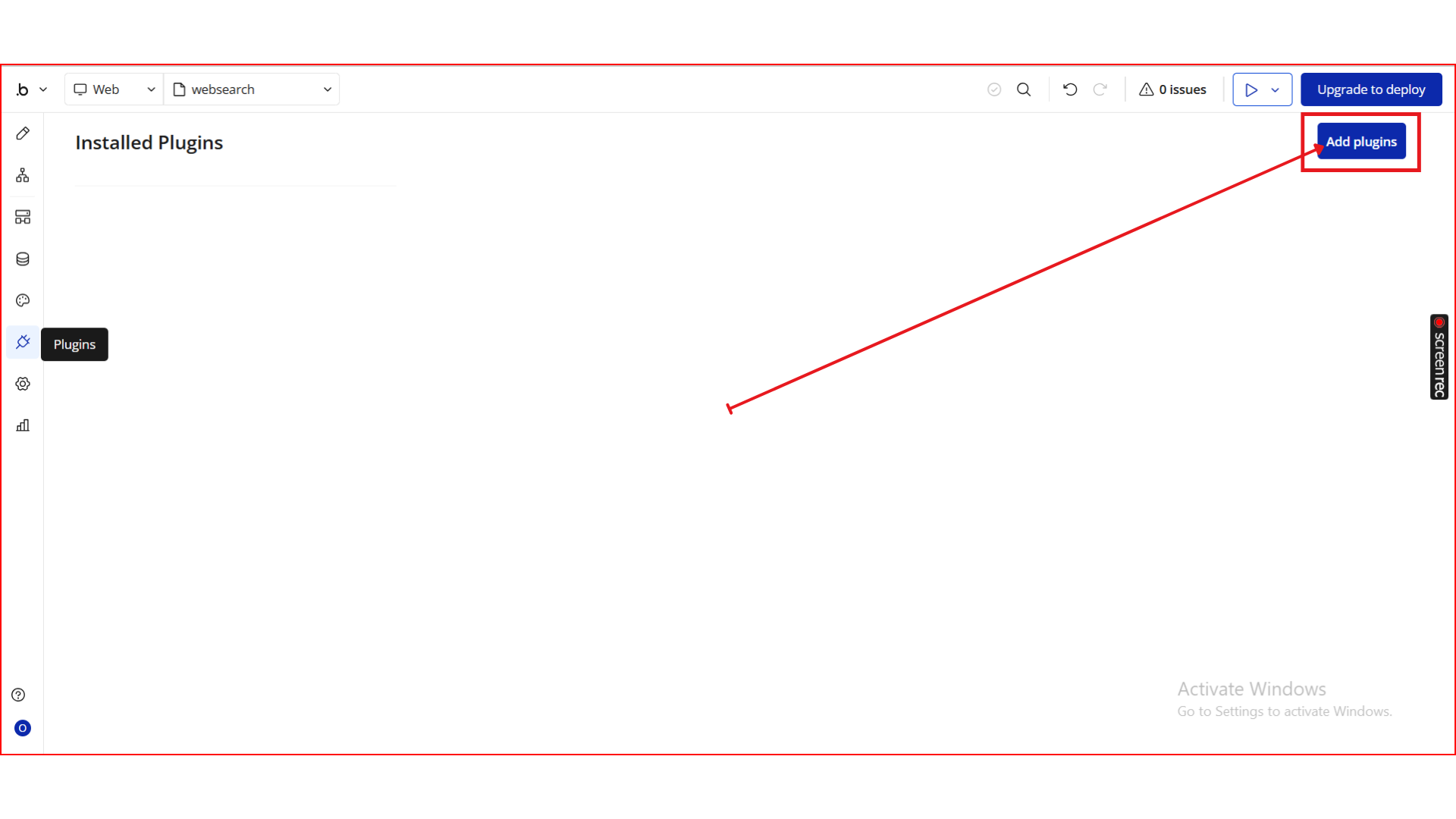
- Click the Add Plugins button.
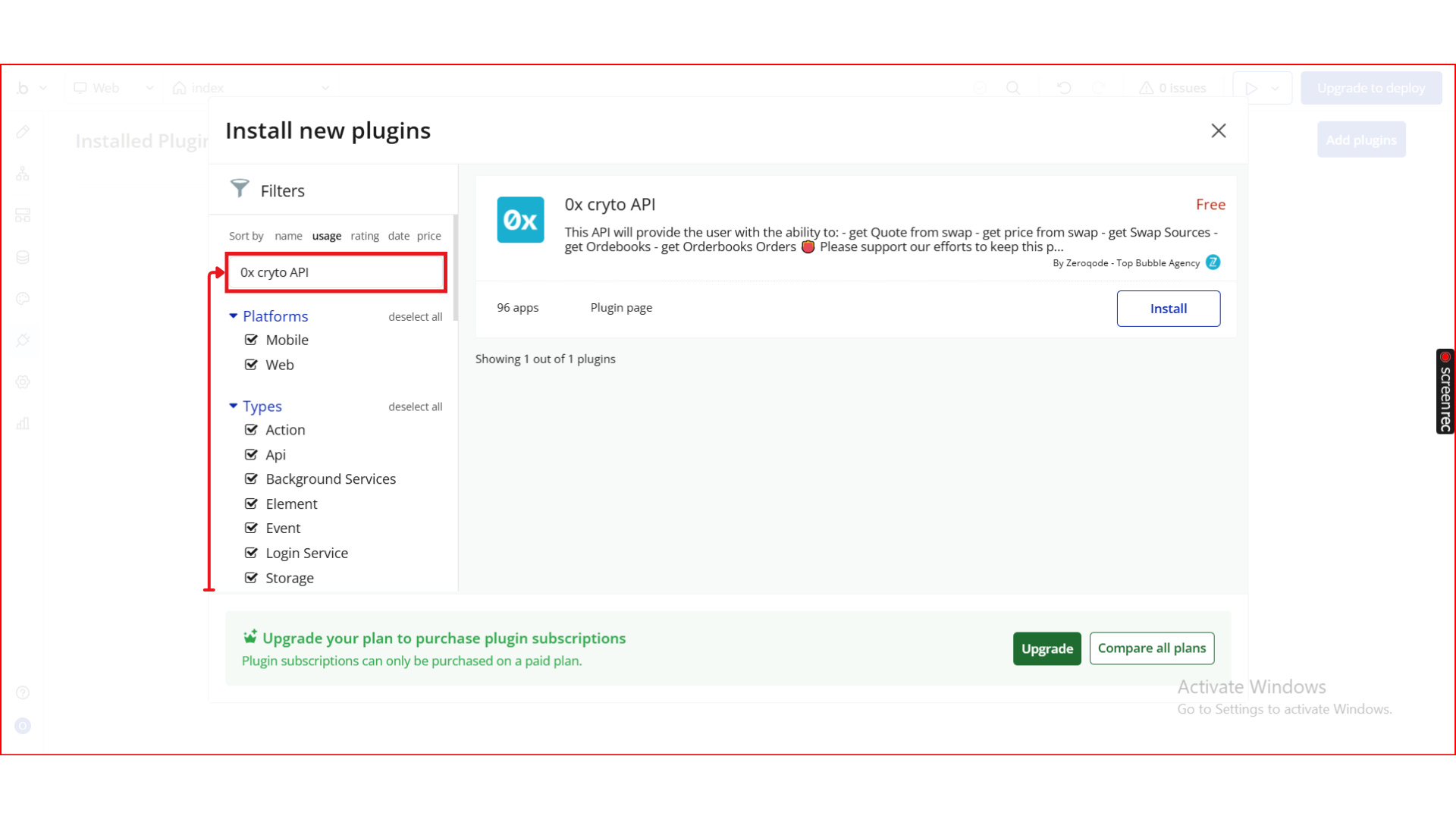
- In the search bar, type 0x cryto API.
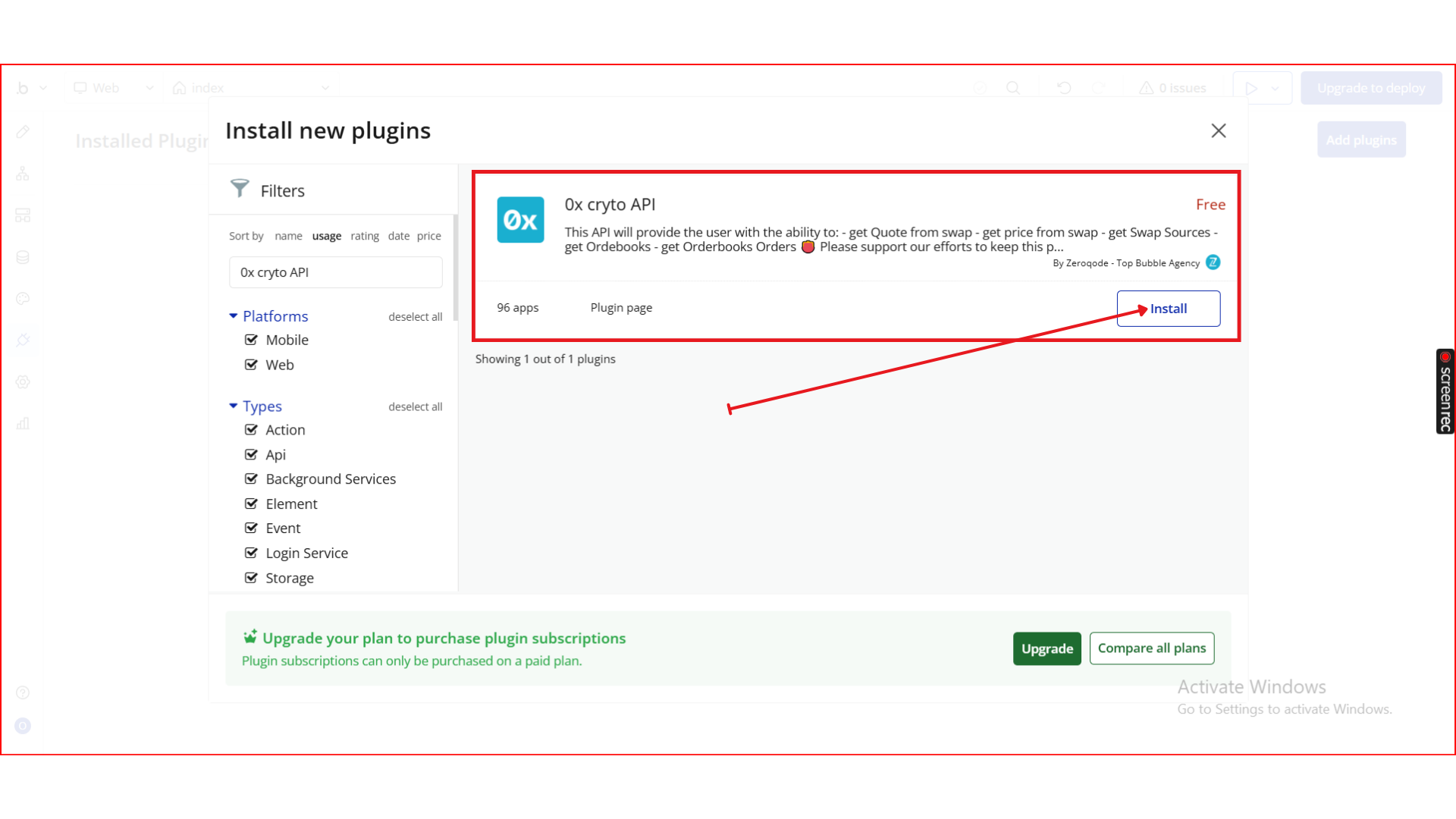
- Locate the 0x cryto API plugin by Zeroqode and click Install (or Buy if it’s a paid plan).
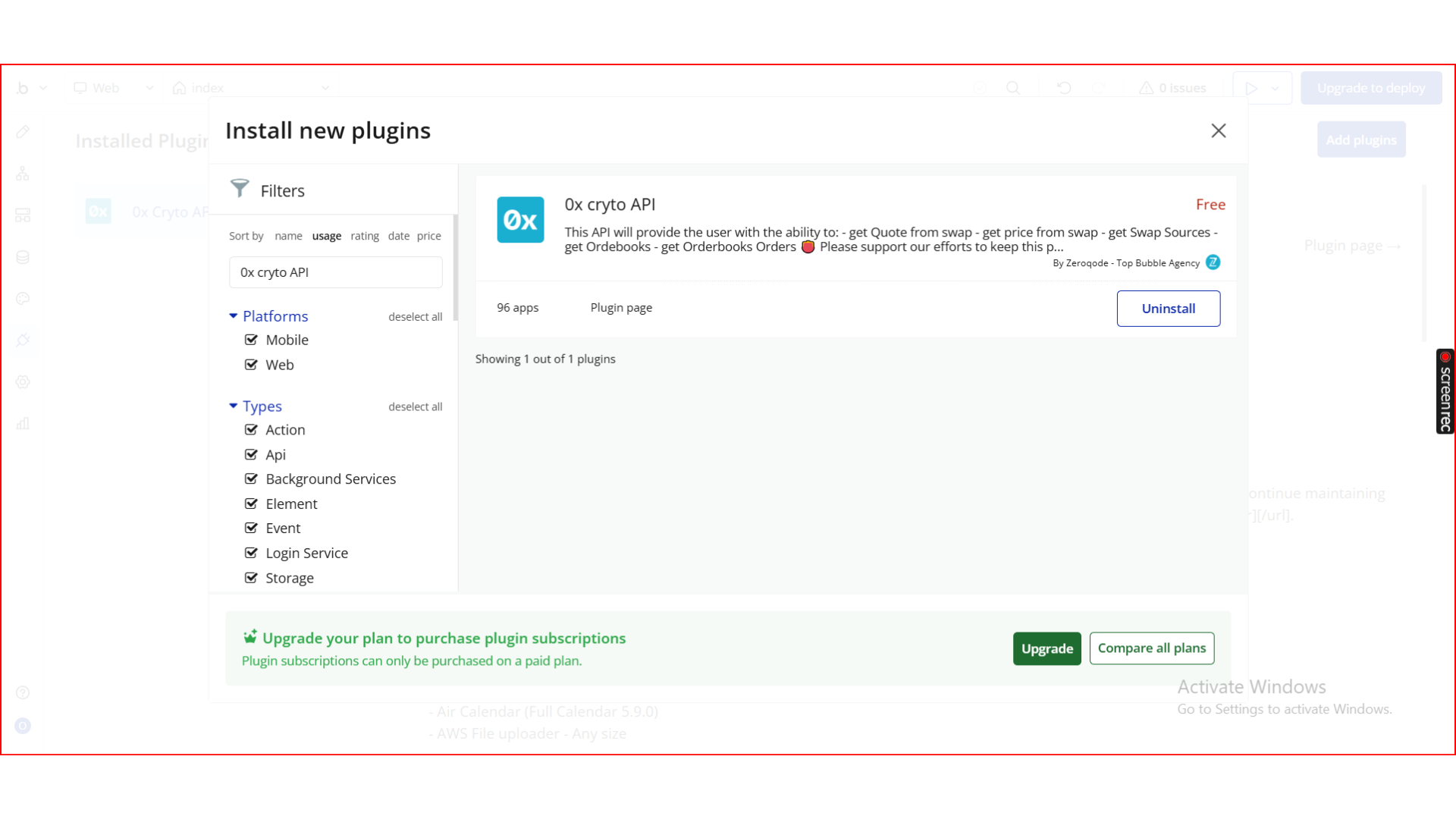
- After installation, it will appear under Installed plugins.
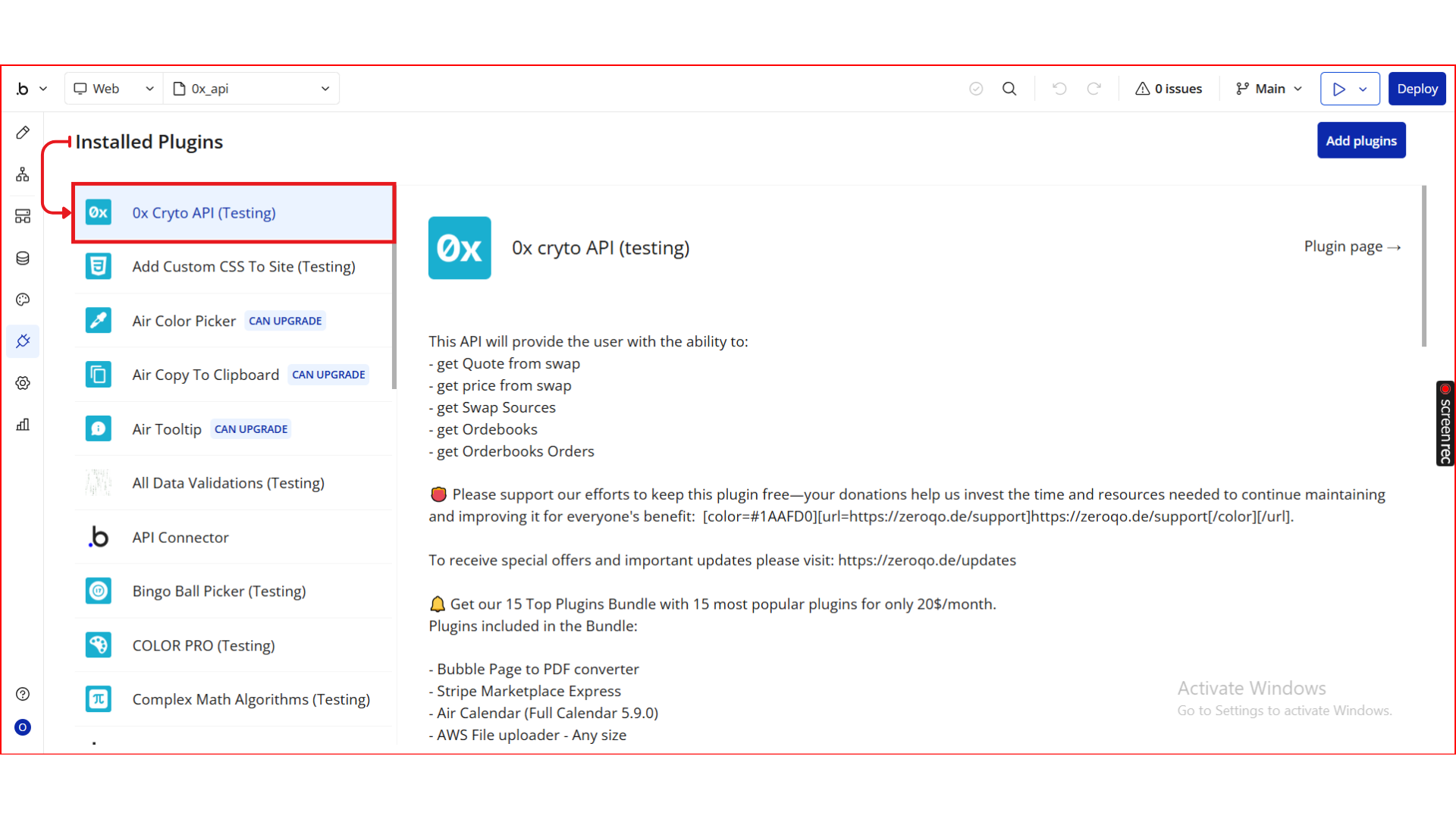
Step 2. How to Get Your 0x API Key
To use this plugin, you must obtain an API key from 0x.
Steps to get your API key:
- Visit the official 0x developer portal:
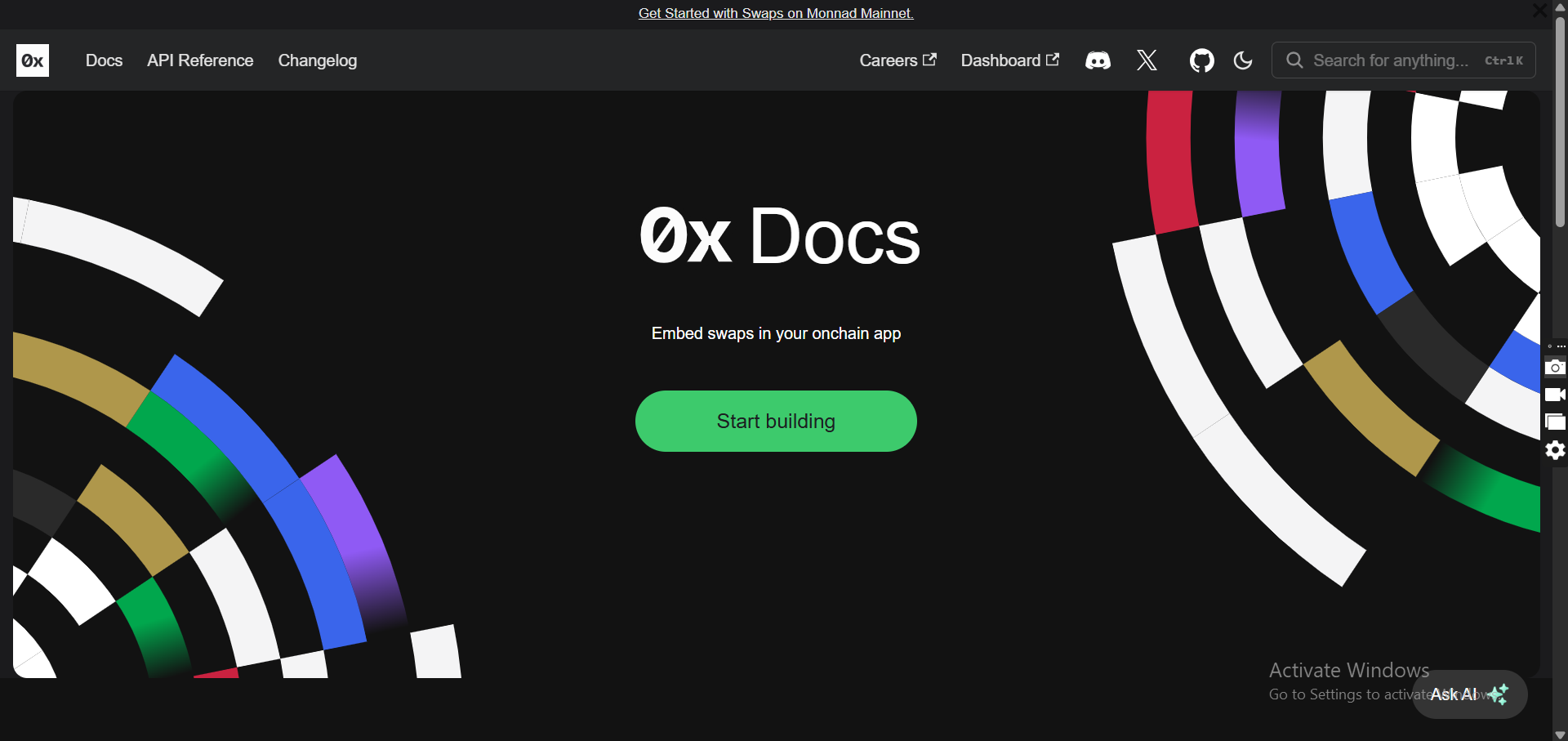
- Sign up or log in to your account.
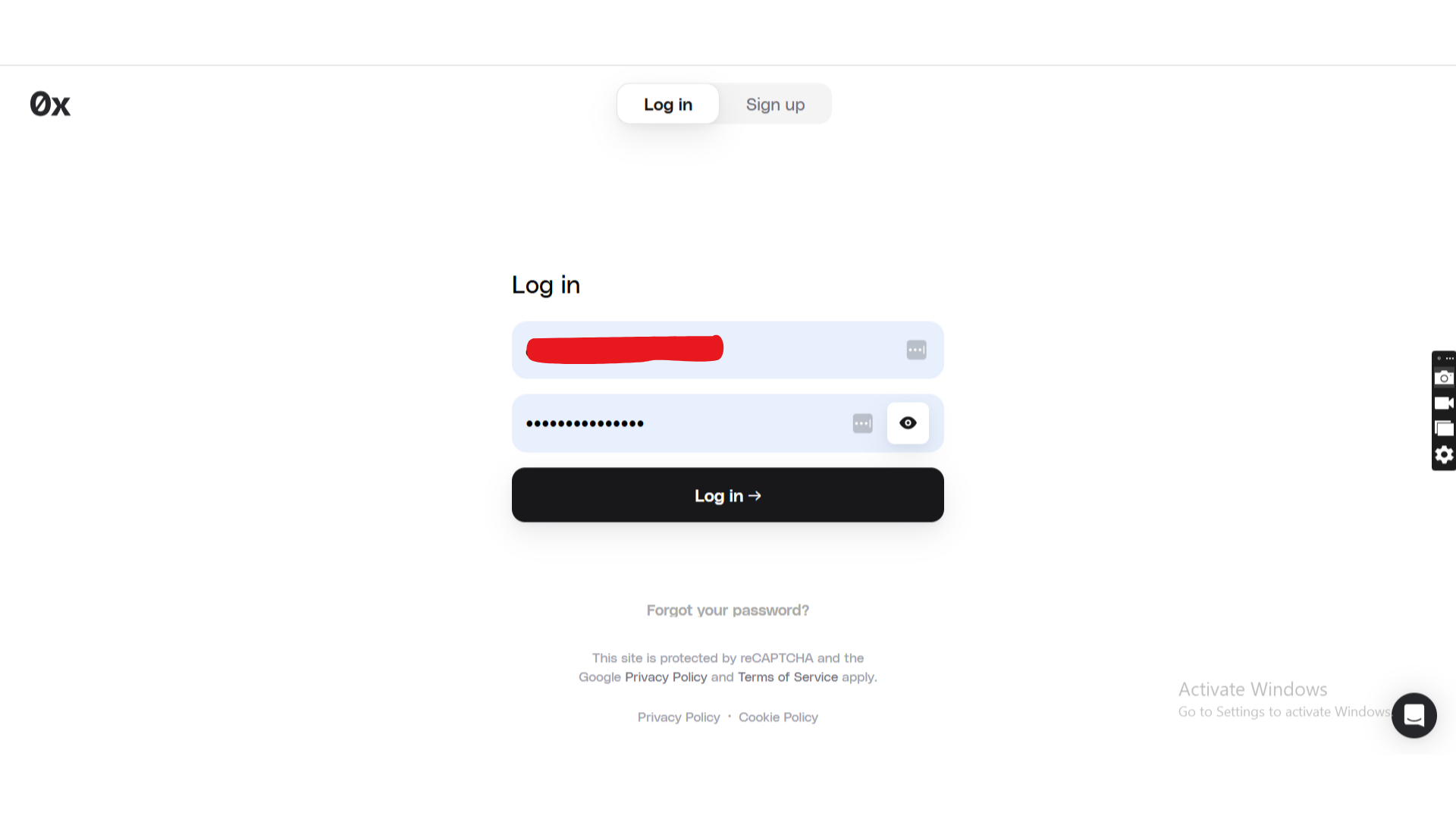
- Create a new API key.
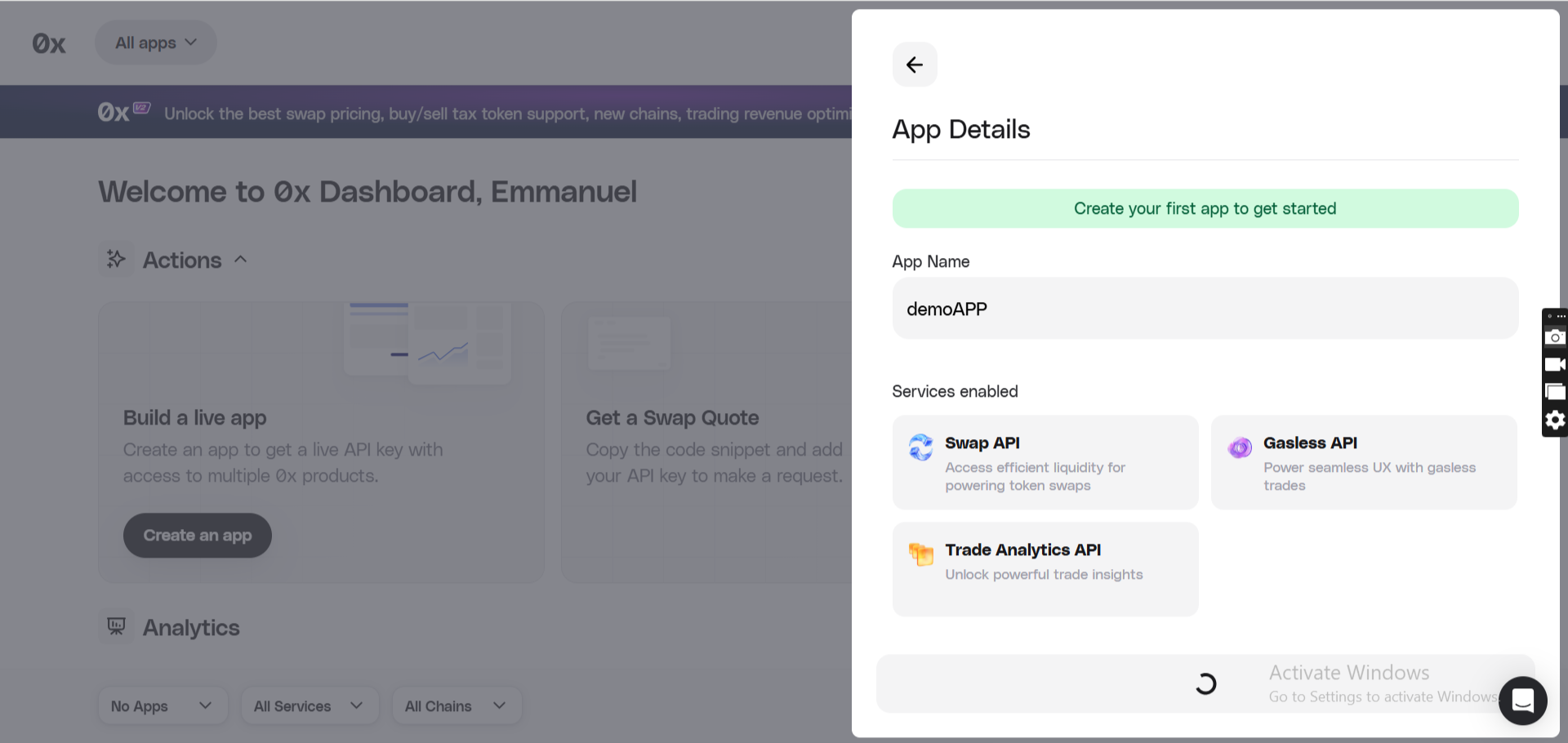
- Copy your API key — you will use it inside Bubble as a shared header.
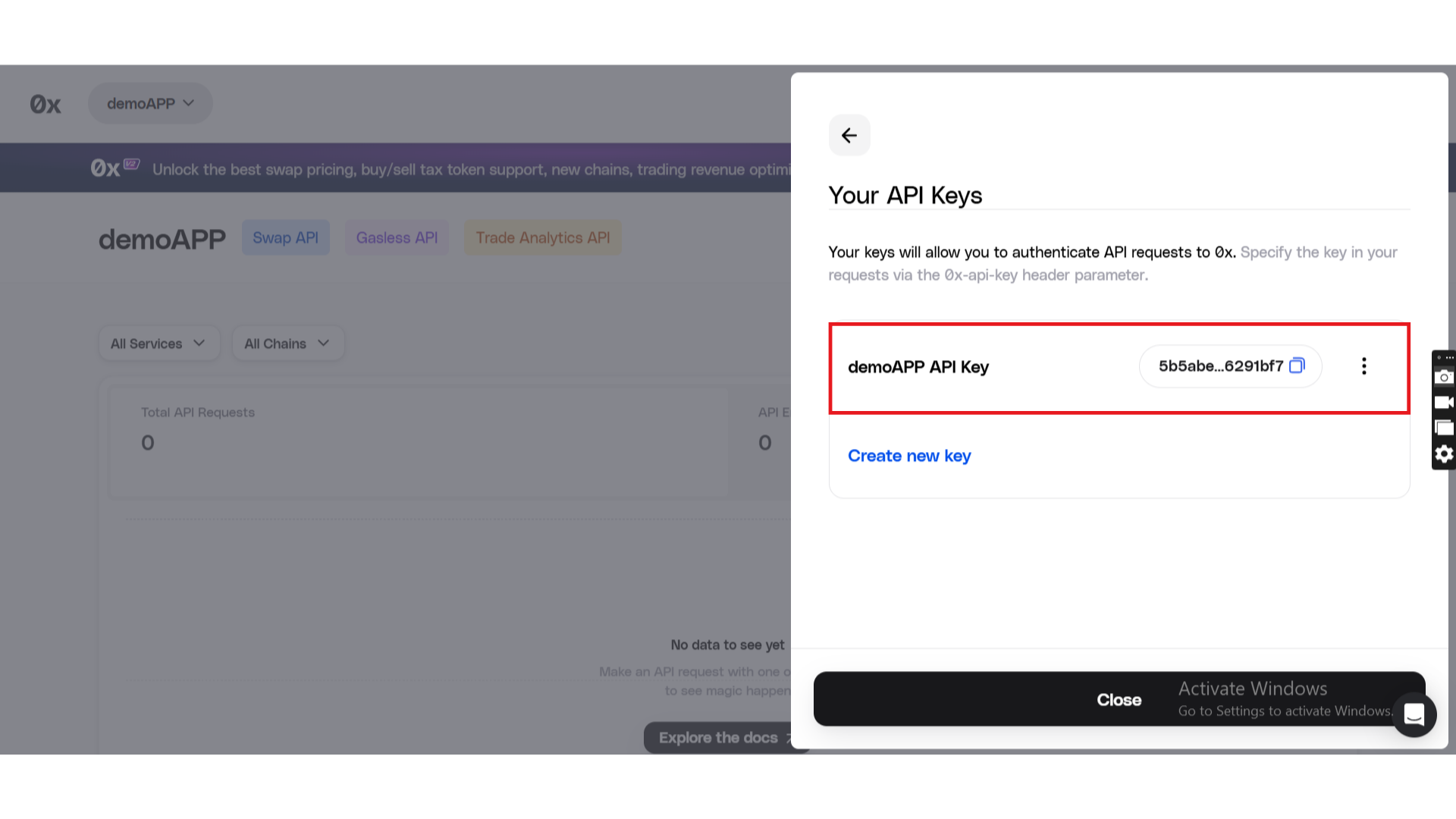
The plugin supports two shared headers:
0x-api-key (shared headers)– Production
0x-api-key (shared headers) - dev– Development
This allows safe separation between live and testing environments.
Step 3. Configure the API Key
- Go to Plugins → 0x Crypto API
- Locate the Shared Headers section
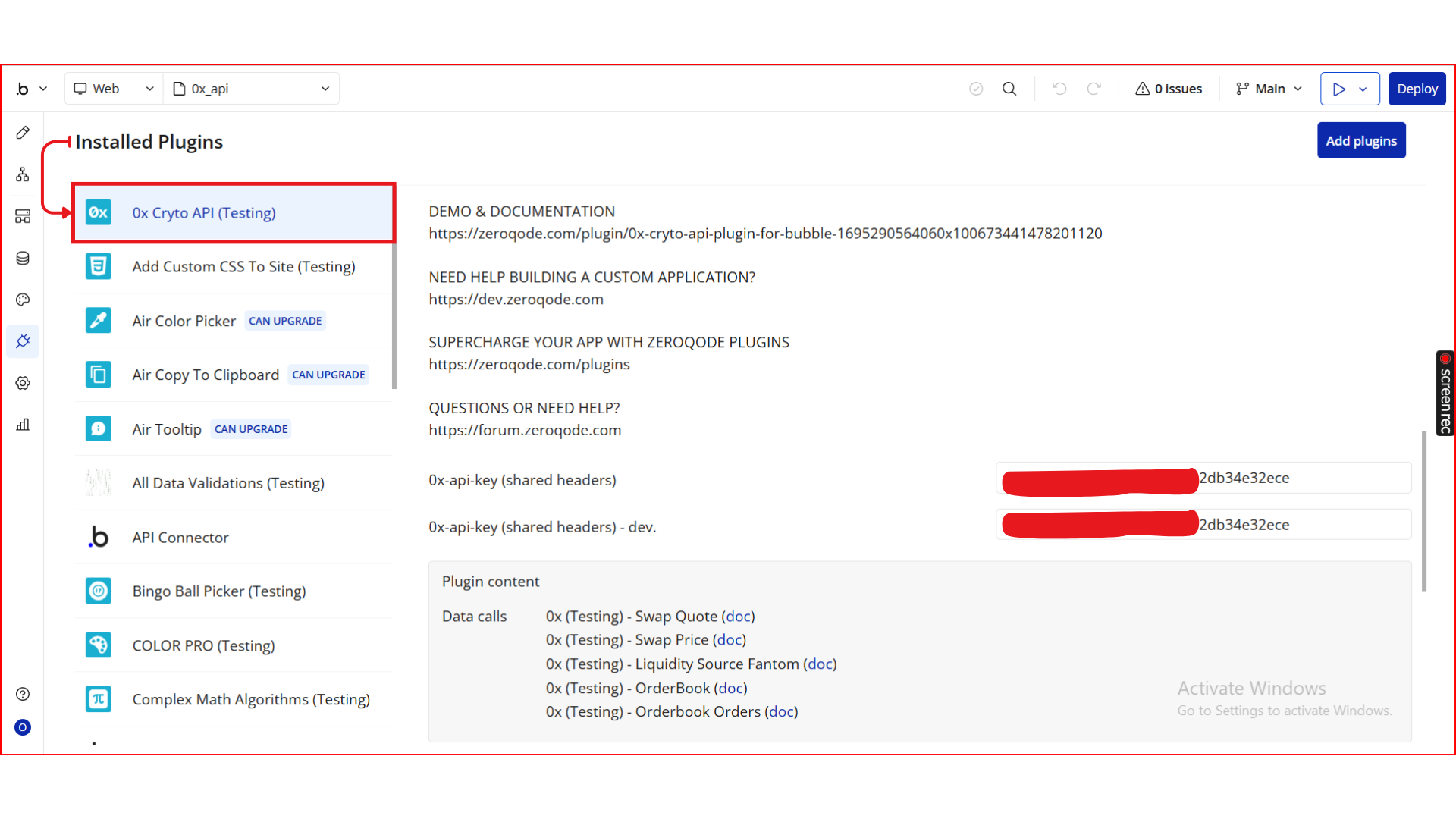
- Paste your API key into:
0x-api-key (shared headers)for production0x-api-key (shared headers) - devfor testing
Do not expose your API key in the frontend or client-side logic.
Step 4. Create a Swap Quote Data Call
The plugin exposes multiple API calls.
- Get Swap Price
- Get Swap Sources
- Get Order Books
- Get Order Book Orders
One of the most common is Swap Quote.
Required Parameters
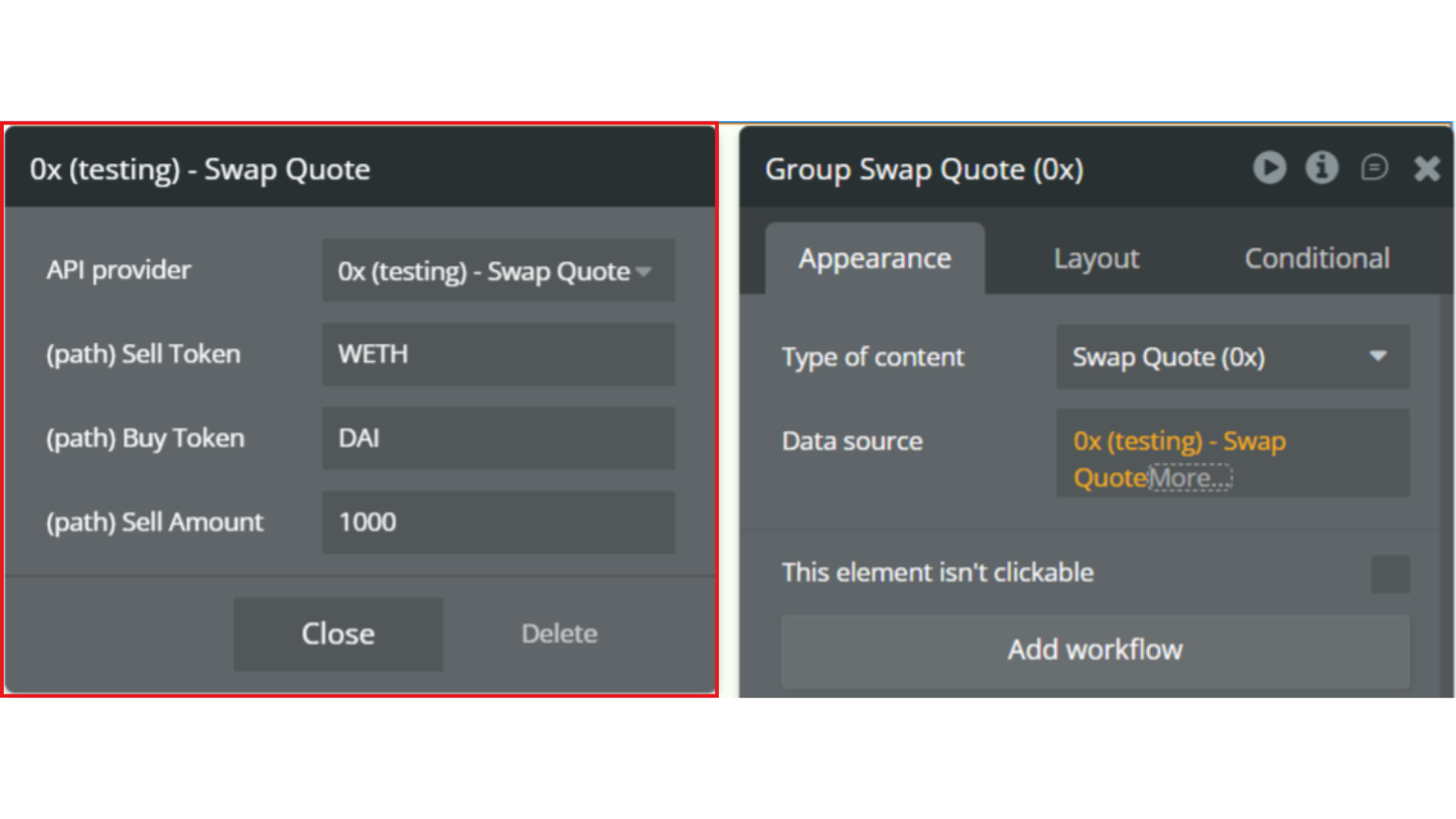
Sell Token
The token you want to sell.
- Enter a token symbol (e.g.
ETH,WETH,USDC)
or
- Enter the token’s contract address
Example:
WETHBuy Token
The token you want to receive.
- Enter a token symbol (e.g.
DAI,USDT)
or
- Enter the token’s contract address
Example:
DAISell Amount
The amount of the sell token you want to swap.
- Enter a numeric value
- Represents how much of the sell token you are trading
Example:
1000Larger amounts may affect price impact and routing.
Step 5. Display the Swap Quote in the UI
To show the swap quote:
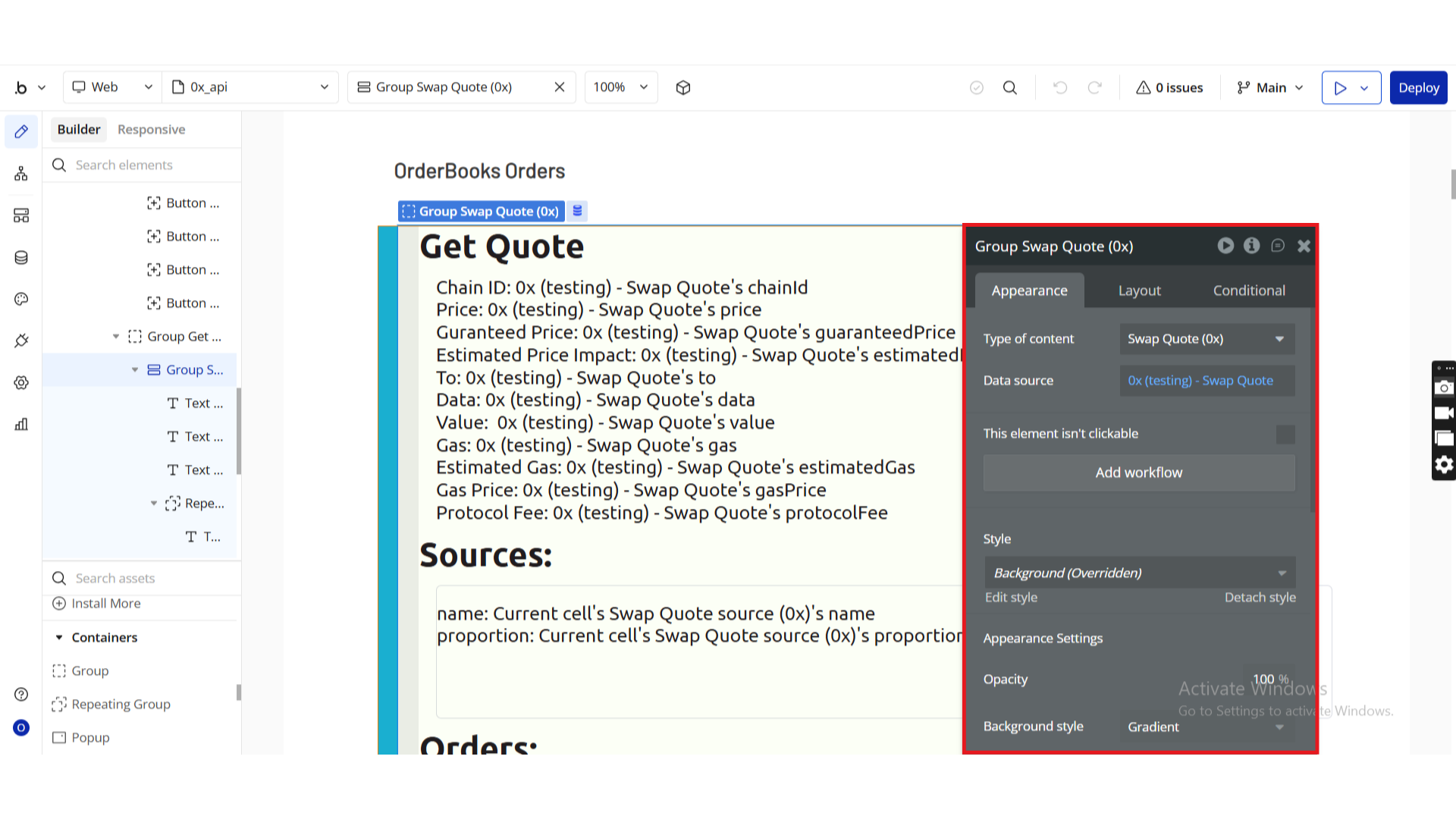
- Drag a Group element onto the page
- Set Type of content and Data source:
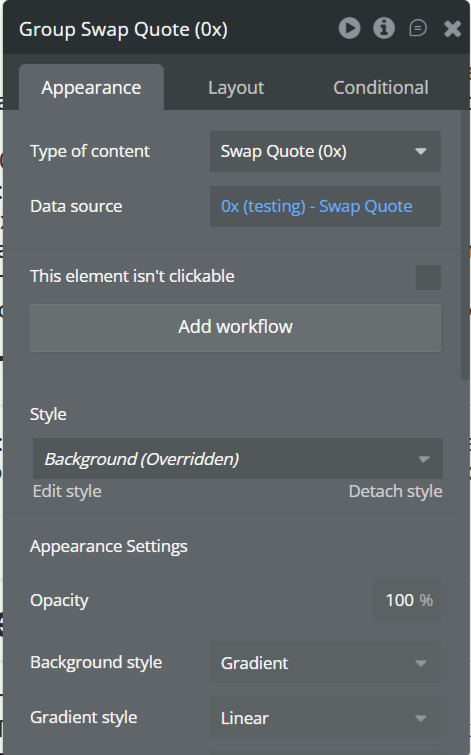
The group now contains all quote data and can be used to display:
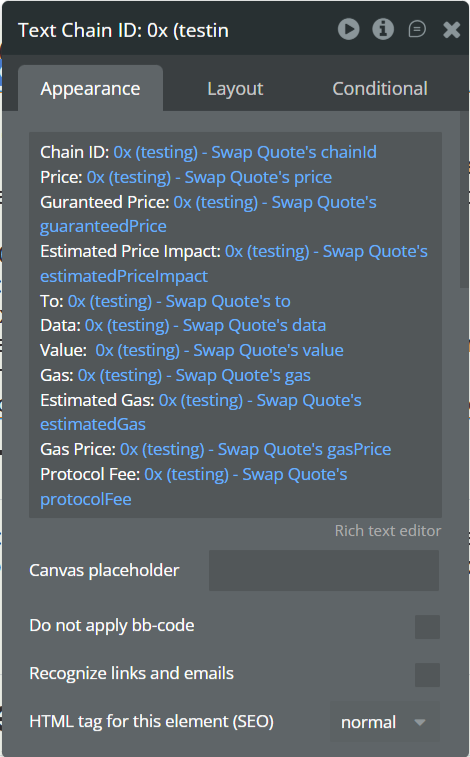
- Buy amount
- Estimated price
- Liquidity sources
- Fees
- Route details
Step 6. Preview & Test
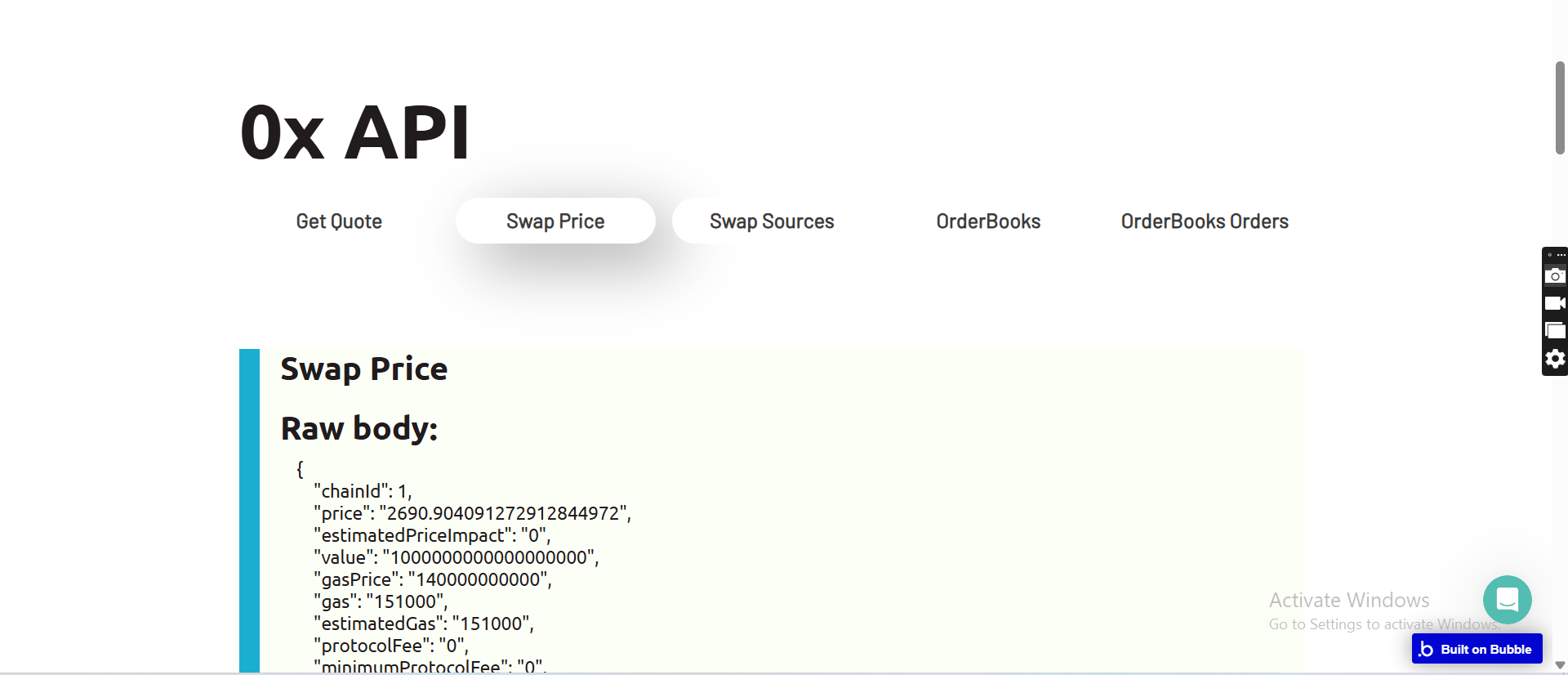
- Click Preview in the Bubble editor
- Confirm API responses return correctly
- Test with both dev and production keys
- Validate error handling for invalid swaps or insufficient liquidity
Plugin Data Calls
Swap Quote
Generates a real-time swap quote from the 0x protocol, returning pricing, gas estimates, liquidity sources, and transaction data required to execute a token swap on-chain.
This call is typically used to:
- Display swap prices and rates
- Estimate gas costs
- Preview swap outcomes before execution
- Prepare transaction payloads for wallets or smart contracts
Name | Description | Type |
Sell Token | The token you want to swap from. Use the token symbol (e.g. ETH, WETH, DAI, USDC) or token contract address. You can find supported tokens at https://explorer.0x.org/. | Text |
Buy Token | The token you want to swap to. Use the token symbol or contract address. Supported tokens are listed at https://explorer.0x.org/. | Text |
Sell Amount | The amount of the sell token you want to trade. This value must be provided in the token’s base units (e.g. wei for ETH-based tokens). | Text |
Return Values:
Return type: JSON
The response contains all data required to understand and execute the swap, including prices, gas estimates, liquidity routing, and transaction call data.
json{
  "chainId": "number",
  "price": "text",
  "guaranteedPrice": "text",
  "estimatedPriceImpact": "text",
  "to": "text",
  "data": "text",
  "value": "text",
  "gas": "text",
  "estimatedGas": "text",
  "gasPrice": "text",
  "protocolFee": "text",
  "minimumProtocolFee": "text",
  "buyTokenAddress": "text",
  "sellTokenAddress": "text",
  "buyAmount": "text",
  "sellAmount": "text",
  "sources": {
    "name": "text",
    "proportion": "text"
  },
  "orders": {
    "type": "number",
    "source": "text",
    "makerToken": "text",
    "takerToken": "text",
    "makerAmount": "text",
    "takerAmount": "text",
    "fillData router": "text",
    "fillData tokenAddressPath": "undefined",
    "fillData uniswapPath": "text",
    "fillData gasUsed": "number",
    "fill input": "text",
    "fill output": "text",
    "fill adjustedOutput": "text",
    "fill gas": "number",
    "sourcePathId": "text"
  },
  "allowanceTarget": "text",
  "decodedUniqueId": "text",
  "sellTokenToEthRate": "text",
  "buyTokenToEthRate": "text",
  "expectedSlippage": "text"
}
Swap Price
Returns a real-time price estimate for swapping one token to another using the 0x protocol, without generating the full transaction calldata.
This call is ideal for:
- Displaying live swap prices
- Showing estimated output amounts
- Comparing token rates
- Powering lightweight price preview UIs without preparing a transaction
Name | Description | Type |
Sell Token | The token you want to swap from. Use the token symbol (e.g. ETH, WETH, USDC) or the token contract address. Supported tokens can be found at https://explorer.0x.org/. | Text |
Buy Token | The token you want to swap to. Use the token symbol or contract address from the supported token list on https://explorer.0x.org/. | Text |
Sell Amount | The amount of the sell token you want to trade, provided in the token’s base units (for example, wei for ETH-based tokens). | Text |
Return Values:
Return type: JSON
The response contains pricing, gas estimates, liquidity routing, and rate information required to display accurate swap prices.
json{
  "chainId": "number",
  "price": "text",
  "estimatedPriceImpact": "text",
  "value": "text",
  "gasPrice": "text",
  "gas": "text",
  "estimatedGas": "text",
  "protocolFee": "text",
  "minimumProtocolFee": "text",
  "buyTokenAddress": "text",
  "buyAmount": "text",
  "sellTokenAddress": "text",
  "sellAmount": "text",
  "sources": {
    "name": "text",
    "proportion": "text"
  },
  "allowanceTarget": "text",
  "sellTokenToEthRate": "text",
  "buyTokenToEthRate": "text",
  "expectedSlippage": "text"
}
Liquidity Source Fantom
Retrieves the list of available liquidity sources used by the 0x protocol on the Fantom network.
This endpoint exposes which decentralized exchanges (DEXs) and liquidity providers are currently supported for routing swaps.
This call is useful for:
- Inspecting supported liquidity providers
- Debugging swap routing
- Displaying transparency information in DeFi dashboards
- Network-specific liquidity analysis
Return Values:
Return type: JSON
json{
  "records": "undefined"
}
Note: This call does not require any input parameters.
OrderBook
Returns the aggregated order book for a given token pair on the 0x protocol, including both bids (buy orders) and asks (sell orders).
This call is ideal for:
- Building advanced trading interfaces
- Displaying market depth
- Analyzing supply and demand for a token pair
- Powering limit-order style UIs
Name | Description | Type |
Base Token | The token being traded (the asset being bought or sold). Use a token symbol (e.g. ETH) or contract address supported by 0x. | Text |
Quote Token | The token used to price the base token (e.g. USDC in an ETH/USDC pair). Use a token symbol or contract address. | Text |
Return Values:
Return type: JSON
Returns paginated bid and ask orders, including full order data, signatures, metadata, and remaining fillable amounts.
json{
  "bids total": "number",
  "bids page": "number",
  "bids perPage": "number",
  "bids records": {
    "order signature signatureType": "number",
    "order signature r": "text",
    "order signature s": "text",
    "order signature v": "number",
    "order sender": "text",
    "order maker": "text",
    "order taker": "text",
    "order takerTokenFeeAmount": "text",
    "order makerAmount": "text",
    "order takerAmount": "text",
    "order makerToken": "text",
    "order takerToken": "text",
    "order salt": "text",
    "order verifyingContract": "text",
    "order feeRecipient": "text",
    "order expiry": "text",
    "order chainId": "number",
    "order pool": "text",
    "metaData orderHash": "text",
    "metaData remainingFillableTakerAmount": "text",
    "metaData createdAt": "text"
  },
  "asks total": "number",
  "asks page": "number",
  "asks perPage": "number",
  "asks records": {
    "order signature signatureType": "number",
    "order signature r": "text",
    "order signature s": "text",
    "order signature v": "number",
    "order sender": "text",
    "order maker": "text",
    "order taker": "text",
    "order takerTokenFeeAmount": "text",
    "order makerAmount": "text",
    "order takerAmount": "text",
    "order makerToken": "text",
    "order takerToken": "text",
    "order salt": "text",
    "order verifyingContract": "text",
    "order feeRecipient": "text",
    "order expiry": "text",
    "order chainId": "number",
    "order pool": "text",
    "metaData orderHash": "text",
    "metaData remainingFillableTakerAmount": "text",
    "metaData createdAt": "text"
  }
}
Orderbook Orders
Returns a list of individual orders from the 0x orderbook filtered by a specific maker token.
This call is useful for:
- Fetching all active orders for a given token
- Building analytics dashboards
- Monitoring liquidity providers or makers
- Auditing open limit orders
Name | Description | Type |
Maker Token | The token address or symbol representing the asset offered by the order maker. Only orders involving this token will be returned. | Text |
Return Values:
Return type: JSON
Returns paginated order data, including order signatures, amounts, token pairs, expiry, and metadata.
json{
  "total": "number",
  "page": "number",
  "perPage": "number",
  "records": {
    "order signature signatureType": "number",
    "order signature r": "text",
    "order signature s": "text",
    "order signature v": "number",
    "order sender": "text",
    "order maker": "text",
    "order taker": "text",
    "order takerTokenFeeAmount": "text",
    "order makerAmount": "text",
    "order takerAmount": "text",
    "order makerToken": "text",
    "order takerToken": "text",
    "order salt": "text",
    "order verifyingContract": "text",
    "order feeRecipient": "text",
    "order expiry": "text",
    "order chainId": "number",
    "order pool": "text",
    "metaData orderHash": "text",
    "metaData remainingFillableTakerAmount": "text",
    "metaData createdAt": "text"
  }
}

Changelogs
Update 29.01.26 - Version 2.0.0
- Bubble Plugin Page Update (Docs).
Update 02.07.25 - Version 1.16.0
- Bubble Plugin Page Update (Logo).
Update 09.06.25 - Version 1.15.0
- Marketing update (minor change).
Update 11.03.25 - Version 1.14.0
- Minor update(Marketing update).
Update 11.03.25 - Version 1.13.0
- Minor update (Marketing Update).
Update 06.03.25 - Version 1.12.0
- Minor Update(Marketing Update).
Update 06.03.25 - Version 1.11.0
- Minor Update(Marketing Update).
Update 11.09.24 - Version 1.10.0
- Minor update (Marketing update).
Update 06.09.24 - Version 1.9.0
- Minor update (Marketing update).
Update 25.07.24 - Version 1.8.0
- Minor update .
Update 24.06.24 - Version 1.7.0
- Updated demo/service links.
Update 16.11.23 - Version 1.6.0
- updated description.
Update 26.10.23 - Version 1.5.0
- Added api key to shared headers and added pagination for "OrderBook" call.
Update 18.10.23 - Version 1.4.0
- Updated description.
Update 15.09.23 - Version 1.3.0
- updated description.
Update 08.09.23 - Version 1.2.0
- minor updates.
Update 04.09.23 - Version 1.1.0
- updated description.
Update 03.11.22 - Version 1.0.0
- Basic GET calls to 0x.