Demo to preview the plugin:
Introduction The
Image Compressor Bubble Mobile plugin is designed specifically for mobile applications built with Bubble’s mobile editor. This powerful plugin allows you to compress images efficiently while maintaining optimal quality for mobile applications. The plugin supports various compression options including quality control, dimension limits, file size restrictions, and multiple output formats (JPEG, PNG, WebP).
This plugin is perfect for mobile apps that need to handle image uploads, reduce storage costs, and improve app performance by working with optimized images. It provides comprehensive functionality for single image compression, multiple image processing, camera integration, and base64 image handling.
Prerequisites This plugin is specifically designed for mobile applications and requires:
- Bubble mobile editor (not compatible with web applications)
- Mobile device permissions for camera and gallery access
- iOS or Android mobile device for testing
No external API keys or third-party services are required - the compression is handled entirely client-side for optimal performance and privacy.
To test the plugin on your mobile device, use the TestFlight app available at:
https://testflight.apple.com/join/ArfXDQMZ
⚠️
Please note that the testing app is currently available for iOS only.
How to setup Setting up the Image Compressor Bubble Mobile plugin is straightforward:
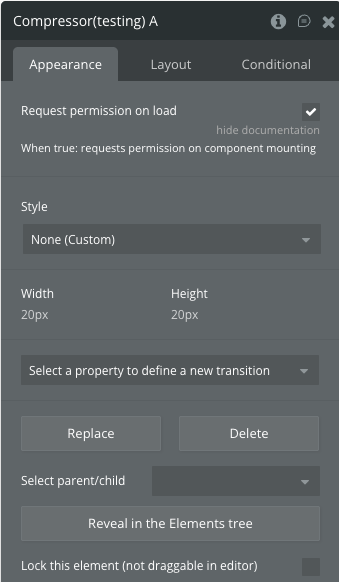
Add the Element : Drag and drop the “Compressor” element onto your mobile page.Configure Permissions : Enable “Request permission on load” if you want automatic camera/gallery access when the element loads.Set Element Size : The element can be resized but serves as an invisible controller - you can make it very small (e.g., 20x20px).Configure Actions : Use the available actions in your workflows to trigger image compression operations.Handle Events : Set up workflows to respond to compression completion or error events.Test : Use the mobile preview or native app testing to verify functionality.The plugin works entirely on the client-side, requiring no server configuration or external API setup.
Plugin Element - Compressor The plugin contains one visual element that serves as a controller for all image compression operations.
Title
Description
Type
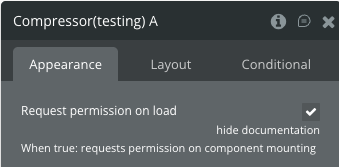
Request permission on load
When true, requests camera and gallery permissions when the component loads
Checkbox
Element Actions The plugin provides five powerful actions for different image compression scenarios:
1. Select & Compress Single Image
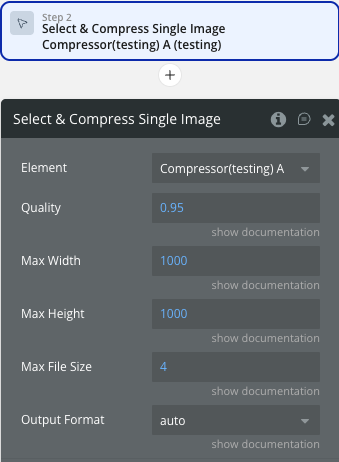
Allows users to select a single image from their device gallery and compress it with specified parameters.
Title
Description
Type
Quality
The quality of the output image. Must be a number between 0 and 1. This option is only available for image/jpeg and image/webp images
Number
Max Width
The maximum width of the output image. The value should be greater than 0
Number
Max Height
The maximum height of the output image. The value should be greater than 0
Number
Max File Size
Maximum file size in MB
Number
Output Format
Output format (auto/jpeg/png/webp)
Dropdown
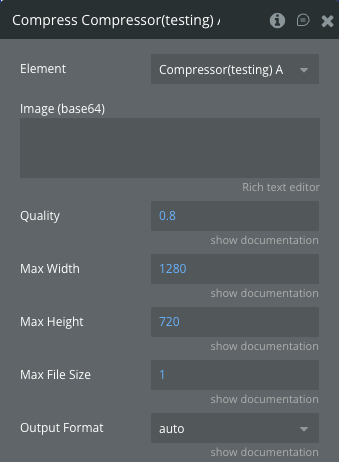
Compresses an image provided as a base64 string with specified compression parameters.
Title
Description
Type
Image (base64)
Base64 encoded image string to be compressed
Text
Quality
The quality of the output image. Must be a number between 0 and 1. This option is only available for image/jpeg and image/webp images
Number
Max Width
The maximum width of the output image. The value should be greater than 0
Number
Max Height
The maximum height of the output image. The value should be greater than 0
Number
Max File Size
Maximum file size in MB
Number
Output Format
Output format (auto/jpeg/png/webp)
Dropdown
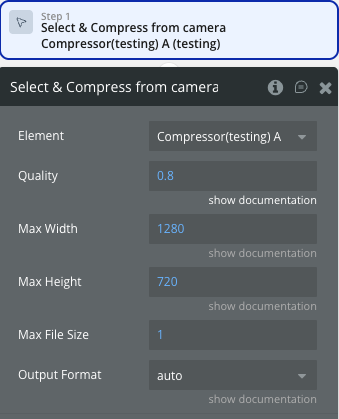
3. Select & Compress from Camera
Allows users to take a photo directly from their device camera and compress it immediately.
Title
Description
Type
Quality
The quality of the output image. Must be a number between 0 and 1. This option is only available for image/jpeg and image/webp images
Number
Max Width
The maximum width of the output image. The value should be greater than 0
Number
Max Height
The maximum height of the output image. The value should be greater than 0
Number
Max File Size
Maximum file size in MB
Number
Output Format
Output format (auto/jpeg/png/webp)
Dropdown
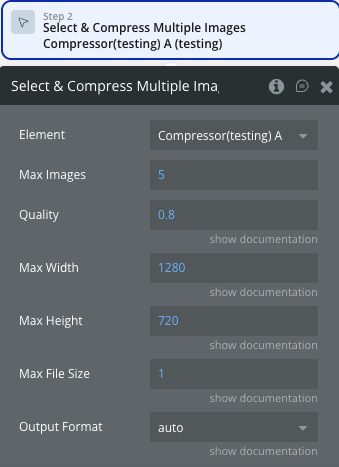
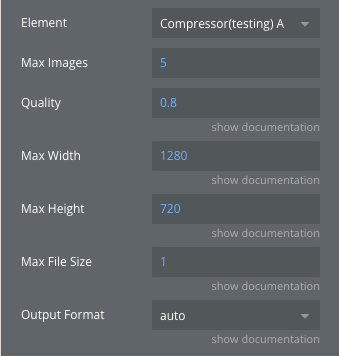
4. Select & Compress Multiple Images
Allows users to select multiple images from their gallery and compress them all with the same parameters.
Title
Description
Type
Max Images
Maximum number of images that can be selected
Number
Quality
The quality of the output image. Must be a number between 0 and 1. This option is only available for image/jpeg and image/webp images
Number
Max Width
The maximum width of the output image. The value should be greater than 0
Number
Max Height
The maximum height of the output image. The value should be greater than 0
Number
Max File Size
Maximum file size in MB
Number
Output Format
Output format (auto/jpeg/png/webp)
Dropdown
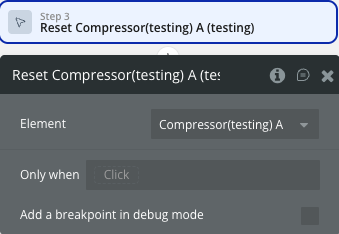
Resets all compression data and states to their initial values.
This action has no parameters and simply clears all stored compression results and states.
The plugin exposes comprehensive states to track compression results and status for both single and multiple image operations.
Name
Description
Type
Compression Status
Overall compression status of the current operation
Text
Error
Error message if compression fails
Text
Single Image Base64
Original base64 string of the single selected image
Text
Single Image Original Size
Original file size of the single image in bytes
Number
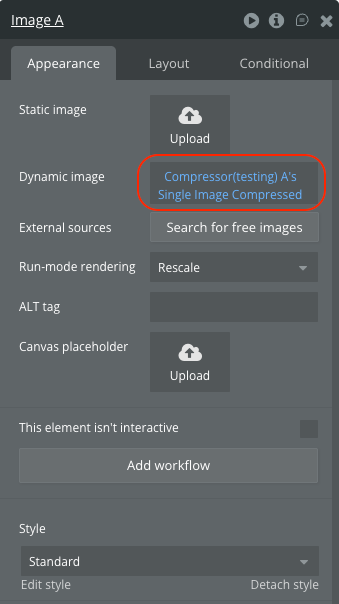
Single Image Compressed
Compressed base64 string of the single image
Text
Single Image Compressed Size
File size of the compressed single image in bytes
Number
Single Image Compressed Width
Width of the compressed single image in pixels
Number
Single Image Compressed Height
Height of the compressed single image in pixels
Number
Single Image Compression Status
Compression status specifically for single image operations
Text
Multiple Images Base64Array
Array of original base64 strings for multiple images
Text (List)
Multiple Images Original Sizes
Array of original file sizes for multiple images in bytes
Number (List)
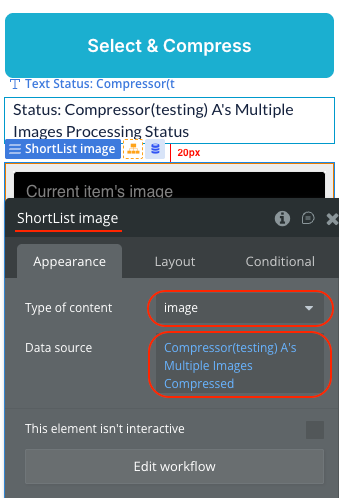
Multiple Images Compressed
Array of compressed base64 strings for multiple images
Text (List)
Multiple Images Compressed Sizes
Array of compressed file sizes for multiple images in bytes
Number (List)
Multiple Images Compressed Widths
Array of widths for compressed multiple images in pixels
Number (List)
Multiple Images Compressed Heights
Array of heights for compressed multiple images in pixels
Number (List)
Multiple Images Count
Total number of images processed in multiple image operation
Number
Multiple Images Processing Status
Processing status for multiple image operations
Text
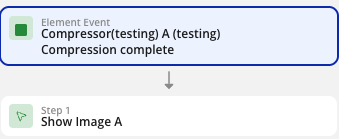
The plugin provides events to handle compression completion and error scenarios.
Name
Description
Compression complete
Triggered when any compression operation completes successfully
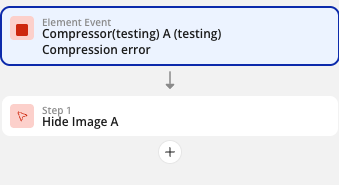
Compression error
Triggered when a compression operation encounters an error
Workflow example Here are common workflow examples to help you get started with the Image Compressor plugin:
Basic Single Image Compression Add Button : Create a button with text “Select & Compress Image”Add Action : In the workflow, add the “Select & Compress Single Image” actionSet Parameters : Configure quality (0.8), max width (1280), max height (720), max file size (1MB)Handle Completion : Add another action triggered by “Compression complete” eventDisplay Result : Use the “Single Image Compressed” state to show or save the compressed imageAdd Camera Button : Create a button for camera captureTrigger Action : Use “Select & Compress from Camera” action with desired compression settingsHandle Result : Set up workflow to handle the compressed camera imageSave or Display : Use the compressed result for profile pictures or uploads
Multiple Image Processing Gallery Button : Add button for multiple image selectionConfigure Limits : Set max images (e.g., 5) and compression parametersProcess Array : Use “Multiple Images Compressed” list state to iterate through resultsBulk Upload : Process each compressed image in the array for batch operationsMonitor Events : Listen for “Compression error” eventDisplay Message : Show user-friendly error messages using the “Error” stateRetry Logic : Provide option to retry or adjust compression settingsReset State : Use “Reset” action to clear previous results before new operations
Update 22.07.26 - Version 1.2.0 Bubble Plugin Page Update (Description).
Update 16.06.26 - Version 1.1.0 Refactored to support Bubble's updated native library stack.
Update 08.06.26 - Version 1.0.0