
Link to the plugin page: https://zeroqode.com/plugin/1533644115804x119288863558729730
Demo to preview the plugin:
Introduction
Enhance your Bubble app’s user experience with a set of stylish gauges from Zeroqode. They are great for dashboards, analytics, function tool displays, and other types of data sets.

How to setup
- Adding the Element to the Editor
- Drag and drop the JustGage element onto the page where you want to display the gauge.
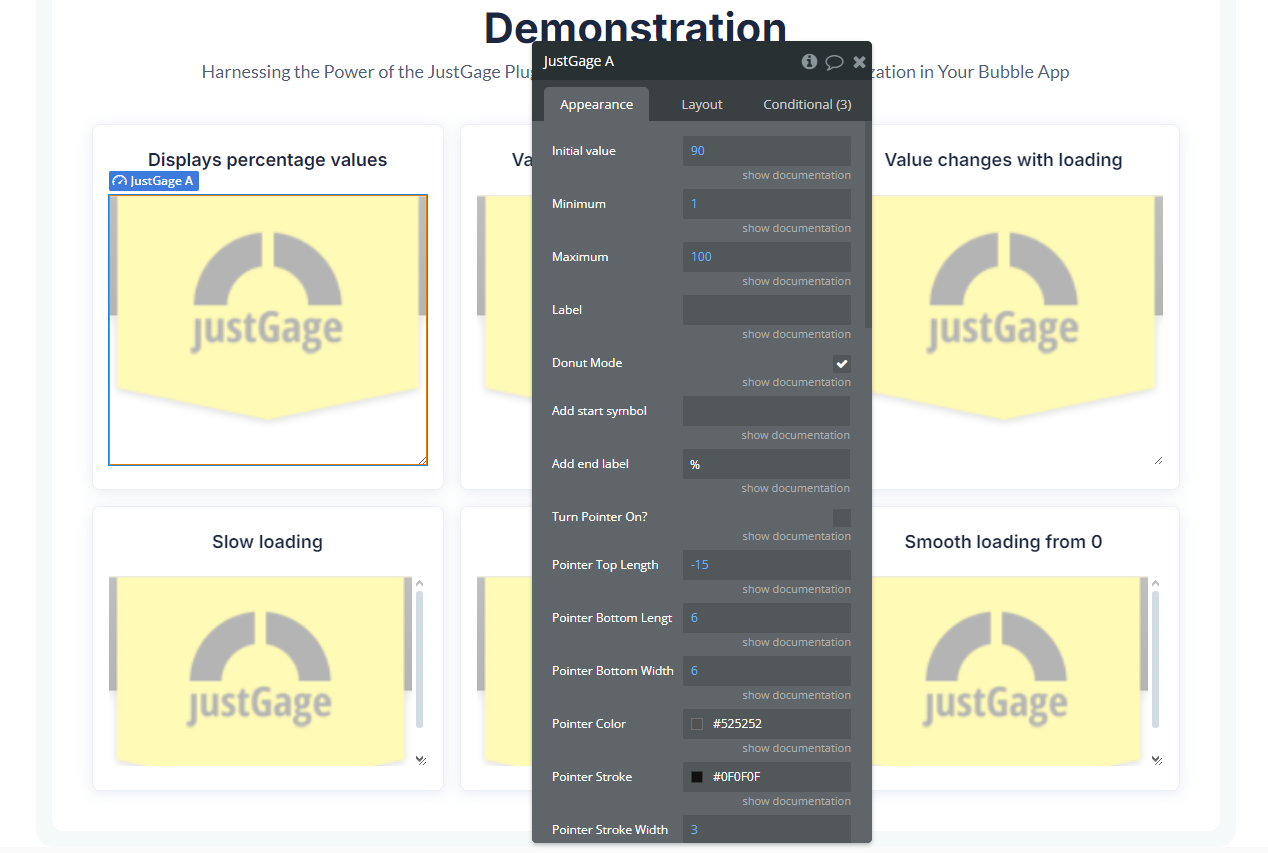
- Configuring Properties
- Min Value → Sets the minimum value of the gauge (e.g.,
1). - Max Value → Sets the maximum value of the gauge (e.g.,
100). - Current Value → Defines the current value to be displayed in the gauge. It can be a fixed number or a dynamic value from a database or workflows.
- Label → Text displayed in the center of the gauge (e.g.,
"Speed"or"Progress"). - Gauge Width & Height → Adjusts the size of the gauge.
- Donut Mode → Enables or disables the circular progress (donut) mode.
- Custom Colors → Allows customization of the gauge, needle, and background colors.
Once you have added the element to your design, configure the following properties in the settings panel:
- Making the Gauge Dynamic
- User data (e.g., progress toward a goal)
- External API results (e.g., temperature, exchange rates, statistics)
- Calculated values (e.g., task completion percentage)
You can link the Current Value to a dynamic variable in Bubble, such as:
Plugin Element Properties
JustGage
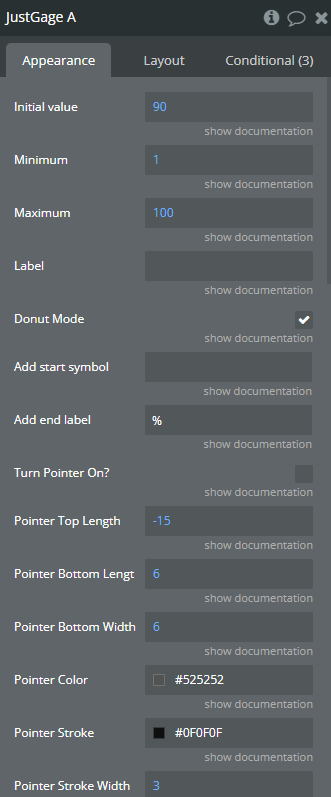
Fields:
Title | Description | Type |
Initial value | Starting Value. | Number |
Minimum | Minimum amount. | Number |
Maximum | Maximum Value | Number |
Label | Label Shown. | Text (optional) |
Donut Mode | Donut Mode | Checkbox (yes/no) |
Add start symbol | Add start symbol (eg. $) | Text (optional) |
Add end label | Add the Label (end, eg. %, Km/h, ms) | Text (optional) |
Turn Pointer On? | Turn Pointer On? | Checkbox (yes/no) |
Pointer Top Length | Pointer Top Length | Number (optional) |
Pointer Bottom Length | Pointer Bottom Length | Number (optional) |
Pointer Bottom Width | Pointer Bottom Width | Number (optional) |
Pointer Color | Pointer Color | Color (optional) |
Pointer Stroke | Pointer Stroke | Color (optional) |
Pointer Stroke Width | Pointer Stroke Width | Number (optional) |
1st increasing color | 1st increasing color (hex) | Text (optional) |
2nd increasing color | 2nd increasing color (hex) | Text (optional) |
3rd increasing color | 3rd increasing color (hex) Available options: #19D12F, #EDB21D, #E30000 | Text (optional) |
Width Scale of Gauge | Width Scale of Gauge | Number |
Value Font Color | Value Font Color | Color |
Value Font Family | Value Font Family Available options: Arial, Lato, Roboto, OpenSans, Oswald, Khula, Raleway, Montserrat, OpenSansCondensed, Lora, DroidSans, NotoSans, Dosis, FjallaOne, Anton, Arvo, LibreBaskerville, Rubik, WorkSans, FrancoisOne, Exo, Acme, ArchivoBlack, Orbitron, JosefinSlab, Kanit, Cinzel, ABeeZee, IstokWeb, Poppins | Dropdown |
Label Font Color | Label Font Color | Color |
Label Font Family | Label Font Family Available options: Arial, Lato, Roboto, OpenSans, Oswald, Khula, Raleway, Montserrat, OpenSansCondensed, Lora, DroidSans, NotoSans, Dosis, FjallaOne, Anton, Arvo, LibreBaskerville, Rubik, WorkSans, FrancoisOne, Exo, Acme, ArchivoBlack, Orbitron, JosefinSlab, Kanit, Cinzel, ABeeZee, IstokWeb, Poppins | Dropdown |
Hide Min/Max Labels? | Hide Min/Max Labels? | Checkbox (yes/no) |
Reverse gauge? | Reverse gauge? | Checkbox (yes/no) |
Counter Animation | Counter Animation? (animates counting to the value) | Checkbox (yes/no) |
Animation Picker | Animation Picker Available options: none, bounce, linear, <, >, <> | Dropdown |
Animation Time (ms) | Animation Time (ms) | Number (optional) |
Label Font Size | Label Font Size | Number (optional) |
Min/Max Label Size | Min/Max Label Size | Number (optional) |
Value Font Size | Value Font Size | Number (optional) |
Unique ID | Unique ID. | Text |
Human friendly for text | Convert large numbers for min, max, value to human friendly (e.g. 1234567 -> 1.23M) | Checkbox (yes/no) |
Hide value | Hide value text | Checkbox (yes/no) |
Exposed states
Title | Description | Type |
Output Value | Output Value | Number |
