
Link to the plugin page: https://zeroqode.com/plugin/1528978010364x299002503671054340
Demo to preview the plugin:
Introduction
Looking for a modern placeholder while elements on your page are loading? Our no-code plugin works on many elements, adding an image or GIF as a placeholder.

How to setup
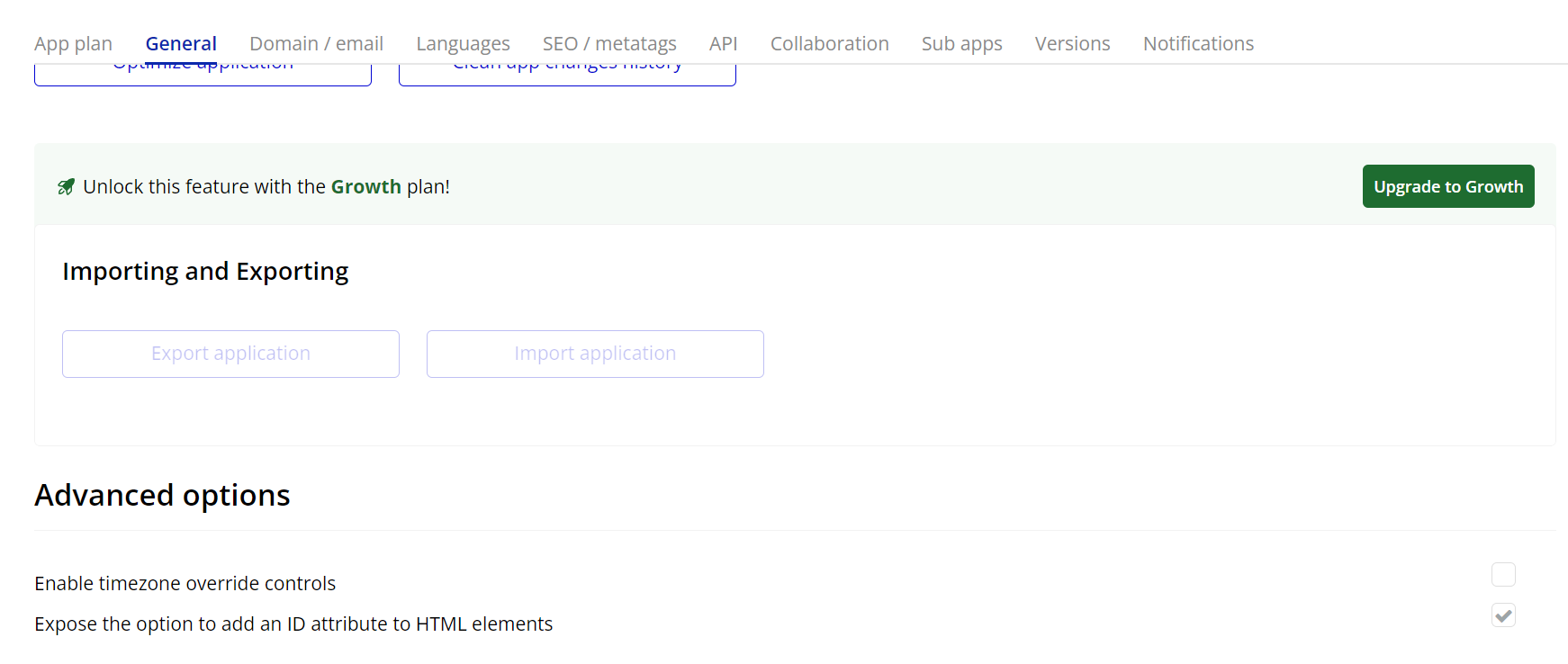
- Enable ID Attributes
Go to the settings page in your editor. Under the General tab click on the checkbox “Expose the option to add an ID attribute to HTML elements”
- Add a New Workflow.
- In the Workflows tab, create a new workflow.
- Select the action Add Image Placeholder from the available options.
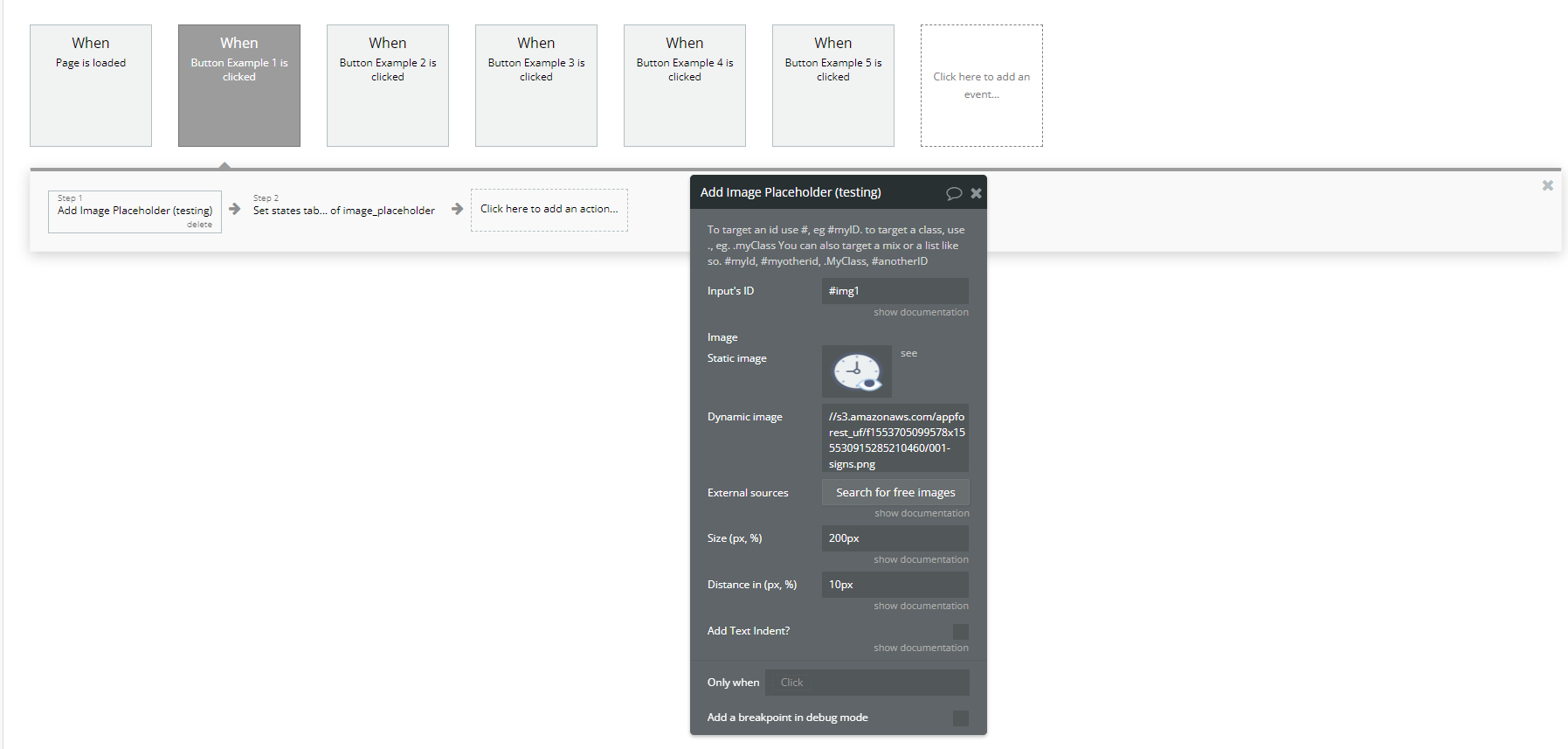
- Configure the Parameters:
- Input's ID:
- Specify the ID of the element where the placeholder image will appear.
- Use the format
#elementID(e.g.,#img1).
Plugin Actions
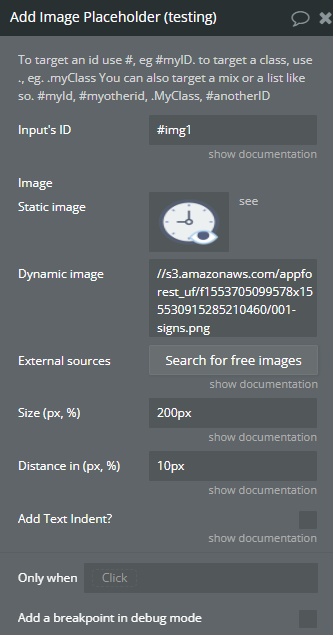
- Add Image Placeholder - This action dynamically adds a placeholder image to a specified element in your application. It is particularly useful when displaying images that are not yet available or as a temporary visual placeholder.
Title | Description | Type |
To target an id use #, eg #myID. to target a class, use ., eg. .myClass You can also target a mix or a list like so. #myId, #myotherid, .MyClass, #anotherID | ||
Input’s ID | Input’s ID | Text |
Image | Image | Image |
Size (px, %) | Width (px, %) | Text |
Distance in (px, %) | Distance in | Text |
Add Text Indent? | Add Text Indent | Checkbox (yes/no) |
