Link to the plugin page: https://zeroqode.com/plugin/file-uploader-native-mobile-1748584747630x119879954718316480
Demo to preview the plugin:
Introduction
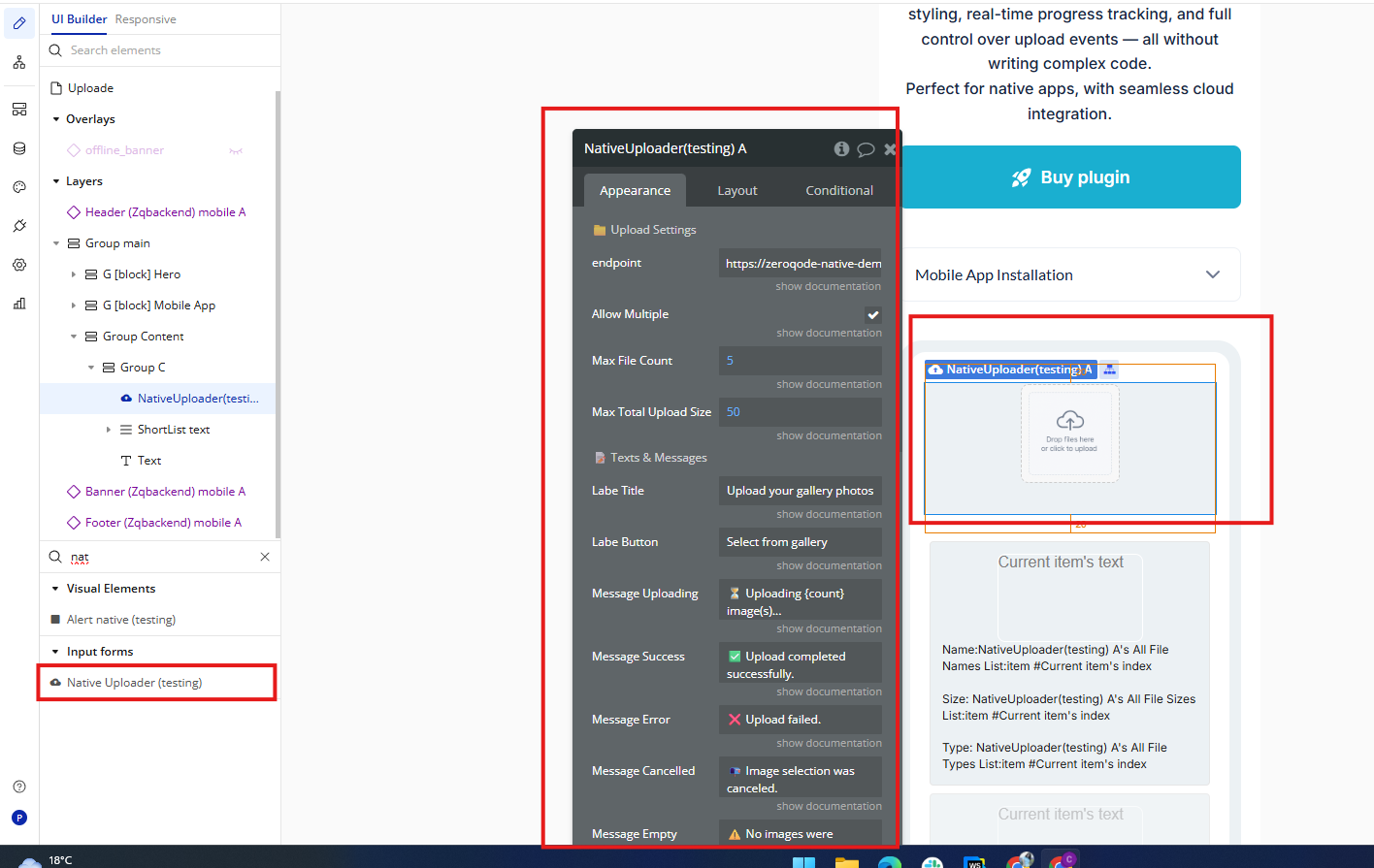
This plugin offers a simple and user-friendly solution to add file uploading capabilities to your Bubble Native (mobile) app. By placing the Native File Uploader element on your page, you enable users to upload files easily without any coding. Customize the look and feel of the uploader to perfectly blend with your app’s design, while giving users a reliable way to upload various file formats. Featuring live progress updates and comprehensive control over upload actions, this plugin provides an efficient way to improve your app’s file upload functionality with minimal setup.
Prerequisites
This plugin is designed specifically for the mobile version of the Bubble editor. To test the plugin on your mobile device, use the TestFlight app available at: https://testflight.apple.com/join/VykzdCs6
Please note that the testing app is currently available for iOS only.

How to Use (Step by Step)
Font Customization Limitation
At the moment, it is not possible to use custom font families in Bubble Native apps.
Only system fonts are supported.
Limitation in Bubble Native apps
Currently, it's not possible to open the device's native file manager to manually select non-media files (such as PDF, DOCX, TXT, ZIP).
This is a limitation of the React Native environment provided by Bubble.
Note for iOS users
In React Native apps, iOS automatically converts HEIC images to JPEG.
So even if the original photo is in HEIC format, it will already be sent as a JPEG — no extra conversion is needed.
Note about permissions
For the plugin to work, you must enable file and photo permissions in the app settings on your phone.
Element Properties
Field | Description | Type |
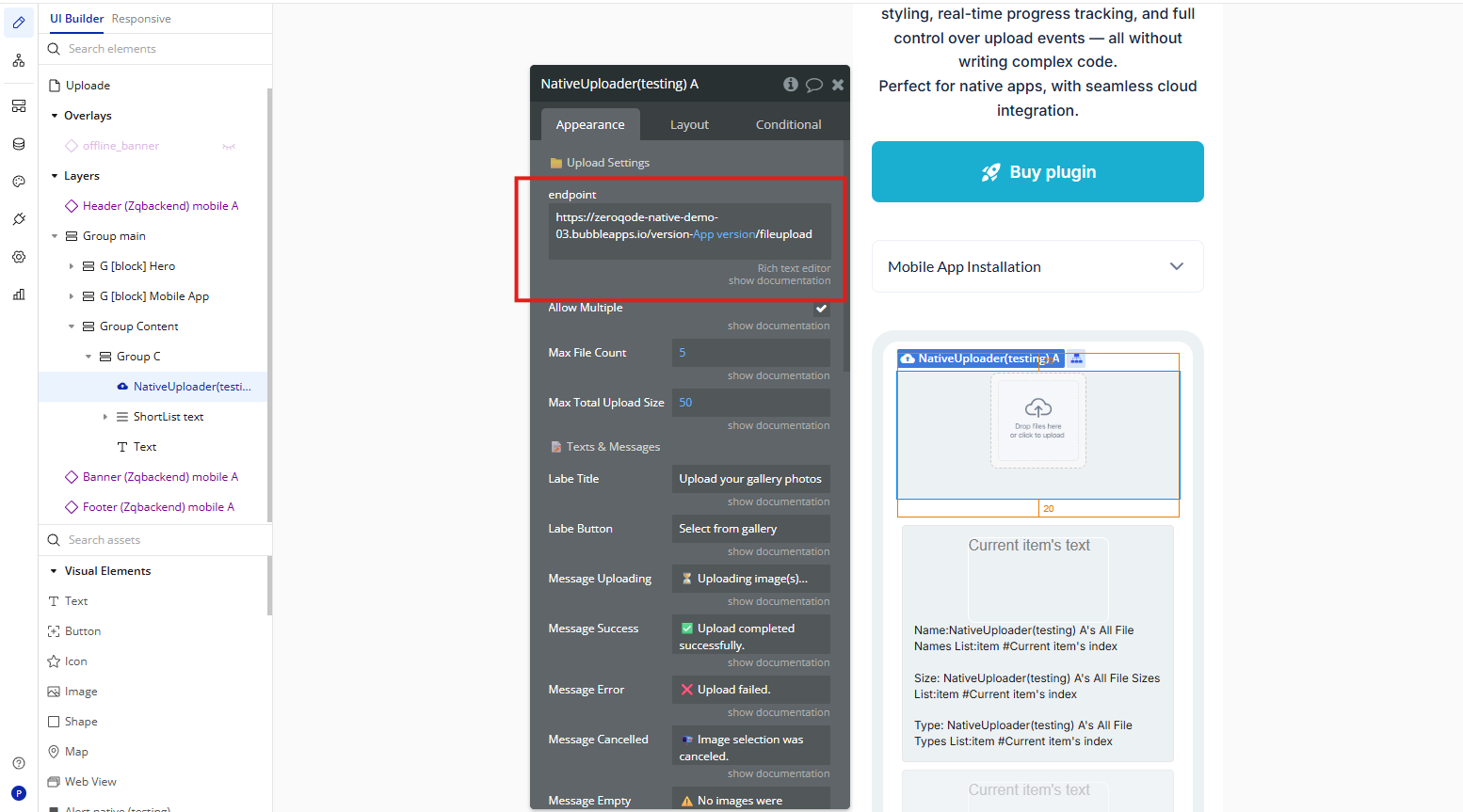
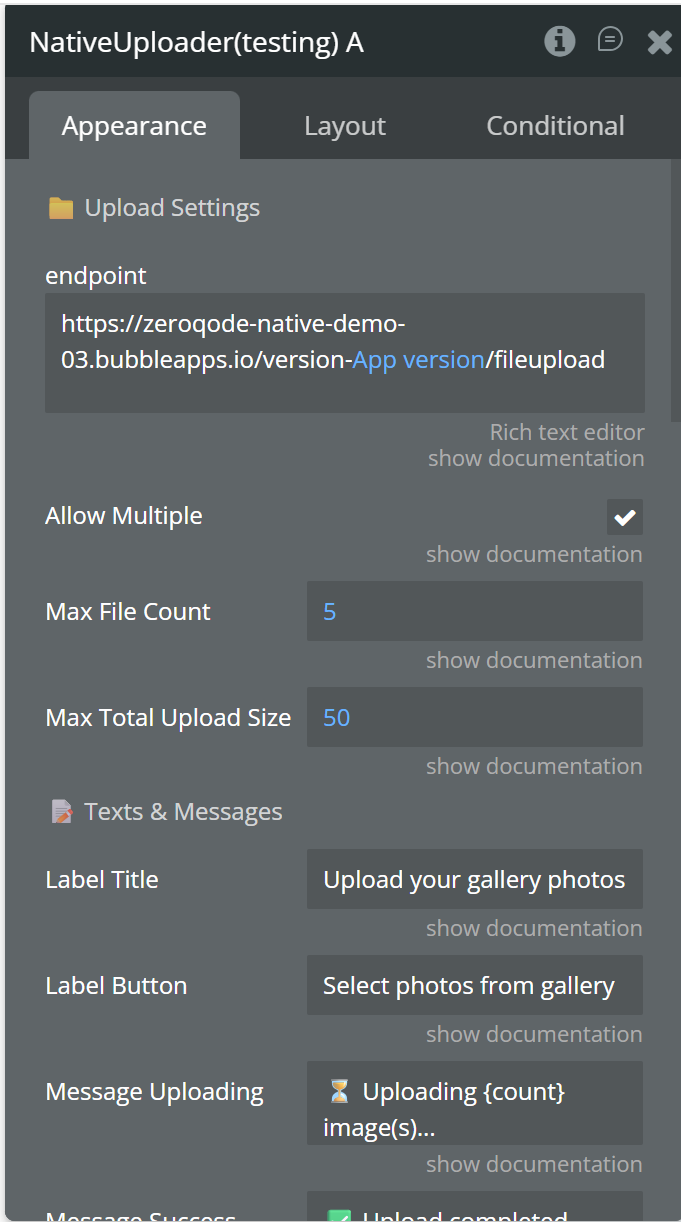
endpoint | Upload endpoint URL where files will be sent (e.g. Bubble /fileupload or custom API endpoint). | Text |
Allow Multiple | Allows selecting multiple files at once from the device gallery. | Yes/No |
Max File Count | Maximum number of files allowed per upload session. | Number |
Max Total Upload Size MB | Maximum total size (in MB) of all selected files combined. | Number |
Label Title | Title displayed at the top of the uploader element. | Text |
Label Button | Label displayed on the upload button. | Text |
Message Uploading | Message shown during upload. Supports {count} placeholder. | Text |
Message Success | Message displayed when upload is successful. | Text |
Message Error | Message displayed when upload fails. | Text |
Message Cancelled | Message shown when user cancels file selection. | Text |
Message Empty | Message shown when no valid files are selected. | Text |
Message Limit Exceeded | Message shown when file count exceeds limit. Supports {maxCount} placeholder. | Text |
Message Size Exceeded | Message shown when total file size exceeds limit. Supports {totalSize} and {maxTotalSize} placeholders. | Text |
Button Content Mode | Controls button content: text, icon, or icon_text. | Dropdown |
Icon Size X | ontrols the width of the image used as the button icon. | Number |
Icon Size Y | Controls the height of the image used as the button icon. | Number |
Button Icon | Image/icon displayed on the button (used in icon modes). | Image |
Button Background Color | Background color of the upload button. | Color |
Button Text Color | Color of the button text. | Color |
Button Font Size | Font size of the button text. | Number |
Button Border Radius | Radius of button corners. | Number |
Button Border Color | Border color of the button. | Color |
Button Border Width | Border width of the button. | Number |
Button Border Style | Border style: solid, dashed, or dotted. | Dropdown |
Button Text Bold | Displays button text in bold. | Yes/No |
Button Text Italic | Displays button text in italic. | Yes/No |
Button Text Underline | Underlines the button text. | Yes/No |
Status Background Info | Background color for informational status messages. | Color |
Status Background Success | Background color for success messages. | Color |
Status Background Error | Background color for error messages. | Color |
Status Text Color Info | Text color for informational messages. | Color |
Status Text Color Success | Text color for success messages. | Color |
Status Text Color Error | Text color for error messages. | Color |
Status Text Size | Font size of the status message text. | Number |
Status Text Weight | Font weight of the status text (normal, bold, etc.). | Dropdown |
Status Text Style | Font style of the status text (normal or italic). | Dropdown |