The Speech To Text Bubble Mobile plugin enables native audio recording and AI-powered speech transcription directly within Bubble mobile apps. Built on Expo Audio for reliable device microphone access, the plugin lets users record speech, then transcribe it via the Deepgram API — returning accurate text, detected language, and rich formatting options such as punctuation, smart formatting, speaker diarization, and more.
The plugin is ideal for voice notes, voice search, dictation features, multilingual apps, and any use case requiring hands-free text input on mobile devices. It supports both iOS and Android and integrates seamlessly with Bubble’s mobile editor.
Prerequisites
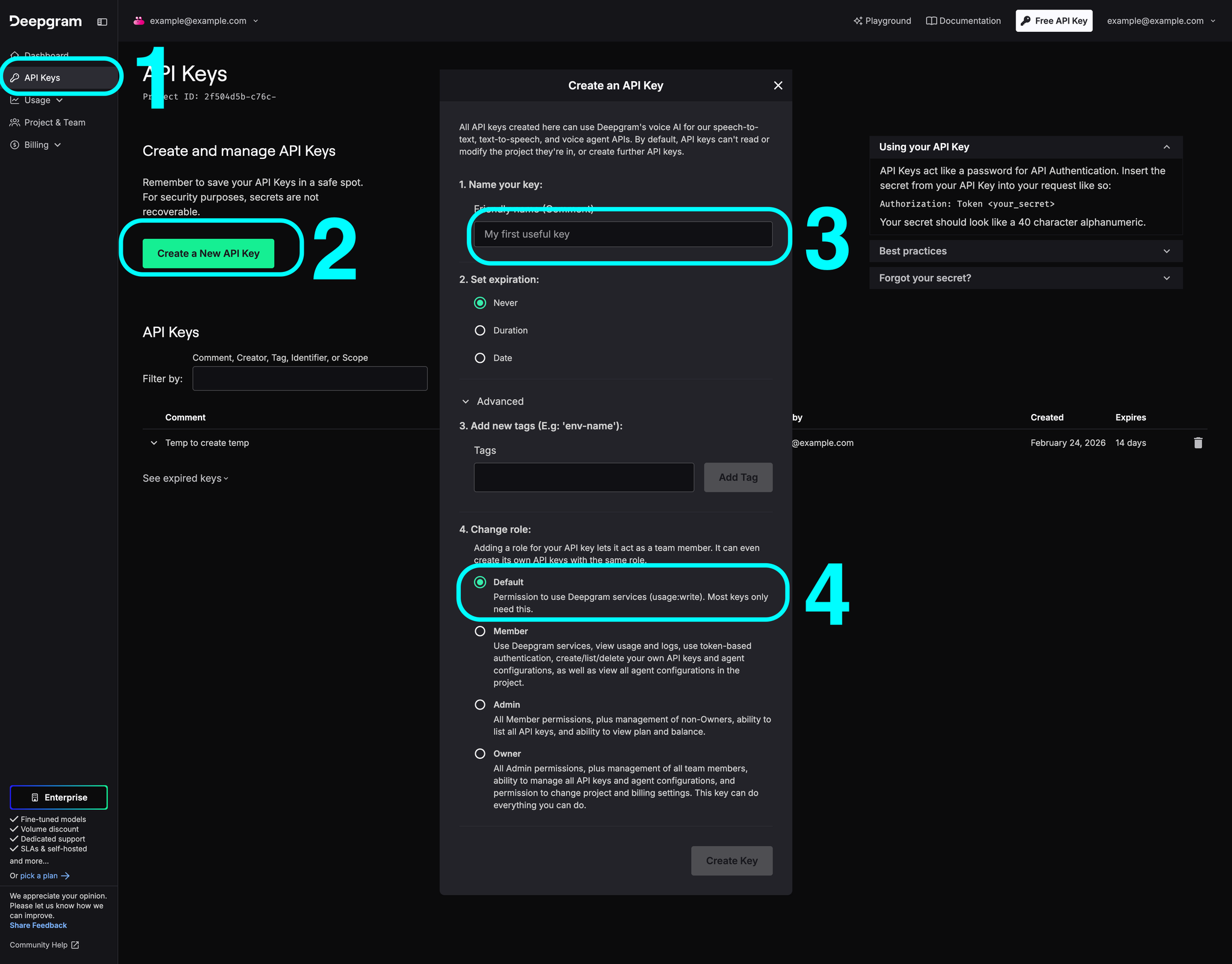
You must have a Deepgram account to use this plugin. Create your account and obtain an API key at: https://console.deepgram.com
This plugin is designed specifically for the mobile version of the Bubble editor. To test the plugin on your mobile device, use the TestFlight app available at:
Security note: Never expose your Deepgram API key on the frontend. The plugin uses a short-lived temporary token (valid 30 seconds) obtained via a Bubble Backend Workflow. This token is only used for the initial WebSocket handshake — once the connection is open, the session remains active regardless of token expiry.
ℹ️
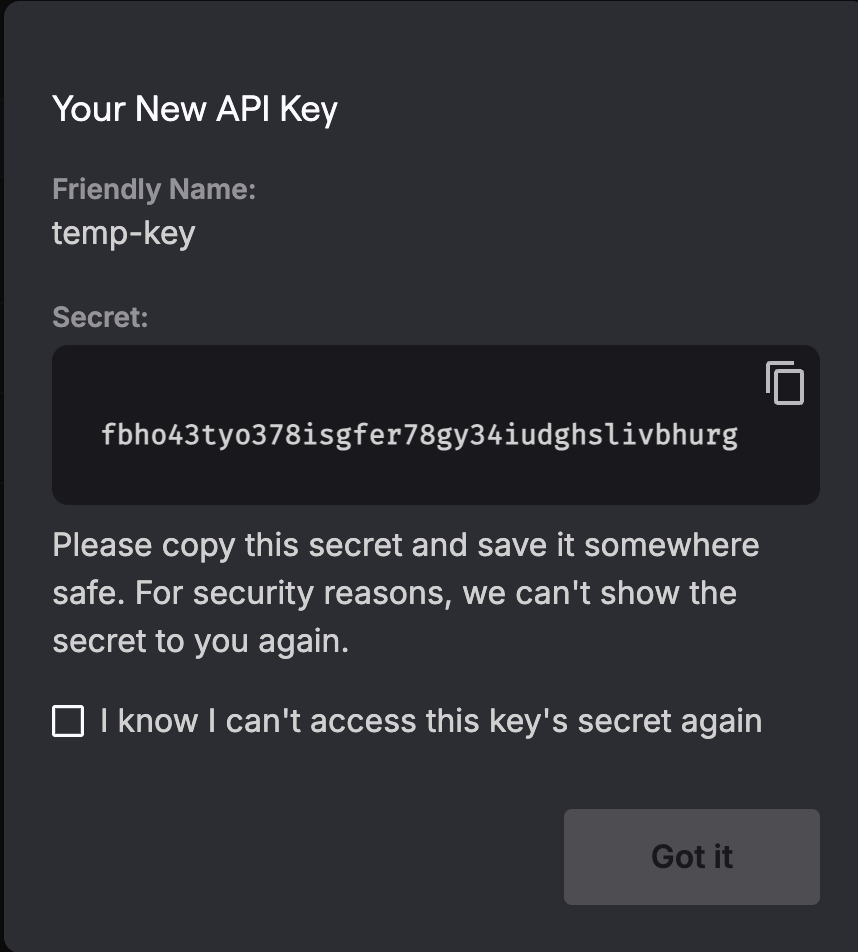
Copy your secret key, the key is shown only once
How to setup
Step 1 - Install the plugin from the Bubble marketplace and open the plugin settings tab.
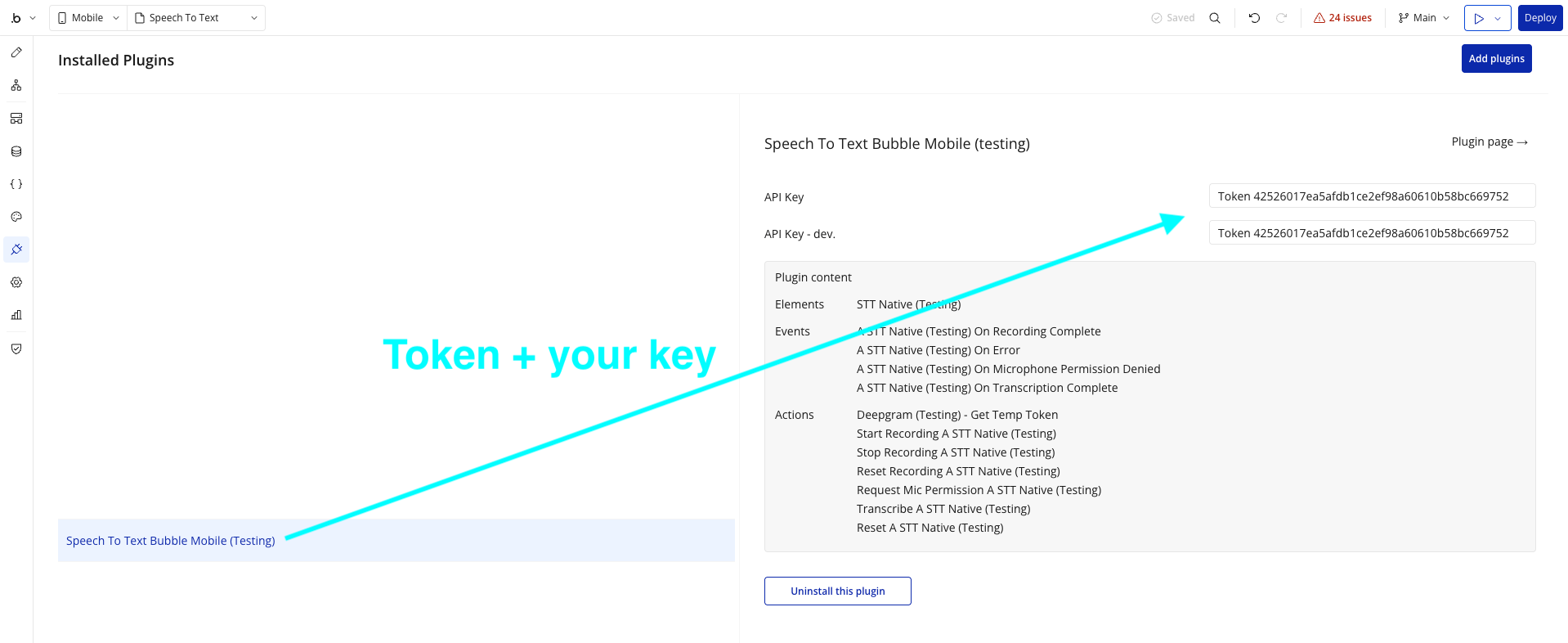
Step 2 - Enter your Deepgram API key in the plugin’s private key field (labeled Token). This key is used server-side only.
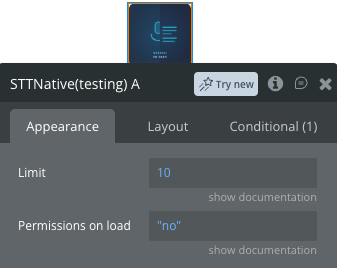
Step 3 - Add the STT Native element to your mobile page by dragging it from the plugin elements panel.
Configure element properties:
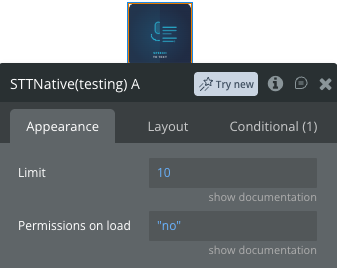
Set Permissions on load to yes to automatically request microphone access when the page loads (recommended for Android).
Optionally set a Limit in seconds to cap the maximum recording duration.
Step 4 - Build your recording workflow:
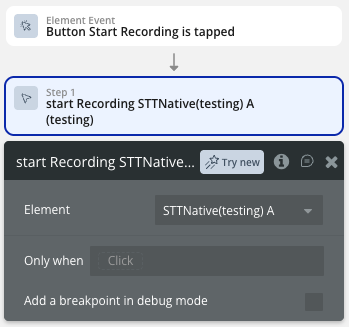
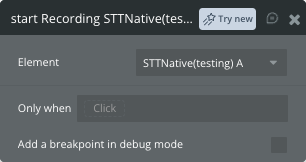
On button click → Start Recording.
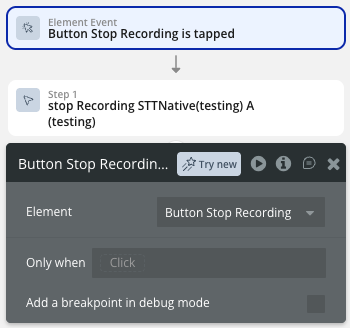
On button click → Stop Recording.
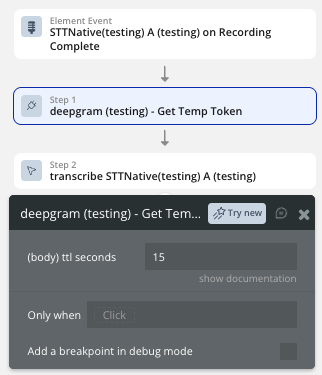
Event → on Recording Complete.
call the action to get a temp token.
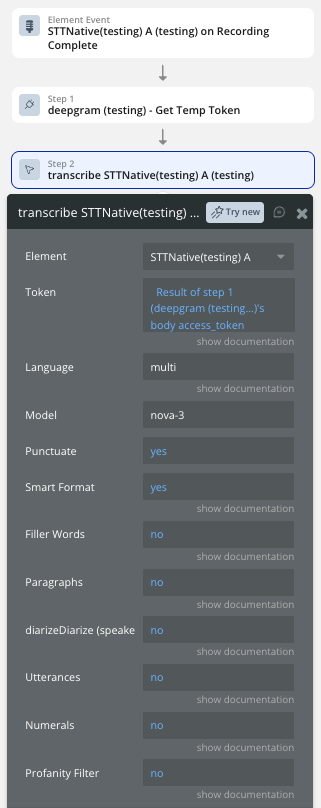
call the action to transcribe.
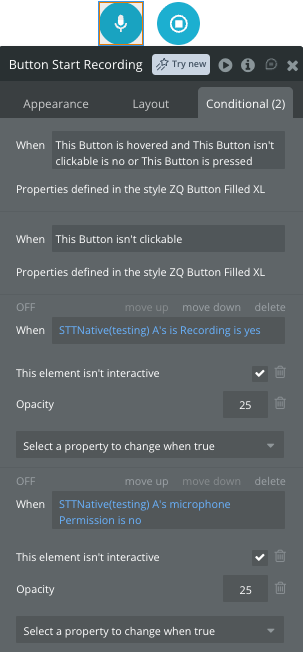
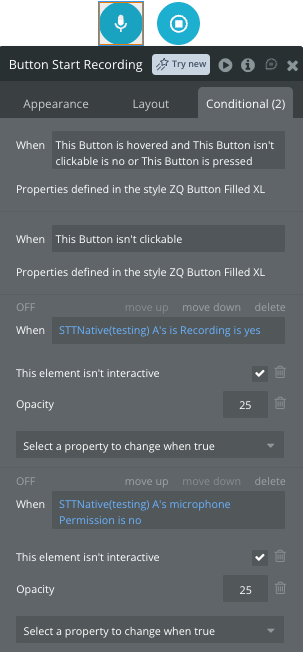
Use the is recording state to update your UI.
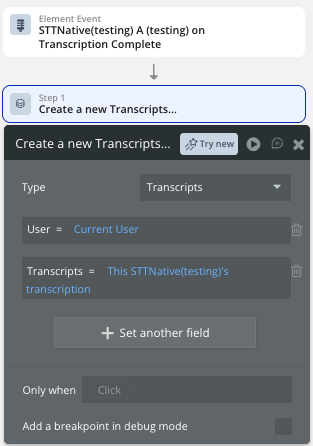
Use the on Transcription Complete event to save transcripts to the database.
Step 5 - Add Stop / Pause / Resume actions to the appropriate buttons on your page.
Plugin Element Properties - STT Native
The plugin contains one visual element — STT Native — that should be added to your mobile page.
Fields
Title
Description
Type
Limit
Recording duration limit in seconds. Set to 0 for unlimited recording.
Number
Permissions on load
When enabled, the element automatically requests microphone permissions when the component mounts. Recommended for Android.
Boolean
Element Actions
Start Recording
Begins audio recording using the device microphone. Requires microphone permission to be granted before calling. Clears previous transcription and error states before starting.
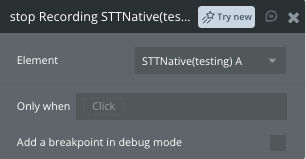
Stop Recording
Stops the active audio recording and saves the audio file locally on the device. Triggers the on Recording Complete event upon success, making the audio available for transcription.
Reset Recording
Stops any active recording, clears the saved audio file, and resets all states (duration, transcription, detected language, errors) to their defaults.
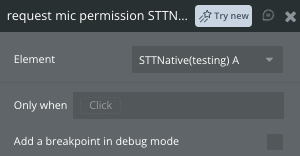
Request Mic Permission
Manually requests microphone permission from the user. Use this action if Permissions on load is disabled, or to re-request permission after it was previously denied.
Transcribe
Sends the recorded audio to the Deepgram API for speech-to-text transcription. Must be called after Stop Recording. On success, triggers the on Transcription Complete event and populates the transcription and detectedLanguage states.
Fields:
Title
Description
Type
Token
Short-lived Deepgram access token. Use the Get Temp Token API call to generate one.
Text
Language
BCP-47 language tag (e.g. en, fr, uk) to hint the primary spoken language. If left empty, Deepgram will auto-detect the language.
Text
Model
Deepgram model to use for transcription. Default: nova-3.
Text
Punctuate
Adds punctuation to the transcript. Default: true.
Includes filler words such as “uh” and “um” in the transcript. Default: false.
Boolean
Paragraphs
Splits the transcript into paragraphs for improved readability. Default: false.
Boolean
Diarize (speaker detection)
Detects and labels speaker changes. Each word is assigned a speaker number starting at 0. Default: false.
Boolean
Utterances
Segments speech into meaningful semantic units. Default: false.
Boolean
Numerals
Converts written numbers to numerical format (e.g. “five” → “5”). Default: false.
Boolean
Profanity Filter
Replaces or removes recognized profanity from the transcript. Default: false.
Boolean
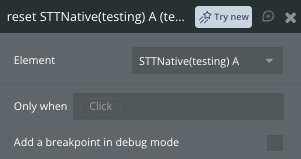
Reset
Fully resets the plugin state: stops any active recording, clears intervals, removes the saved audio path, and resets transcription, detected language, errors, and all related states. Equivalent to Reset Recording but also clears any transcription result.
Exposed States
Name
Description
Type
is Recording
Whether audio recording is currently in progress.
Boolean (Yes/No)
duration
Current recording duration in seconds, updated every second while recording.
Number
error
Error message if any recording, permission, or transcription operation fails.
Text
microphone Permission
Whether microphone permission has been granted by the user.
Boolean (Yes/No)
transcription
The transcribed text returned by Deepgram after a successful transcription.
Text
is Transcribing
Whether a transcription request is currently in progress.
Boolean (Yes/No)
Detected Language
The language(s) detected by Deepgram during transcription (if auto-detect was used).
Text
Element Events
Name
Description
on Recording Complete
Triggered when audio recording is successfully stopped and the audio file is ready for transcription.
on Error
Triggered when any error occurs during recording, permission request, or transcription. Check the error state for details.
on Microphone permission denied
Triggered when the user denies the microphone permission request.
on Transcription Complete
Triggered when Deepgram successfully returns a transcription result.
Plugin Data/Action Calls (API Calls only)
Get Temp Token
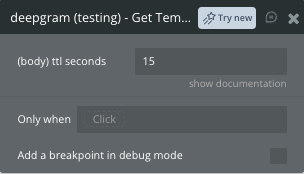
Generates a short-lived Deepgram access token that can be safely used on the client side (mobile app) without exposing your main API key. The token expires after the specified number of seconds.
Use this action in a workflow (e.g. on page load) and store the returned access_token in a state, then pass it to the Transcribe element action.
Fields:
Name
Description
Type
ttl seconds
Time-to-live in seconds for the generated token. Default: 30.
Number
Return values:
Name
Description
Type
body access_token
The temporary Deepgram access token to use in the Transcribe action.
Text
body expires_in
The number of seconds until the token expires.
Number
error status_code
HTTP status code if the request returned an error.