The Deepgram Speech-to-Text Live plugin enables real-time audio transcription directly inside your Bubble application by connecting to Deepgram’s WebSocket streaming API. It captures microphone input from the user’s browser, streams audio in low-latency chunks, and returns live interim and final transcripts with support for speaker diarization, punctuation, smart formatting, profanity filtering, and more.
In addition to live streaming, the plugin includes API calls for pre-recorded audio transcription, AI-powered audio intelligence (summarization, sentiment, topics, intents), speaker diarization, and usage analytics — making it a complete speech-to-text solution for any Bubble project.
Prerequisites
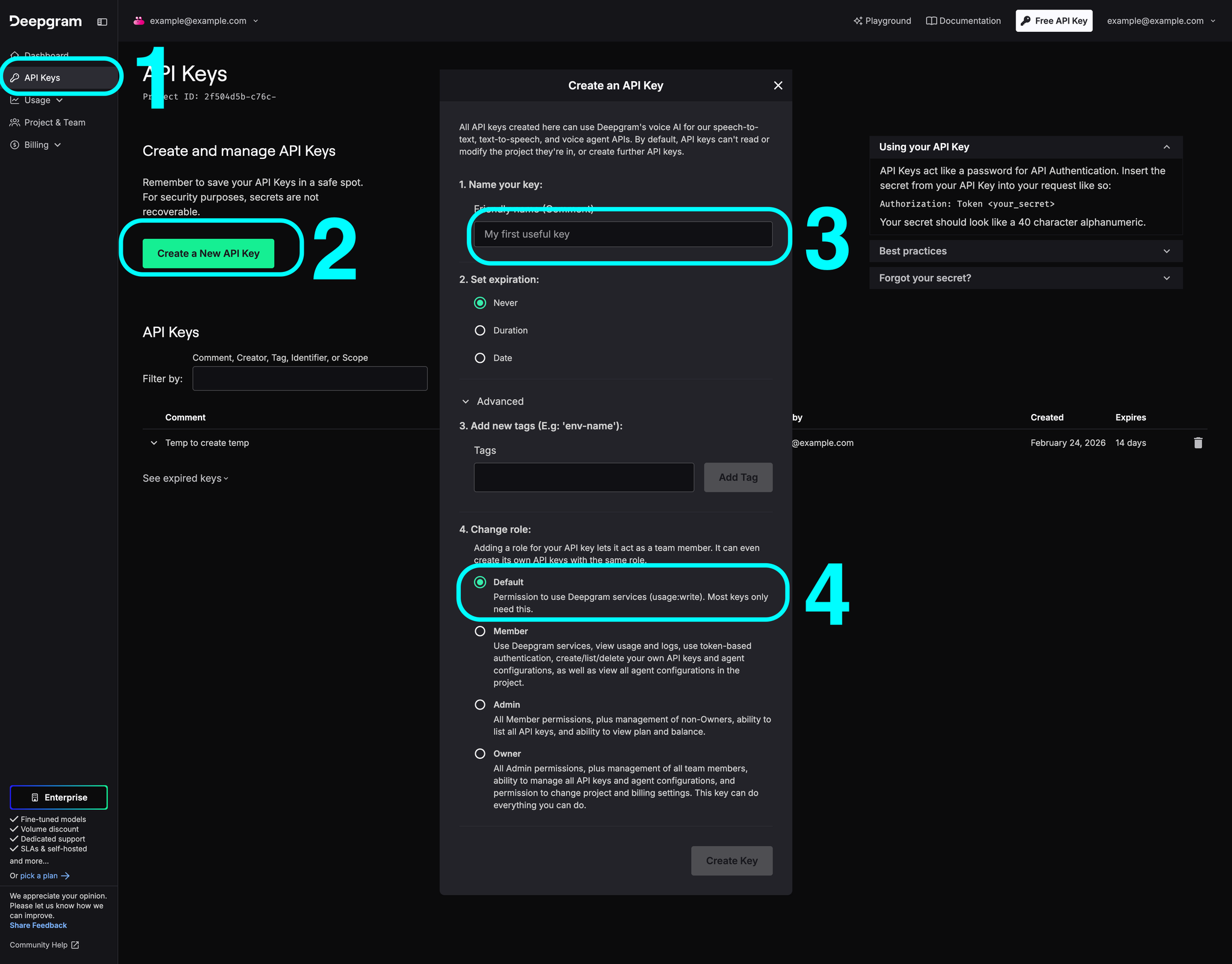
You must have a Deepgram account to use this plugin. Create your account and obtain an API key at: https://console.deepgram.com
This plugin is designed specifically for the mobile version of the Bubble editor. To test the plugin on your mobile device, use the TestFlight app available at:
Security note: Never expose your Deepgram API key on the frontend. The plugin uses a short-lived temporary token (valid 30 seconds) obtained via a Bubble Backend Workflow. This token is only used for the initial WebSocket handshake — once the connection is open, the session remains active regardless of token expiry.
ℹ️
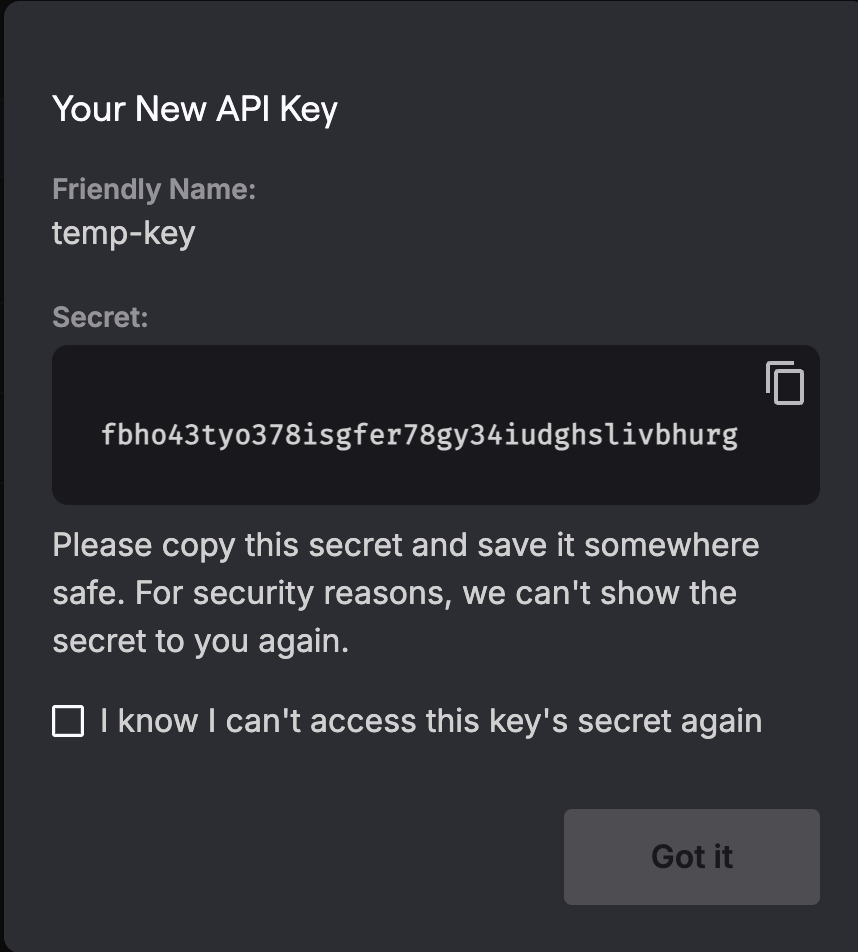
Copy your secret key, the key is shown only once
How to setup
Step 1 - Install the plugin from the Bubble marketplace and open the plugin settings tab.
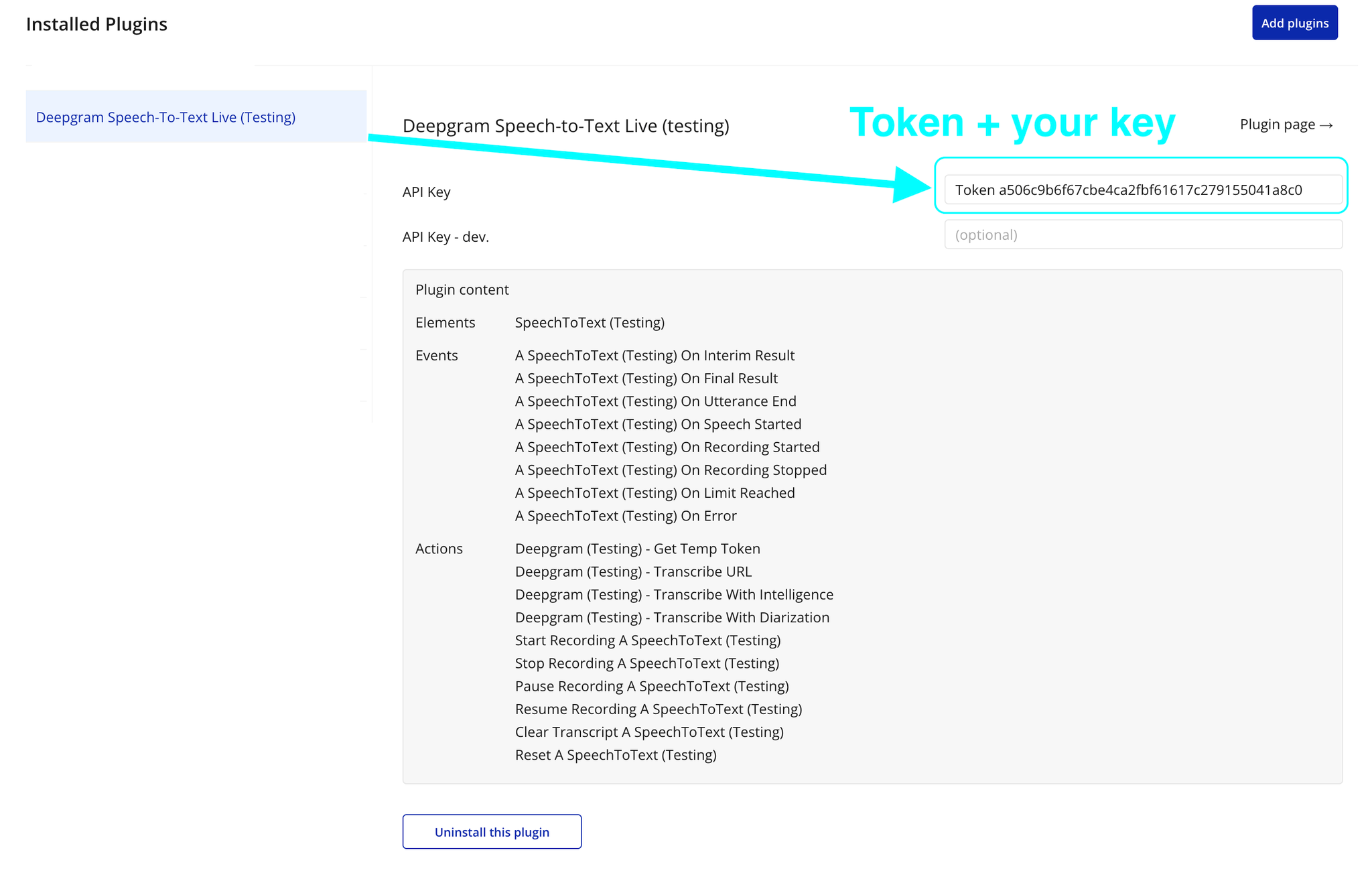
Step 2 - Enter your Deepgram API key in the plugin’s private key field (labeled Token). This key is used server-side only.
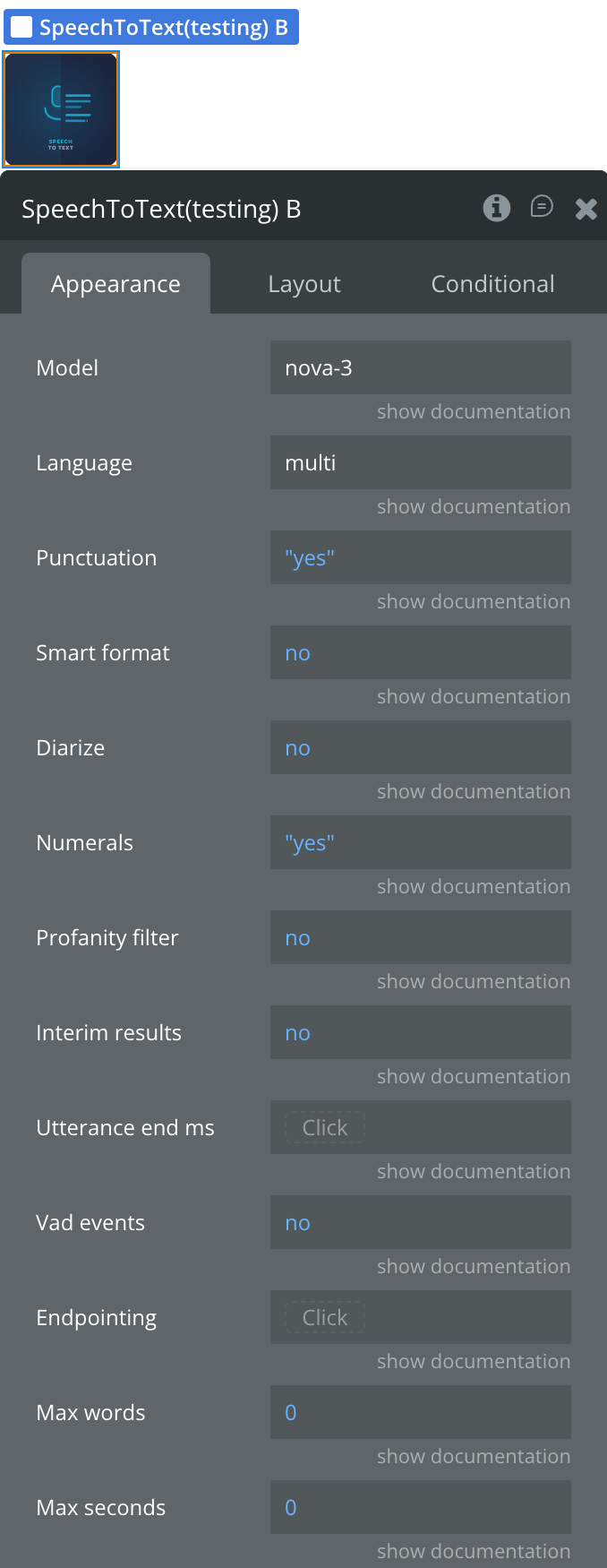
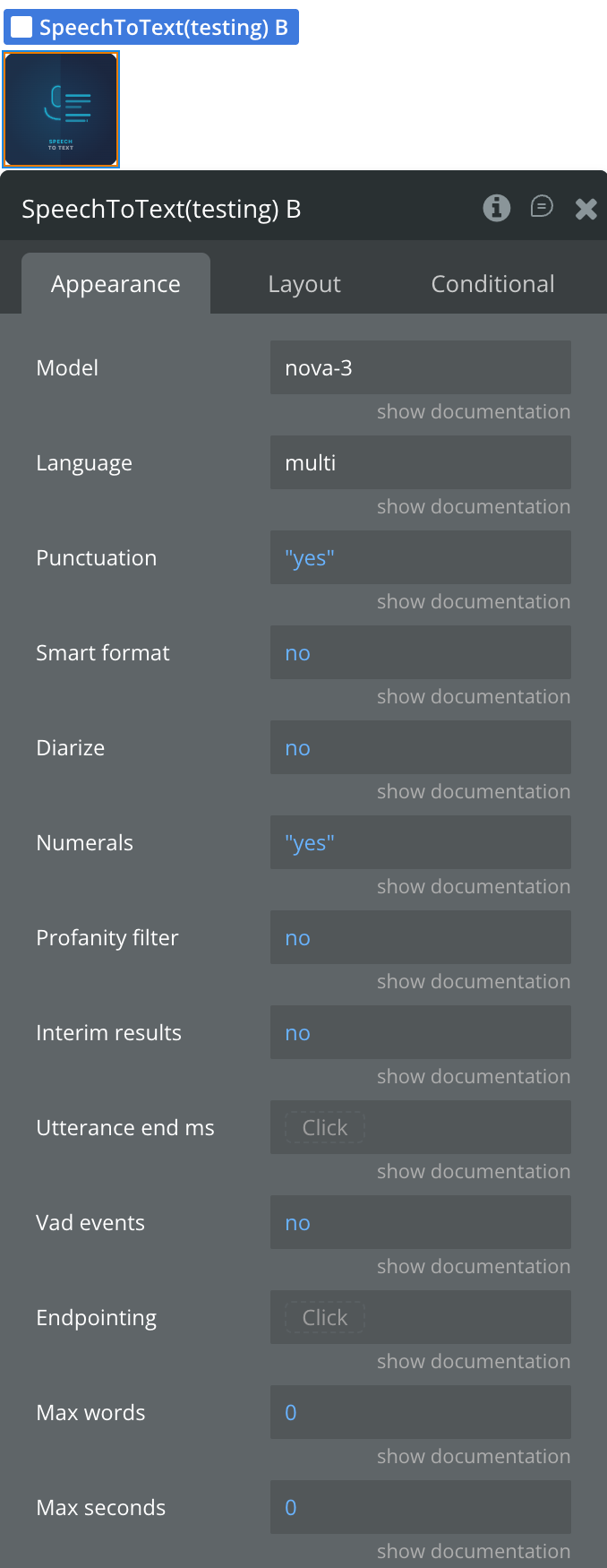
Step 3 - Add the SpeechToText element to your page. Configure the desired transcription properties (model, language, punctuation, etc.).
Step 4 - Build your recording workflow:
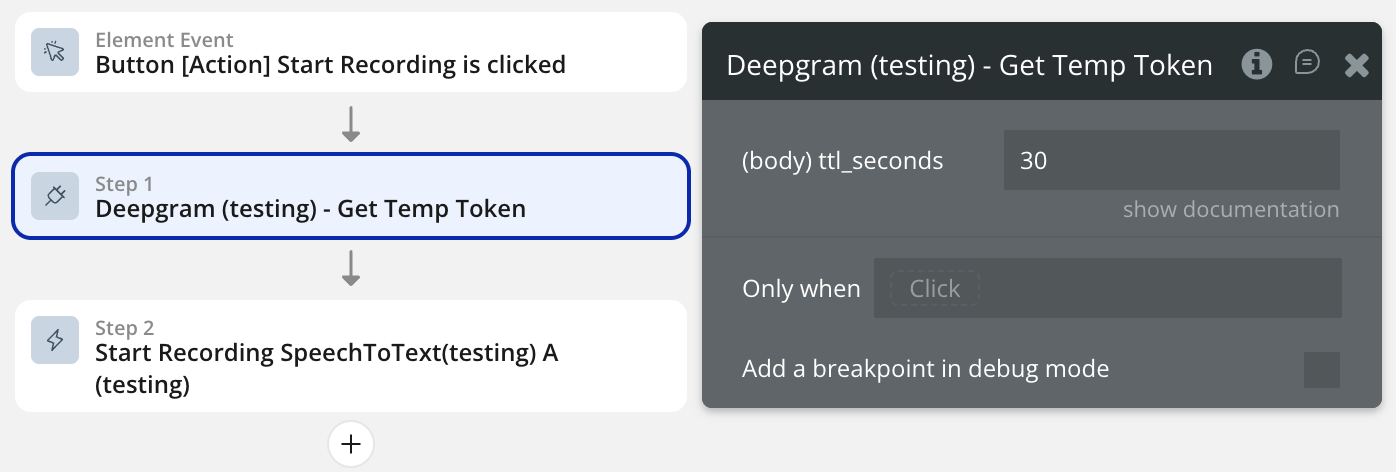
On button click → call the action to get a temp token.
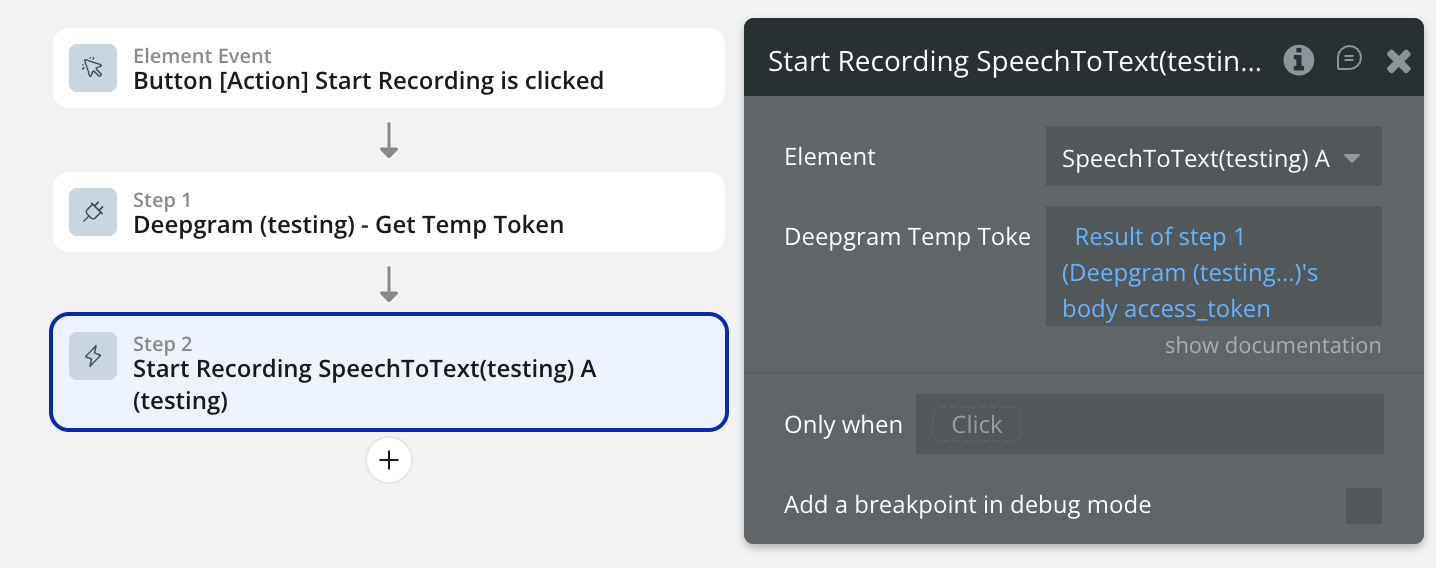
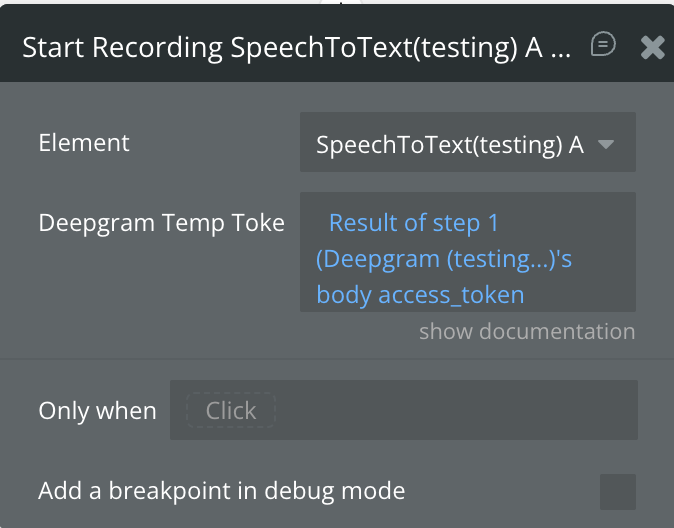
Pass the token to the Start Recording element action.
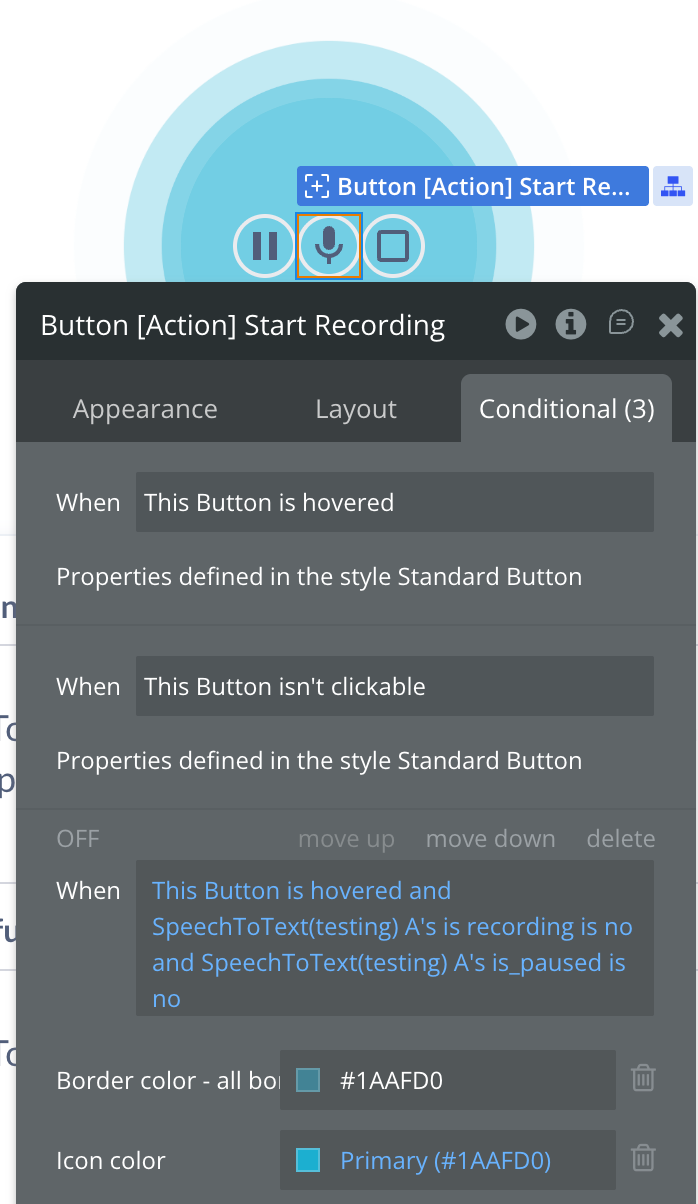
Use the is recording state to update your UI.
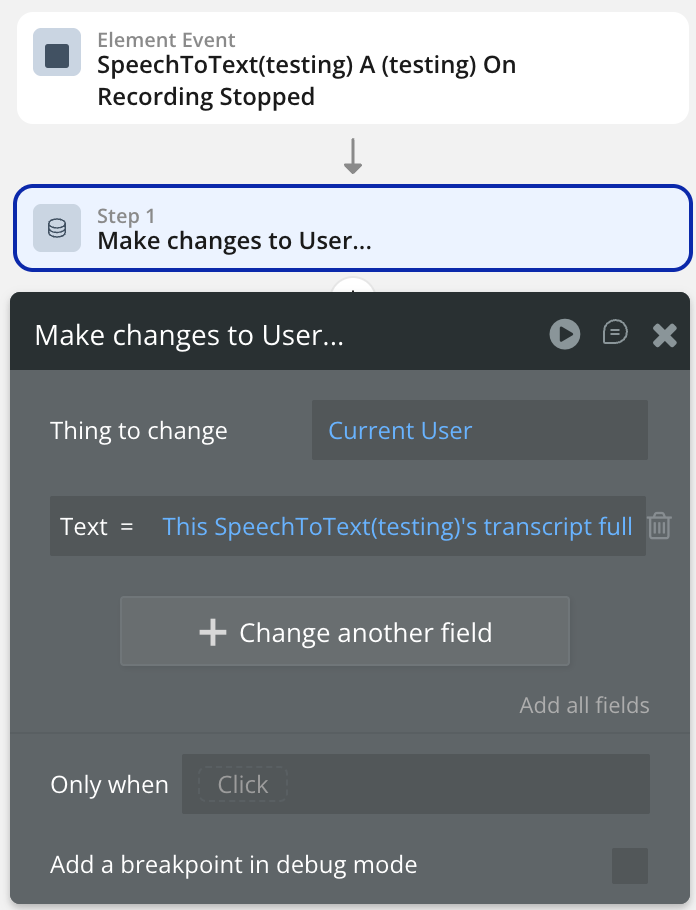
Use the On Final Result or On Recording Stopped event to save transcripts to the database.
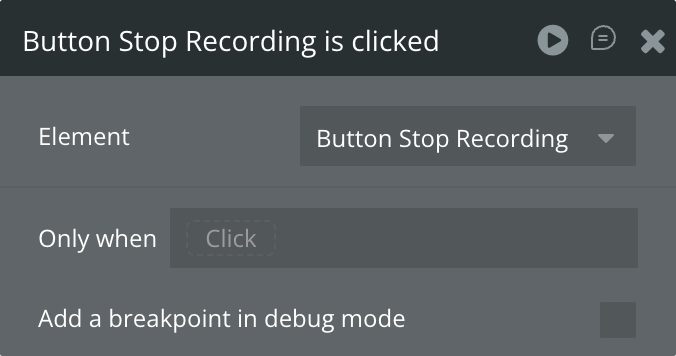
Step 5 - Add Stop / Pause / Resume actions to the appropriate buttons on your page.
Plugin Element - SpeechToText
The plugin contains one visual element - SpeechToText - that should be placed on the page. The element handles all microphone capture and WebSocket communication logic.
Fields
Title
Description
Type
Model
Deepgram model used for transcription. Recommended: nova-3 (highest accuracy). Other options: nova-2, base, enhanced, whisper. nova-3 is required for key term prompting.
Text
Language
BCP-47 language tag, e.g. en-US. Use multi for nova-2 and nova-3 multilingual detection. Leave empty for automatic detection.
Text
Punctuation
Add punctuation and capitalization to the transcript. Recommended for readable output.
Boolean
Smart format
Apply smart formatting to transcript output to improve readability (dates, currencies, etc.).
Boolean
Diarize
Recognize speaker changes. Each word will be assigned a speaker number starting at 0.
Boolean
Numerals
Convert numbers from written format to numerical format, e.g. “forty two” → “42”.
Boolean
Profanity filter
Replace recognized profanity with the nearest non-profane word or remove it from the transcript.
Boolean
Interim results
Send continuous transcription updates as audio is received. When enabled, results may evolve over time until finalized.
Boolean
Utterance end ms
Milliseconds of silence after which an utterance is considered complete. Only relevant when Interim Results is enabled.
Number
Vad events
Fire the On Speech Started event each time Deepgram detects the beginning of speech. Useful for microphone animations or “Listening…” UI states.
Boolean
Endpointing
Milliseconds of silence before Deepgram finalizes a transcript segment.
Number
Max words
Automatically stop recording after N words are transcribed. Set to 0 to disable.
Number
Max seconds
Automatically stop recording after N seconds. Set to 0 to disable.
Number
Element Actions
Start Recording
Opens the microphone, builds the Deepgram WebSocket URL from element properties, and begins streaming audio in 250 ms chunks. Requires a short-lived token obtained from the Get Temp Token backend API call.
Title
Description
Type
Deepgram Temp Token
Short-lived JWT obtained from the Get Temp Token API Call, triggered server-side in a Bubble Backend Workflow. Valid for 30 seconds — enough for the WebSocket handshake. Never use your real Deepgram API key here.
Text
Stop Recording
Runs the full stop sequence: releases microphone tracks, sends a CloseStream message to Deepgram, and closes the WebSocket. Sets is_recording and is_connected to false. Fires the On Recording Stopped event. Safe to call even if recording is not active.
Pause Recording
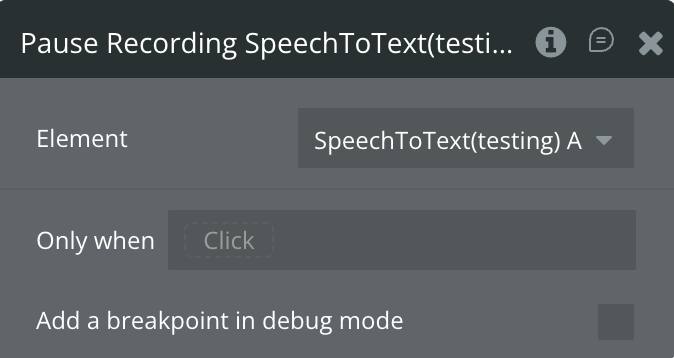
Pauses the MediaRecorder so no audio is sent to Deepgram. Keeps the WebSocket alive by sending a KeepAlive message every 8 seconds (Deepgram closes idle connections after ~12 seconds). Sets is_recording to false and is_paused to true. The WebSocket connection (is_connected) remains open.
Resume Recording
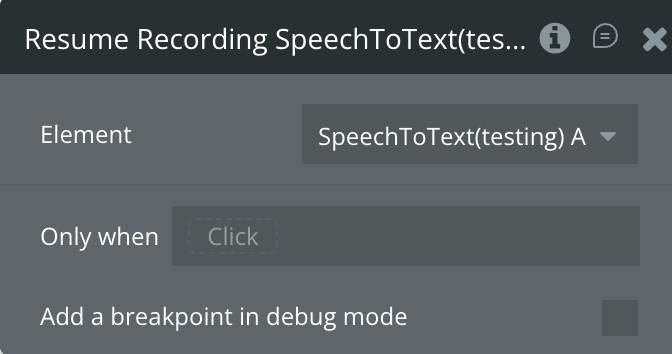
Clears the KeepAlive interval and resumes the MediaRecorder on the existing open WebSocket. No new token is required. Sets is_recording back to true and is_paused to false. The elapsed seconds counter resumes from where it was paused.
Clear Transcript
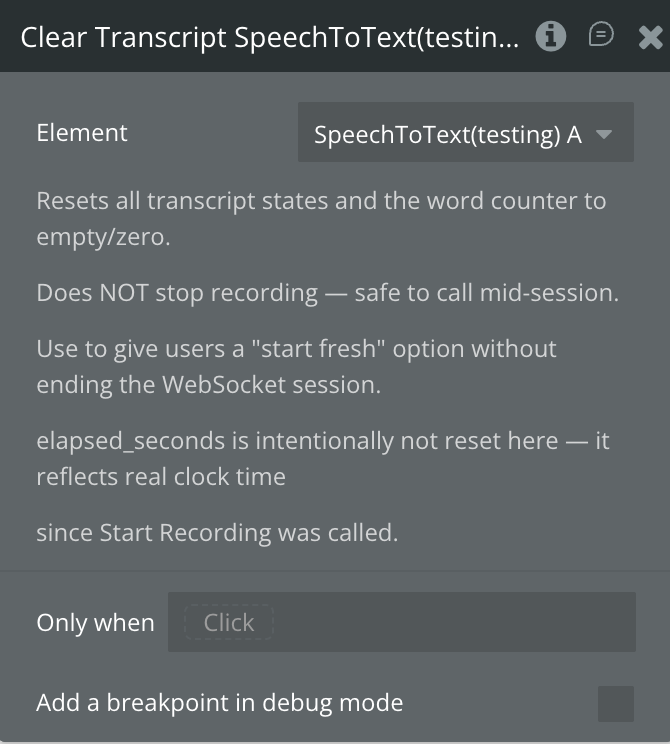
Resets all transcript states (transcript_interim, transcript_final, transcript_full, speaker_lines) and the word counter to empty/zero. Does not stop recording — safe to call mid-session to give users a “start fresh” option. elapsed_seconds is intentionally not reset as it reflects real clock time since recording started.
Reset
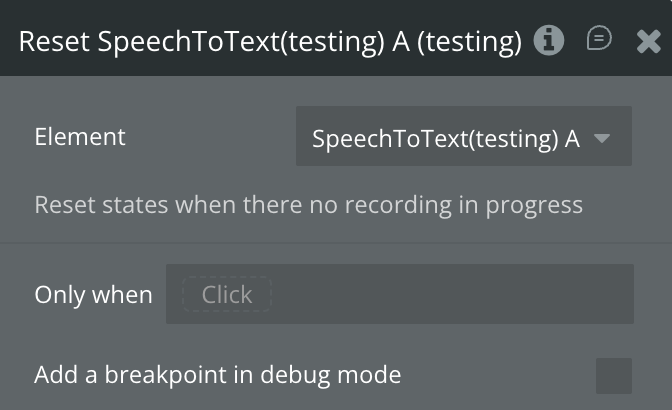
Resets all states and internal runtime variables to their initial values. Can only be called when there is no active recording in progress (the action is guarded — if a WebSocket is open, it does nothing).
Exposed States
Name
Description
Type
transcript interim
Current partial transcription result while the user is still speaking. Updates frequently. Only populated when Interim Results is enabled.
Text
transcript final
The last finalized phrase returned by Deepgram. Updated each time a segment is confirmed.
Text
transcript full
Full accumulated session transcript. All finalized phrases appended in order.
Text
speaker index
The speaker number assigned to the most recently finalized phrase. Only meaningful when Diarize is enabled. Starts at 0.
Number
word count
Running total of words transcribed in the current session.
Number
elapsed seconds
Seconds elapsed since Start Recording was called. Pauses when recording is paused.
Number
limit reason
Reason why auto-stop was triggered. Value is "words" or "time". Empty when no limit has been hit.
Text
is recording
true when the microphone and WebSocket are both active and sending audio.
Boolean
is connected
true when the WebSocket connection to Deepgram is open (including during pause).
Boolean
is_paused
true when the recording is paused (microphone muted but WebSocket still open).
Boolean
error message
The last error message. Populated on microphone denial, missing token, or WebSocket failure.
Text
speaker lines
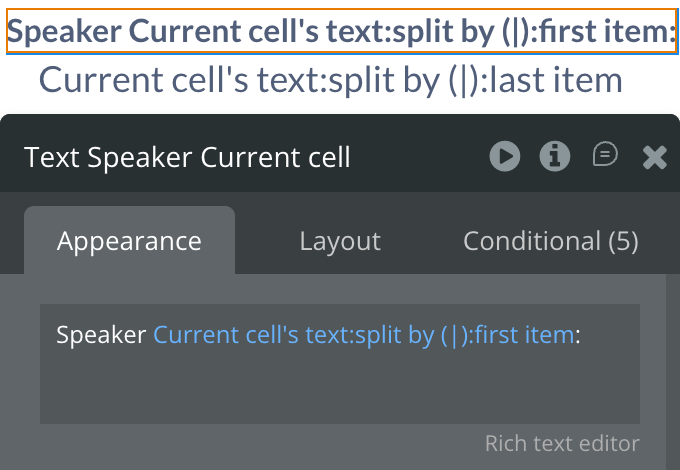
List of speaker-tagged transcript lines in the format {speaker_index}\|{text}. Only populated when Diarize is enabled.
List of Text
Element Events
Name
Description
On Interim Result
Fires each time Deepgram sends a partial transcription while the user is still speaking. Read transcript interim for the current partial text. Only fires when Interim Results is enabled. Fires frequently — avoid heavy database writes in this handler.
On Final Result
Fires when Deepgram finalizes a phrase. At this point transcript final, transcript full, and word count are all updated. This is the recommended event for saving transcripts to the database.
On Utterance End
Fires when Deepgram detects the end of a complete utterance. Only fires when Utterance end ms is set. Use as a trigger to process or display a completed thought.
On Speech Started
Fires when Deepgram’s VAD detects the start of speech. Only fires when Vad events is enabled. Use to show a pulsing microphone animation or “Listening…” indicator.
On Recording Started
Fires once the microphone is open and the WebSocket to Deepgram is established. Use to switch the UI to recording mode (show stop button, start a visible timer, etc.).
On Recording Stopped
Fires after a manual Stop Recording action completes. is_recording and is_connected are both false when this fires. Not fired on auto-stop — use On Limit Reached for that.
On Limit Reached
Fires when recording is automatically stopped because a word or time limit was hit. Read limit reason ("words" or "time") to know which limit was triggered. Save transcript full in this handler.
On Error
Fires when any error occurs during the recording lifecycle. Read error message for the description. Common causes: microphone permission denied, missing token, WebSocket connection failed.
Plugin Data/Action Calls (API Calls only)
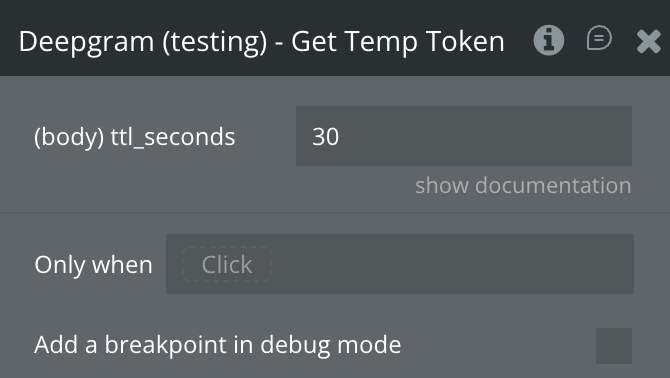
Get Temp Token
Requests a short-lived authentication token from Deepgram. This token should be passed to the Start Recording element action. The token is valid for 30 seconds — sufficient for the WebSocket handshake.
Fields:
Name
Description
Type
ttl_seconds
Token time-to-live in seconds. Default: 30. Maximum: 3600. Increase only if users have high-latency connections.
Number
Return values:
Name
Description
Type
body access_token
The short-lived JWT token to pass to the Start Recording action.
Text
body expires_in
Number of seconds until the token expires.
Number
returned_an_error
true if the API returned an error.
Boolean
error status_code
HTTP status code of the error response.
Number
error status_message
Human-readable error status message.
Text
error body
Full error response body.
Text
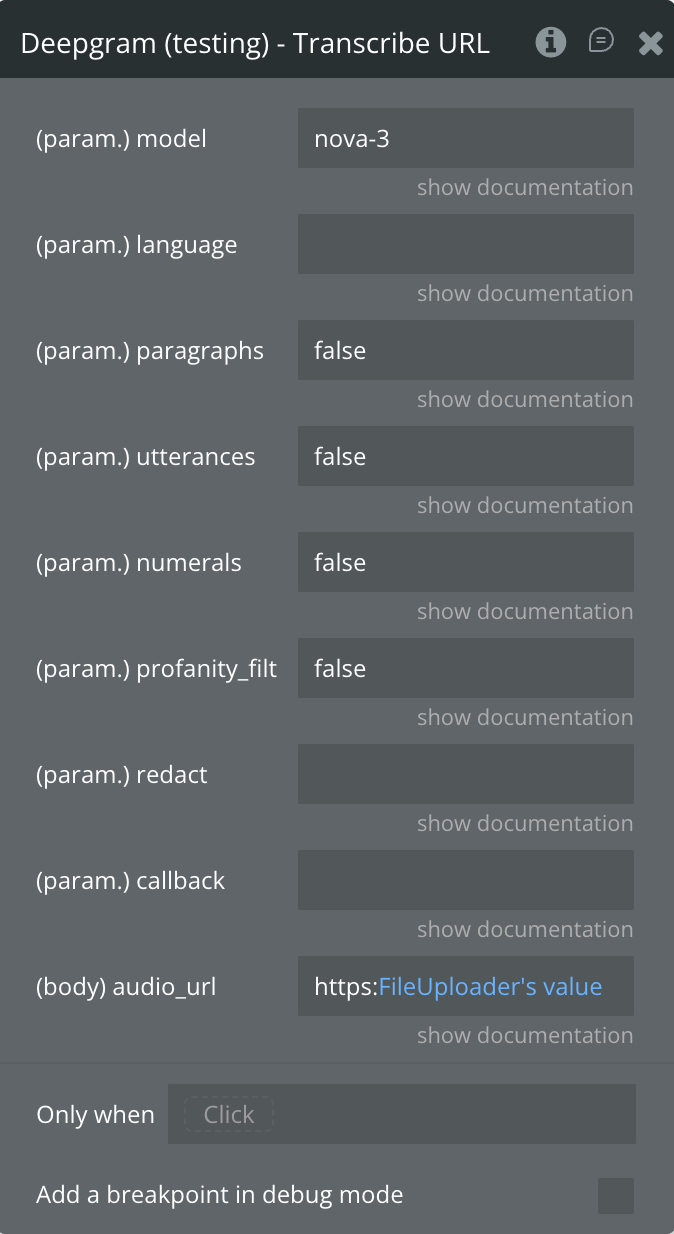
Transcribe URL
Transcribes a pre-recorded audio or video file from a public URL using Deepgram’s synchronous transcription API.
Fields:
Name
Description
Type
audio_url
Publicly accessible URL to the audio or video file to transcribe.
Text
model
Transcription model.
nova-3 = best accuracy,
nova-2 = fast,
enhanced / base = legacy,
whisper = OpenAI via Deepgram.
Default: nova-3.
Text
language
BCP-47 tag, e.g. en-US, fr, de. Leave empty for automatic language detection.
Text
paragraphs
Split transcript into paragraphs by pause/topic. Requires punctuate=true.
Boolean
utterances
Split into utterances (natural speech segments) with per-segment timing and confidence.
Optional URL for Deepgram to POST results to asynchronously.
Text
Return values:
Name
Description
Type
body request_id
Unique ID for this transcription request.
Text
body metadata duration
Duration of the audio file in seconds.
Number
body metadata channels
Number of audio channels detected.
Number
body channels
List of channel result objects, each containing alternatives.
List
alternatives transcript
Full transcript text for the channel.
Text
alternatives confidence
Overall confidence score (0–1).
Number
alternatives words
List of word-level objects with timing and confidence.
List
returned_an_error
true if the API returned an error.
Boolean
error status_code
HTTP status code of the error response.
Number
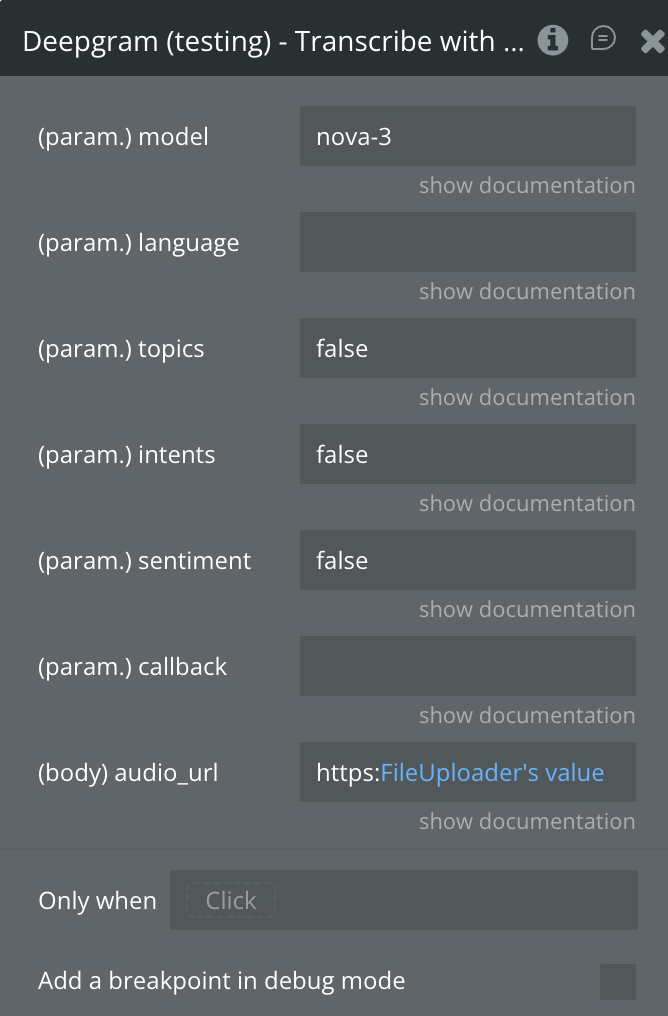
Transcribe with Intelligence
Transcribes a pre-recorded audio file and enriches the result with AI-powered audio intelligence features including summarization, topic detection, intent detection, and sentiment analysis.
Fields:
Name
Description
Type
audio_url
Publicly accessible URL to the audio or video file to transcribe.
Text
model
Transcription model.
Default: nova-3.
Text
language
BCP-47 language tag. Leave empty for auto-detection.
Text
topics
Detect key topics discussed. Returns topic segments with confidence scores.
Boolean
intents
Detect speaker intents, e.g. “make a purchase”, “request support”.
Optional URL for asynchronous delivery of results.
Text
Return values:
Name
Description
Type
body request_id
Unique ID for this transcription request.
Text
body summary
Full AI-generated summary of the audio content.
Text
body summary short
Short version of the AI-generated summary.
Text
body channels
List of channel result objects with alternatives, paragraphs, and words.
List
alternatives transcript
Full transcript text.
Text
alternatives confidence
Overall confidence score (0–1).
Number
alternatives paragraphs transcript
Paragraph-formatted transcript.
Text
returned_an_error
true if the API returned an error.
Boolean
error status_code
HTTP status code of the error response.
Number
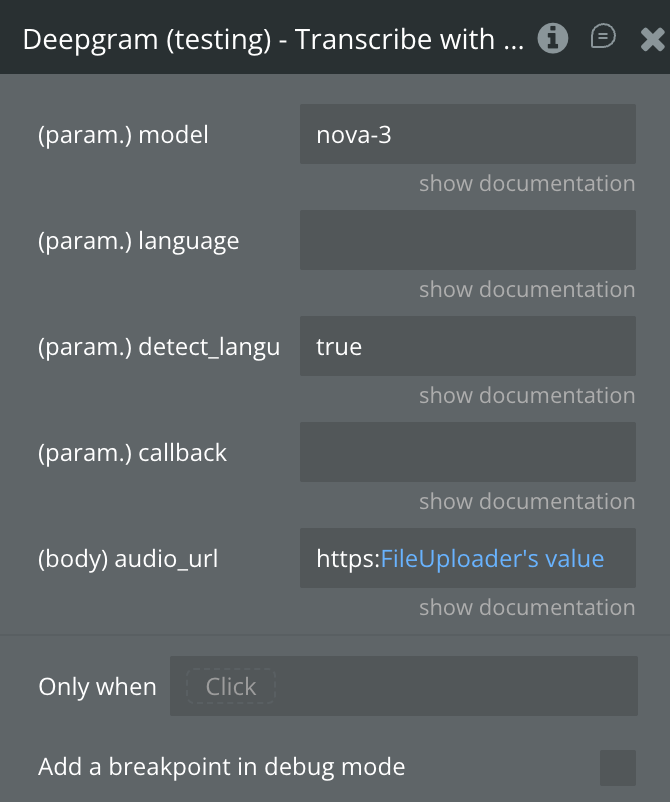
Transcribe with Diarization
Transcribes a pre-recorded audio file with full speaker diarization — each word in the transcript is tagged with a speaker number. Returns utterances (natural speech segments) attributed to individual speakers.
Fields:
Name
Description
Type
audio_url
Publicly accessible URL to the audio or video file to transcribe.
Text
model
Transcription model. Default: nova-3.
Text
language
BCP-47 language tag. Default: en.
Text
detect_language
Automatically identify the dominant language spoken.
Boolean
callback
Optional URL for asynchronous delivery of results.
Text
Return values:
Name
Description
Type
body channels
List of channel result objects, each with detected_language and language_confidence.
List
alternatives transcript
Full transcript text.
Text
alternatives words
List of word-level objects including speaker and speaker_confidence fields.
List
body utterances
List of utterance objects — each with start, end, transcript, speaker, confidence, and words.
List
returned_an_error
true if the API returned an error.
Boolean
error status_code
HTTP status code of the error response.
Number
Get Usage Breakdown
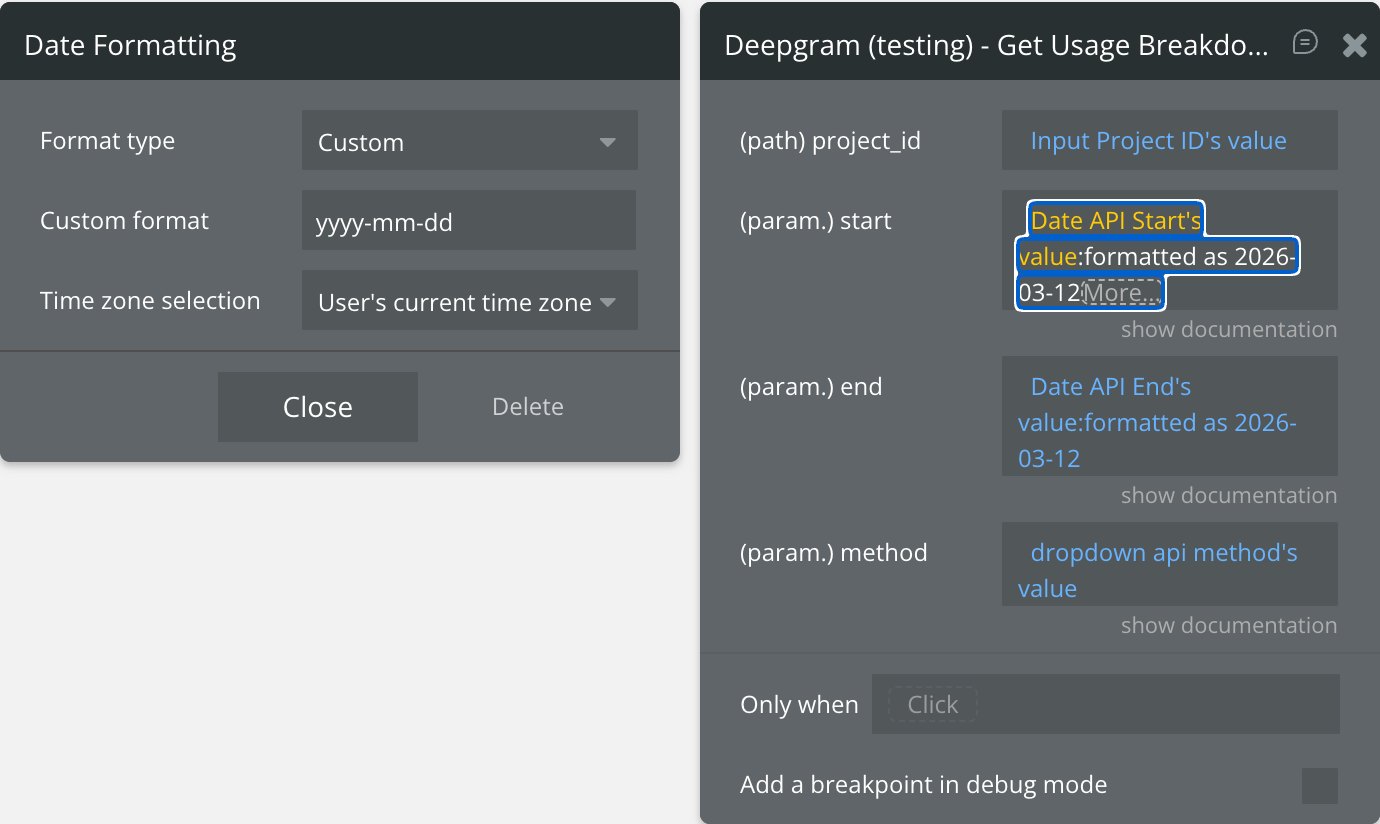
Retrieves a breakdown of API usage (hours transcribed, requests made, tokens used, etc.) for a specific Deepgram project over a date range.
Fields:
Name
Description
Type
project_id
Your Deepgram Project ID (found in the Deepgram Console).
Text
start
Start of the date range in ISO 8601 format, e.g. 2024-01-01.
Text
end
End of the date range in ISO 8601 format, e.g. 2024-12-31.
Text
method
Filter by request method: sync, async, or streaming.
Text
Return values:
Name
Description
Type
body results
List of usage result objects grouped by time period.
List
body results hours
Audio hours transcribed in the period.
Number
body results total_hours
Total hours including agent usage.
Number
body results requests
Number of API requests made.
Number
body results tokens_in
Input tokens consumed (for AI intelligence features).
Number
body results tokens_out
Output tokens generated.
Number
body results tts_characters
Text-to-speech characters used.
Number
body start
Start of the reported period.
Text
body end
End of the reported period.
Text
returned_an_error
true if the API returned an error.
Boolean
Workflow example
1. Basic Live Transcription Setup
This workflow demonstrates how to start a live transcription session securely.
User clicks Start button → trigger a Backend Workflow that calls Get Temp Token.
In the Backend Workflow, return the body access_token value to the page via a custom state.
On the page, when the custom state changes → call SpeechToText → Start Recording with the token value.
On Recording Started event fires → show a “Recording…” indicator and enable the Stop button.
On Final Result event fires → append transcript final to a multiline input or save to the database.
2. Pause and Resume Recording
This workflow shows how to implement a pause/resume feature without losing the WebSocket session.
User clicks Pause → call SpeechToText → Pause Recording.
is_paused becomes true, is_recording becomes false → update UI to show “Paused” state.
User clicks Resume → call SpeechToText → Resume Recording.
is_recording becomes true again → update UI back to “Recording…” state.
3. Auto-Stop with Word or Time Limits
This workflow demonstrates automatic stopping when a limit is reached.
Set Max words or Max seconds on the SpeechToText element.
When the limit is hit, On Limit Reached event fires automatically.
In the On Limit Reached handler: save transcript full to the database and display a notification.
Read limit reason ("words" or "time") to show a contextual message to the user.
4. Speaker Diarization Display
This workflow shows how to display a multi-speaker transcript.
Enable Diarize on the SpeechToText element.
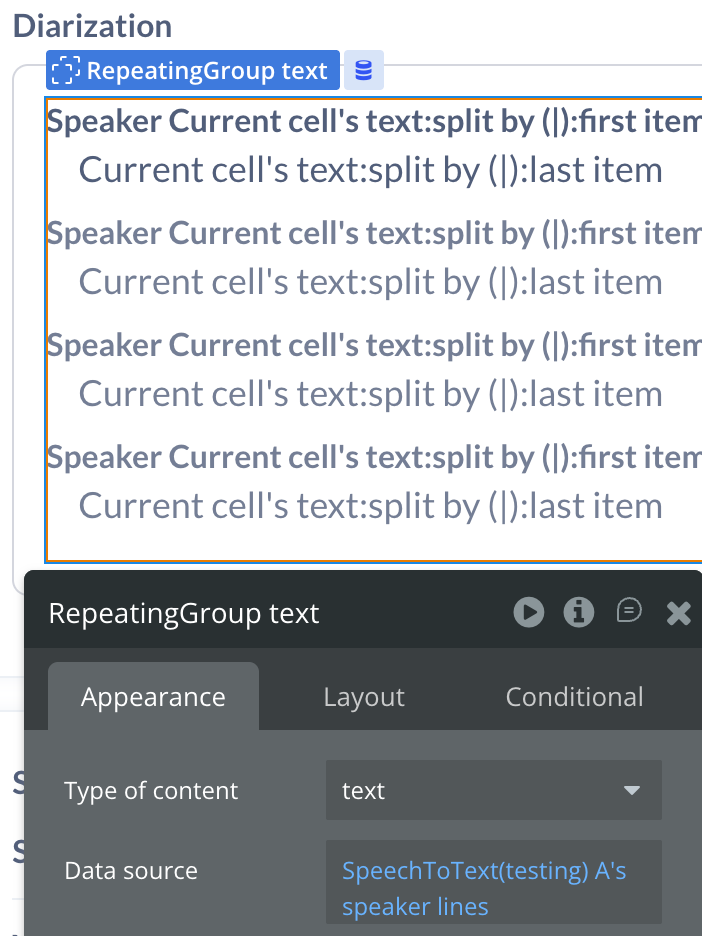
On Final Result fires → read speaker lines (list of {speaker_index}|{text} strings).
Use a Repeating Group to display each line, parsing the | separator to show speaker label and text.
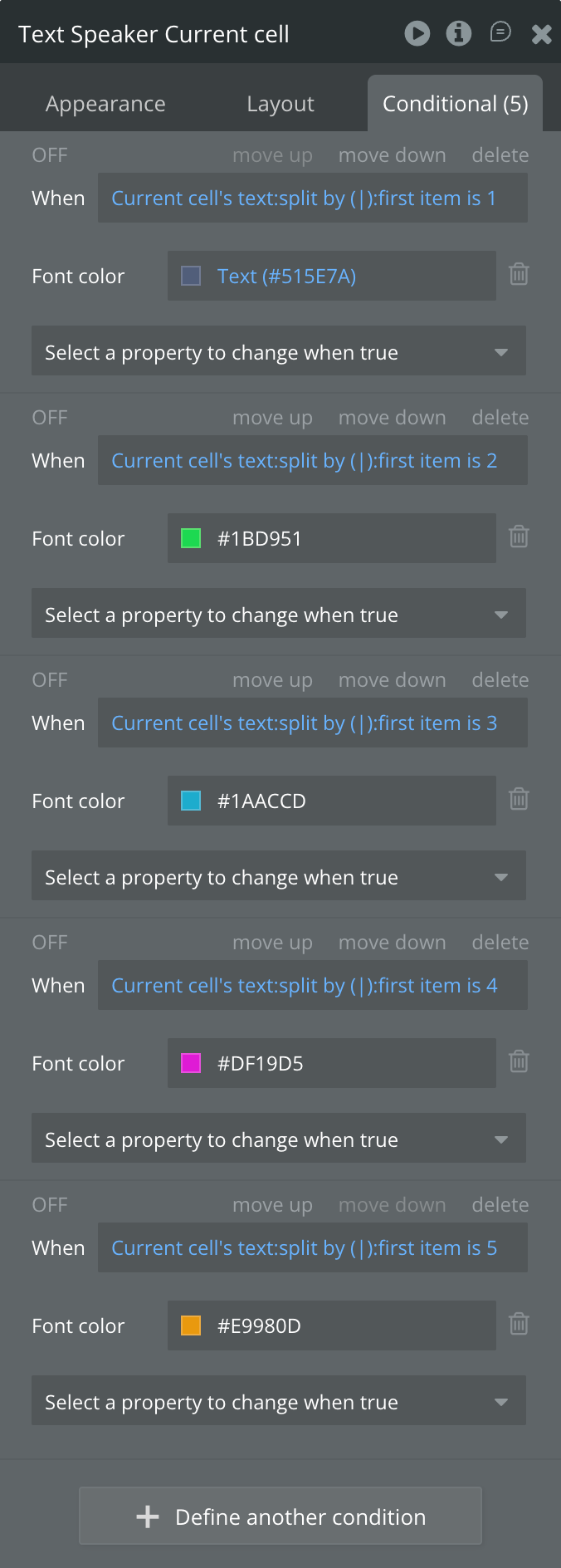
Color-code rows based on speaker index for a visually clear conversation view.