Demo to preview the plugin:
Introduction Algolia Search Bubble Mobile is a powerful Bubble Native plugin that allows you to perform fast, scalable, and customizable searches using Algolia directly inside mobile applications.
This plugin is designed for developers who want full control over search behavior while keeping workflows clean and predictable.
Prerequisites Before using this plugin, you must:
Have an active Algolia account Create at least one Algolia index Obtain: Search-Only API Key (for search)
This plugin is designed specifically for the mobile version of the Bubble editor. To test the plugin on your mobile device, use the TestFlight app available at:
https://testflight.apple.com/join/zYsG4qua
⚠️
Please note that the testing app is currently available for iOS only.
How to setup
Step 1 – Algolia Dashboard Getting the Correct API Keys To use the Algolia plugin, you must configure your account in the
Algolia Dashboard and obtain the correct API keys.
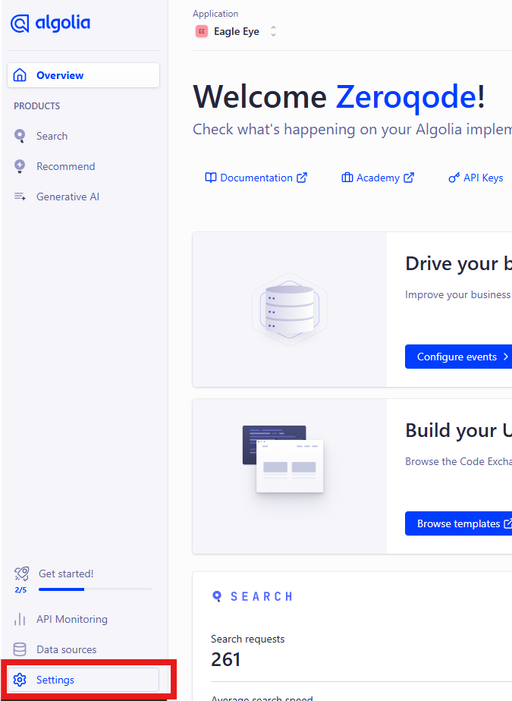
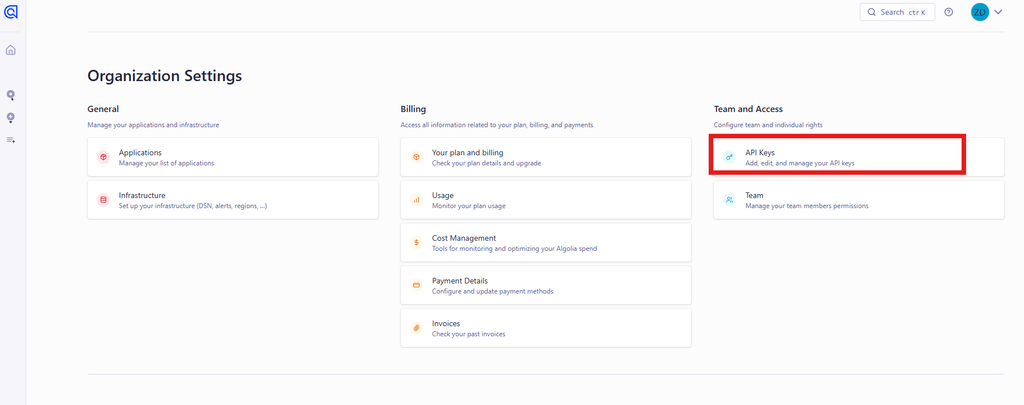
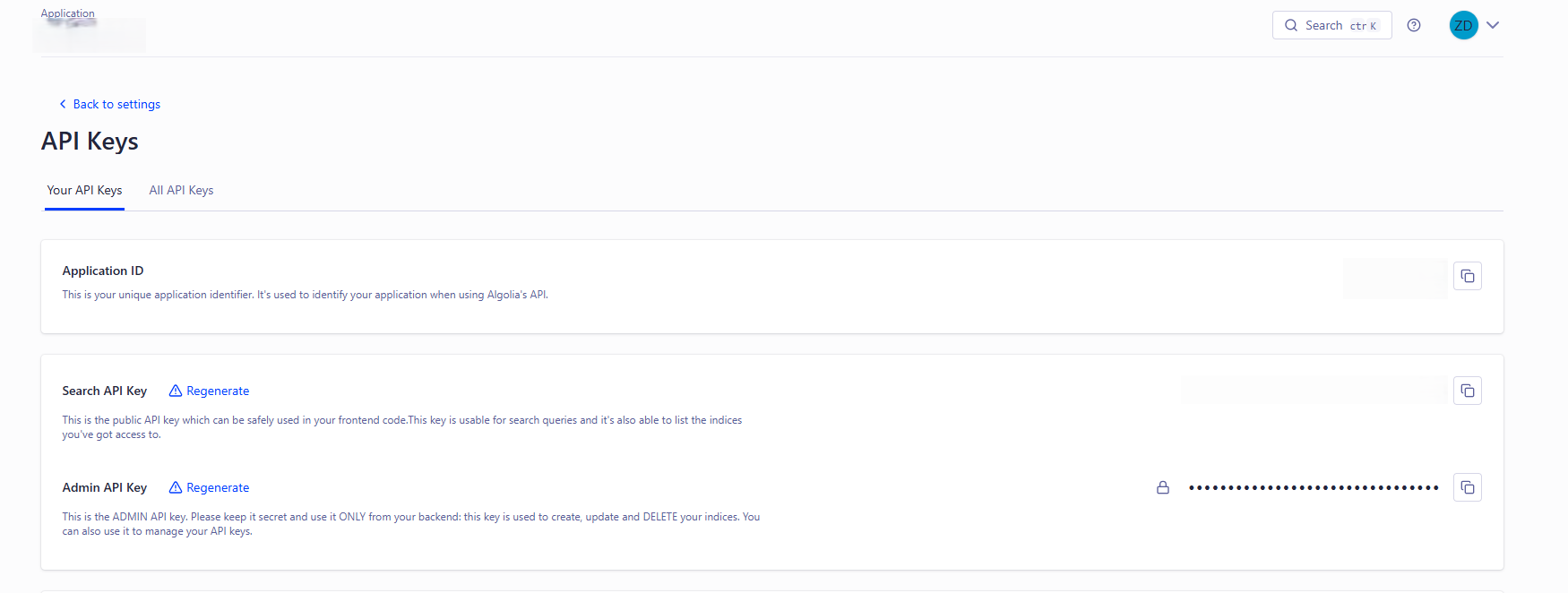
Log in to the Algolia Dashboard Select your application Go to Settings Open the API Keys tab Here you will find multiple keys. The most important ones are: Application ID – your Algolia application identifier.Search-Only API Key – used for search operations (safe for client-side usage).Admin API Key – used for administrative actions (update, delete, index settings).
Security recommendations Use the
Search-Only API Key for search operations.
Use the
Admin API Key only for actions such as:
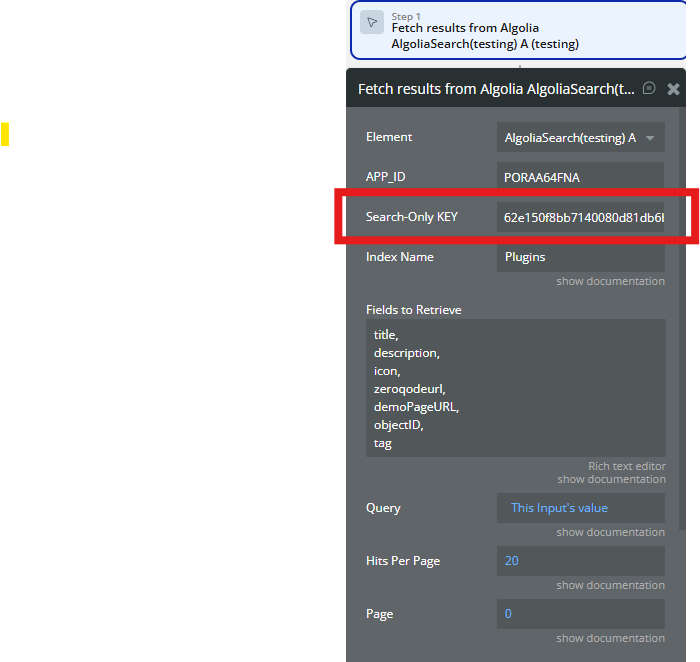
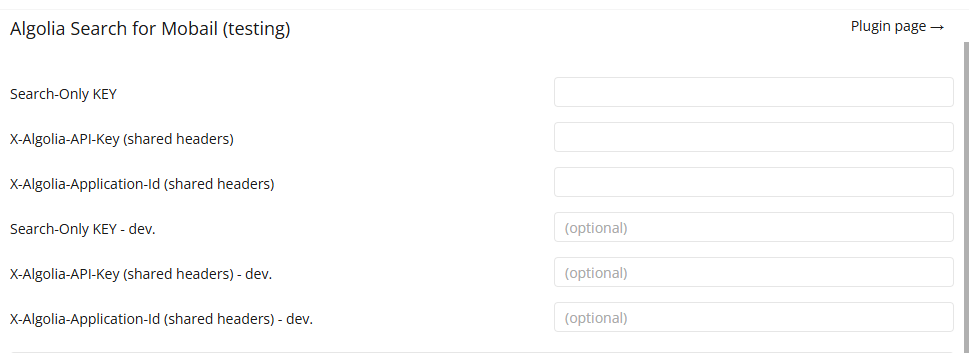
Step 2 – Set the API keys in Bubble Open your Bubble Editor Go to Plugins → Algolia Search V2.0 Paste the keys as follows: Application ID → Application ID fieldSearch-Only API Key → Search API Key fieldAdmin API Key → Admin API Key field
Step 3 – Required Index Configuration After setting the API keys, you must also configure your
Algolia index settings
in the Algolia Dashboard. Without these settings, search, filtering, and faceting may not work as expected.
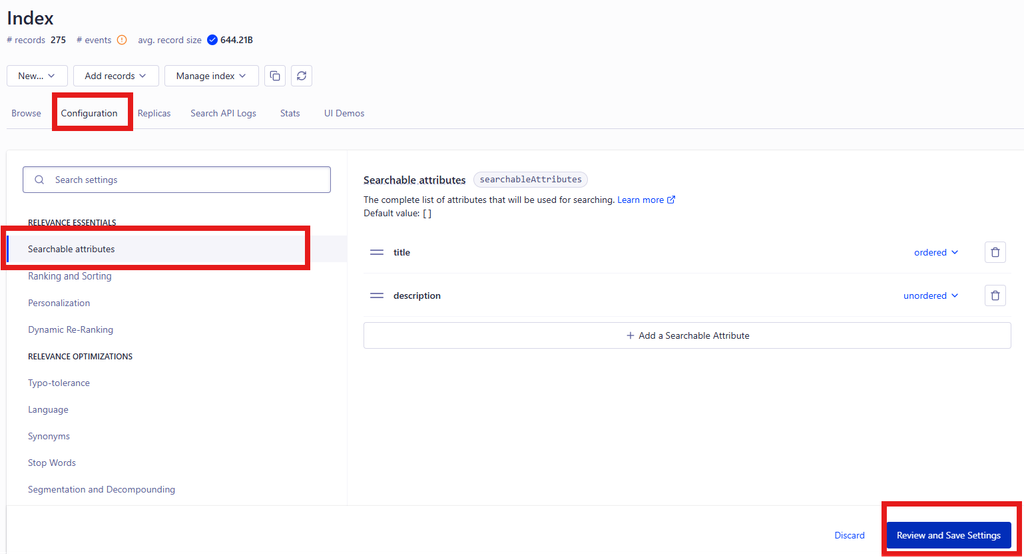
1️⃣ Configure searchable attributes Algolia searches only within attributes explicitly marked as searchable.
Open Algolia Dashboard Select your index Go to Configuration Open Searchable attributes Add the fields you want to search in (for example: title, description) Save the settings
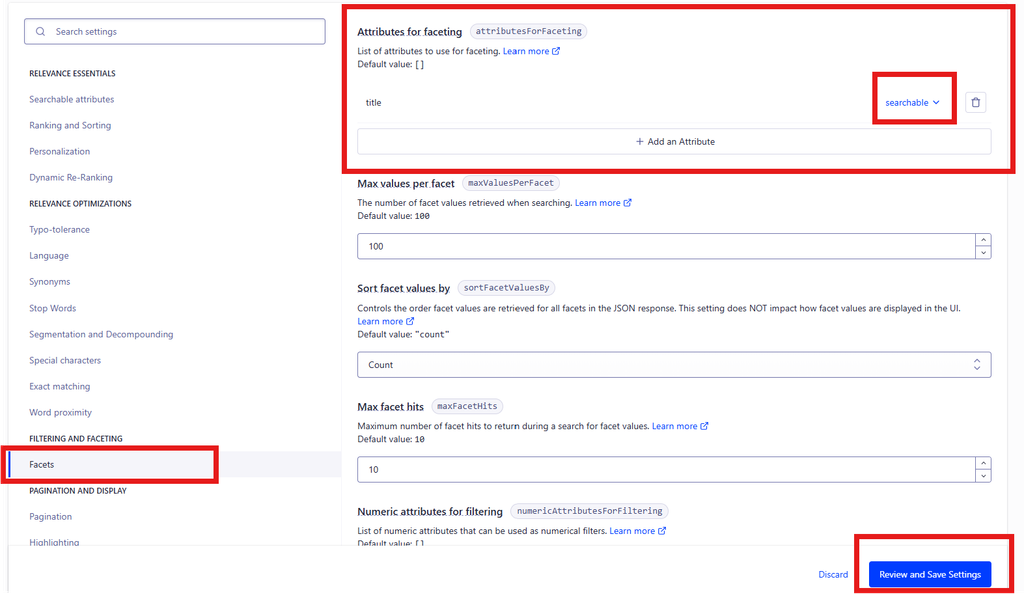
2️⃣ Configure attributes for faceting (required for filters) To use filters or facet-related actions, attributes must be declared as facetable.
Open Facets Add the required attributes using: searchable ( attribute_name) searchable ( category)
searchable ( tag) Save the settings 💡
ℹ️ This step is mandatory for actions like Search for Facet Values.
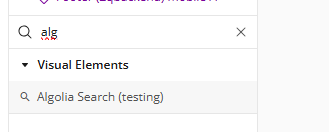
Step 4 – Add the Plugin Element to Your Page Open the Design tab in your Bubble editor. Search for the Algolia Search element in the Elements panel.
Step 5 – Basic action configuration These settings are required for the element to work.
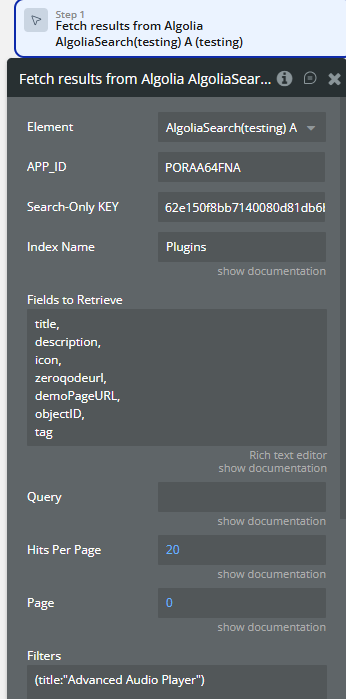
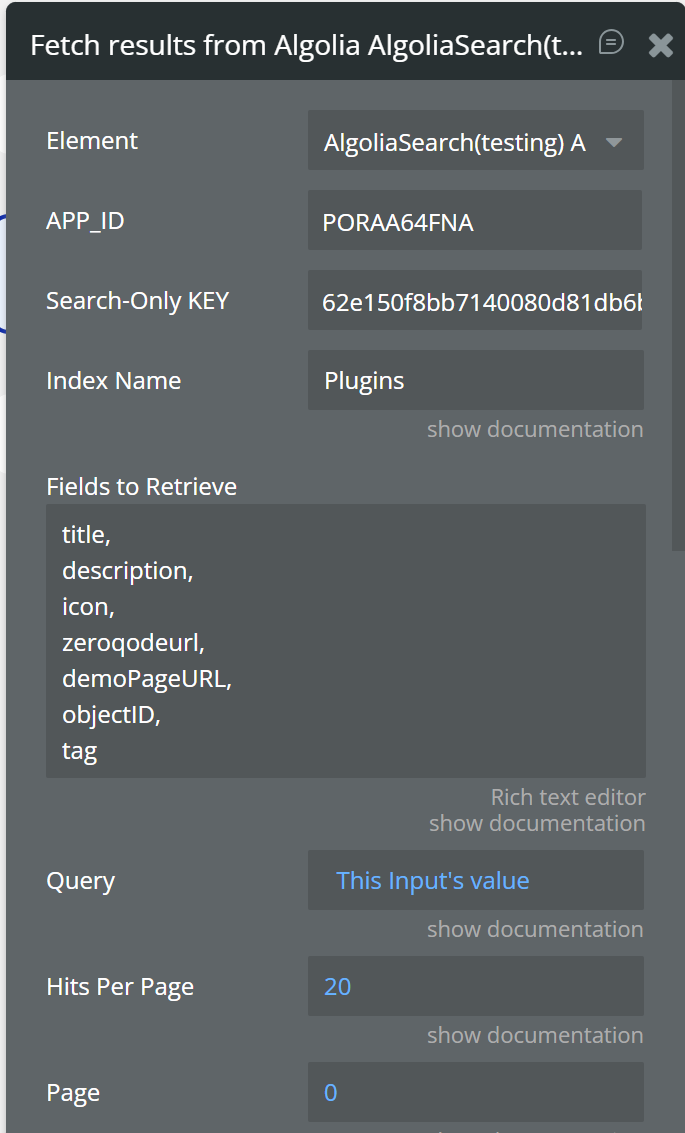
Index Name - Set the exact name of your Algolia indexQuery - Bind the Query to a Bubble Input: “Input Search's value”Fields to Retrieve - Add a comma-separated list of fields that exist in your Algolia objects:title, description, icon, objectID⚠️ Only fields listed here will be available in the results.
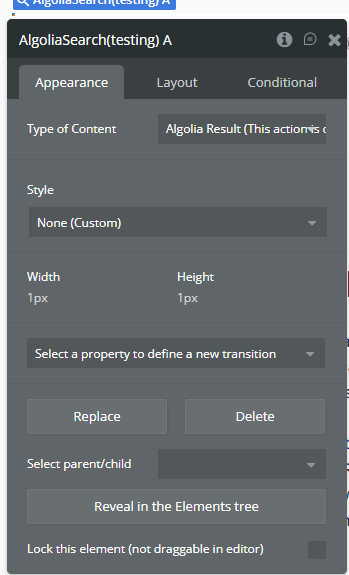
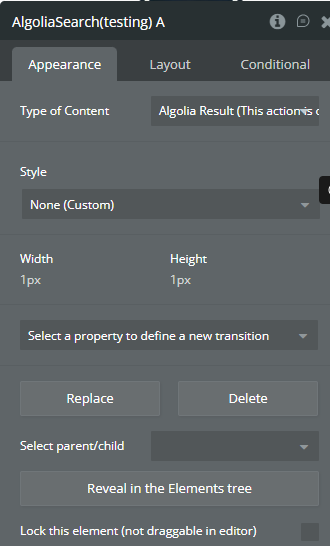
Plugin Element - Algolia Search for Mobile A visual element that performs real-time Algolia searches and exposes results, facets, and pagination data to Bubble
Field
Description
Type
Type of Content
Defines the custom data type returned by the search
Custom type
Performs a search request and exposes results in Bubble-friendly lists.
Fetch results from Algolia Field
Description
Type
APP_ID
Algolia Application ID
Static text
Search-Only KEY
Algolia Search-Only API key
Static text
Index Name
Algolia index name
Text
Query
Search query string
Text (optional)
Fields to Retrieve
Comma-separated list of fields
Text
Hits Per Page
Number of results per page
Number
Page
Zero-based page index
Number
Filters
Algolia filter expression
Text
Around Lat-Lng
Geo-search center (lat,lng)
Text
Around Radius
Geo-search radius (meters)
Text
Shuffle Hits
Randomize result order
Yes / No
Typo Tolerance
Enable typo tolerance
Yes / No
Analytics
Enable Algolia analytics
Yes / No
Click Analytics
Enable click analytics
Yes / No
userToken
User identifier for analytics
Text
Distinct
Remove duplicates
Boolean
Facets
Facets to retrieve
Text
Attributes To Snippet
Snippet configuration
Text
Returned after every search execution.
Name
Description
Type
field1 … field20
Lists of returned values mapped from Algolia hits
List of texts
query
Final query string
Text
nbHits
Total number of matching records
Number
nbPages
Total pages available
Number
page
Current page
Number
queryID
Algolia query identifier
Text
💡
Up to
20 fields can be dynamically mapped using
Fields to Retrieve .
Plugin Data/Action Calls This plugin includes full management support for your Algolia indices and objects via REST API actions.
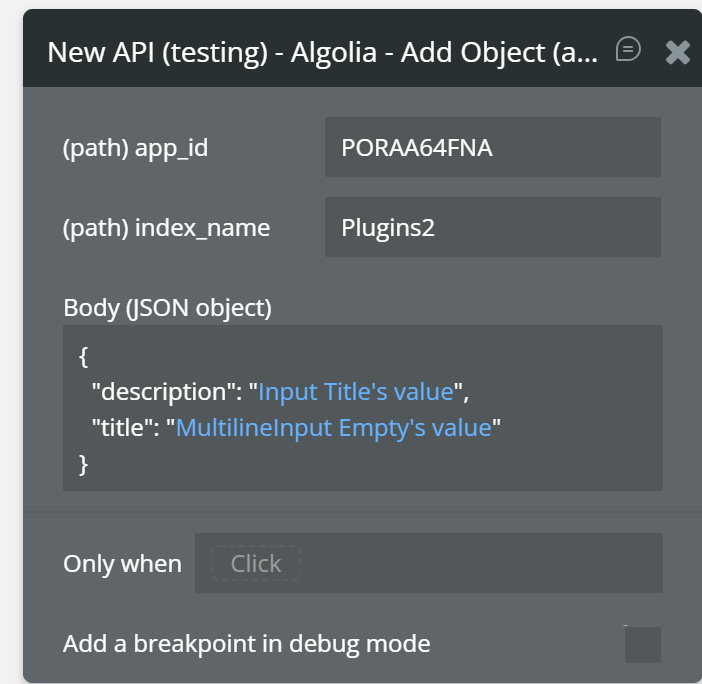
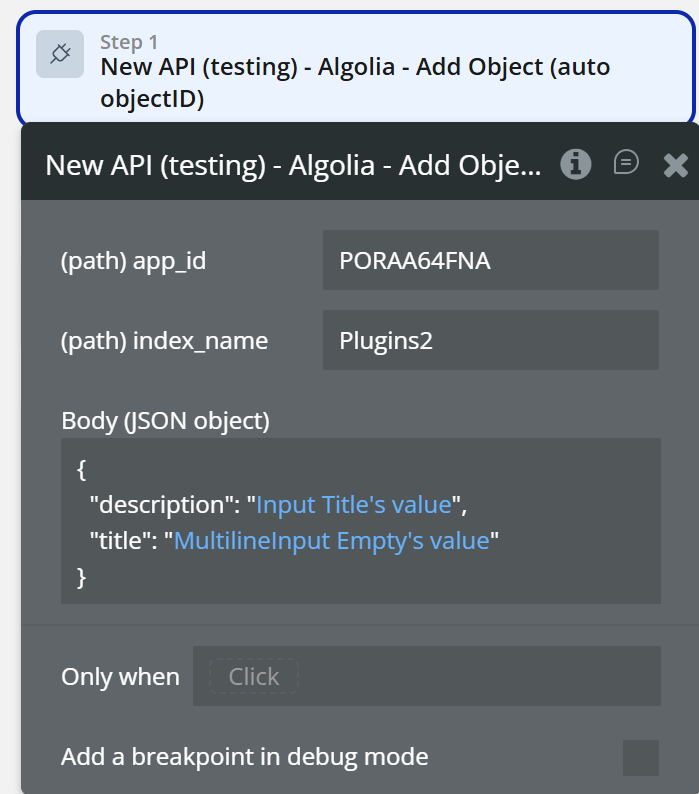
Algolia – Add Object (auto objectID) Creates a new object in the specified index.
Algolia automatically generates the
objectID .
Name
Description
Type
app_id
Your Algolia Application ID
Text
index_name
Target index name
Text
Body
JSON object containing fields to store
JSON
{
"name" : "Product A" ,
"price" : 100 ,
"category" : "electronics"
}
Name
Description
Type
createdAt
Object creation timestamp
Text
taskID
Async task identifier
Number
objectID
Generated object ID
Text
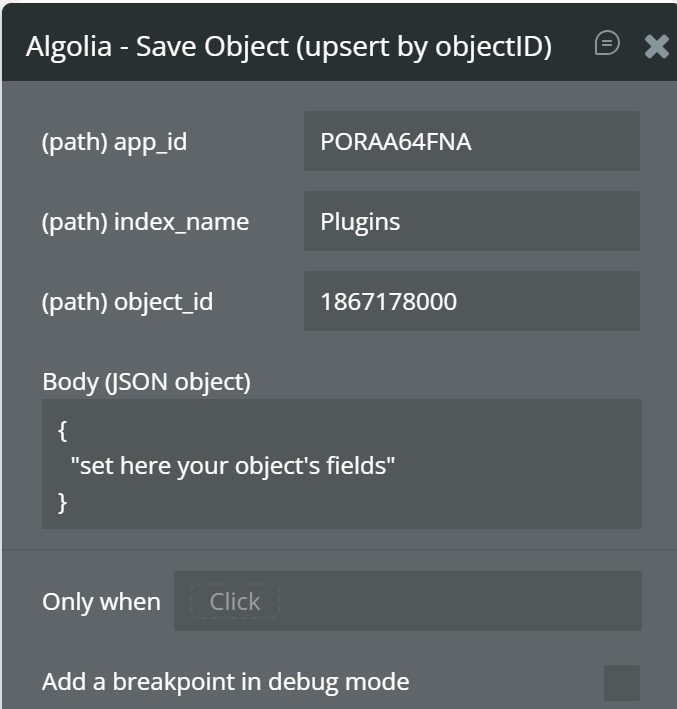
Algolia – Save Object (Upsert by objectID) Creates or replaces an object using a specific
objectID.
Name
Description
Type
app_id
Application ID
Text
index_name
Index name
Text
object_id
Object identifier
Text
Body
JSON data
JSON
Name
Description
Type
updatedAt
Update timestamp
Text
taskID
Async task ID
Number
objectID
Object ID
Text
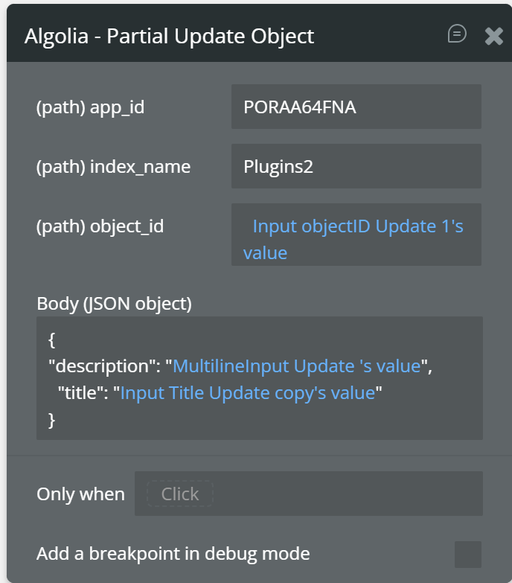
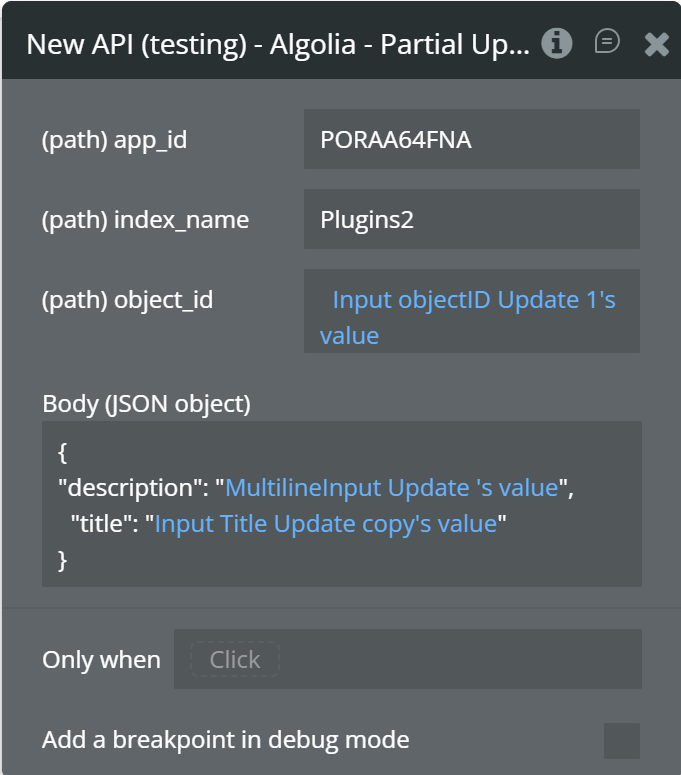
Algolia – Partial Update Object Updates specific attributes of an existing object.
Fields Name
Description
Type
object_id
ID of the object to update
Text
Body
JSON with updated fields
JSON
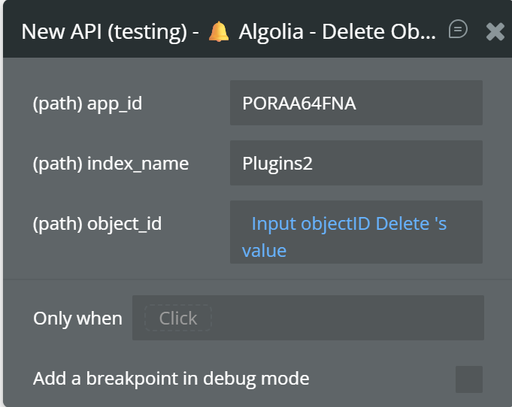
🔔 Algolia – Delete Object Deletes an object from an index.
Name
Description
Type
taskID
Deletion task ID
Number
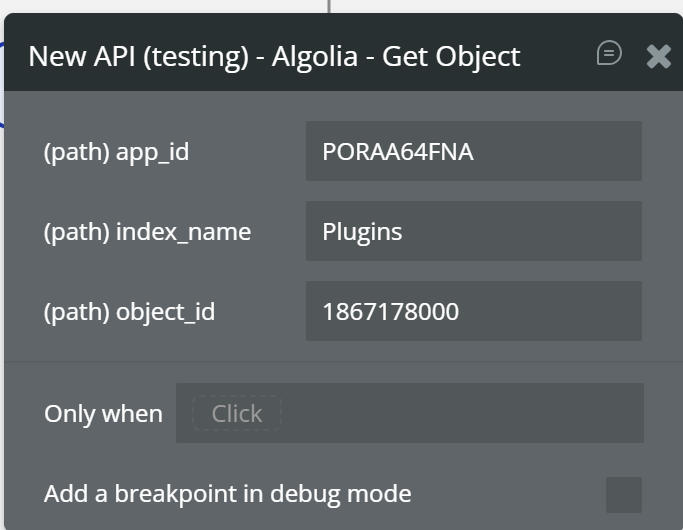
Retrieves a specific object by
objectID.
Name
Description
Type
app_id
Application ID
Text
index_name
Index name
Text
object_id
Object identifier
Text
Name
Description
Type
objectID
Object ID
Text
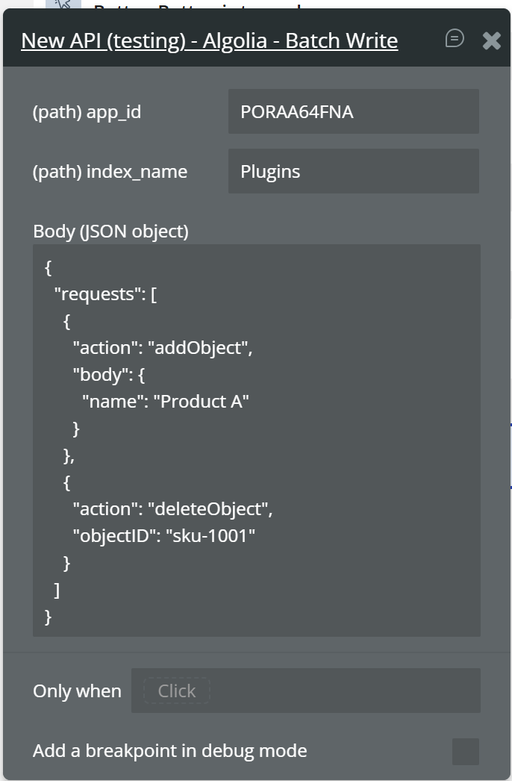
Performs multiple operations in one request (add, update, delete).
Name
Description
Type
app_id
Application ID
Text
index_name
Index name
Text
Body
JSON batch request
JSON
Name
Description
Type
objectIDs
List of affected object IDs
List of Text
taskID
Async task ID
Number
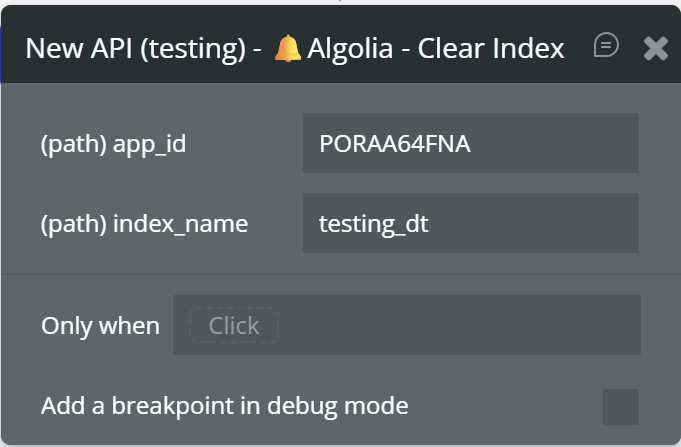
Removes all objects from an index.
Name
Description
Type
app_id
Application ID
Text
index_name
Index name
Text
Name
Description
Type
updatedAt
Clear timestamp
Text
taskID
Async task ID
Number
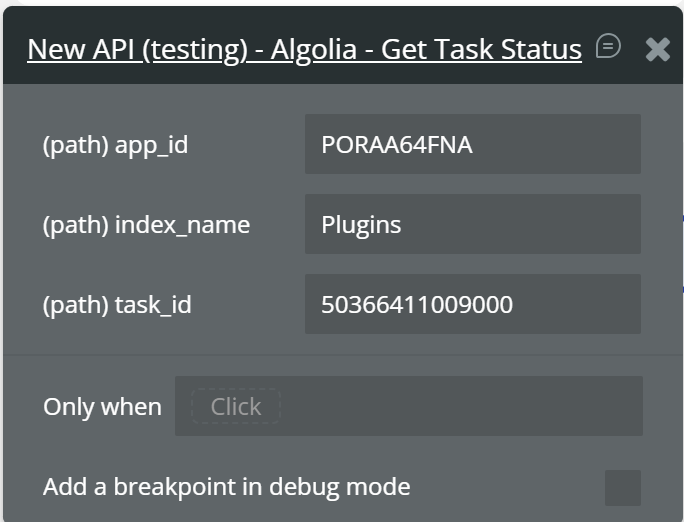
Algolia – Get Task Status Checks the status of an indexing task.
Name
Description
Type
app_id
Application ID
Text
index_name
Index name
Text
task_id
Task identifier
Number
Name
Description
Type
status
Task status
Text
pendingTask
Indicates if task is still pending
Boolean
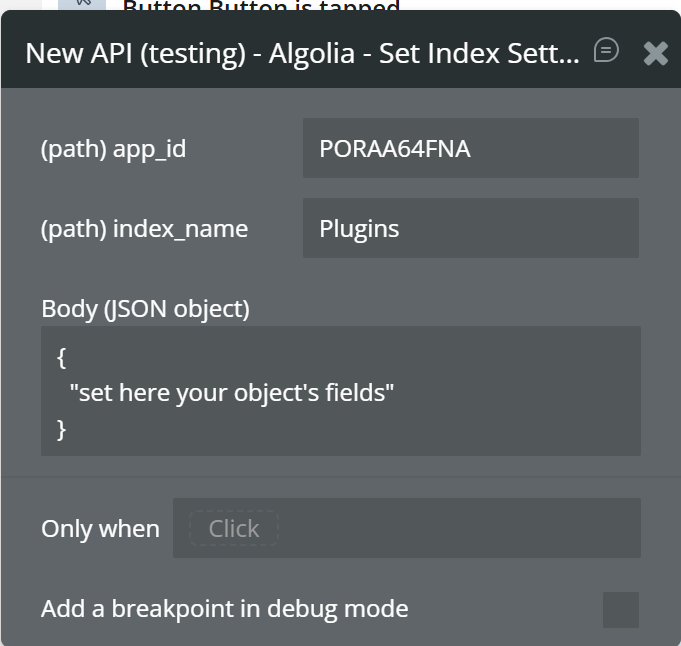
Algolia – Set Index Settings Updates index configuration (searchable attributes, ranking, facets).
Name
Description
Type
app_id
Application ID
Text
index_name
Index name
Text
Body
JSON with index settings
JSON
Name
Description
Type
updatedAt
Update timestamp
Text
taskID
Async task ID
Number
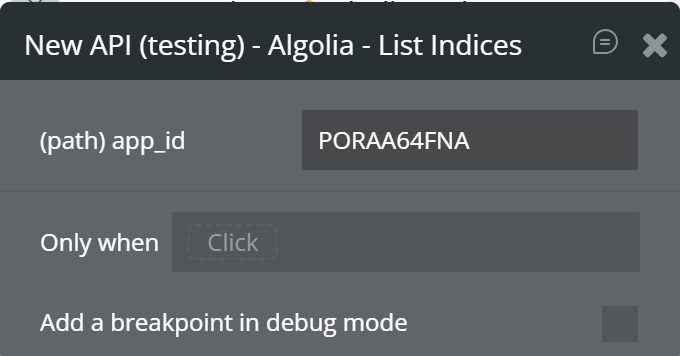
Retrieves all indices in the Algolia application.
Name
Description
Type
app_id
Application ID
Text
Name
Description
Type
items
List of indices
List of JSON
nbPages
Number of pages
Number
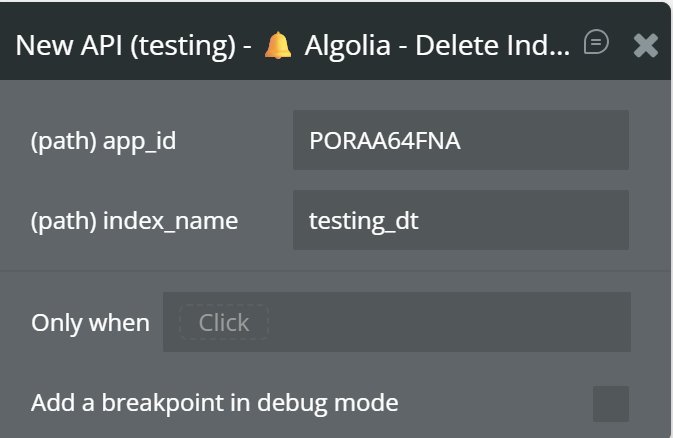
Deletes an entire index permanently.
Name
Description
Type
app_id
Application ID
Text
index_name
Index name
Text
Name
Description
Type
deletedAt
Deletion timestamp
Text
taskID
Async task ID
Number
Workflow example
Searching Data in Algolia These settings are required for the element to work.
Index Name - Set the exact name of your Algolia indexQuery - Bind the Query to a Bubble Input: “Input Search's value”Fields to Retrieve - Add a comma-separated list of fields that exist in your Algolia objects:title, description, icon, objectID⚠️ Only fields listed here will be available in the results.
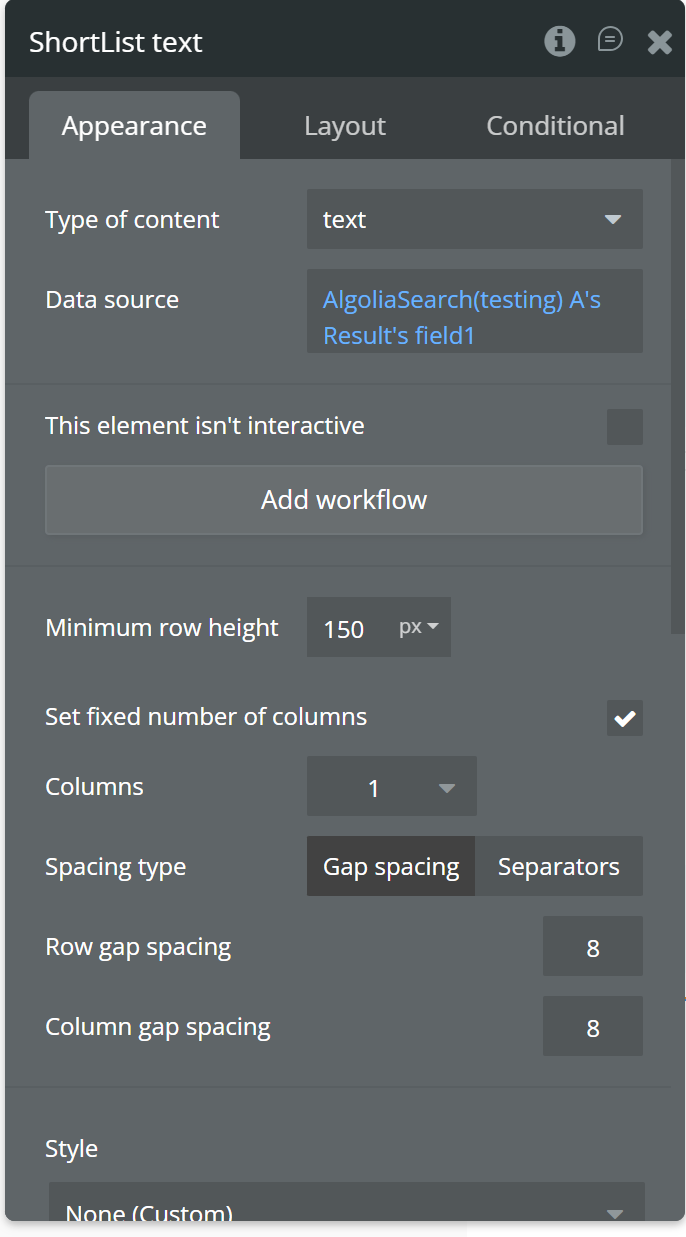
📊 How to display fields inside the Short List
UI Element
Expression
Text (Name)
Current cell's text (from field 1)
Text (Genre)
AlgoliaSearch's Result's field 2:item Current cell's index
Text (Estimated Sales)
AlgoliaSearch's Result's field 3:item Current cell's index
Text (First Post)
AlgoliaSearch's Result's field 4:item Current cell's index
Adding Indexing Data in Algolia Action: Add Objects Index = Name of the Algolia index where the objects will be added Objects = The Objects field must contain a JSON array of objects.
Each object represents a record that will be indexed in Algolia. Record becomes searchable immediately Action: Add Objects Index = Name of the Algolia index where the objects will be added Objects = The Objects field must contain a JSON array of objects.
Each object represents a record that will be indexed in Algolia. Record becomes searchable immediately
Update Indexing Data in Algolia Updating indexing data in Algolia allows you to
modify existing records without re-adding or re-indexing the entire dataset.
This is useful when only certain fields of an object need to be changed, such as status updates, price changes, or content edits.
Event: Button clicked Action: Update Objects Index = Name of the Algolia index containing the objects Objects = JSON array with objects to update (must include objectID) ☝
Field names must match exactly the fields used in your Algolia index Values can be dynamic (for example, Bubble Input values) This action creates new records and does not update existing ones To modify existing records, use Update Objects ☝
If you don’t provide an
objectID, Algolia will automatically generate one.
Update 18.06.26 - Version 1.1.0 Bubble Plugin Page Update (Description).
Update 09.06.26 - Version 1.0.0