
Link to the plugin page: https://zeroqode.com/plugin/easy-stripe-payments-plugin-for-bubble-1695288417805x183767569152769380
Demo to preview the plugin:
Introduction
The easiest no-code plugin for seamless integration of the Stripe payment system into your app. With one simple action, input your Stripe Key and product details, and you’re set.

How to setup
- Get Your Stripe Secret Key
- Log into your Stripe Dashboard and copy your Secret Key (starts with
sk_test_for testing).
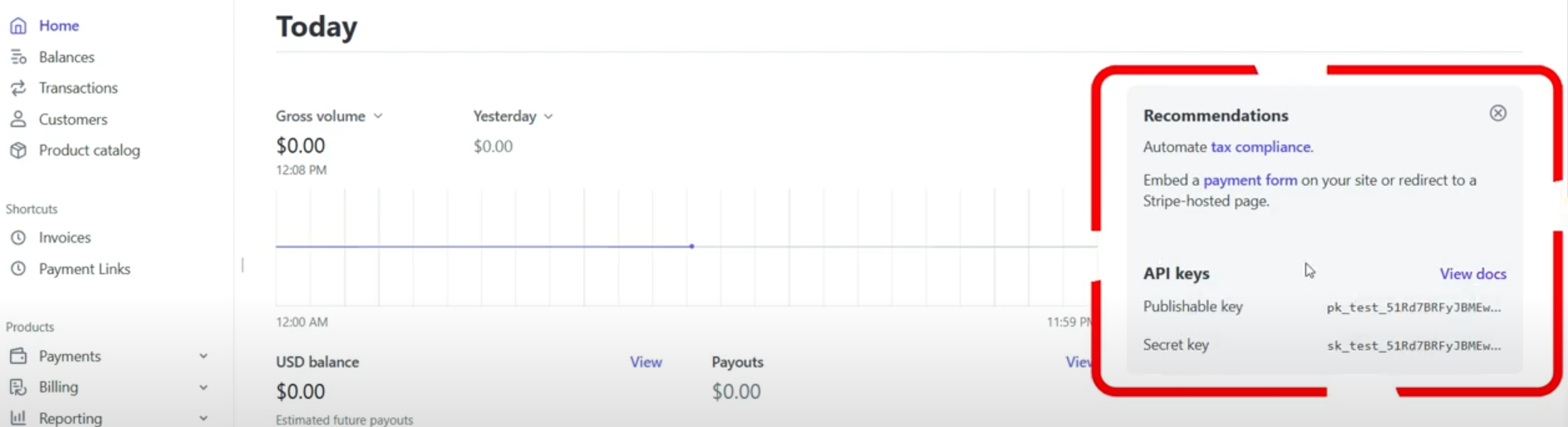
- Set Up the Workflow
- Add a button or element to trigger the payment.
- Go to the Workflow tab and add the action Stripe - Checkout when your button is clicked.
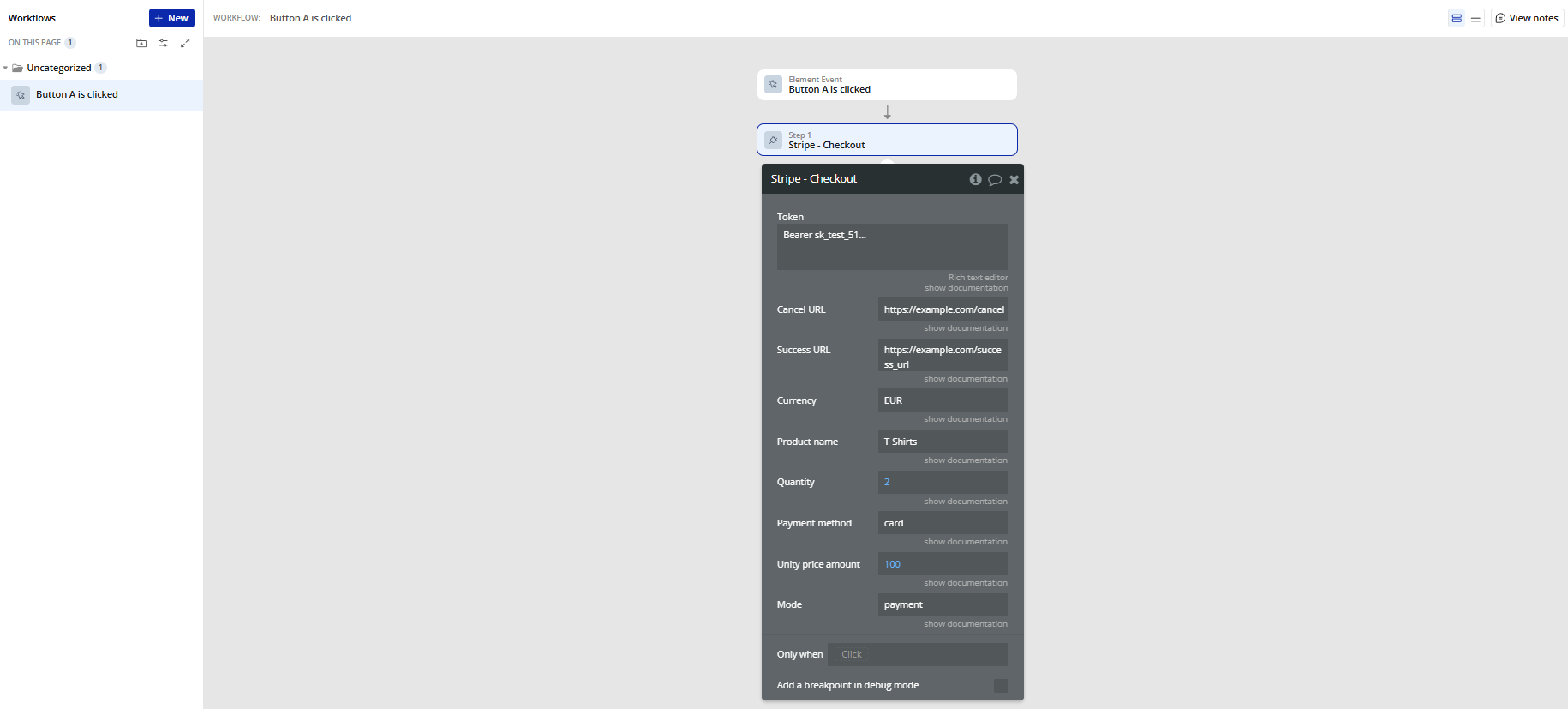
- Fill in the Action Fields
- Paste your Secret Key as the Token (e.g.
Bearer sk_test_...). - Enter URLs for success and cancel redirects.
- Set the currency (like
USDorEUR). - Type your product name and price per unit (in smallest unit, e.g. 100 = €1.00).
- Add quantity and choose the payment method (e.g.
card). - Select the mode (
paymentfor one-time payments orsubscriptionfor recurring).
Plugin Actions
Stripe - Checkout
This action creates a Stripe Checkout session and returns a secure URL where users can complete the payment.
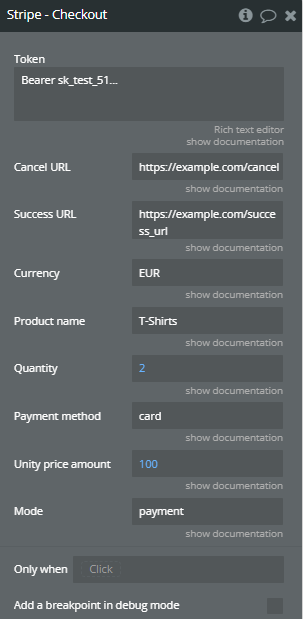
Title | Description | Type |
Token | The Authorization header. “Bearer” + STRIPE_SECRET_KEY | Text |
Cancel URL | (optional) If set, Checkout displays a back button and customers will be directed to this URL if they decide to cancel payment and return to your website. | Text (optional) |
Success URL | The URL to which Stripe should send customers when payment or setup is complete. | Text |
Currency | Three-letter ISO currency code, in lowercase. Must be a supported currency. Check here: https://stripe.com/docs/currencies | Text |
Product name | The product’s name, meant to be displayable to the customer. | Text |
Quantity | The quantity of the line item being purchased. | Number |
Payment method | A list of the types of payment methods (e.g., card) this Checkout Session can accept. Check here: https://stripe.com/docs/api/checkout/sessions/create#create_checkout_session-payment_method_types | Text |
Unity price amount | The unit amount in cents to be charged, represented as a whole integer if possible. Check here: https://stripe.com/docs/currencies | Number |
Mode | The mode of the Checkout Session. Pass ‘subscription’ if the Checkout Session includes at least one recurring item. Possible value: payment, setup, subscription. | Text |
Return Values:
Title | Description | Type |
Payment URL | The URL to which you should redirect your user so they can complete the payment via Stripe Checkout. | Text |
Expires at | The timestamp (in ISO format) when the Checkout session expires. | Text |
Payment intent | The ID of the created Payment Intent object related to this Checkout session. Useful for further Stripe API operations. | Text |
Payment status | The initial status of the payment (e.g. requires_payment_method, succeeded, processing). | Text |
