Demo to preview the plugin:
Introduction
This plugin allows you to transform and translate elements in your Bubble application through workflows.
You can apply smooth motion and visual transformations like movement, rotation, scaling, and opacity changes helping you create custom animations and interactive UI experiences without writing code.
This plugin is ideal for dynamic UI interactions, on-scroll or on-click animations, and attention-grabbing effects across your app.
Key Features
Prerequisites
Before using this plugin, make sure the following are in place:
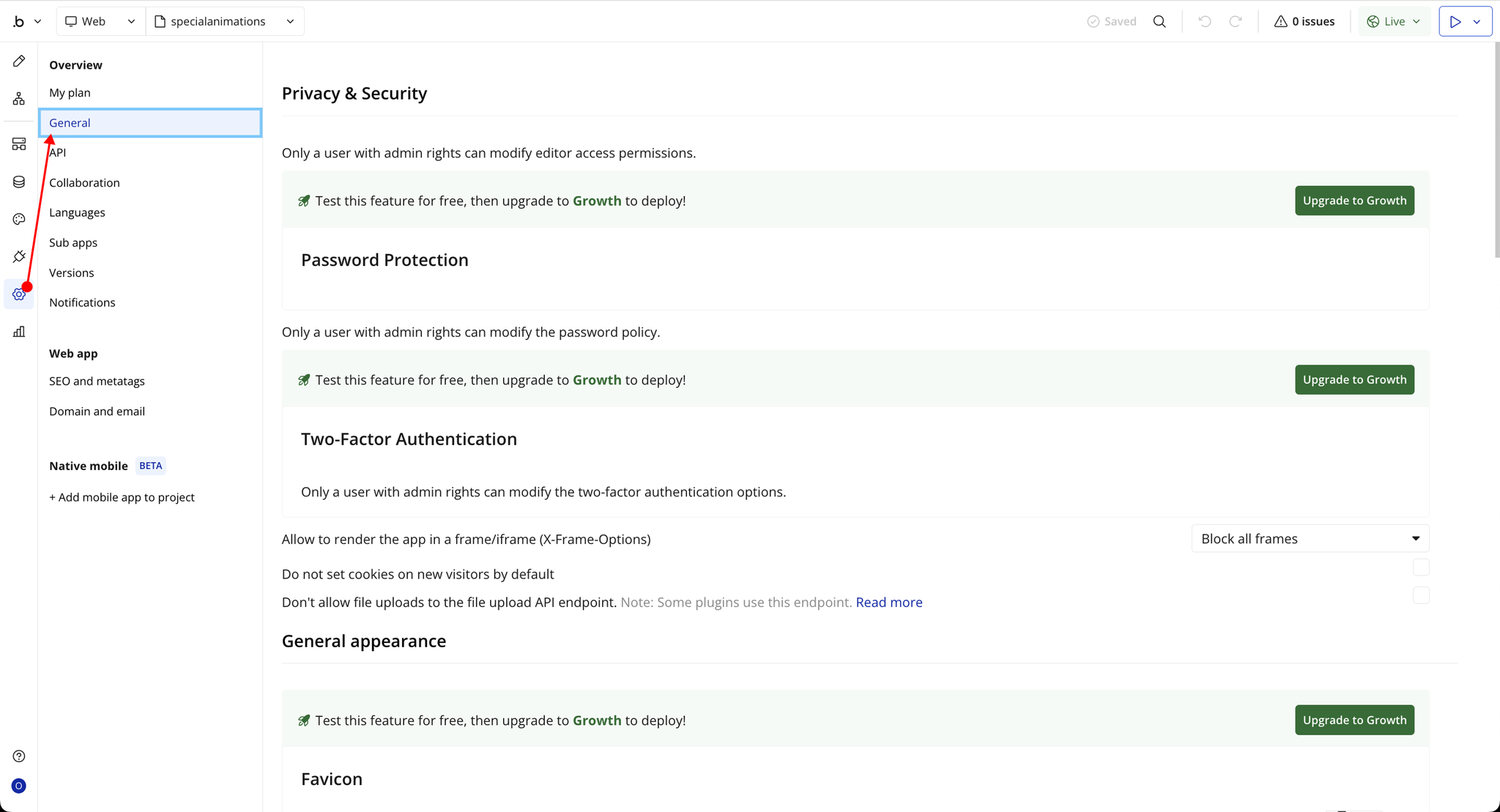
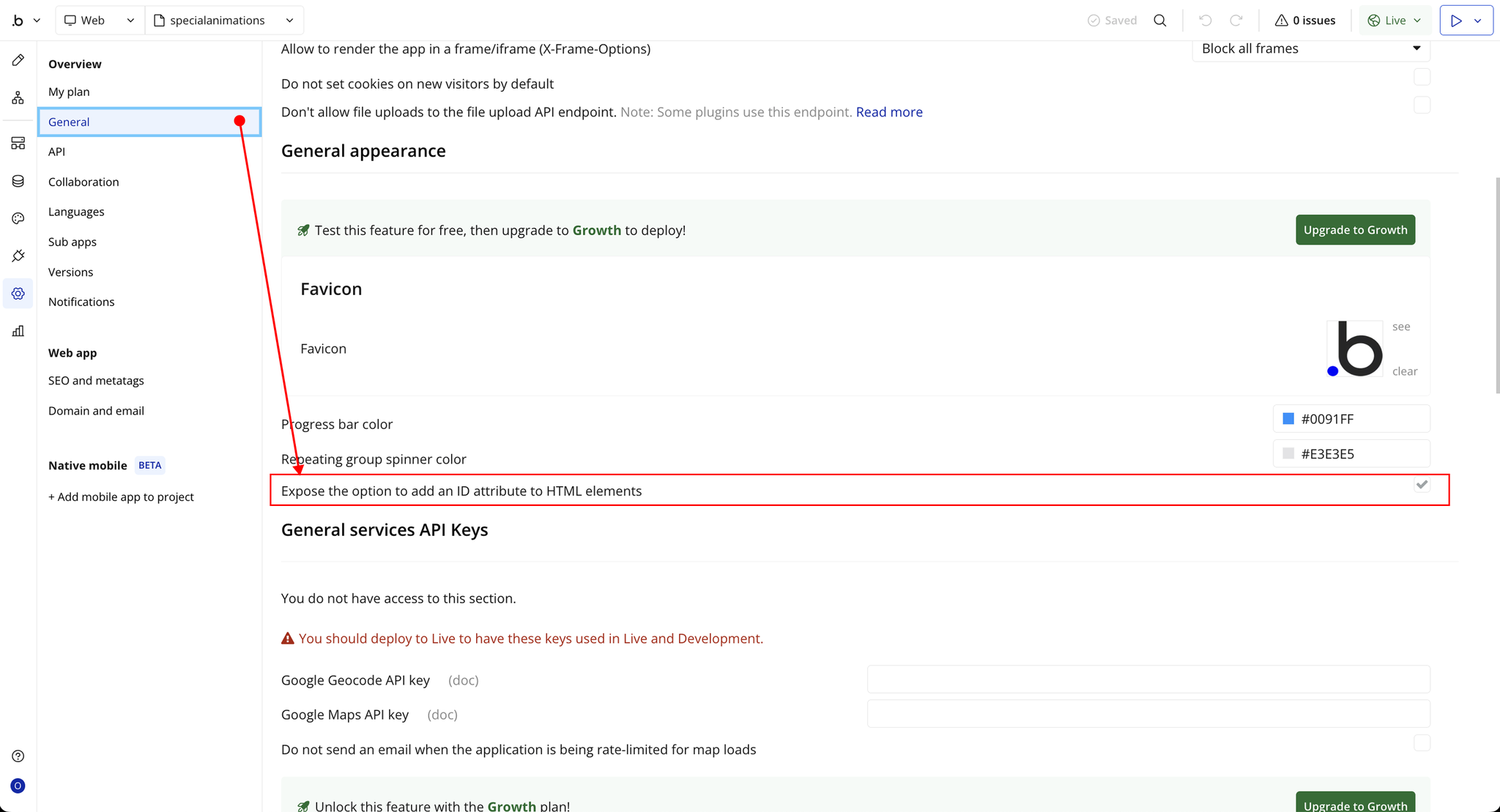
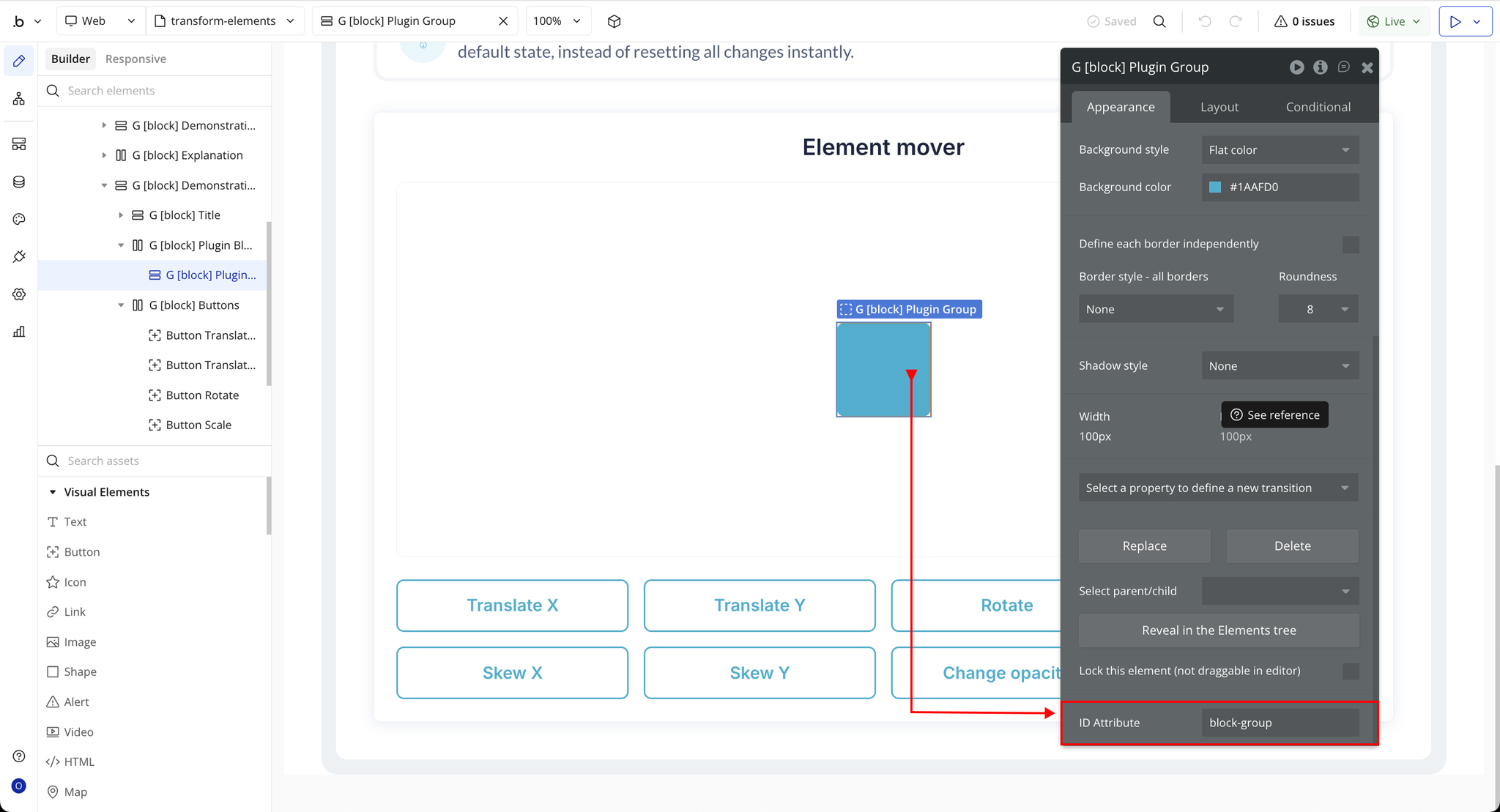
- Your element has a unique ID attribute set in Bubble’s property editor (used to target the element for transformation).
- You’re familiar with Bubble workflows — since all transformations are triggered through workflow actions.
- Avoid using layout-influencing actions (like scale or skew) excessively within responsive pages, as they can affect Bubble’s layout rendering.
- To restore an element to its original state (e.g., after rotation or translation), run the reverse action manually — as transformations are relative to the original element’s position and don’t stack automatically.

How to setup
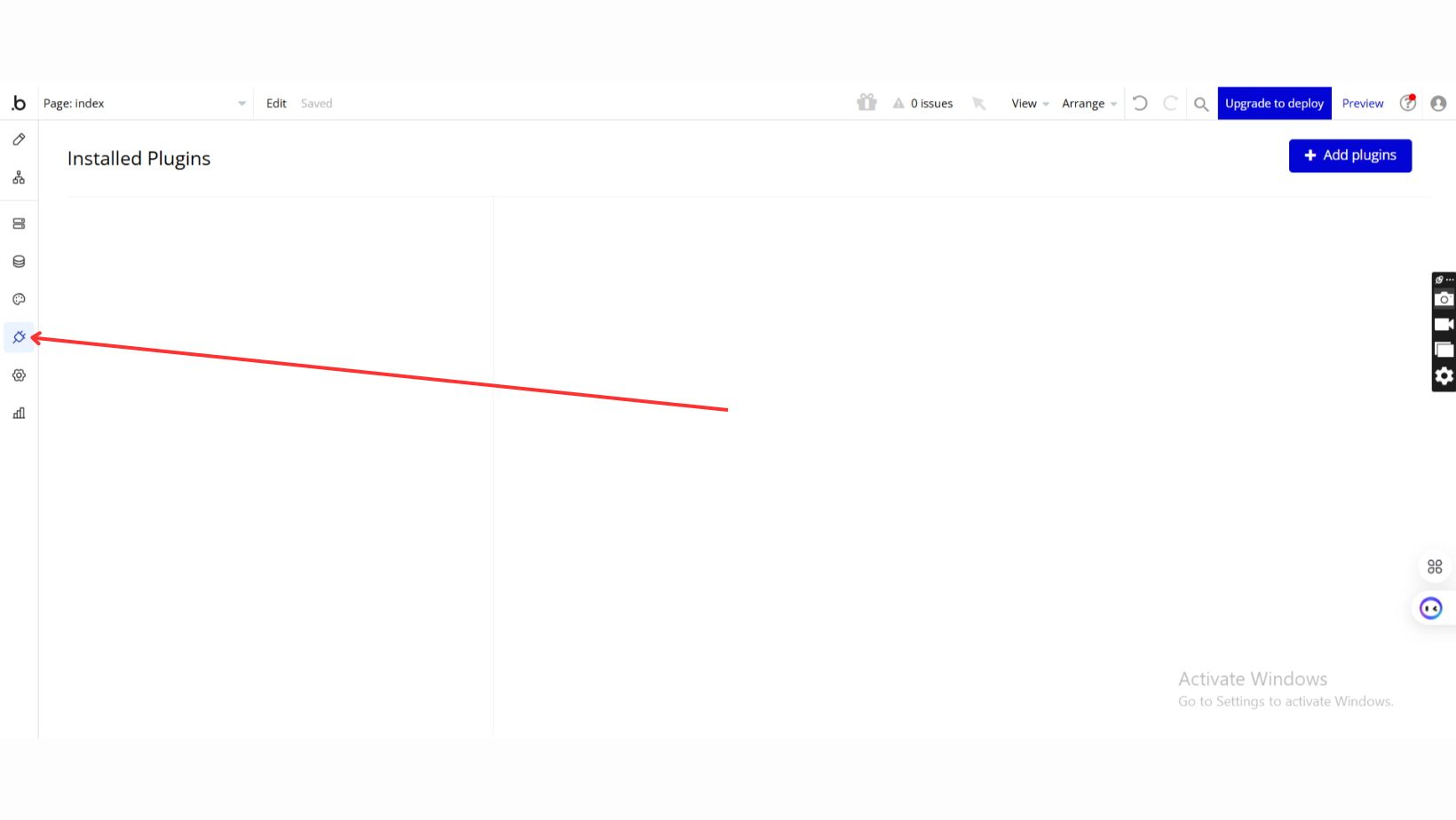
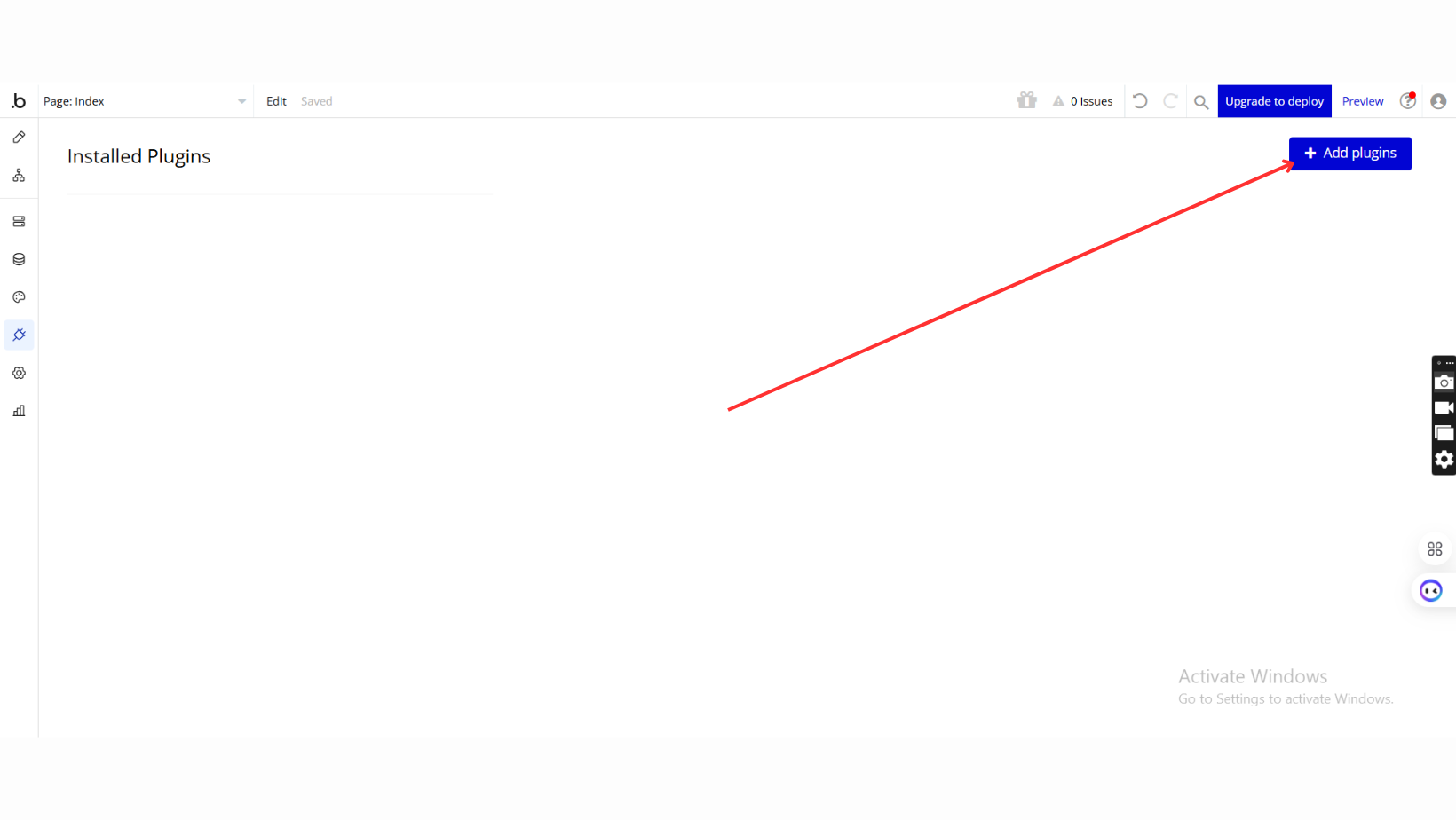
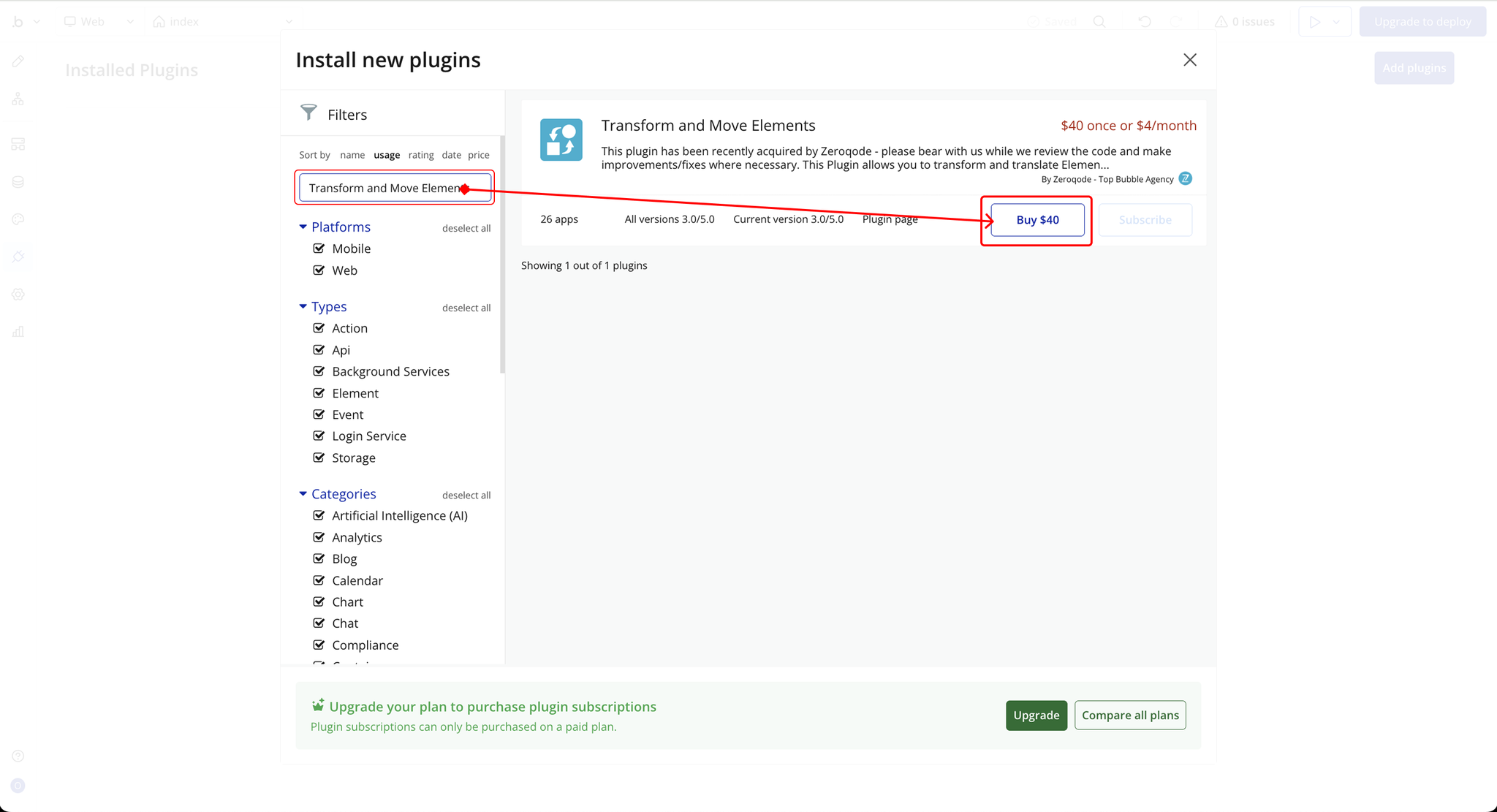
Step 1 – Install the Plugin
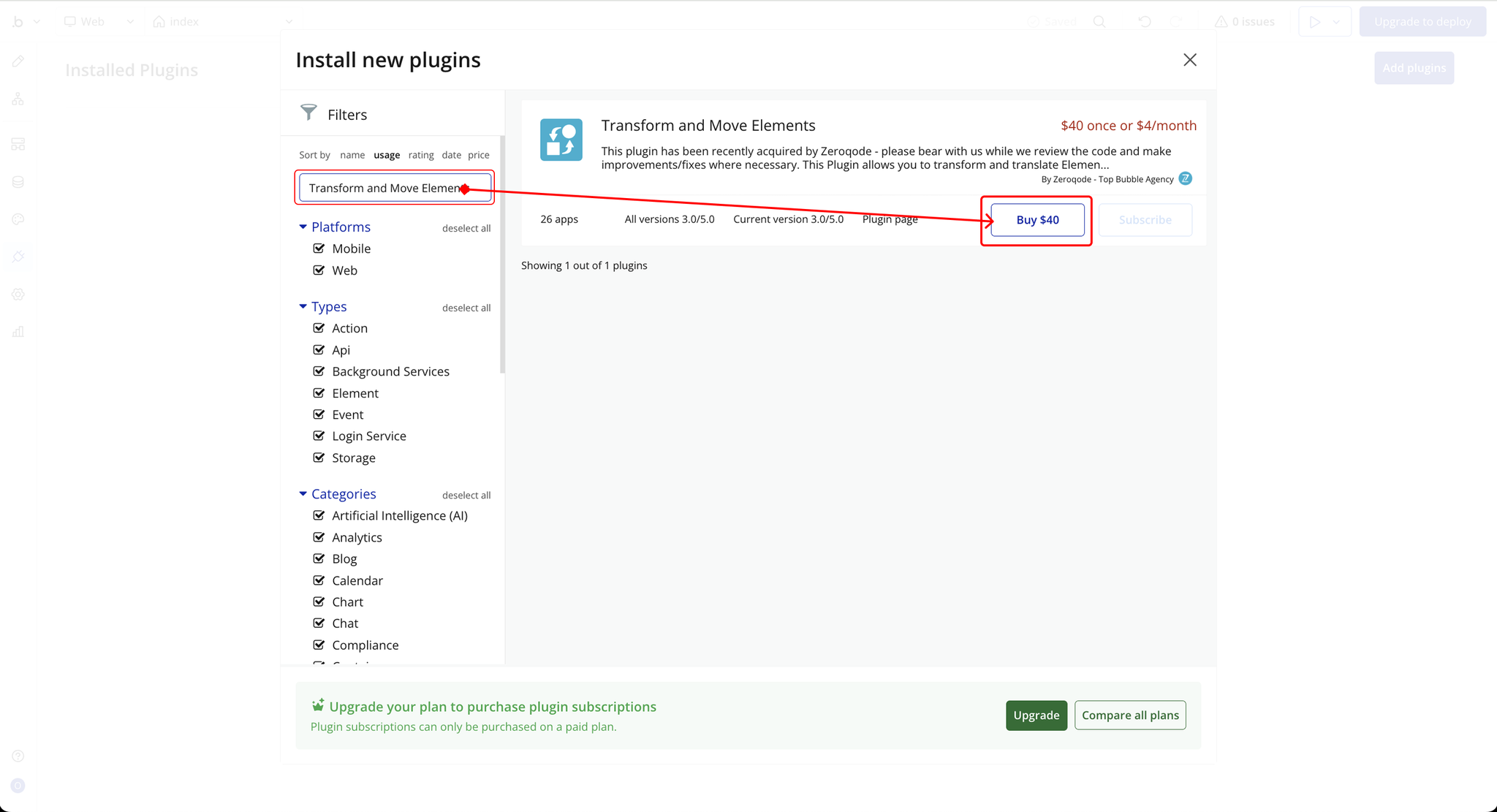
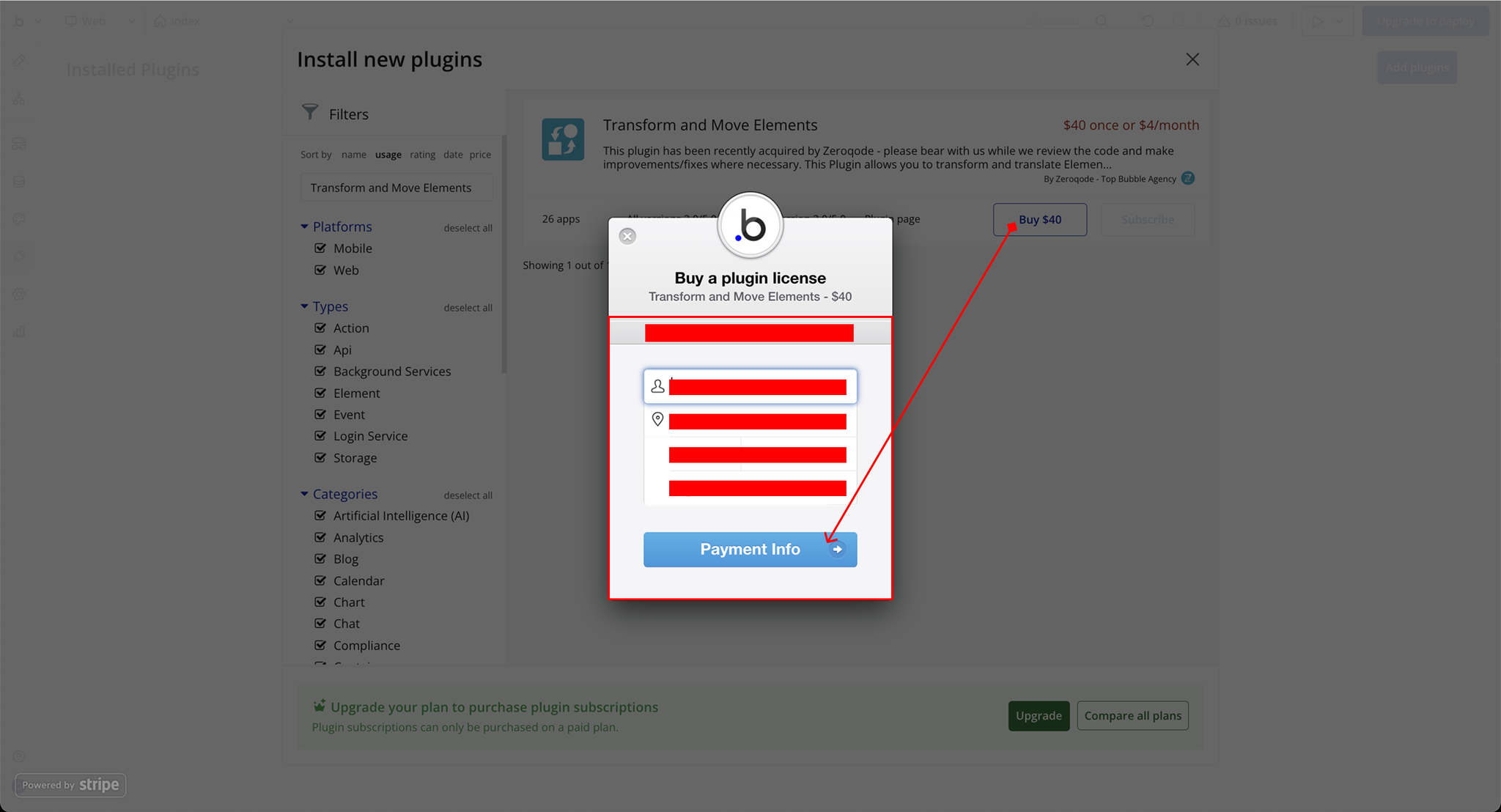
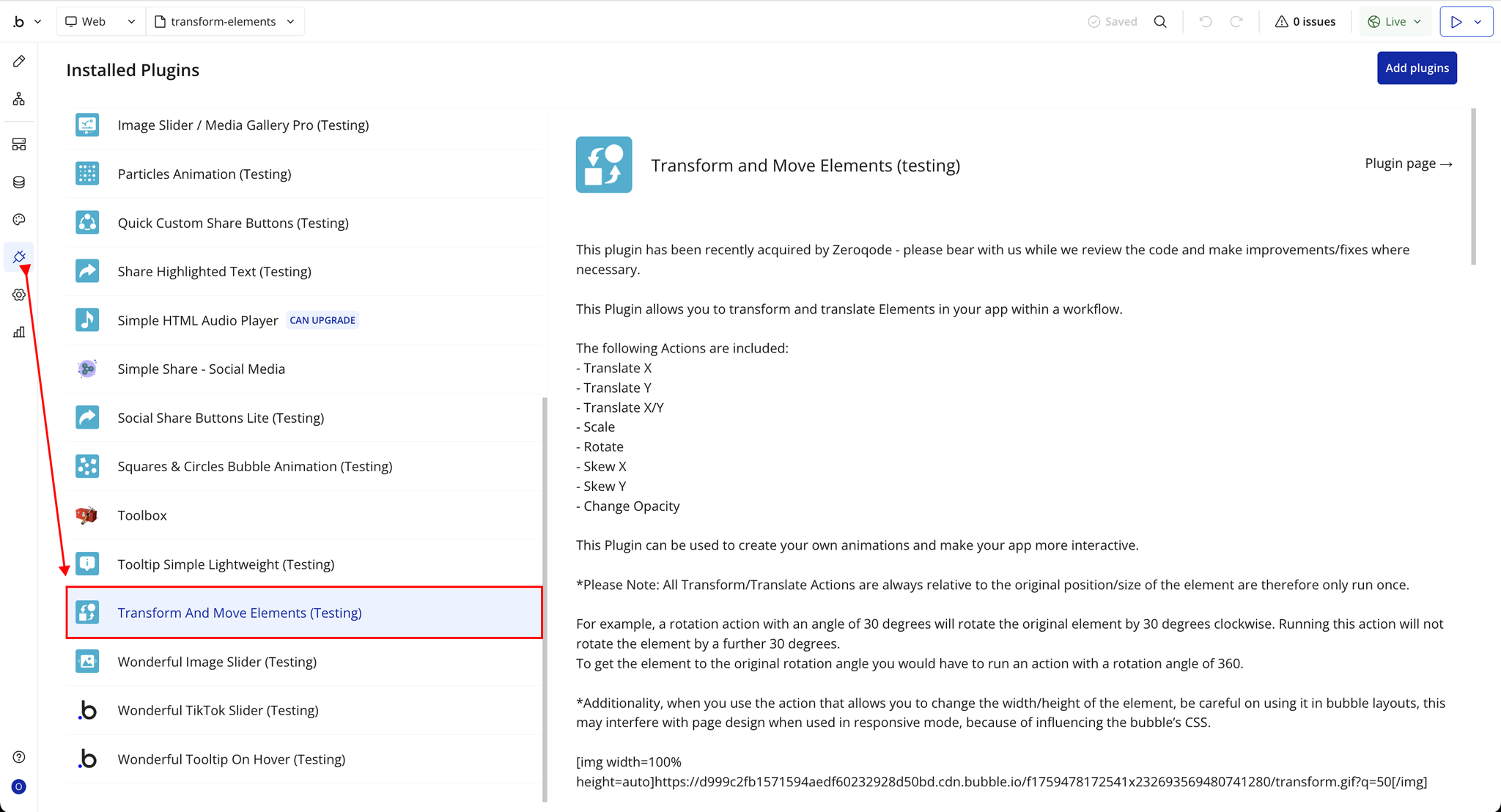
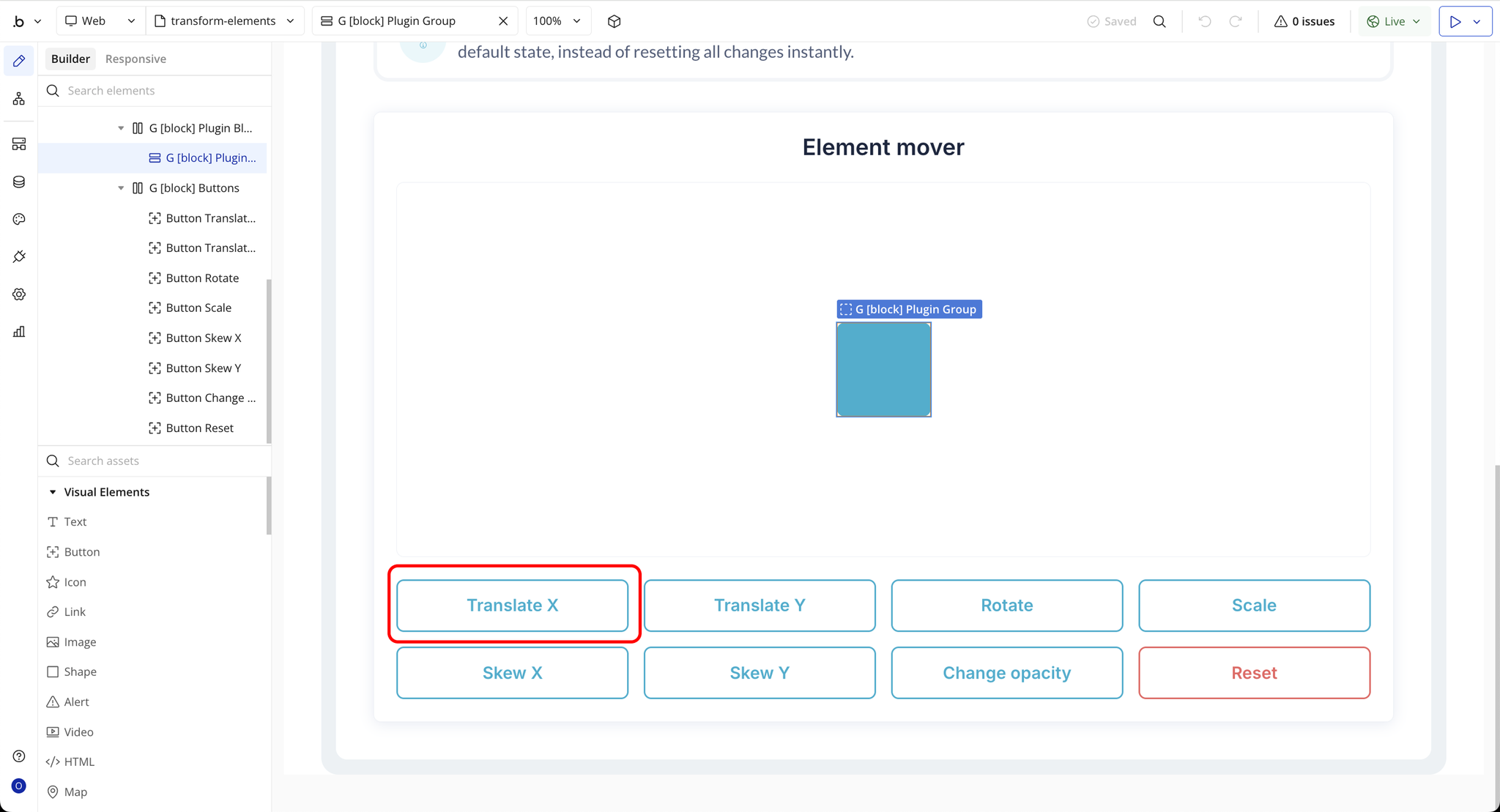
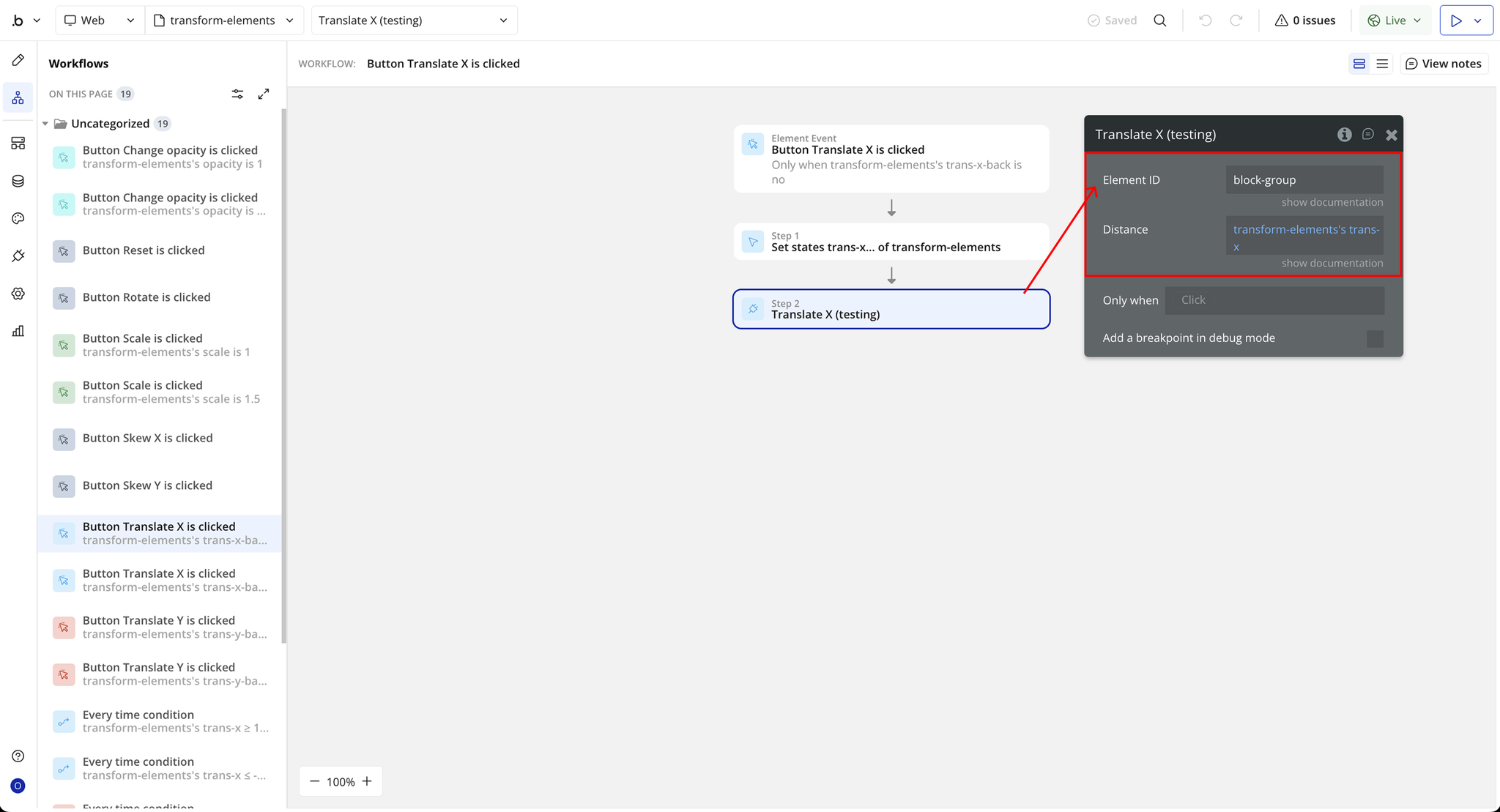
Step 2 – Example Setup (Translate X)
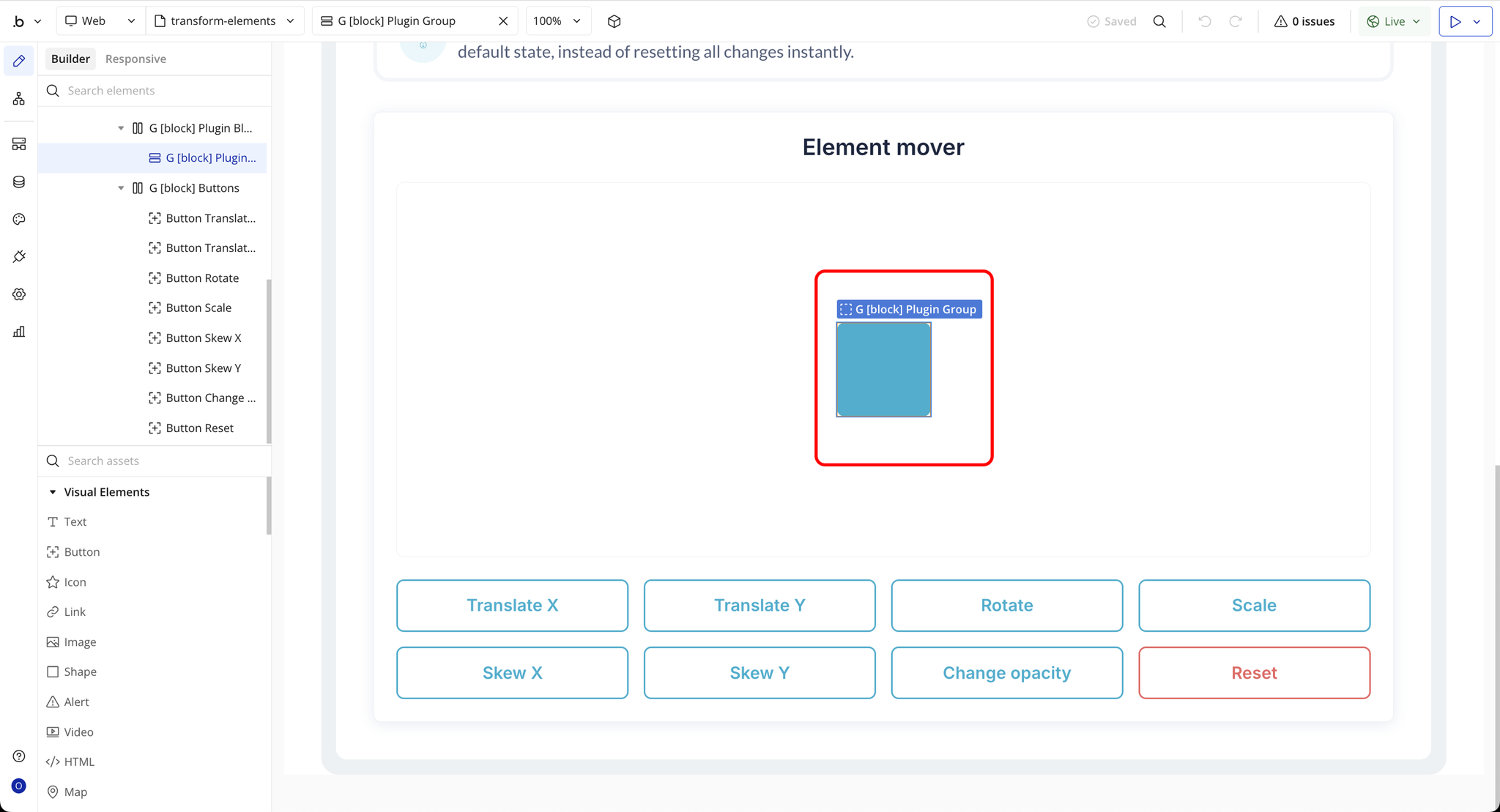
Plugin Actions
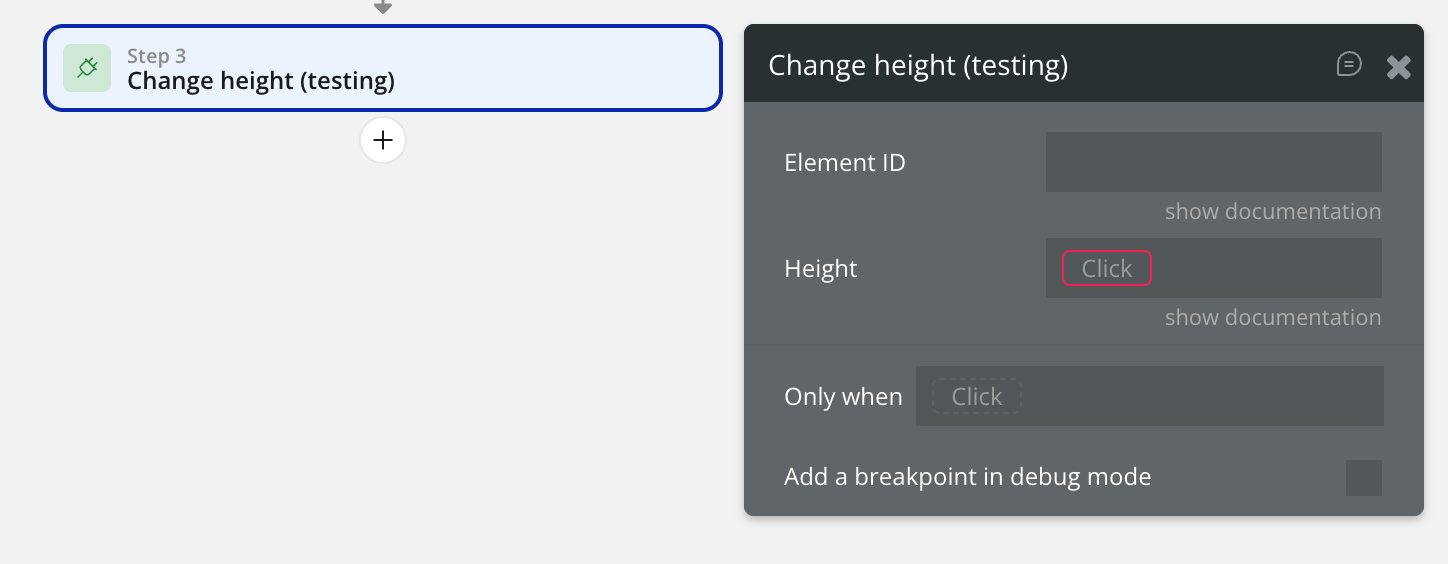
Change height
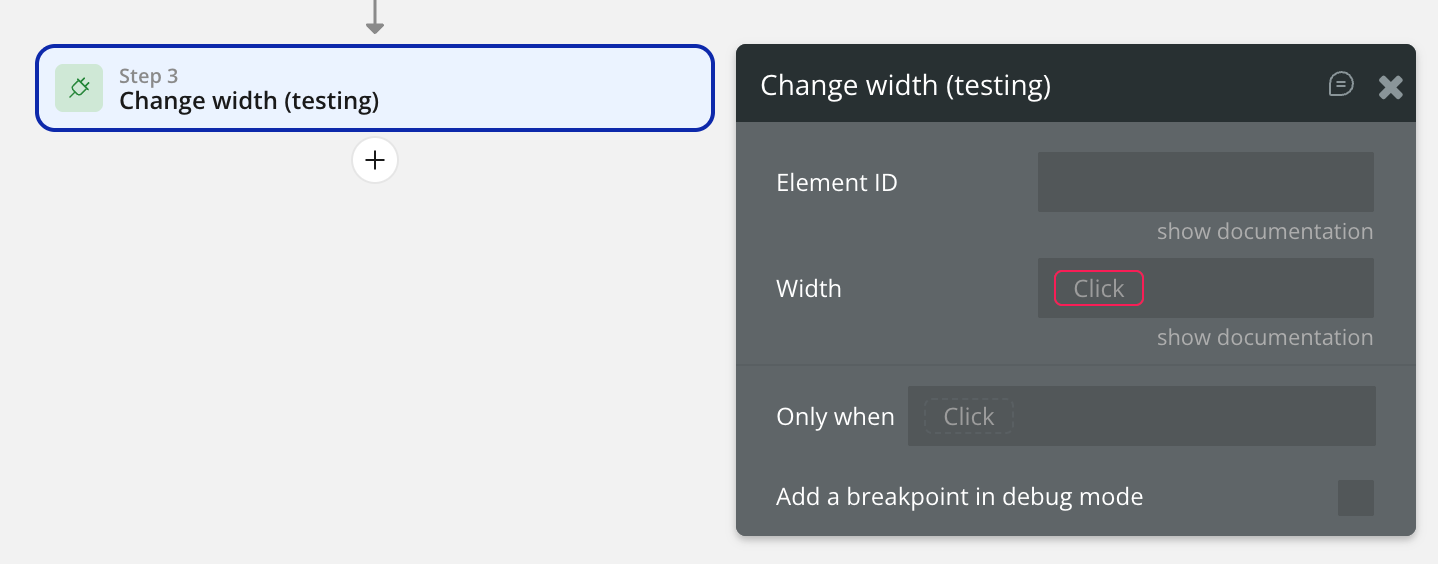
Change width
Translate X
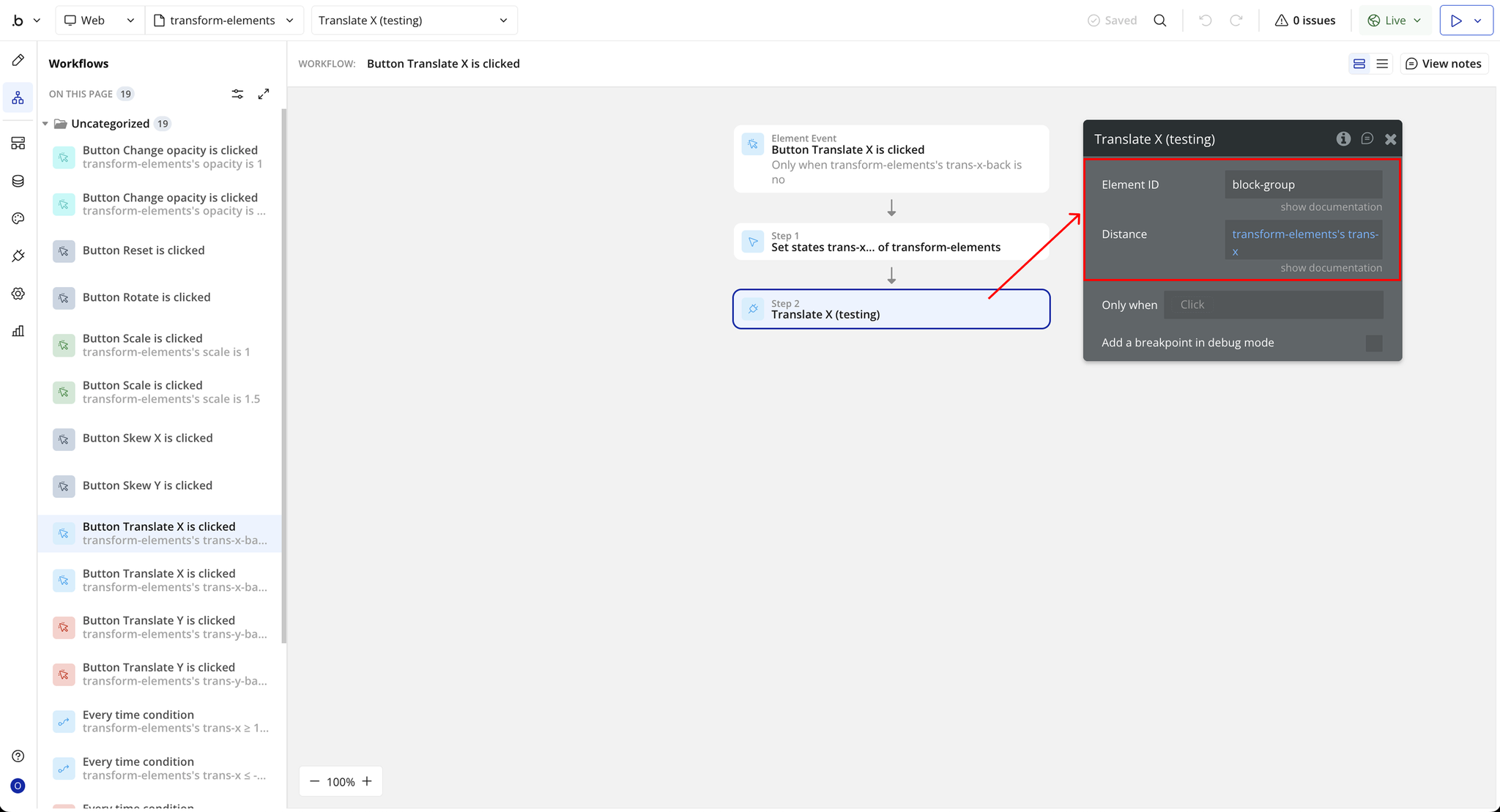
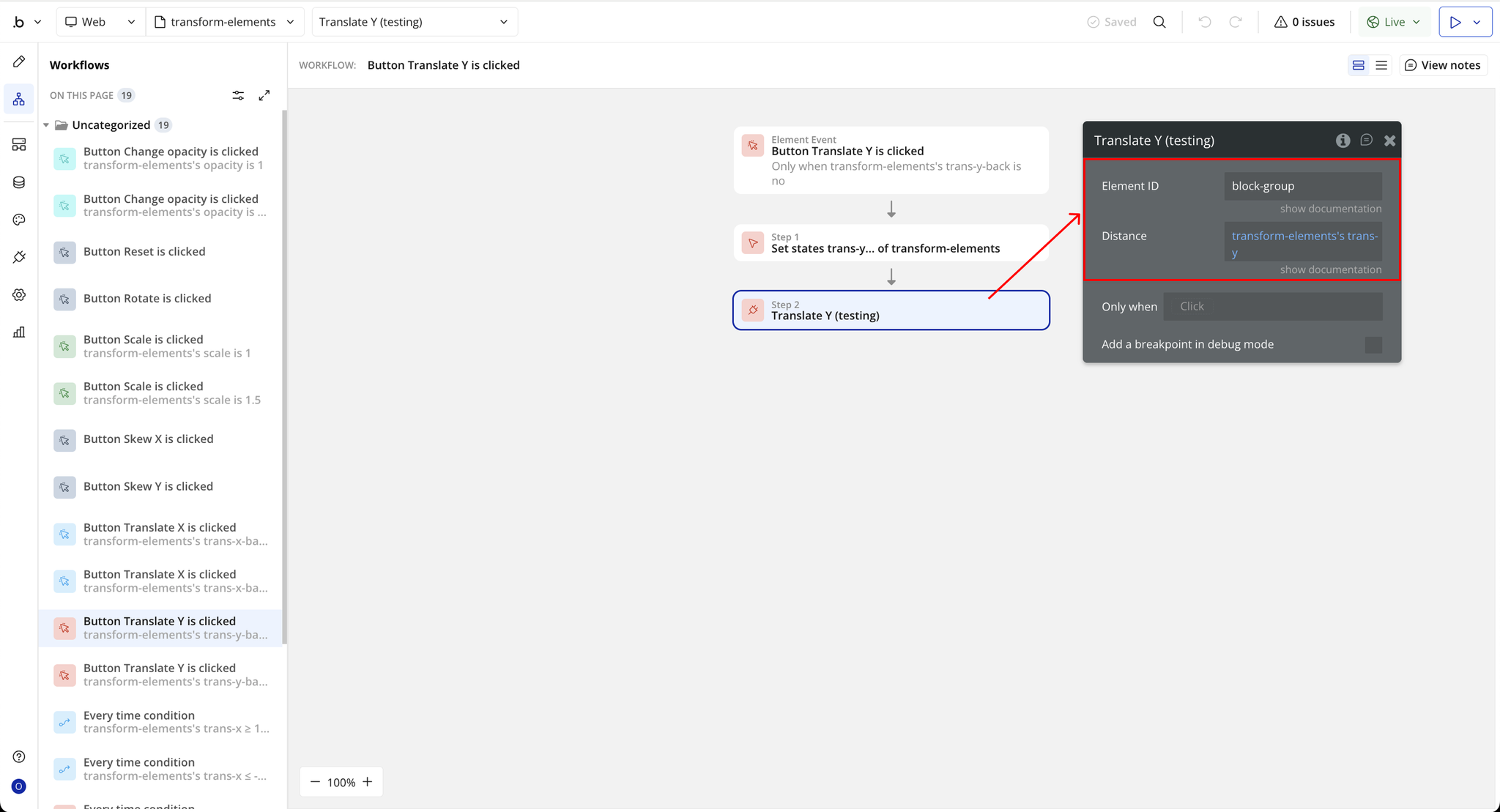
Translate Y
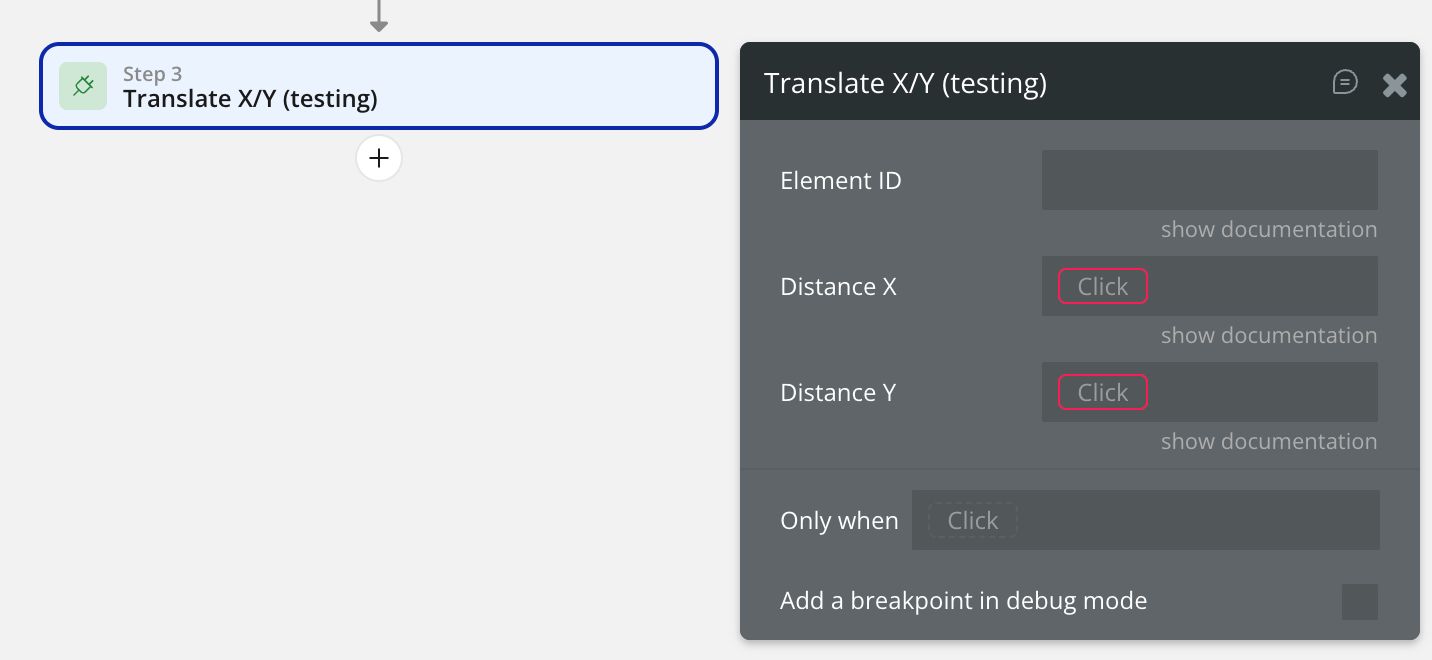
Translate X/Y
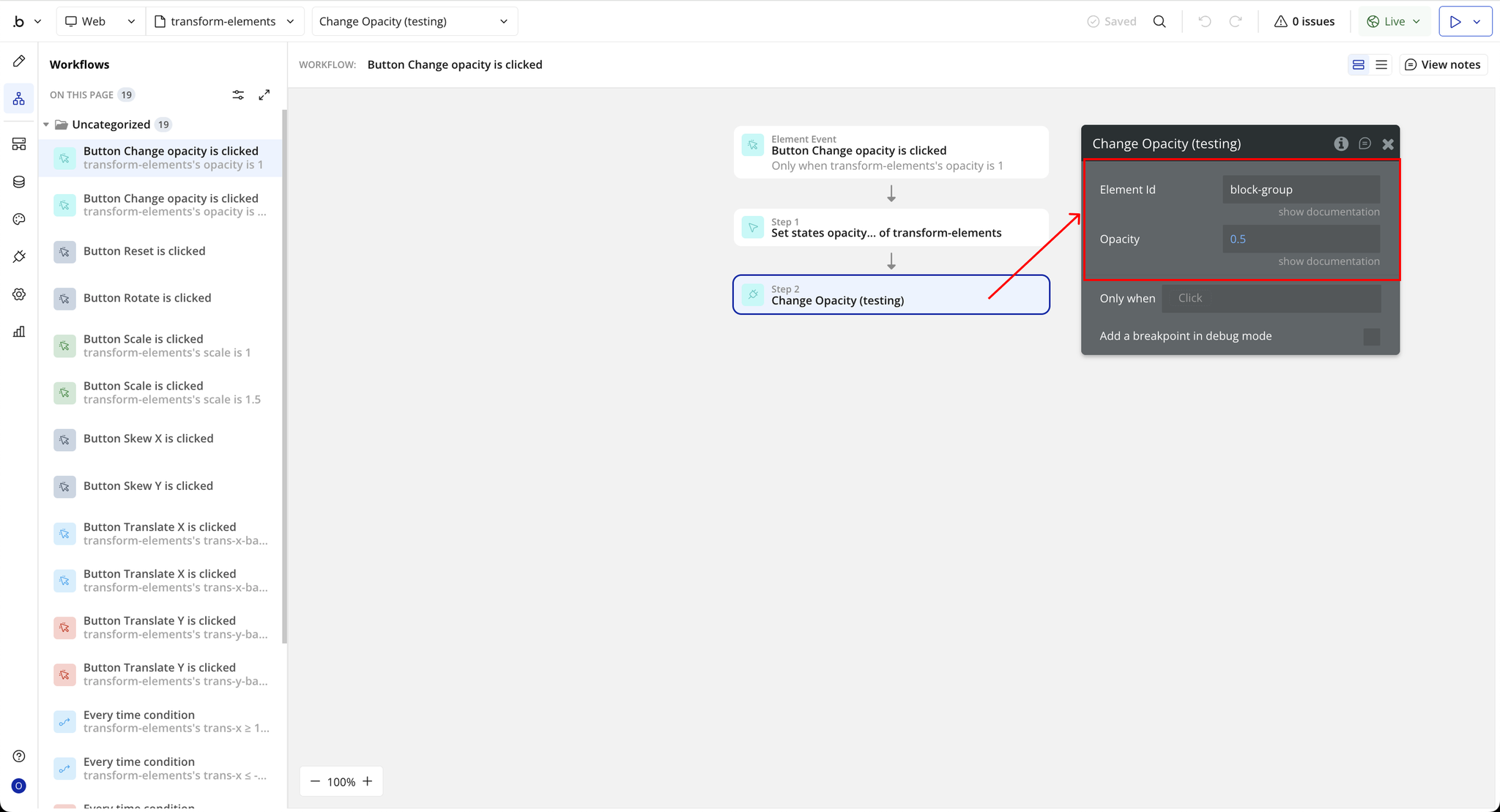
Change Opacity
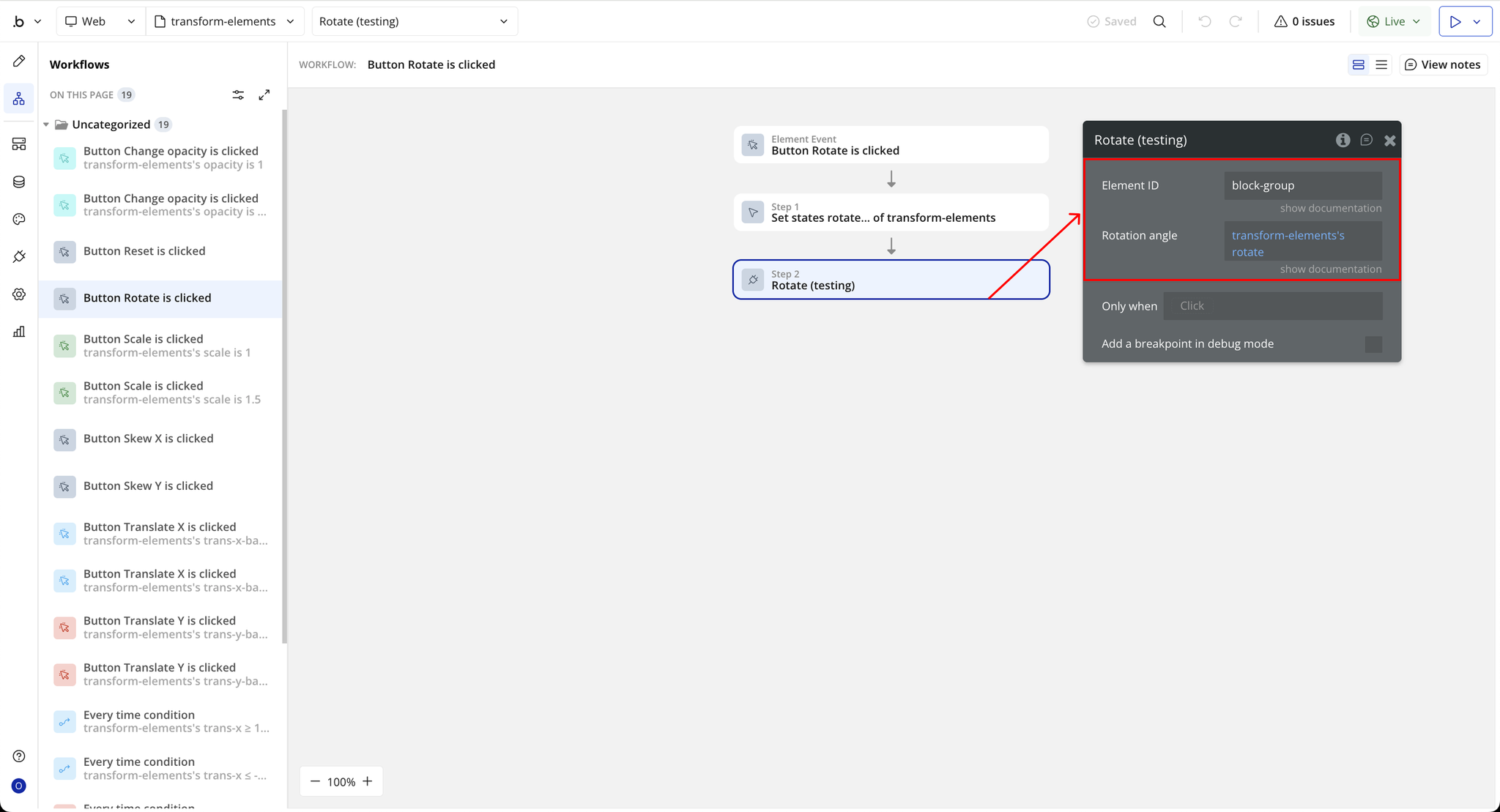
Rotate
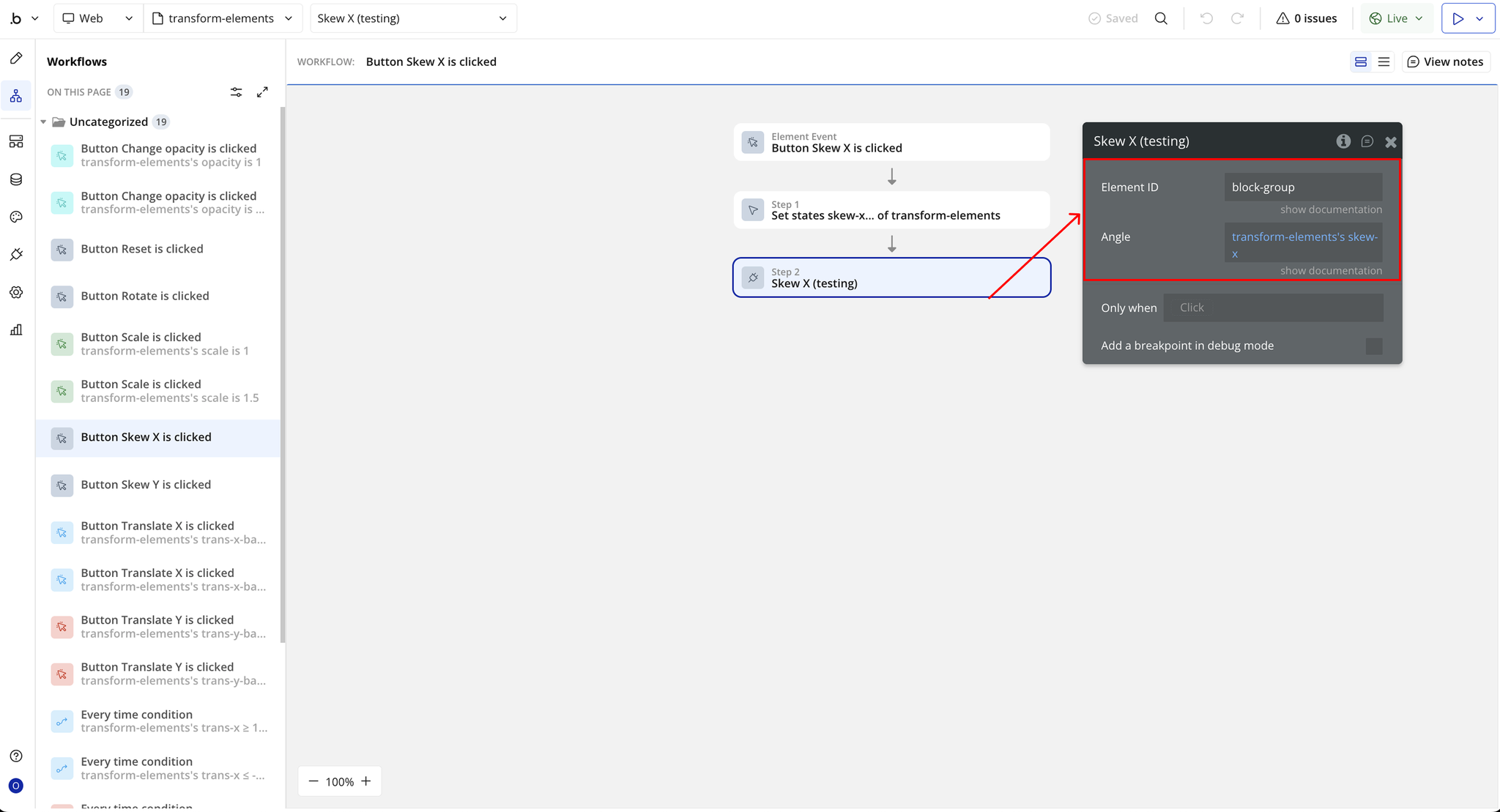
Skew X
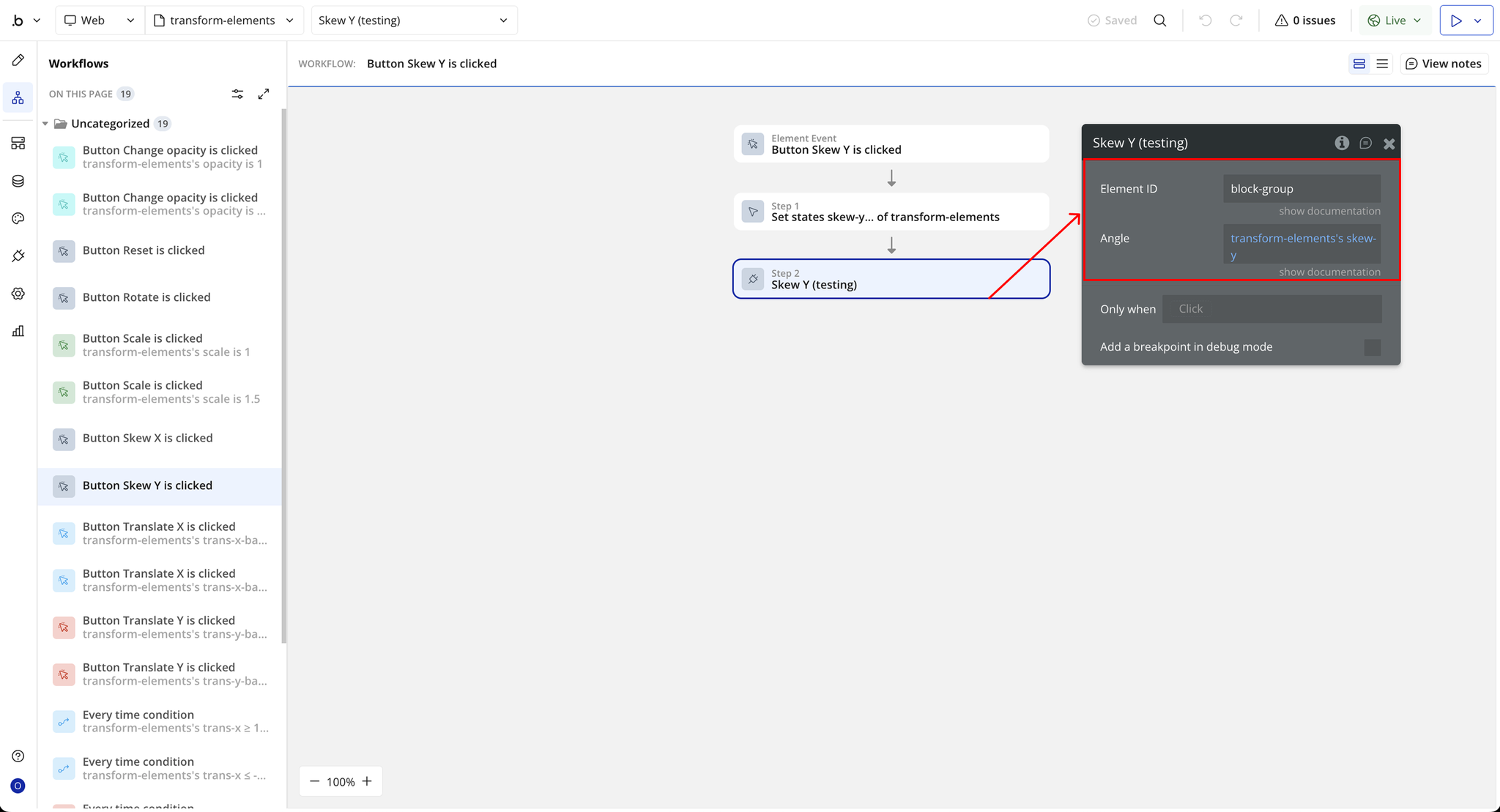
Skew Y
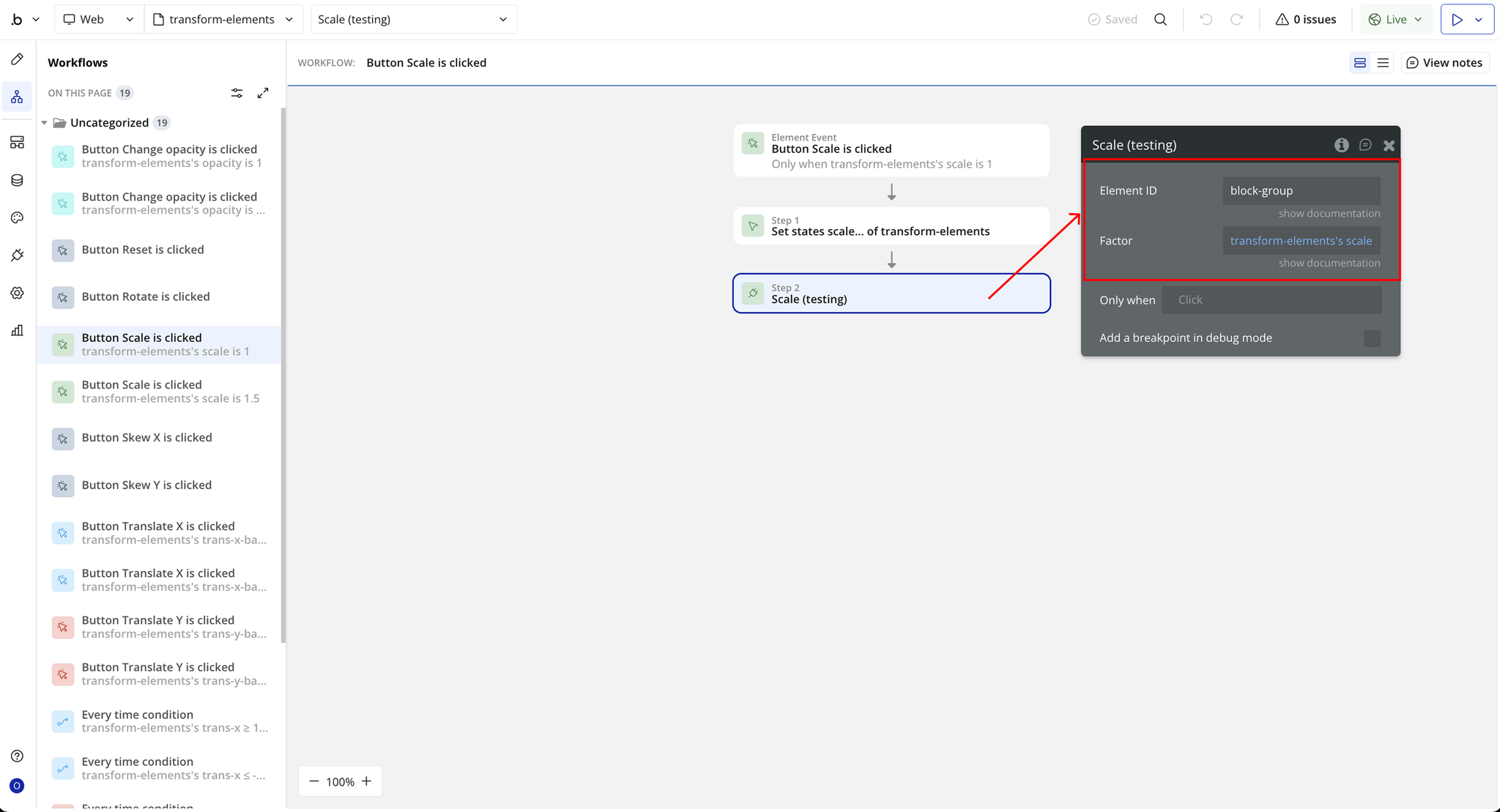
Scale