
Link to the plugin page: https://zeroqode.com/plugin/seo-toolkit-plugin-for-bubble-1739443482579x382991839325624200
Demo to preview the plugin:
Live Demo: https://rapidplugins-1.bubbleapps.io/seo
Introduction
This plugin has been recently acquired by Zeroqode - please bear with us while we review the code and make improvements/fixes where necessary.
The All-In-One SEO Plugin for Bubble!
SEO, or search engine optimization, is important because it is one of the best ways to ensure that your website will be found by potential customers.
By optimizing your website for search engines, you can make sure that your site will appear near the top of the search results pages, which will help you to attract more visitors.
Usage Features:
- Add comprehensive SEO controls to your Bubble application with a single, all-in-one plugin
- Prevent search engine indexing for specific pages — ideal for private or in-development content
- Set canonical URLs to avoid duplicate content issues and guide search engines to the preferred page version
- Embed structured data (schema markup) to enhance search visibility with rich snippets in Google and other engines
- Configure language-specific versions of your site to support international SEO best practices
- Boost discoverability by optimizing your Bubble app for higher placement in search engine result pages
- Easy-to-use interface — manage all SEO features directly within Bubble’s visual editor
- Ideal for landing pages, blogs, multi-language apps, and marketing websites
- Continually improving — maintained and enhanced by Zeroqode after recent acquisition

How to setup
- Add the Element to Your Page
- Go to the Design tab.
- Find the plugin elements under the Visual Elements section.
- Drag the desired SEO element (e.g. Structured Data - Event) onto your page.
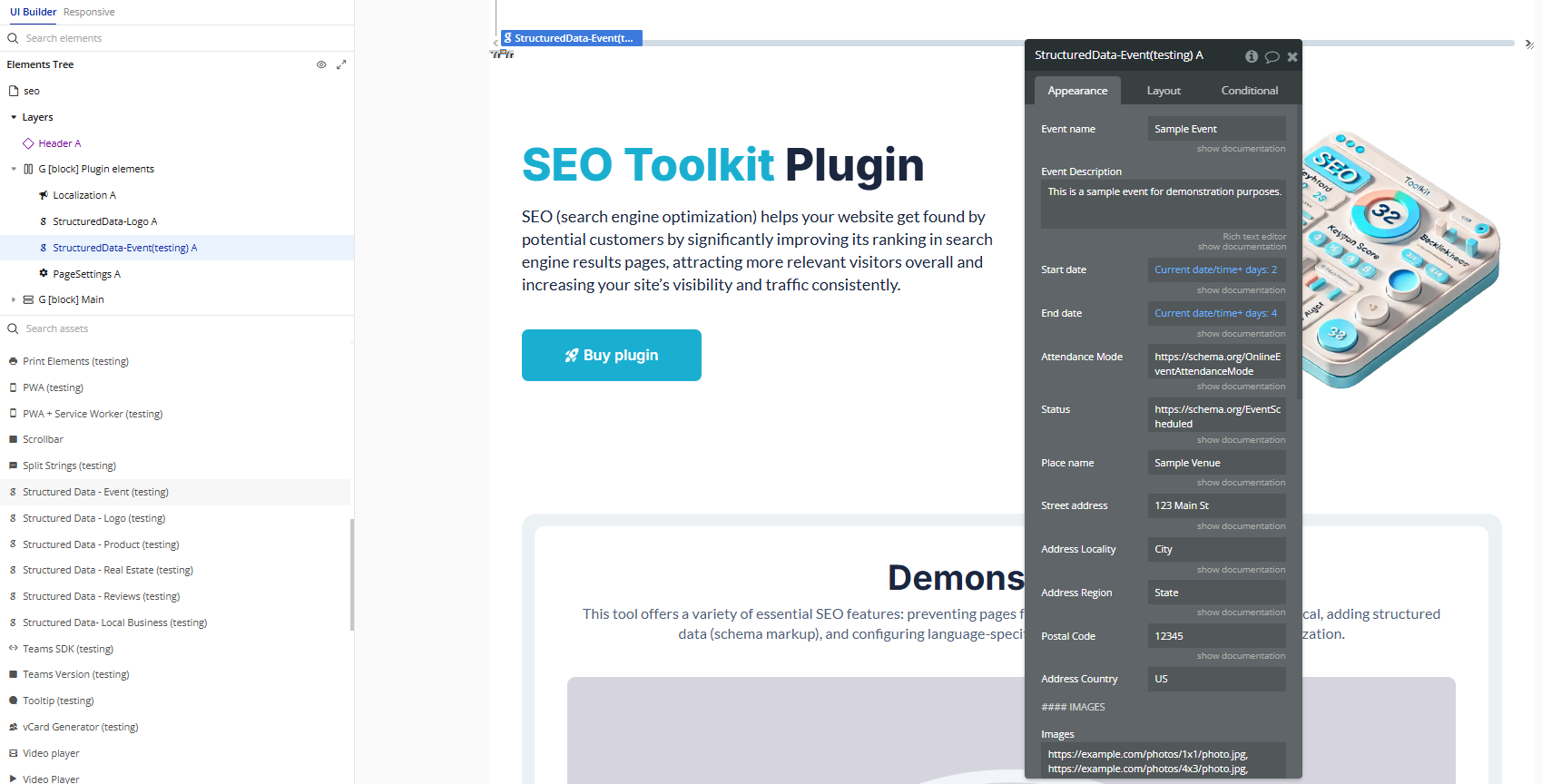
- Configure Element Properties
- Click the element you added on your page.
- Fill in the fields with the values relevant to your content.
Plugin Element Properties
Page Settings
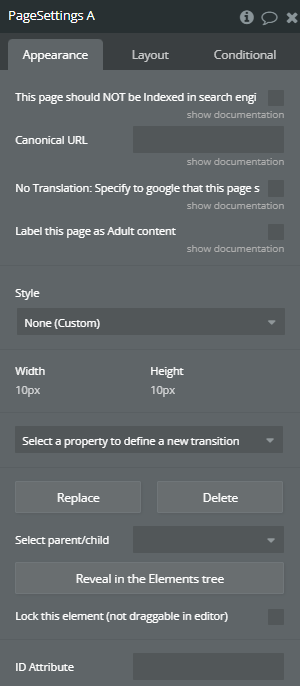
Fields:
Title | Description | Type |
This page should NOT be Indexed in search engines | Check this box if you dont want this page to be displayed in search results. | Checkbox (yes/no) |
Canonical URL | If you have a single page that’s accessible by multiple URLs, or different pages with similar content you will want to set one “main” (canonical) url. if this page is not the main page, enter the URL including https:// of the main page here. | Text (optional) |
No Translation: Specify to google that this page should NOT be automatically be translated using google translator for foreign users | Tell Google that you don’t want them to provide a translation for this page using google translate. | Checkbox (yes/no) |
Label this page as Adult content | Labels a page as containing adult content, to signal that it be filtered by SafeSearch results. | Checkbox (yes/no) |
Localization
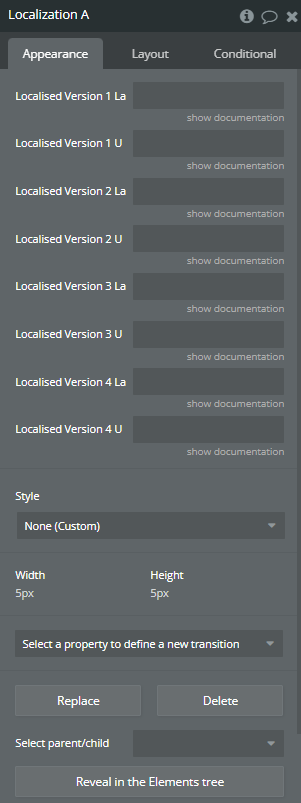
Fields:
Title | Description | Type |
Localised Version 1 Language | The language Code in ISO 639-1 format | Text |
Localised Version 1 URL | The URL where this language version of the page is hosted | Text |
Localised Version 2 Language | The language Code in ISO 639-1 format | Text (optional) |
Localised Version 2 URL | The URL where this language version of the page is hosted | Text (optional) |
Localised Version 3 Language | The language Code in ISO 639-1 format | Text (optional) |
Localised Version 3 URL | The URL where this language version of the page is hosted | Text (optional) |
Localised Version 4 Language | The language Code in ISO 639-1 format | Text (optional) |
Localised Version 4 URL | The URL where this language version of the page is hosted | Text (optional) |
Structured Data- Local Business
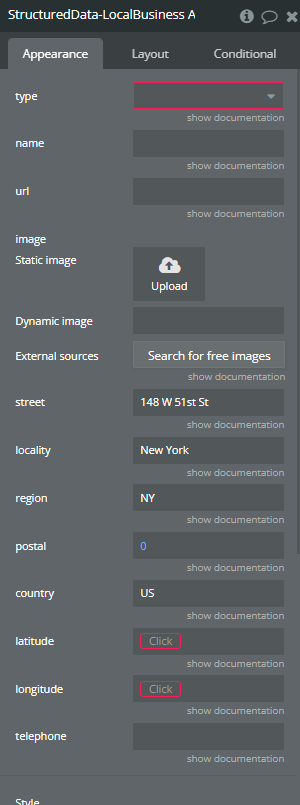
Fields:
Title | Description | Type |
Type | The Type of business Available options: Restaurant, AnimalShelter, ArchiveOrganization, AutomotiveBusiness, ChildCare, Dentist DryCleaningOrLaundry, EmergencyService, EmploymentAgency, EntertainmentBusiness FinancialService, FoodEstablishment, GovernmentOffice, HealthAndBeautyBusiness, HomeAndConstructionBusiness, InternetCafe, LegalService, Library, LodgingBusiness, MedicalBusiness, ProfessionalService, RadioStation, RealEstateAgent, RecyclingCenter, SelfStorage, ShoppingCenter, SportsActivityLocation, Store, TelevisionStation, TouristInformationCenter, TravelAgency | Dropdown |
Name | The name of the business | Text |
Url | The url of the business | Text |
Image | Upload an image that represents the business | Image |
Street | The street address | Text |
Locality | The locality in which the street address is, and which is in the region. | Text |
Region | He region in which the locality is, and which is in the country. For example, California | Text |
Postal | The postal Code | Number |
Country | The country code | Text |
Longitude | The latitude of the physical business | Number |
Longitude | The longitude of the physical business | Number |
Telephone | Optional: The telephone number | Text (optional) |
Structured Data - Logo
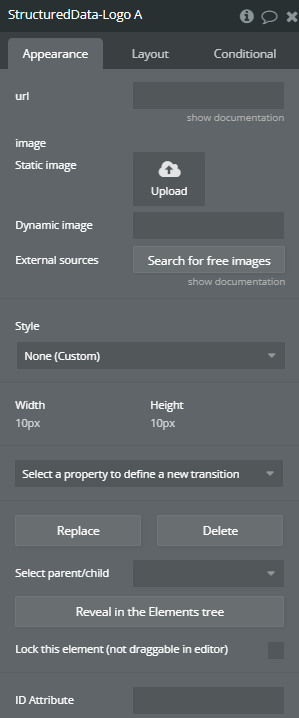
Fields:
Title | Description | Type |
Url | The URL of the website associated with the logo. | Text |
Image | URL of a logo that is representative of the organization. | Image |
Structured Data - Reviews
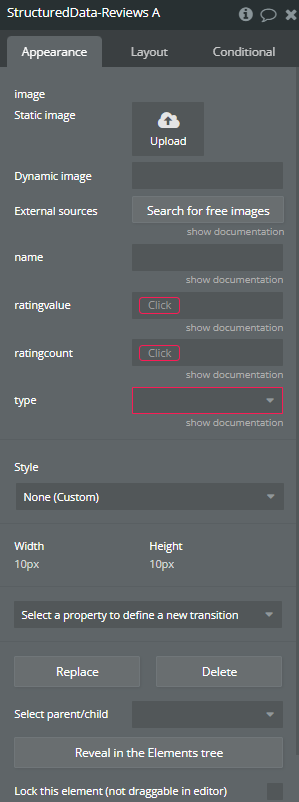
Fields:
Title | Description | Type |
Image | The image of the thing that is being reviewed | Image |
Name | The name/title of the thing that is being reviewed | Text |
Ratingvalue | The average rating of all ratings combined. Has to be a number between 1 and 5, where 5 is the best. | Number |
Ratingcount | The total number of ratings that have been submitted. | Number |
Type | The type of thing that is being reviewed. Available options: Book, Course, CreativeWorkSeason, CreativeWorkSeries, Episode, Event, Game, HowTo, LocalBusiness, MediaObject, Movie, MusicPlaylist, MusicRecording, Organization, Product, Recipe, SoftwareApplication | Dropdown |
Structured Data - Event
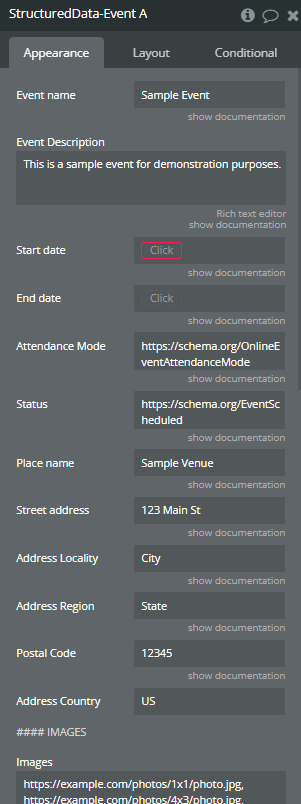
Fields:
Title | Description | Type |
Event name | An event name | Text |
Event Description | A description of the event | Text (optional) |
Start date | Event start date | Date |
End date | Event end date | Date (optional) |
Attendance Mode | Attendance mode | Text (optional) |
Status | Event status | Text (optional) |
Place name | Event place name | Text |
Street address | Street address | Text |
Address Locality | City | Text |
Address Region | Region/State | Text |
Postal Code | Postal code | Text |
Address Country | “Address Country refers to the country associated with a physical address input in a software plugin or API.” | Text |
#### IMAGES | ||
Images | A list of images links separated by comma | Text (optional) |
#### Offer | ||
URL | Offer url | Text (optional) |
Price | Offer price | Number (optional) |
Currency | Currency | Text (optional) |
Availability | Availability stock | Text (optional) |
Valid From | Valid from date | Date (optional) |
#### Performer | ||
Performer Name | Performer name | Text (optional) |
#### Organizer | ||
Organizer Name | Organizer name | Text (optional) |
Organizer URL | Organizer url if exists | Text (optional) |
Structured Data - Product
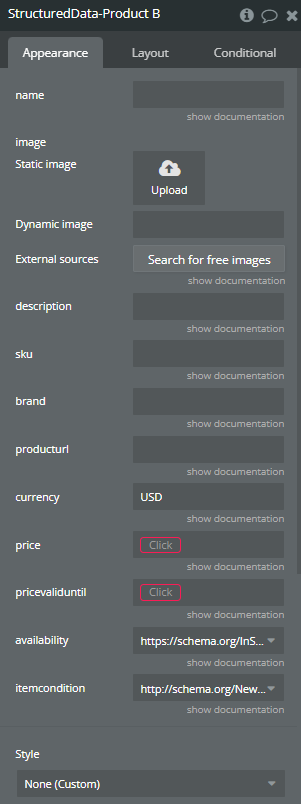
Fields:
Title | Description | Type |
Name | The name of the product | Text |
Image | The product image | Image |
Description | The product description | Text |
Sku | The SKU of the product (Merchant-specific identifier for product) | Text |
Brand | The brand name | Text |
Producturl | The url of the product | Text |
Currency | The currency of the selling price | Text |
Price | The price of the product | Number |
Pricevaliduntil | Until when the price is valid | Date |
Availability | The item availability Available options: https://schema.org/Discontinued, https://schema.org/InStock, https://schema.org/InStoreOnly, https://schema.org/LimitedAvailability, https://schema.org/OnlineOnly, https://schema.org/OutOfStock, https://schema.org/PreOrder, https://schema.org/PreSale, https://schema.org/SoldOut | Dropdown |
Itemcondition | The condition of the item Available options: http://schema.org/NewCondition, https://schema.org/UsedCondition | Dropdown |
Structured Data - Real Estate
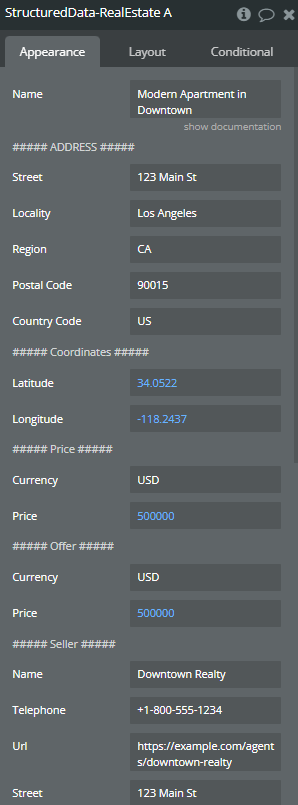
Fields:
Title | Description | Type |
Name | Real estate name | Text |
##### ADDRESS ##### | ||
Street | In the context of a software plugin or API, “Street” typically refers to a data field or parameter that stores the name of a street or road. | Text |
Locality | “Locality in software refers to the concept of data or resources being closely grouped or accessed together to improve performance and efficiency.” | Text |
Region | In software development, a “region” typically refers to a defined area within a user interface or codebase that can be selected, modified, or manipulated independently. | Text |
Postal Code | A “Postal Code” is a string of characters used to identify a specific geographic area for mailing purposes in a software plugin or API. | Text |
Country Code | A “Country Code” in a software plugin or API is a standardized two-letter or three-letter code that represents a specific country, allowing for identification and categorization of data related to different countries. | Text |
##### Coordinates ##### | ||
Latitude | Latitude refers to the angular distance of a location north or south of the Earth’s equator, typically represented in decimal degrees in software plugins or APIs. | Number |
Longitude | Longitude is a geographic coordinate that specifies the east-west position of a point on the Earth’s surface, typically measured in degrees. | Number |
##### Price ##### | ||
Currency | In software, “Currency” typically refers to a data type or object used to represent and handle monetary values in different formats and currencies within an application. | Text |
Price | “Price” refers to the monetary value associated with a product or service within a software plugin or API. | Number |
##### Offer ##### | ||
Currency | In the context of a software plugin or API, “Currency” refers to a standardized system for representing and exchanging monetary values, typically defined by ISO codes and symbols. | Text |
Price | “Price” refers to the numerical value associated with a product or service in a software plugin or API. | Number |
##### Seller ##### | ||
Name | In the context of a software plugin or API, “Name” refers to a variable or identifier used to uniquely identify a function, class, or object within the code. | Text |
Telephone | A telephone in the context of a software plugin or API typically refers to a feature that enables voice communication over the internet using VoIP technology. | Text |
Url | A URL (Uniform Resource Locator) in a software plugin or API is a reference to a web resource that specifies its location on the internet. | Text |
Street | In the context of a software plugin or API, “Street” refers to a data field or parameter that typically stores a physical street address. | Text |
Locality | “Locality in software refers to the concept of data or processing elements being physically close to each other to optimize performance by reducing latency and increasing efficiency.” | Text |
Region | A “region” in the context of a software plugin or API refers to a defined area within a user interface or codebase, typically used for organizing and managing specific functionalities or components. | Text |
Postal Code | A “Postal Code” in a software plugin or API refers to a series of letters and/or digits used to identify a specific geographic area for mail delivery purposes. | Text |
Country Code | A “Country Code” in a software plugin or API is a standardized two-letter or three-letter code used to represent a specific country. | Text |
##### LANGUAGE ##### | ||
Language | In software plugin or API context, “Language” refers to the programming language used to develop the plugin or API. | Text |
