
✅
Demo to preview the plugin:
✅
Introduction
The Alma plugin allows you to integrate the Alma system into your Bubble app, enabling customers in the EU to pay in 3 installments (3x payment plans). It helps you improve conversion rates by offering flexible and secure payment options directly within your checkout flow.
Key Features
- Create 3x installment payment plans
- Process secure payments through Alma
- Track and validate transactions
- Improve checkout flexibility for EU customers
Prerequisites
- A Bubble app with checkout or payment flow
- An active Alma merchant account
- API credentials from Alma dashboard
- EU-based payment configuration enabled
How to setup
Step 1 – Install the Plugin
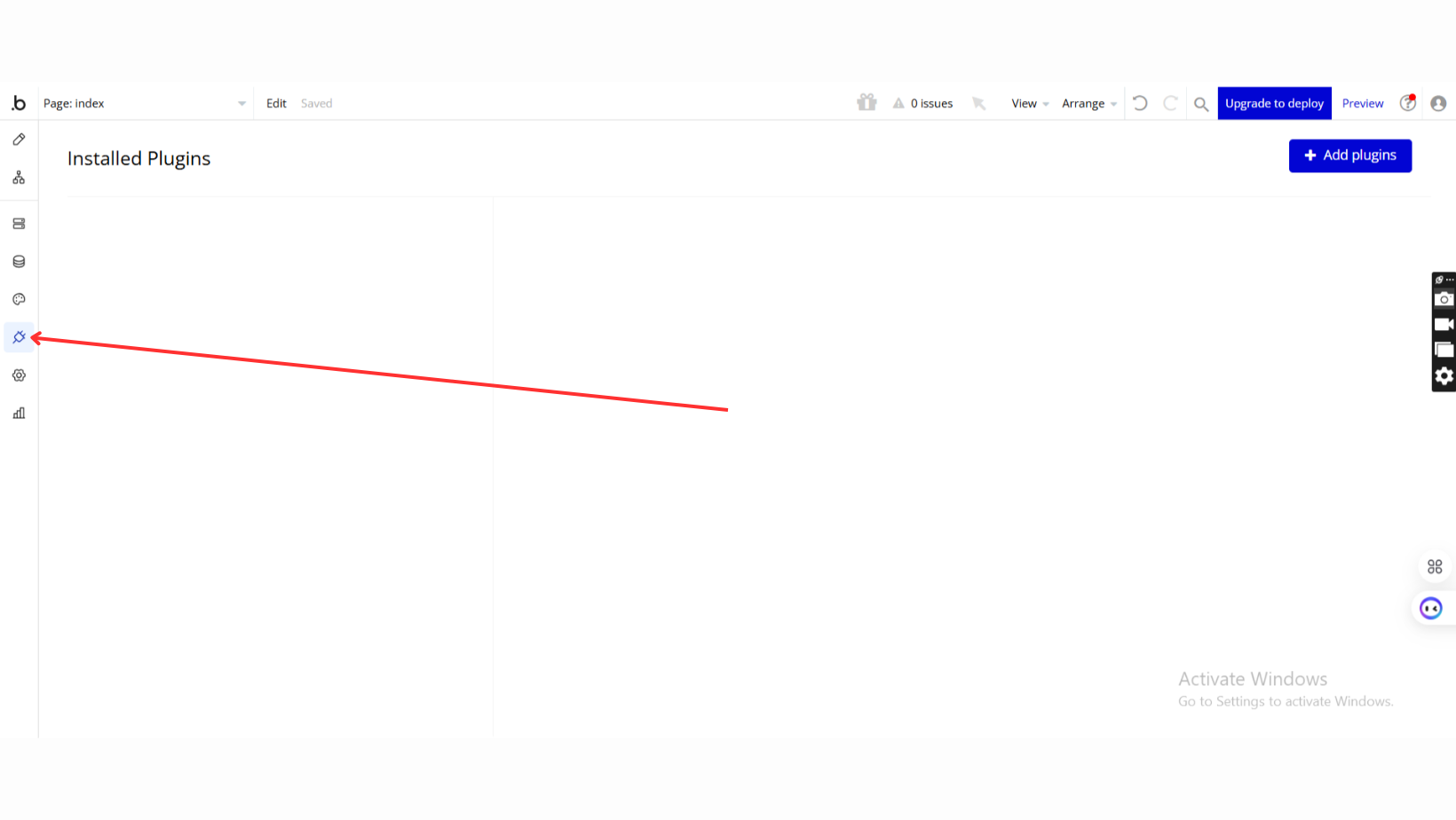
- Go to the Plugin Tab
- Open your Bubble Editor.
- Navigate to the Plugins tab on the left panel.
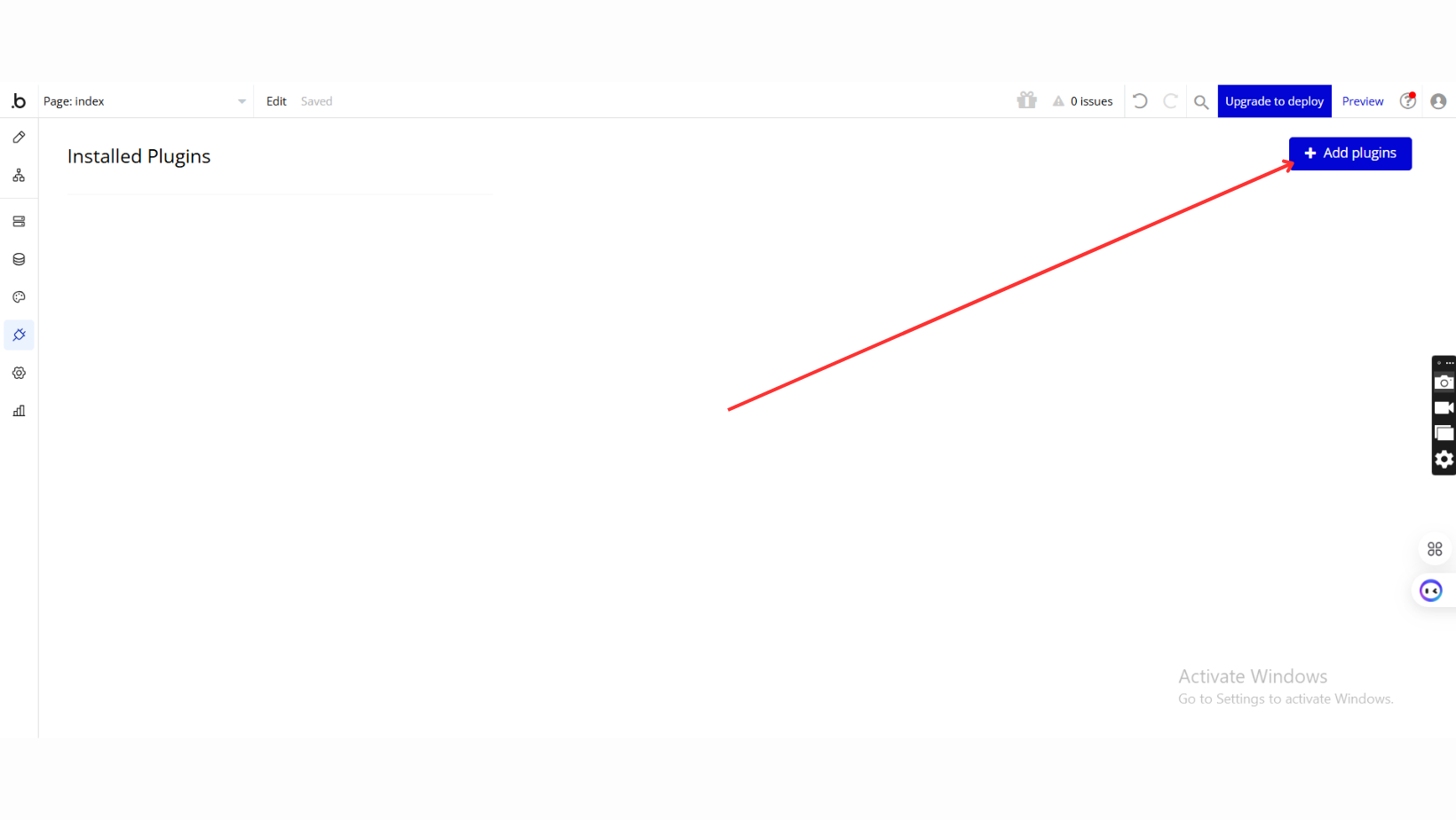
- Add Plugins
- Once in the Plugins tab, click the Add Plugins button.
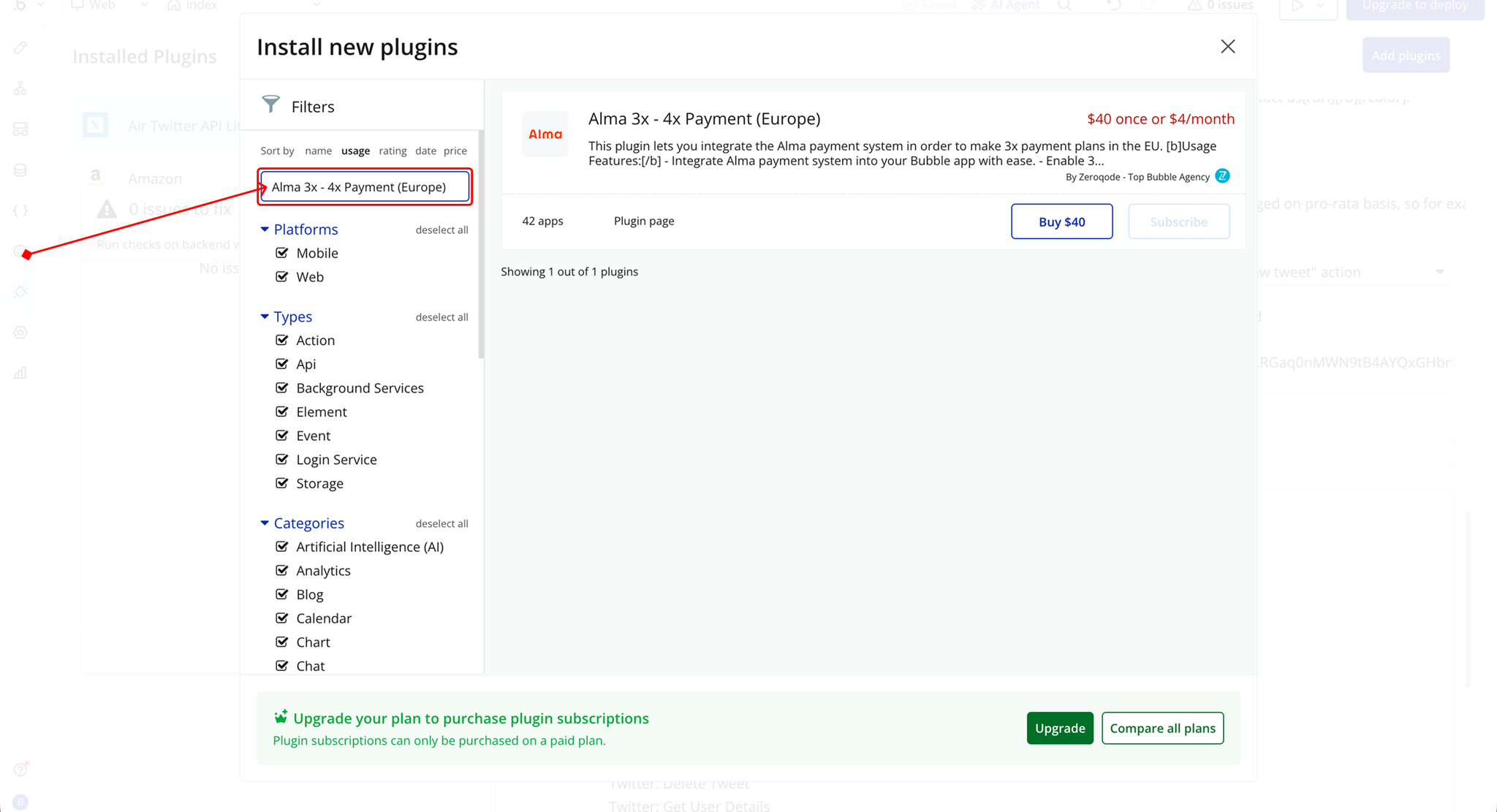
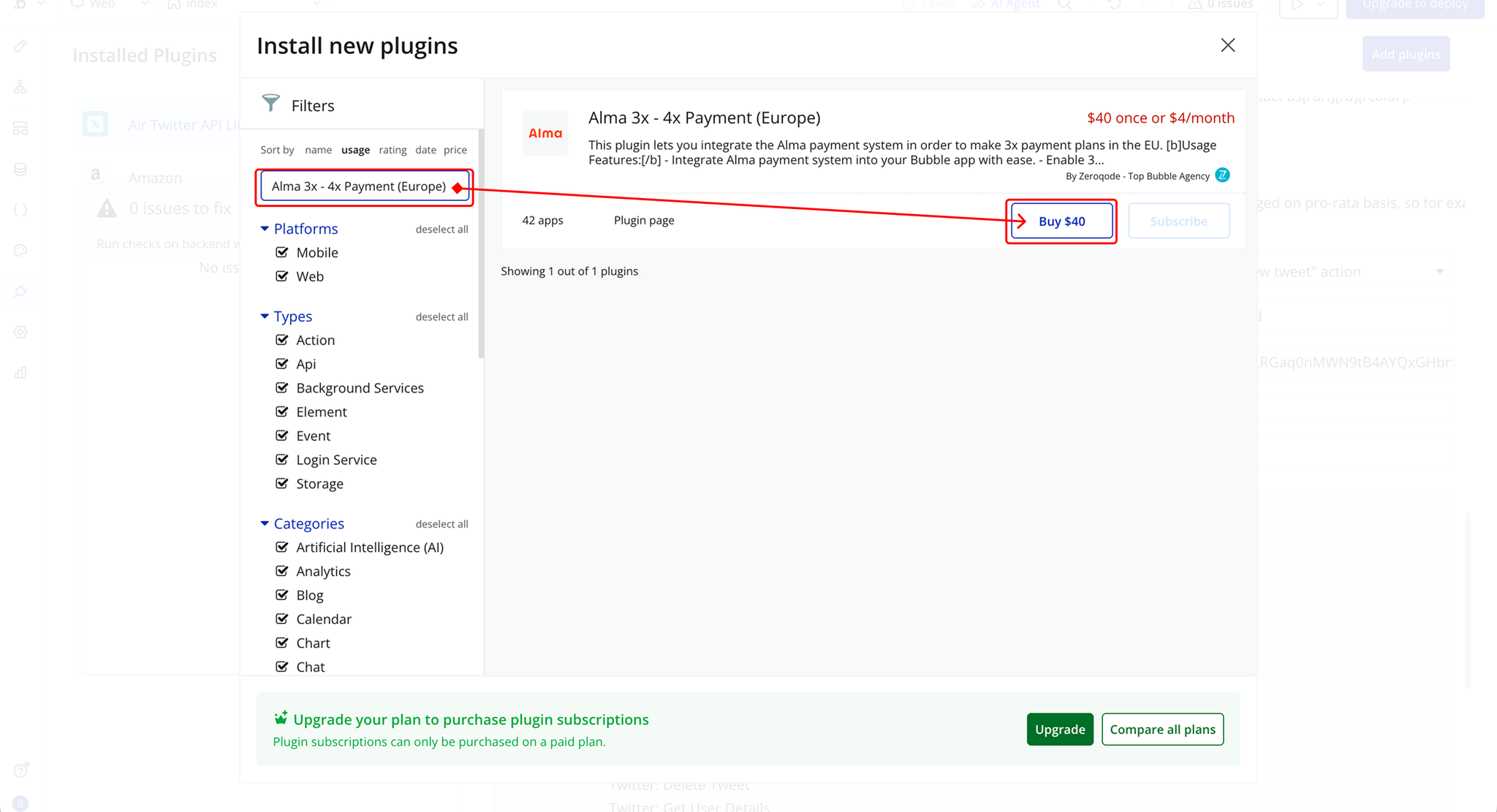
- Search for the Plugin
- Use the search bar to type Alma 3x - 4x Payment (Europe).
- Locate the plugin in the search results.
- Install/Buy
- If the plugin is free, click Install to add it to your application.
- For a paid plugin, click Buy and follow the purchase instructions.
- Payment Information (For Paid Plugins)
- If the plugin is a paid one, fill in your payment details and make payment.
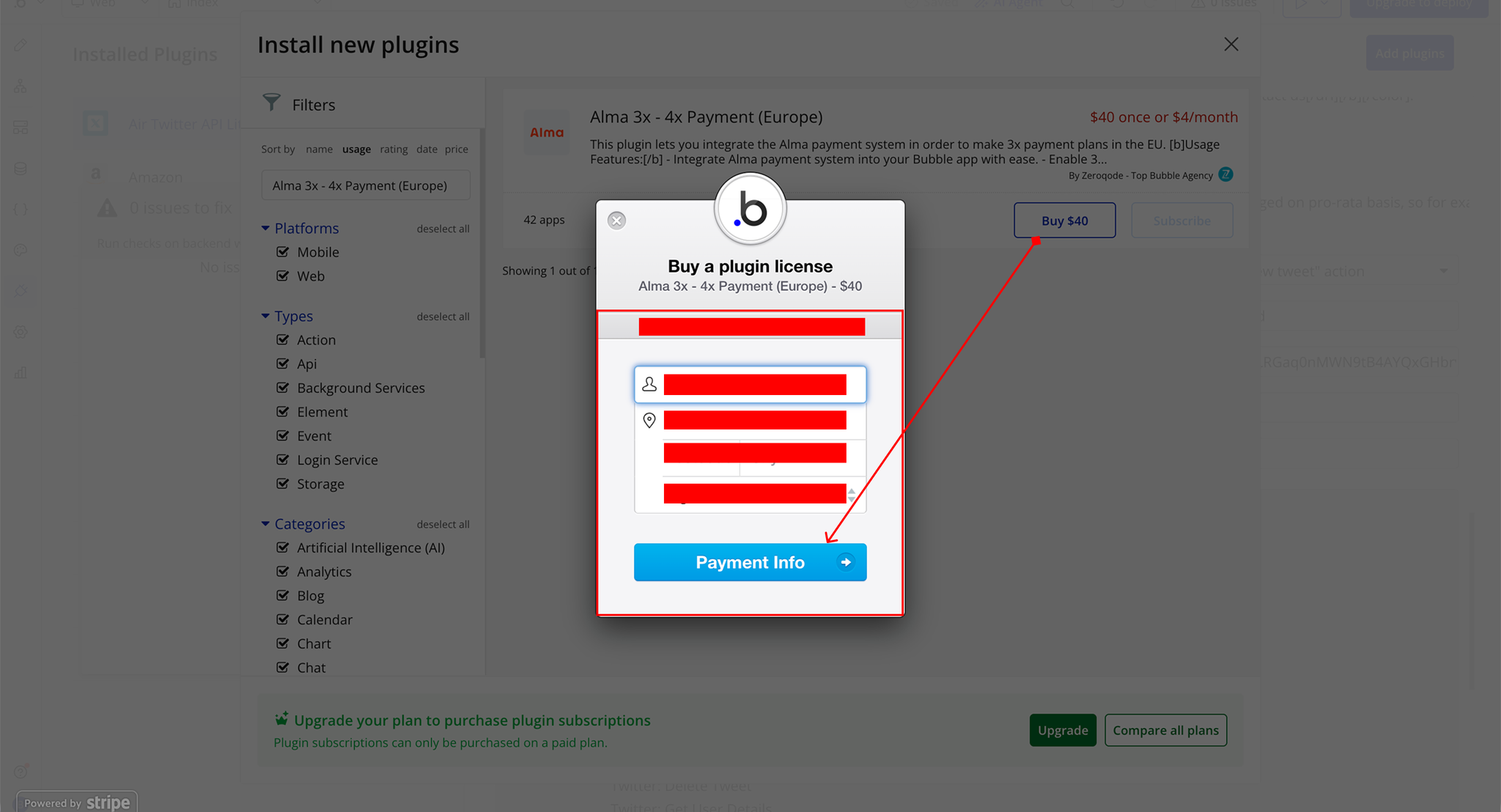
- Charges will be added to your Bubble billing account.
- Remember, if you unsubscribe from the plugin shortly after installation, charges will be prorated based on the days used.
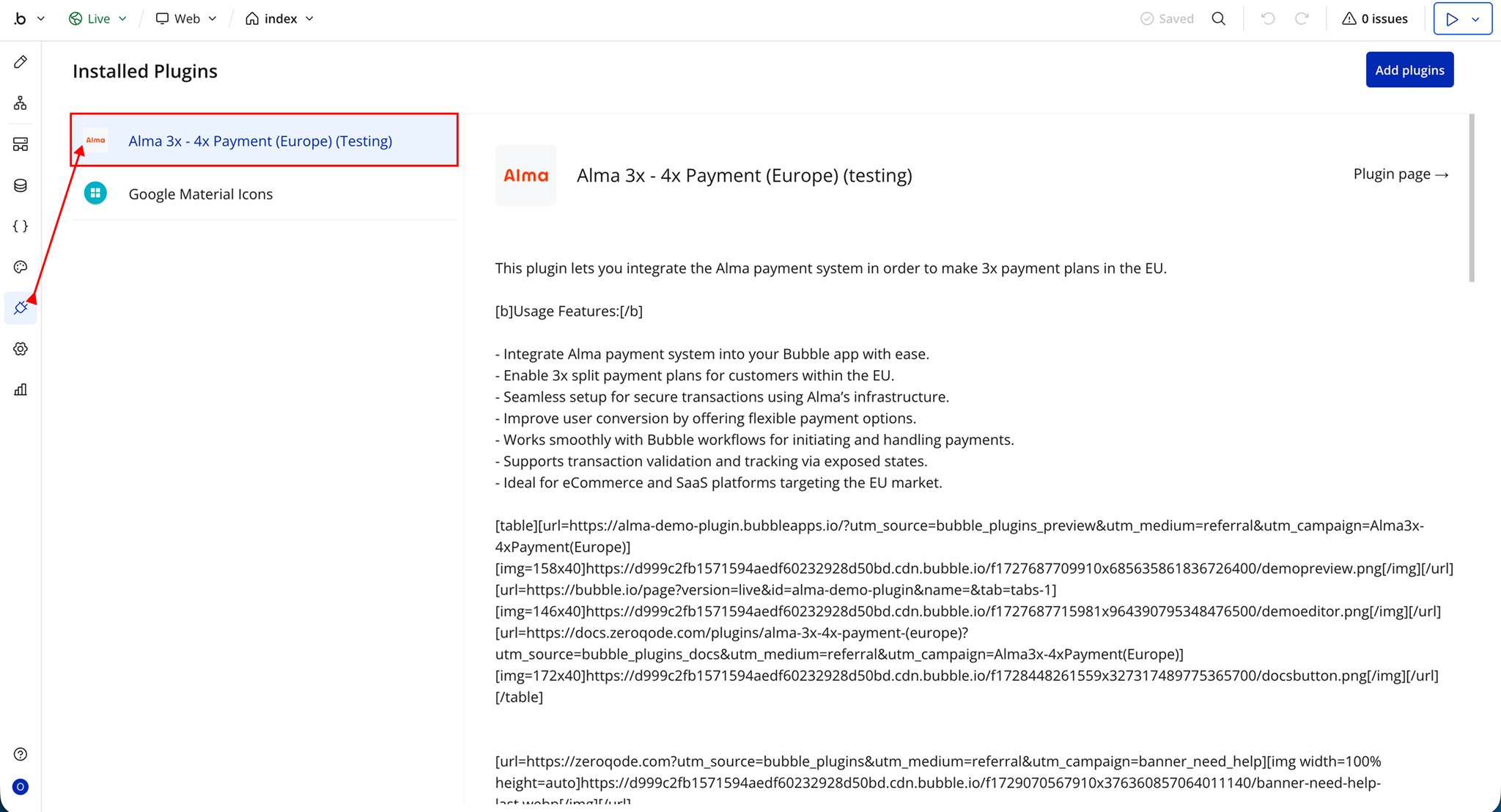
- Plugin Installed
- Once installed, the plugin will appear under the Installed Plugins list in your Bubble Editor.
Step 2 – Get API Keys
- Go to the https://almapay.com/ website
- Create an account
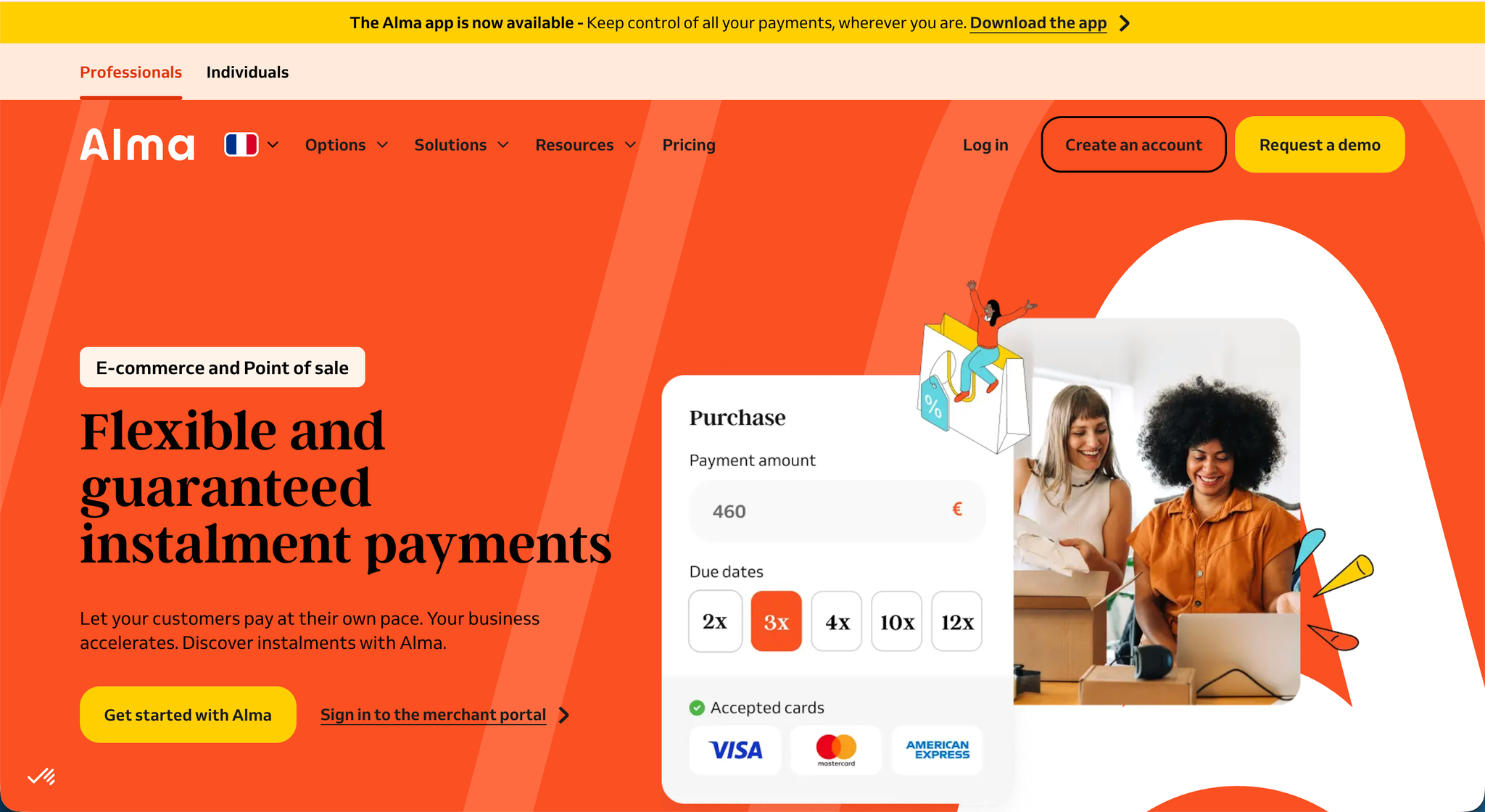
- Complete the registration form and verify your email
- After verification, you will be redirected to the Alma dashboard
- Navigate to the API section in the dashboard
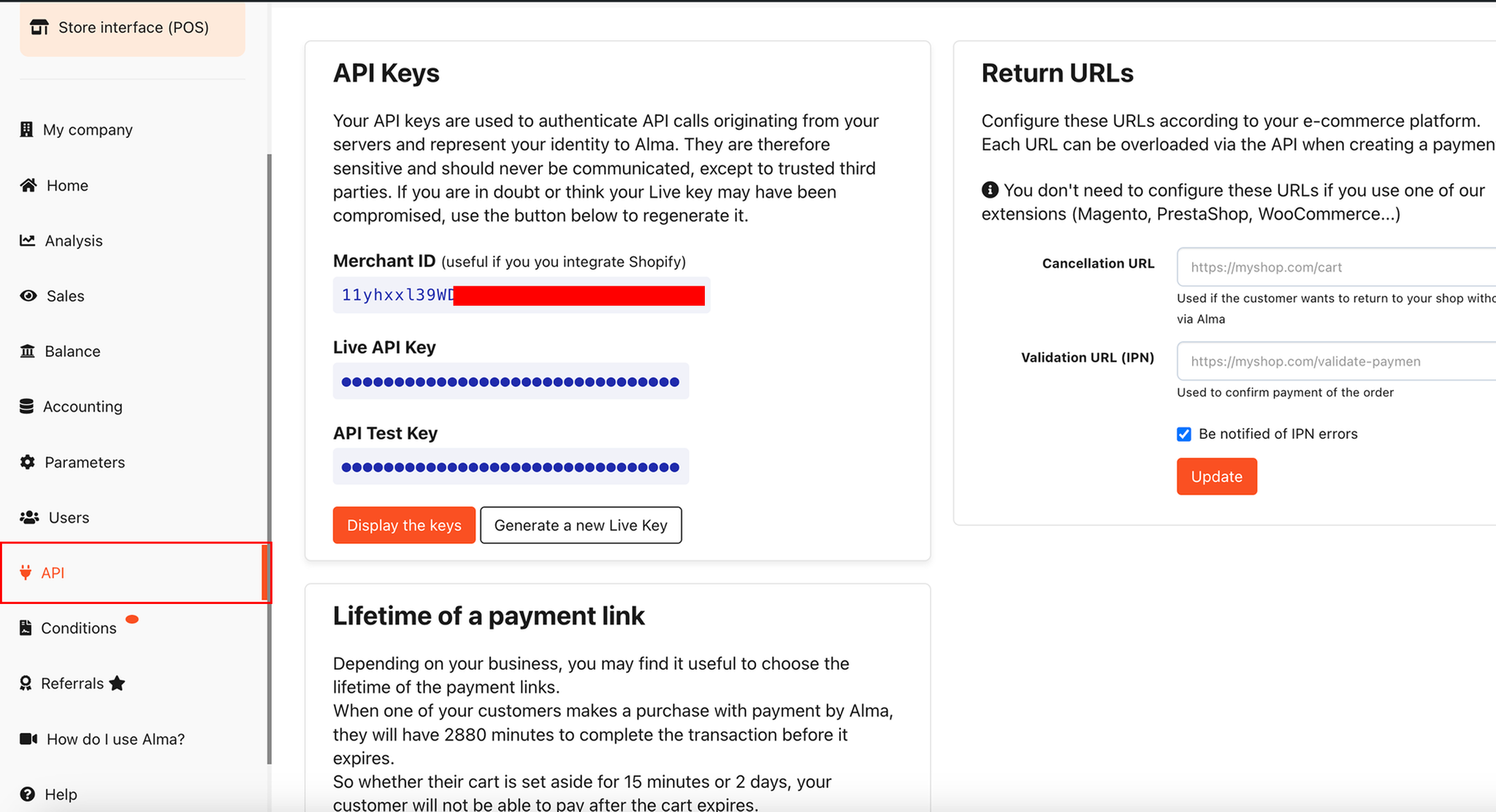
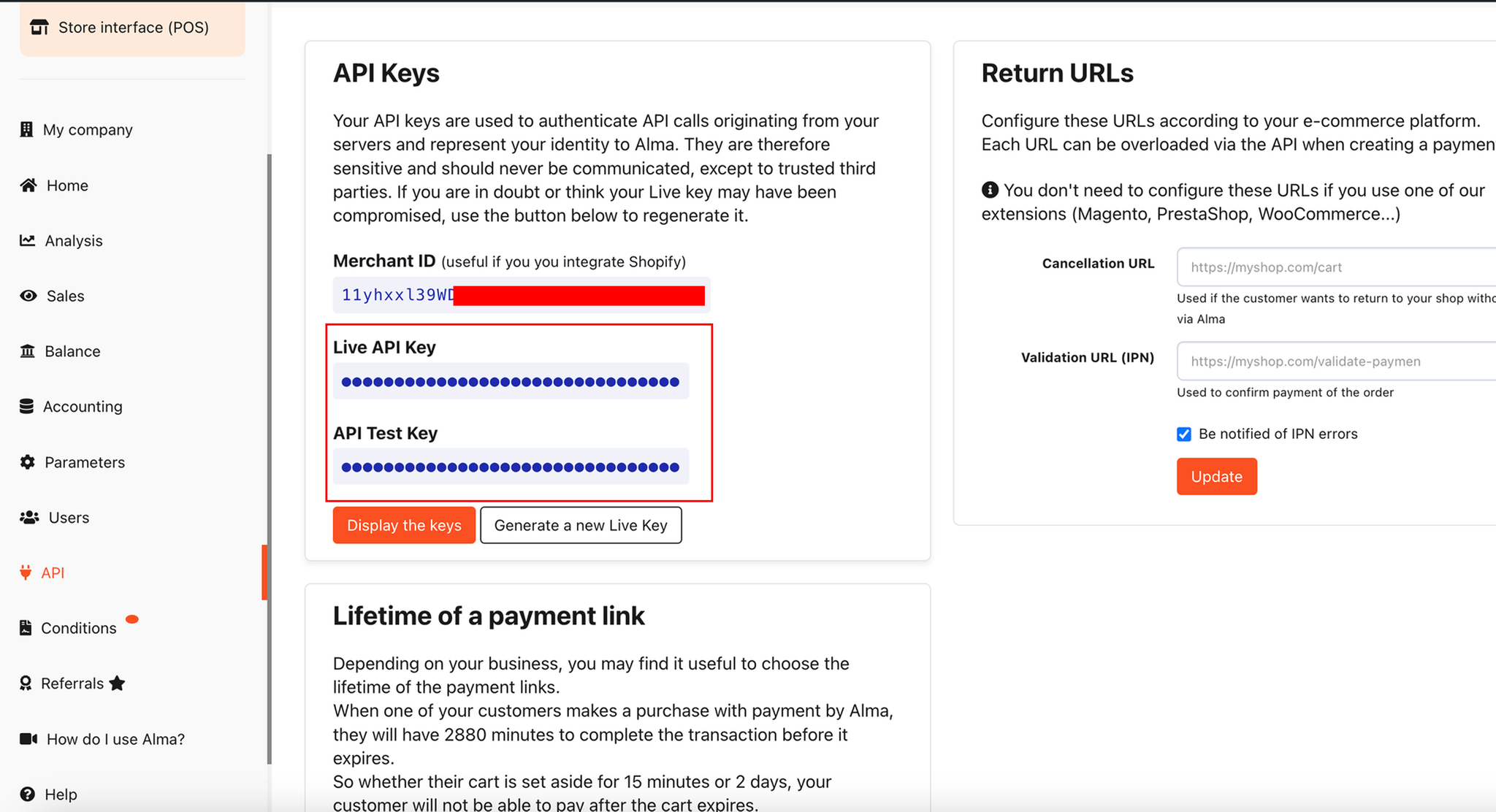
- Click Generate a new Live Key
- Then click Display the keys to reveal your credentials
- Copy and securely store the generated API keys
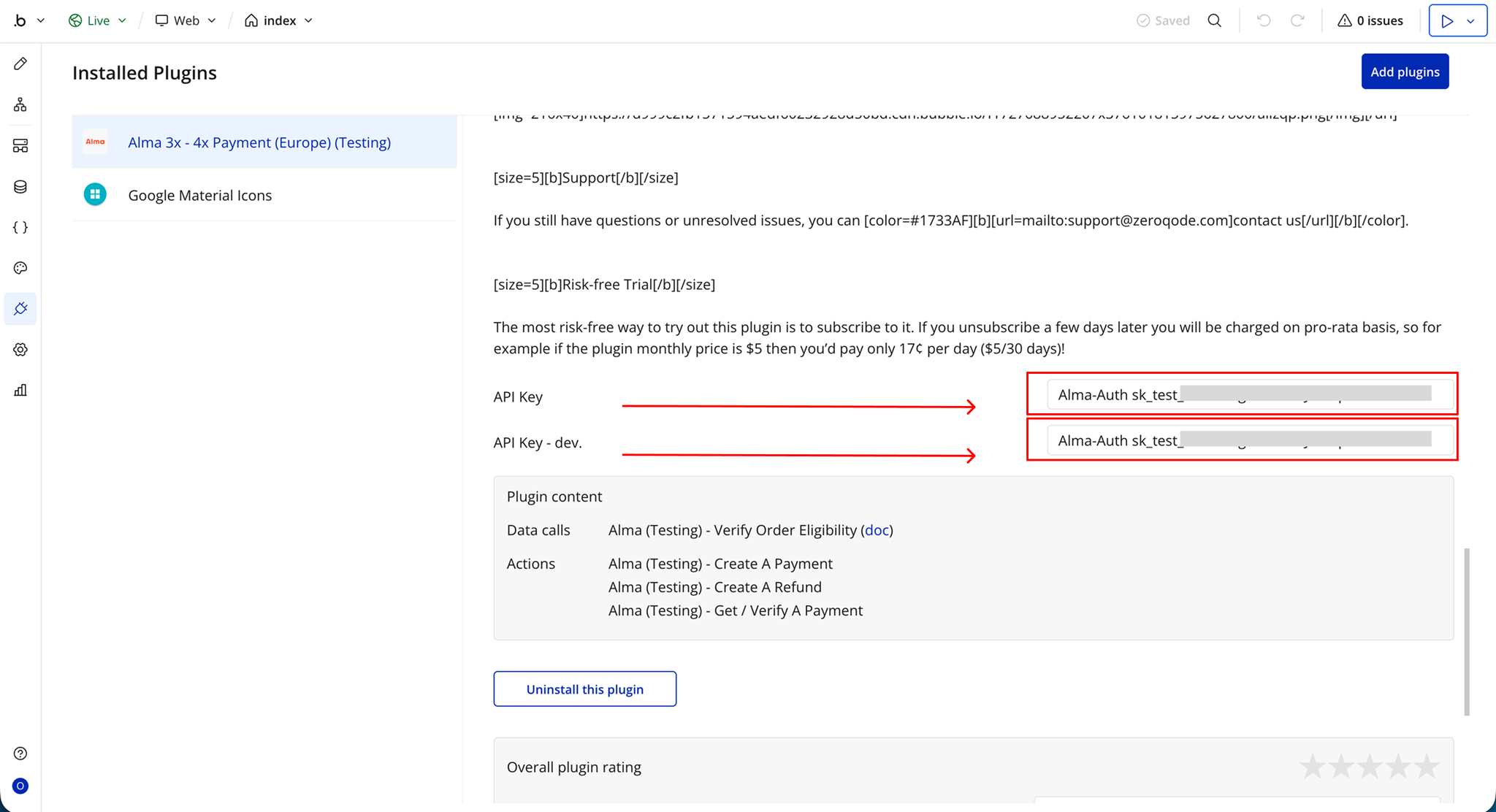
- Paste your API key in the plugin section
Plugin Data/Action Calls
Verify Order Eligibility
This API call is used within Bubble workflows to check whether a customer is eligible to place an order using Alma installment payments. It helps determine if the 3x payment option can be offered before proceeding to checkout. It simplifies the process by handling the request automatically and returning structured results that can be used directly in your app.
Response:
Name | Description | Type |
eligible | Indicates whether the customer is eligible for Alma installment payments | Text |
installments_count | Number of installments available for the payment plan | Text |
deferred_months | Number of months before the first payment begins (if applicable) | Text |
deferred_days | Number of days before the first payment begins (if applicable) | Text |
payment_plan | Details of the selected or available payment plan | Text |
customer_fee | Fee amount charged to the customer | Text |
customer_interest | Interest amount applied to the installment plan | Text |
customer_total_cost_amount | Total cost amount the customer will pay (formatted value) | Text |
customer_total_cost_bps | Total cost expressed in basis points (BPS) | Text |
Create A Payment
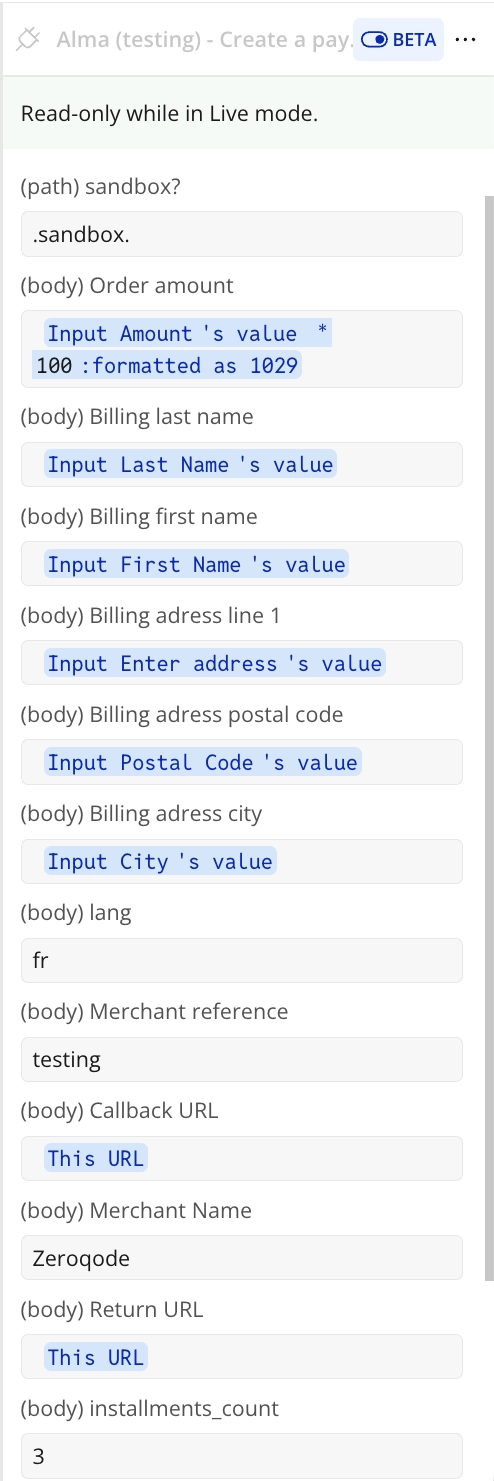
This is used to create a new Alma payment request for an order. It initiates the installment payment process and prepares the transaction for processing through Alma’s system. It simplifies payment creation by handling the request internally and returning structured data that can be reused throughout your app’s workflow.
Response:
Payment Overview
Name | Description | Type |
id | Unique payment transaction identifier | Text |
state | Current payment state (pending, authorized, failed, etc.) | Text |
url | Checkout or payment URL | Text |
provider | Payment provider used | Text |
purchase_amount | Total purchase amount | Text |
installments_count | Number of installments selected | Text |
origin | Source of the payment request | Text |
locale | Locale used for the transaction | Text |
transaction_country | Country of the transaction | Text |
created | Payment creation timestamp | Text |
updated | Last update timestamp | Text |
Payment Status & Control
Name | Description | Type |
can_be_charged | Indicates if payment can be charged | Text |
is_completely_refunded | Indicates full refund status | Text |
amount_already_refunded | Total refunded amount | Text |
amount_left_to_pay | Remaining unpaid amount | Text |
expired_at | Payment expiration timestamp | Text |
failure_return_url | Redirect URL on failure | Text |
return_url | Redirect URL on success | Text |
customer_cancel_url | Redirect URL on cancellation | Text |
Payment Configuration
Name | Description | Type |
available_payment_methods | Supported payment methods | Text |
preferred_payment_method | Selected payment method | Text |
sepa_debit_enabled | SEPA debit availability | Text |
using_sepa_debit | Indicates SEPA usage | Text |
is_deferred_capture | Deferred capture enabled | Text |
is_customer_kyced | Customer KYC status | Text |
requirements | Payment requirements | Text |
Fees & Pricing
Name | Description | Type |
customer_fee | Fee charged to customer | Text |
customer_interest | Interest charged to customer | Text |
customer_target_fee | Target customer fee | Text |
customer_target_interest | Target customer interest | Text |
fees customer total | Total customer fees | Text |
fees customer tax | Tax on customer fees | Text |
fees customer total_excluding_tax | Customer fees excluding tax | Text |
fees merchant total | Total merchant fees | Text |
fees merchant tax | Merchant fee tax | Text |
fees merchant total_excluding_tax | Merchant fees excluding tax | Text |
Billing Address
Name | Description | Type |
billing_address city | Billing city | Text |
billing_address company | Billing company | Text |
billing_address country | Billing country | Text |
billing_address email | Billing email | Text |
billing_address first_name | First name | Text |
billing_address last_name | Last name | Text |
billing_address line1 | Address line 1 | Text |
billing_address line2 | Address line 2 | Text |
billing_address phone | Phone number | Text |
billing_address postal_code | Postal code | Text |
billing_address state_province | State/province | Text |
Customer Data
Name | Description | Type |
customer id | Customer ID | Text |
customer email | Email address | Text |
customer first_name | First name | Text |
customer last_name | Last name | Text |
customer phone | Phone number | Text |
customer birth_date | Date of birth | Text |
customer is_business | Business customer flag | Text |
customer business_name | Business name | Text |
customer business_id_number | Business ID number | Text |
customer email_verified | Email verification status | Text |
customer phone_verified | Phone verification status | Text |
customer created | Account creation date | Text |
Merchant Data
Name | Description | Type |
merchant_id | Merchant ID | Text |
merchant_name | Merchant name | Text |
merchant_display_name | Display name | Text |
merchant_country | Merchant country | Text |
merchant_brand | Merchant brand | Text |
merchant_phone | Merchant phone | Text |
merchant_website | Merchant website | Text |
Order & Cart Data
Name | Description | Type |
cart | Cart data | Text |
orders | Orders data | Text |
seller | Seller information | Text |
integration_origin | Integration source | Text |
origin | Request origin | Text |
Deferred Payment Settings
Name | Description | Type |
deferred_days | Delay in days before first payment | Text |
deferred_months | Delay in months before first payment | Text |
deferred_trigger | Deferred trigger type | Text |
deferred_trigger_applied | Whether deferred trigger applied | Text |
deferred_trigger_charge_required_for_payout | Charge requirement for payout | Text |
deferred_trigger_description | Description of deferred rule | Text |
Additional Fields
Name | Description | Type |
allow_p1x | Whether single-payment option is allowed | Text |
checkout_ab_tests | A/B testing configuration | Text |
country_of_service | Service country | Text |
expired_at | Expiration timestamp | Text |
ipn_callback_url | Webhook callback URL | Text |
is_fragments | Fragmented payment indicator | Text |
is_locale_sent_by_merchant | Locale sent by merchant flag | Text |
merchant_target_fee | Target merchant fee | Text |
merchant_use_short_id_in_merchant_ref_and_show_on_pos | POS reference setting | Text |
preferred_payment_method | Preferred payment method | Text |
provider | Payment provider | Text |
requirements | Payment requirements | Text |
shipping_address | Shipping address | Text |
state | Payment state | Text |
updated | Last updated timestamp | Text |
url | Payment URL | Text |
using_sepa_debit | SEPA debit usage flag | Text |
Get / Verify A payment
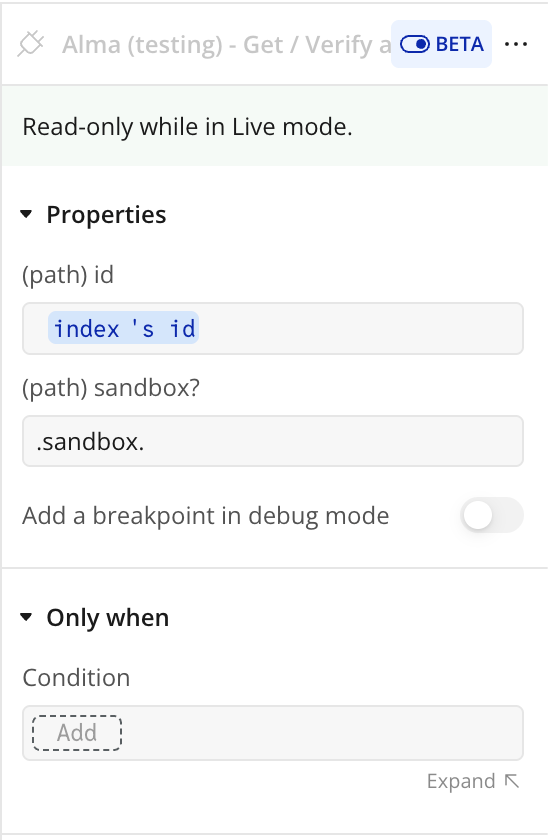
This is used within Bubble workflows or data sources to retrieve and verify an existing Alma payment. It allows your app to confirm the current status of a transaction and access all related payment details without manually building API requests. it is useful for tracking payment updates, validating completed transactions, and syncing order status inside your app.
Response:
Payment Data
Name | Description | Type |
Payment Body – allow_p1x | Whether single payment option is allowed | yes/no |
Payment Body – amount_left_to_pay | Remaining unpaid amount | Number |
Payment Body – available_payment_methods | Available payment methods for this transaction | Text |
Payment Body – can_be_charged | Indicates if payment can be charged | yes/no |
Payment Body – card_form_up | Indicates card form availability | yes/no |
Payment Body – cart | Cart data linked to the payment | Text |
Payment Body – country_of_service | Service country | Text |
Payment Body – created | Payment creation timestamp | Text |
Payment Body – id | Unique payment ID | Text |
Payment Body – installments_count | Number of installments | Number |
Payment Body – integration_origin | Origin of integration | Text |
Payment Body – locale | Payment locale | Text |
Payment Body – logo_url | Merchant logo URL | Text |
Payment Body – orders | Orders linked to payment | Text |
Payment Body – origin | Payment origin | Text |
Payment Body – payment_plan | Payment plan type | Text |
Payment Body – preferred_payment_method | Preferred payment method | Text |
Payment Body – provider | Payment provider | Text |
Payment Body – purchase_amount | Total purchase amount | Number |
Payment Body – return_url | Success return URL | Text |
Payment Body – seller | Seller information | Text |
Payment Body – state | Payment status | Text |
Payment Body – transaction_country | Transaction country | Text |
Payment Body – updated | Last update timestamp | Number |
Payment Body – url | Payment URL | Text |
Payment Body – using_sepa_debit | SEPA debit usage flag | yes/no |
Customer Data
Name | Description | Type |
Customer – id | Customer ID | Text |
Customer – email | Email address | Text |
Customer – first_name | First name | Text |
Customer – last_name | Last name | Text |
Customer – phone | Phone number | Text |
Customer – is_business | Business customer flag | yes/no |
Customer – email_verified | Email verification status | yes/no |
Customer – phone_verified | Phone verification status | yes/no |
Customer – created | Account creation date | Text |
Customer – collection_state | Customer onboarding state | Text |
Customer – is_compliant | Compliance status | yes/no |
Customer – primary_bank_account | Bank account reference | Text |
Card Data
Name | Description | Type |
Card – brand | Card brand | Text |
Card – country | Card issuing country | Text |
Card – exp_month | Expiry month | Number |
Card – exp_year | Expiry year | Number |
Card – last4 | Last 4 digits | Text |
Card – funding | Funding type | Text |
Card – verified | Card verification status | yes/no |
Card – three_d_secure_possible | 3D Secure support | yes/no |
Billing Data
Name | Description | Type |
Billing – city | Billing city | Text |
Billing – country | Billing country | Text |
Billing – email | Billing email | Text |
Billing – first_name | First name | Text |
Billing – last_name | Last name | Text |
Billing – line1 | Address line 1 | Text |
Billing – postal_code | Postal code | Text |
Billing – state_province | State or province | Text |
Merchant Data
Name | Description | Type |
Merchant – id | Merchant ID | Text |
Merchant – name | Merchant name | Text |
Merchant – display_name | Display name | Text |
Merchant – country | Merchant country | Text |
Merchant – website | Merchant website | Text |
Merchant – brand | Merchant brand | Text |
Fees Data
Name | Description | Type |
Fees – customer_fee | Fee charged to customer | Number |
Fees – customer_interest | Interest charged | Number |
Fees – merchant_target_fee | Target merchant fee | Number |
Deferred Data
Name | Description | Type |
Deferred – days | Delay in days | Number |
Deferred – months | Delay in months | Number |
Deferred – trigger | Deferred trigger flag | yes/no |
Deferred – description | Trigger description | Text |
Error Data
Name | Description | Type |
Error – status_code | HTTP error code | Number |
Error – status_message | Error message | Text |
Error – body | Full error response | Text |
returned_an_error | Whether request failed | yes/no |
Create A Refund
This is a plugin action exposed for Bubble workflows or data sources. It allows your app to initiate a refund on an existing Alma payment without manually building API requests. It sends a refund request to Alma and returns structured response data that can be reused directly inside Bubble workflows, conditions, and UI elements.
Response:
Payment Data
Name | Description | Type |
Payment – allow_p1x | Whether single payment option is allowed | yes/no |
Payment – amount_left_to_pay | Remaining unpaid amount after refund | Number |
Payment – can_be_charged | Indicates if payment can still be charged | yes/no |
Payment – created | Payment creation timestamp | Text |
Payment – id | Unique payment ID | Text |
Payment – installments_count | Number of installments | Number |
Payment – is_customer_kyced | Customer KYC status | yes/no |
Payment – is_fragments | Fragmented payment indicator | yes/no |
Payment – locale | Payment locale | Text |
Payment – logo_url | Merchant logo URL | Image |
Payment – merchant_brand | Merchant brand name | Text |
Payment – merchant_id | Merchant ID | Text |
Payment – merchant_name | Merchant name | Text |
Payment – merchant_website | Merchant website | Text |
Payment – orders | Related orders data | Text |
Payment – origin | Payment origin source | Text |
Payment – payment_plan | Payment plan type | Text |
Payment – preferred_payment_method | Preferred payment method | Text |
Payment – provider | Payment provider | Text |
Payment – purchase_amount | Original purchase amount | Number |
Payment – refunds | Refund history data | Text |
Payment – return_url | Success return URL | Text |
Payment – seller | Seller information | Text |
Payment – sepa_debit_enabled | SEPA debit availability | yes/no |
Payment – shipping_address | Shipping address | Text |
Payment – state | Current payment state after refund | Text |
Payment – url | Payment URL | Text |
Payment – using_sepa_debit | SEPA usage flag | yes/no |
Customer Data
Name | Description | Type |
Customer – id | Customer ID | Text |
Customer – email | Email address | Text |
Customer – first_name | First name | Text |
Customer – last_name | Last name | Text |
Customer – phone | Phone number | Text |
Customer – is_business | Business customer flag | yes/no |
Customer – email_verified | Email verification status | yes/no |
Customer – phone_verified | Phone verification status | yes/no |
Customer – collection_state | Customer onboarding state | Text |
Customer – created | Account creation timestamp | Text |
Customer – primary_bank_account | Bank account reference | Text |
Card Data
Name | Description | Type |
Card – brand | Card brand | Text |
Card – country | Card issuing country | Text |
Card – exp_month | Expiry month | Number |
Card – exp_year | Expiry year | Number |
Card – last4 | Last 4 digits of card | Text |
Card – funding | Card funding type | Text |
Card – verified | Card verification status | yes/no |
Card – three_d_secure_possible | 3D Secure support | yes/no |
Billing Data
Name | Description | Type |
Billing – city | Billing city | Text |
Billing – country | Billing country | Text |
Billing – email | Billing email | Text |
Billing – first_name | First name | Text |
Billing – last_name | Last name | Text |
Billing – line1 | Address line 1 | Text |
Billing – postal_code | Postal code | Text |
Billing – phone | Phone number | Text |
Refund Data
Name | Description | Type |
Refund – refunds | List of refund transactions | Text |
Refund – customer_fee | Fee charged to customer | Number |
Refund – customer_interest | Interest charged to customer | Number |
Refund – provider | Payment provider | Text |
Refund – state | Refund/payment state | Text |
Refund – expired_at | Expiration timestamp | Text |
Metadata
Name | Description | Type |
Metadata – deferred_days | Payment delay in days | Number |
Metadata – deferred_months | Payment delay in months | Number |
Metadata – locale | Transaction locale | Text |
Metadata – origin | Request origin | Text |
Metadata – url | Payment URL | Text |
Workflow example
Create A Payment
- Place the input elements on the page (Address, Cost Code, Amount, City)
- Add a Pay Now Button on the page
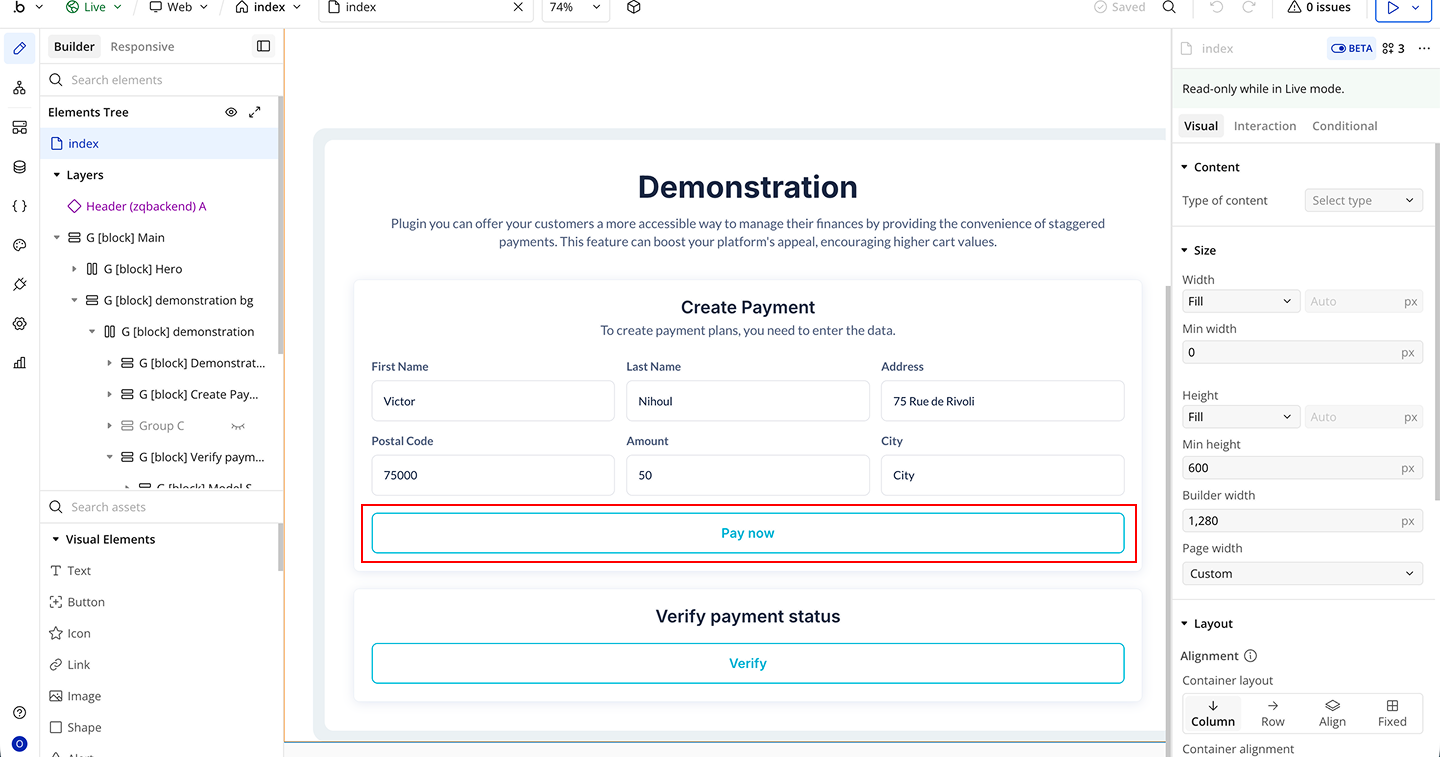
- Start a workflow on the Pay Now Button → When Button is clicked
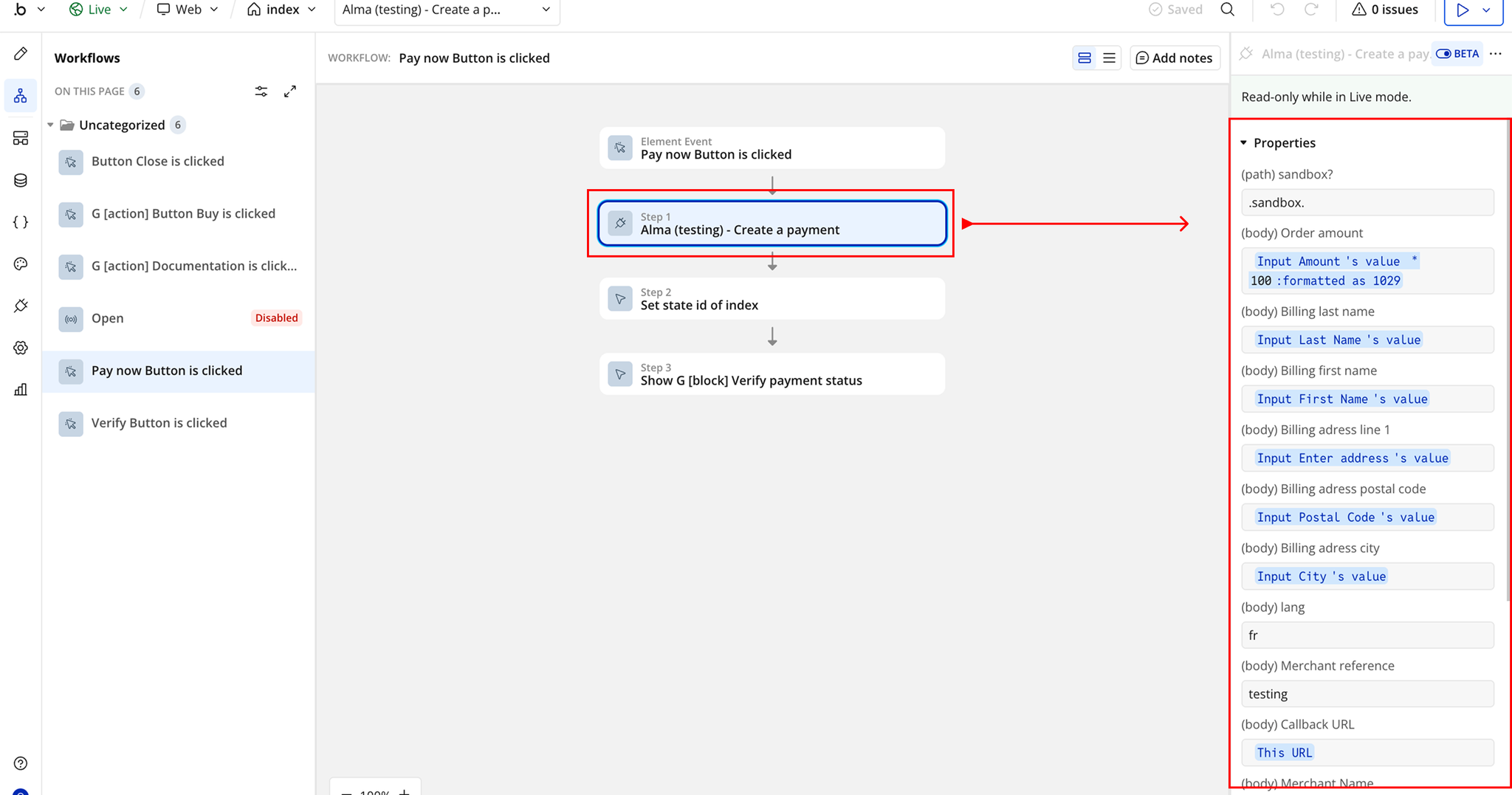
- Add the plugin action Alma - Create A Payment inside the workflow
- Map in required fields to your input elements:
- Order Amount
- Billing Last Name
- Billing First Name
- Billing Address Line 1
- Any additional fields
Get/Verify A Payment
- Place the input elements on the page (Address, Cost Code, Amount, City)
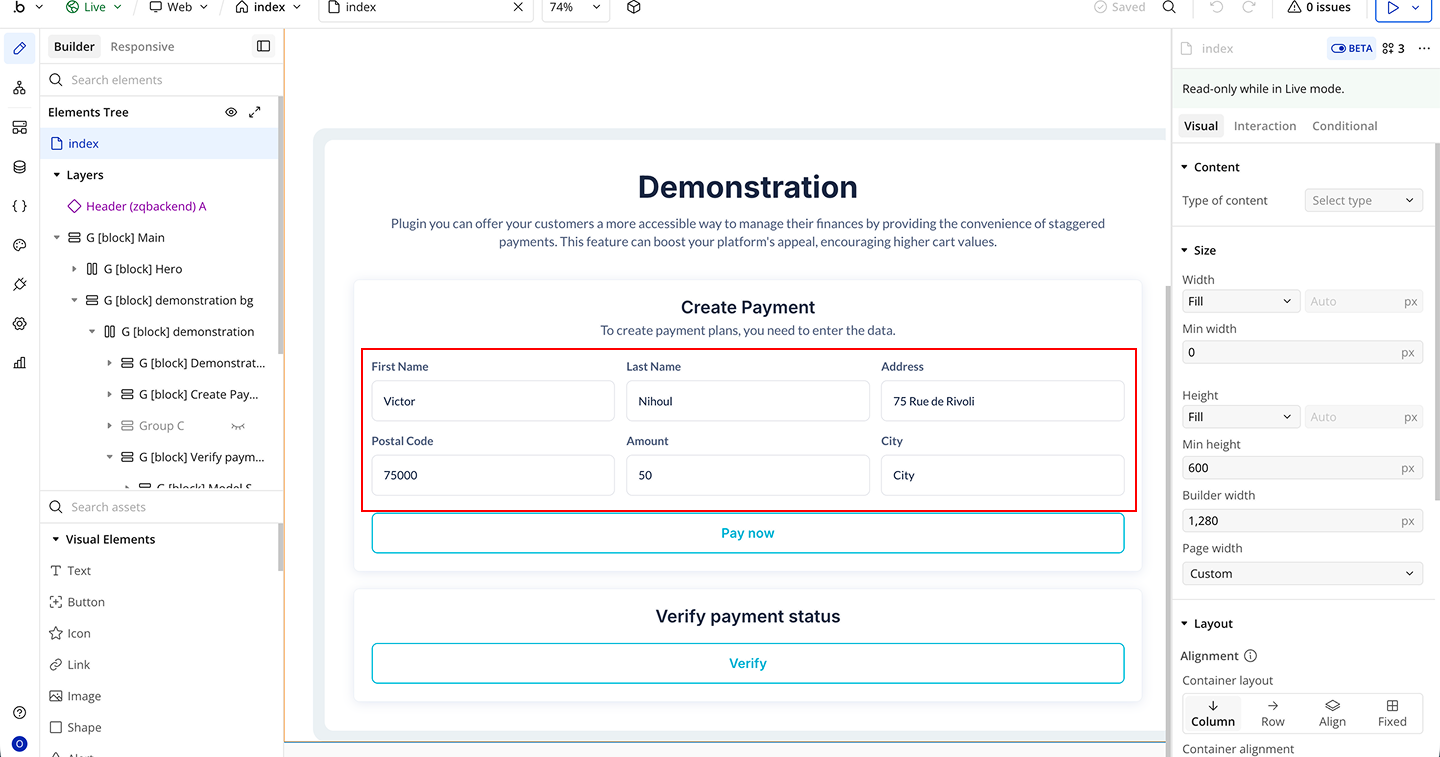
- Add a Verify Button on the page
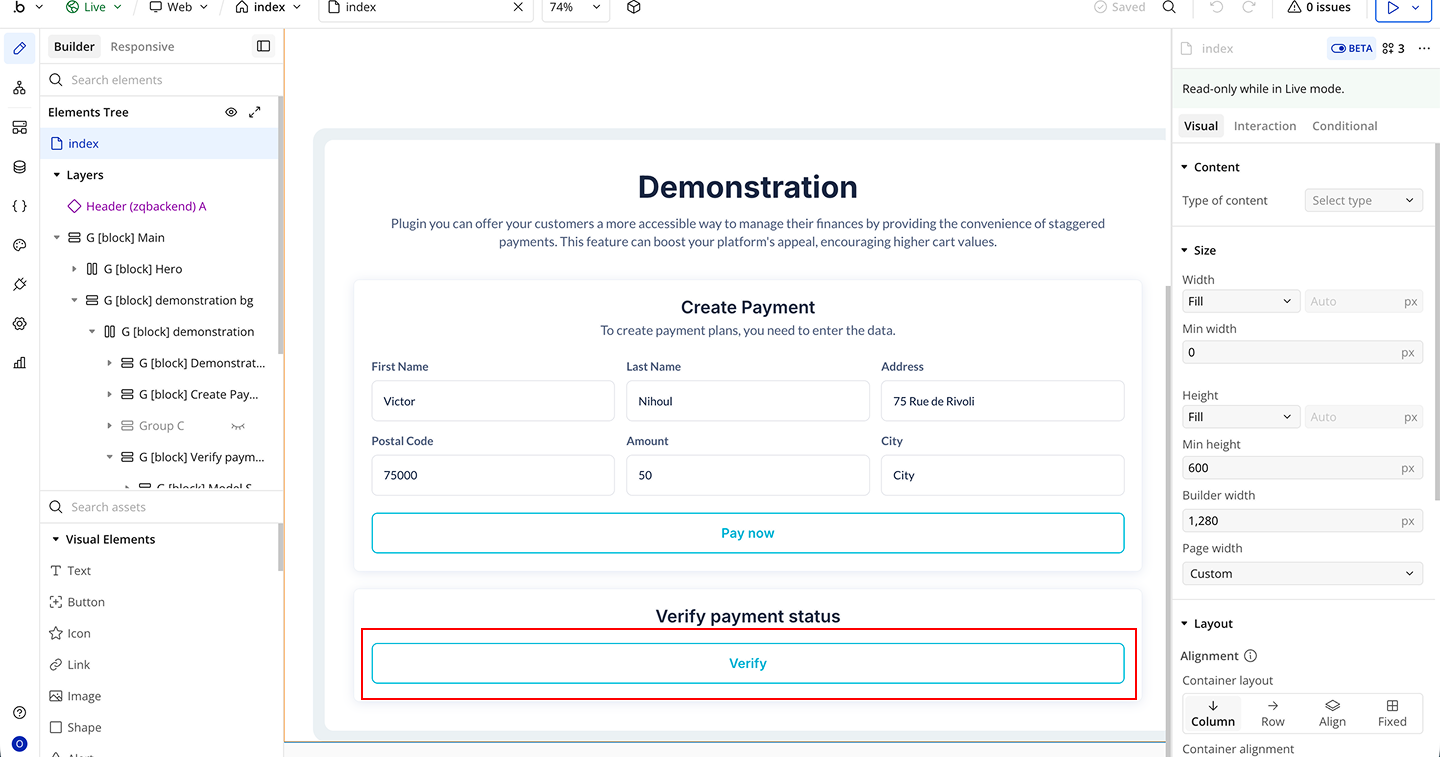
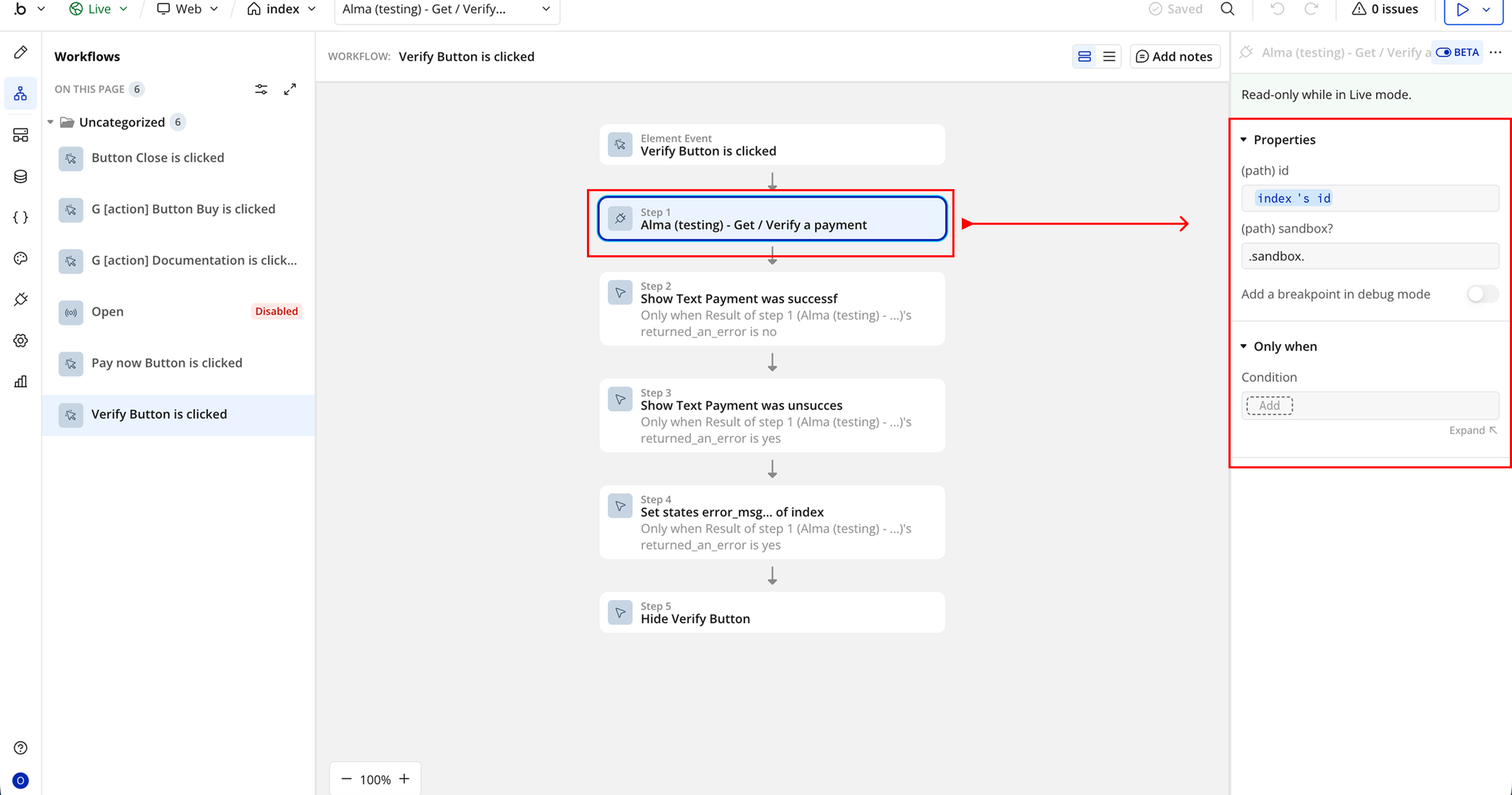
- Start a workflow on the Verify Button → When Button is clicked
- Add the plugin action Alma - Get/Verify A Payment inside the workflow
- Map in required fields
Changelogs
Update 11.05.26 - Version 2.0.0
- Bubble Plugin Page Update (Docs).
Update 11.06.25 - Version 1.10.0
- Marketing update (minor change).
Update 08.05.25 - Version 1.9.0
- Minor update (Marketing update).
Update 25.07.24 - Version 1.8.0
- Minor update .
Update 24.06.24 - Version 1.7.0
- Updated demo/service links.
Update 03.05.24 - Version 1.6.0
- fixed APIs.
Update 08.03.24 - Version 1.5.0
- Acquired by zeroqode.
Update 21.09.22 - Version 1.4.0
- [Breaking changes] Please refer to documentation.
Update 21.09.22 - Version 1.3.0
- [Breaking changes] Please refer to documentation.
Update 21.09.22 - Version 1.2.0
- [Breaking changes] Please refer to documentation.
Update 21.09.22 - Version 1.1.3
- Fix 2.
Update 21.09.22 - Version 1.1.2
- Fix.
Update 16.12.21 - Version 1.1.1
- x.
Update 10.12.21 - Version 1.1.0
- x.
Update 10.12.21 - Version 1.0.1
- Testing.
Update 08.10.21 - Version 1.0.0
- First release.