
✅
Demo to preview the plugin:
✅
Introduction
The X (formerly Twitter) plugin allows you to integrate social features directly into your Bubble app. It enables you to read and write data, letting users interact with posts, profiles, and timelines without leaving your app. With OAuth authentication, users can securely connect their accounts and perform actions on their behalf, making it ideal for social, marketing, and analytics-driven applications.
Key Features
- Post and manage tweets
- Like and retweet content
- Retrieve user and timeline data
- Interact with social content in real time
Prerequisites
- A Bubble app where the plugin will be installed
- A developer account on X
- API keys and OAuth credentials from your developer app
- Proper authentication setup for users

How to setup
Step 1 – Install the Plugin
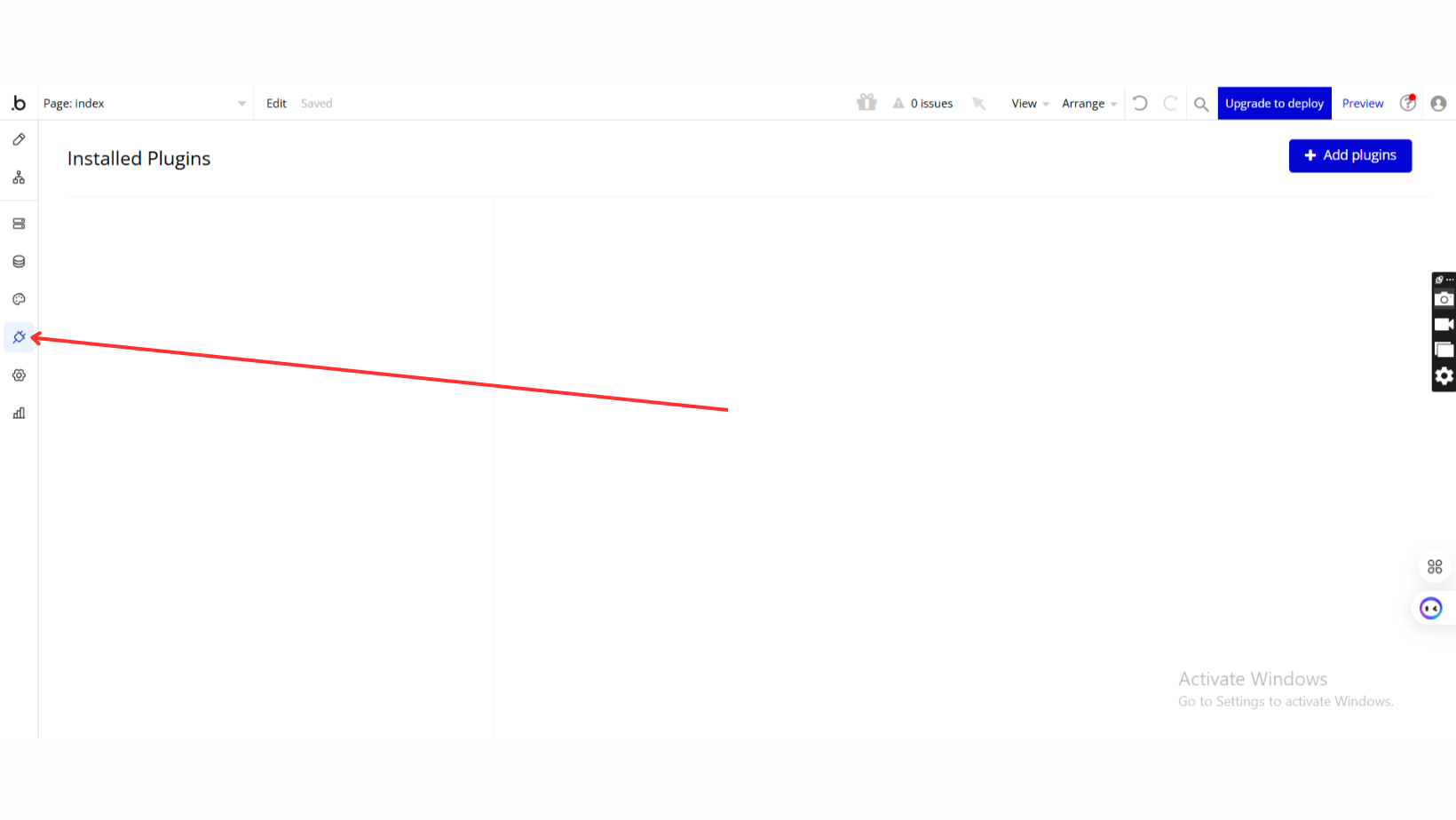
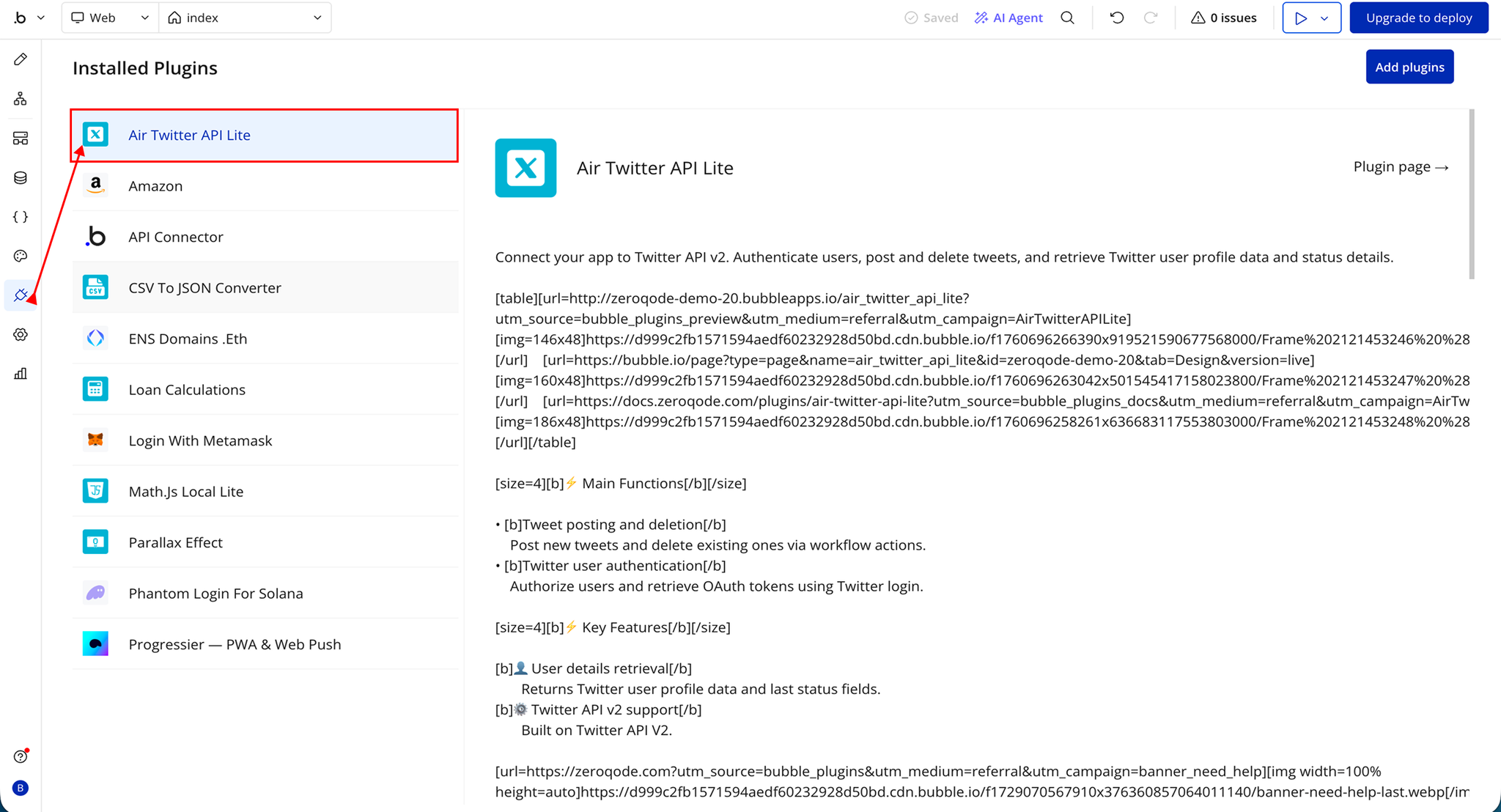
- Go to the Plugin Tab
- Open your Bubble Editor.
- Navigate to the Plugins tab on the left panel.
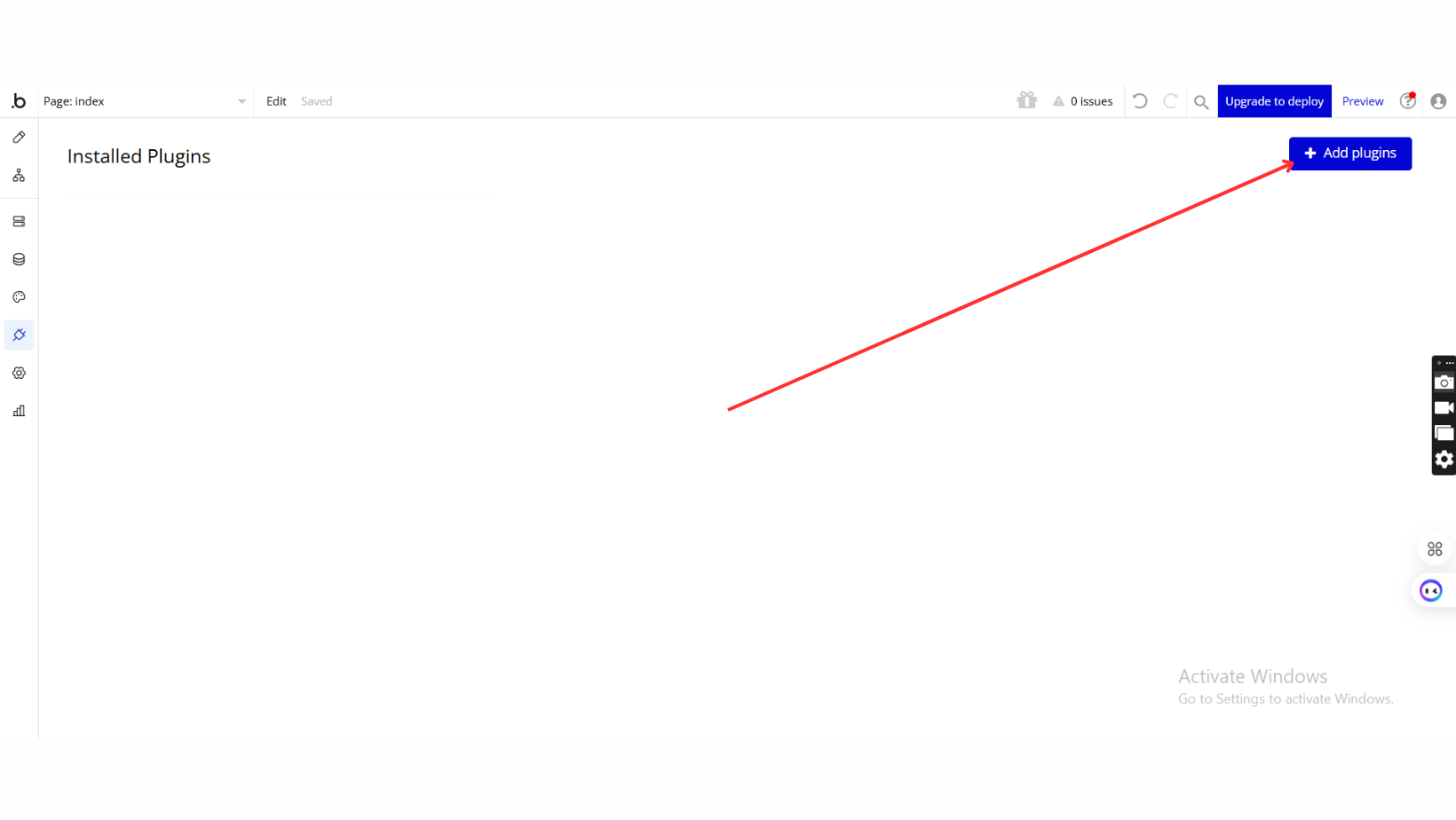
- Add Plugins
- Once in the Plugins tab, click the Add Plugins button.
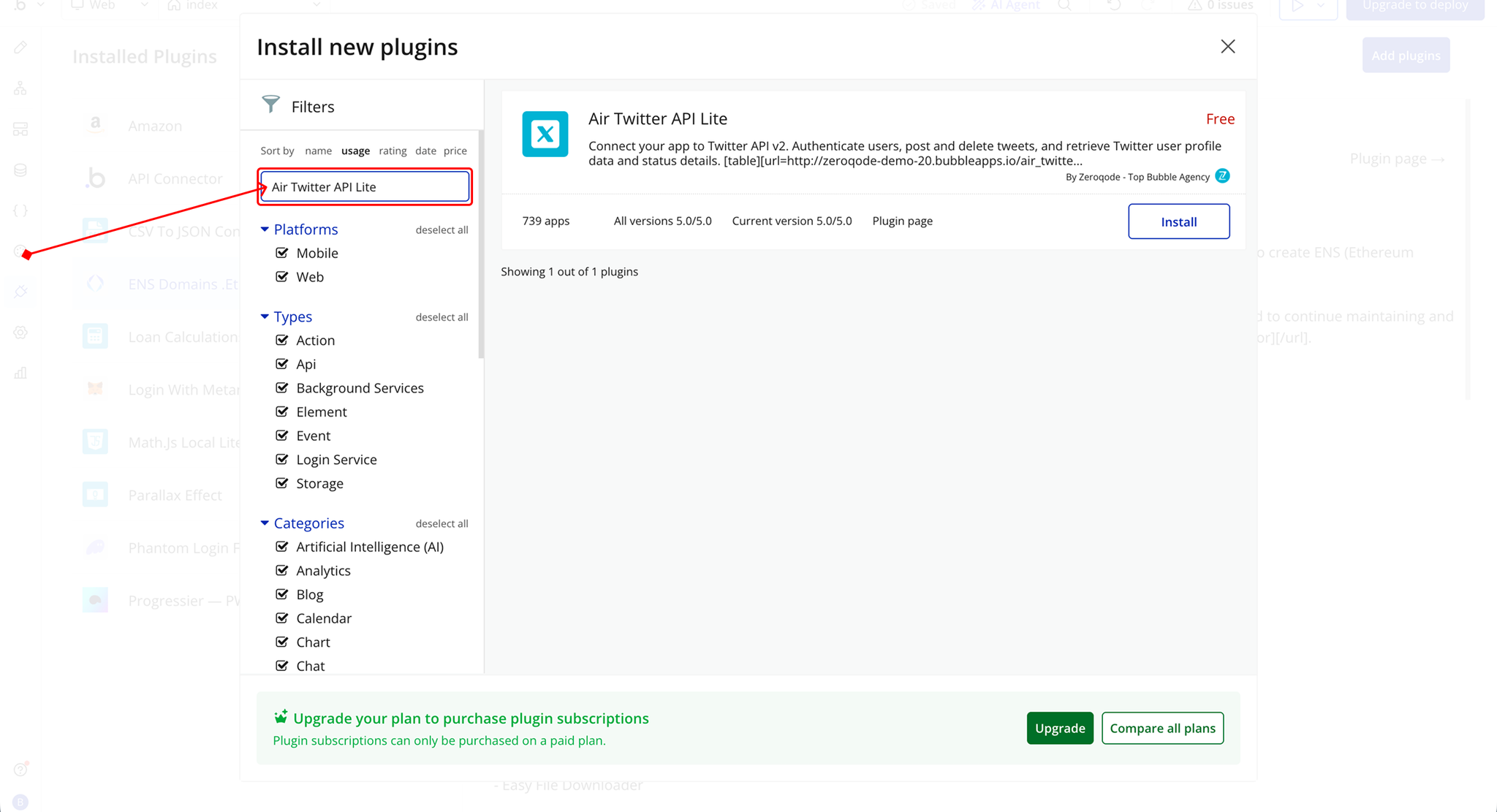
- Search for the Plugin
- Use the search bar to type Air Twitter API Lite.
- Locate the plugin in the search results.
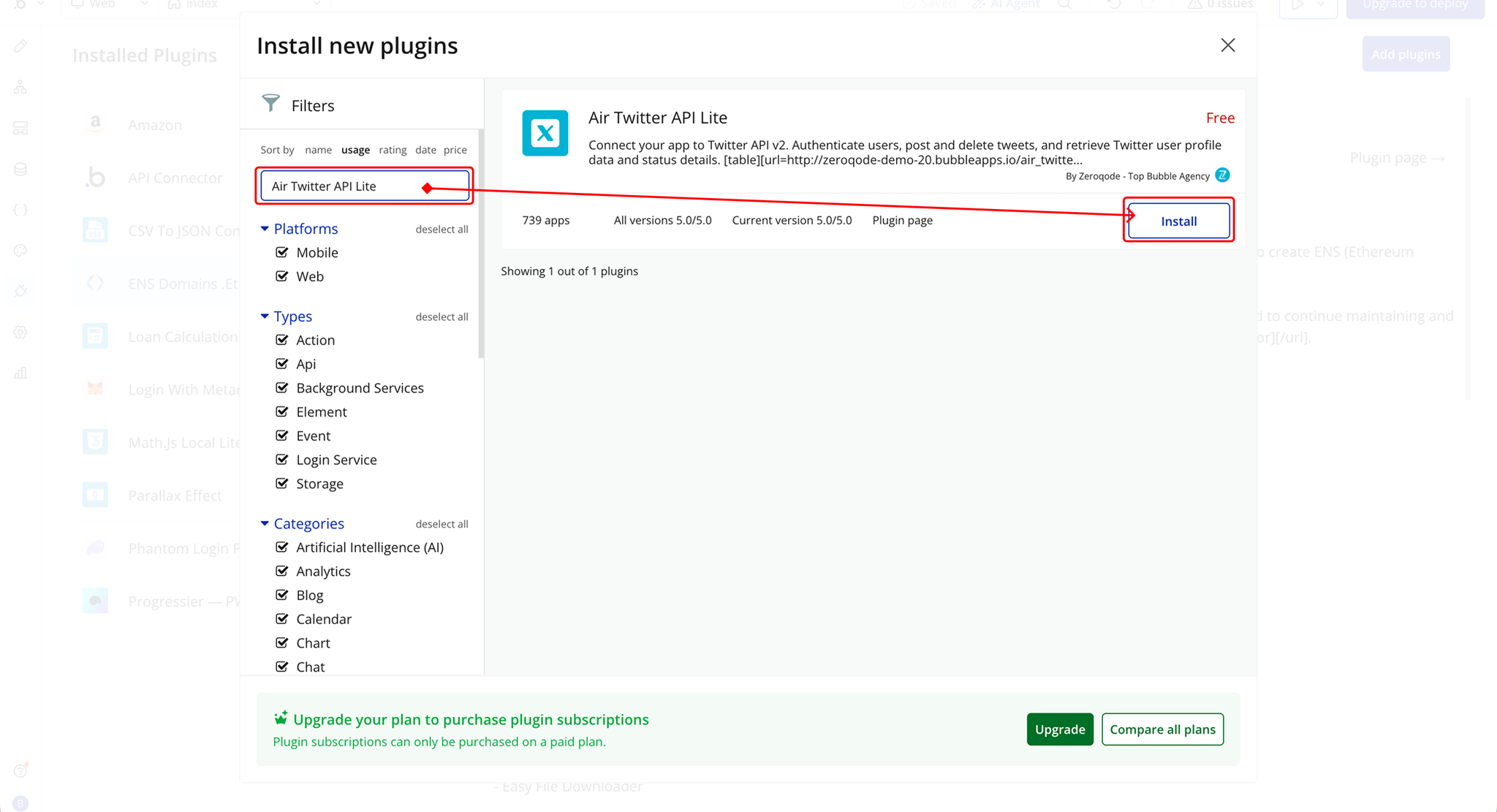
- Install/Buy
- If the plugin is free, click Install to add it to your application.
- For a paid plugin, click Buy and follow the purchase instructions.
- Payment Information (For Paid Plugins)
- If the plugin is a paid one, fill in your payment details and make payment.
- Charges will be added to your Bubble billing account.
- Remember, if you unsubscribe from the plugin shortly after installation, charges will be prorated based on the days used.
- Plugin Installed
- Once installed, the plugin will appear under the Installed Plugins list in your Bubble Editor.
Step 2 – Add the Plugin Element to Your Page
- Open the Design tab in your Bubble editor.
- Search for the Twitter account element in the Elements panel.
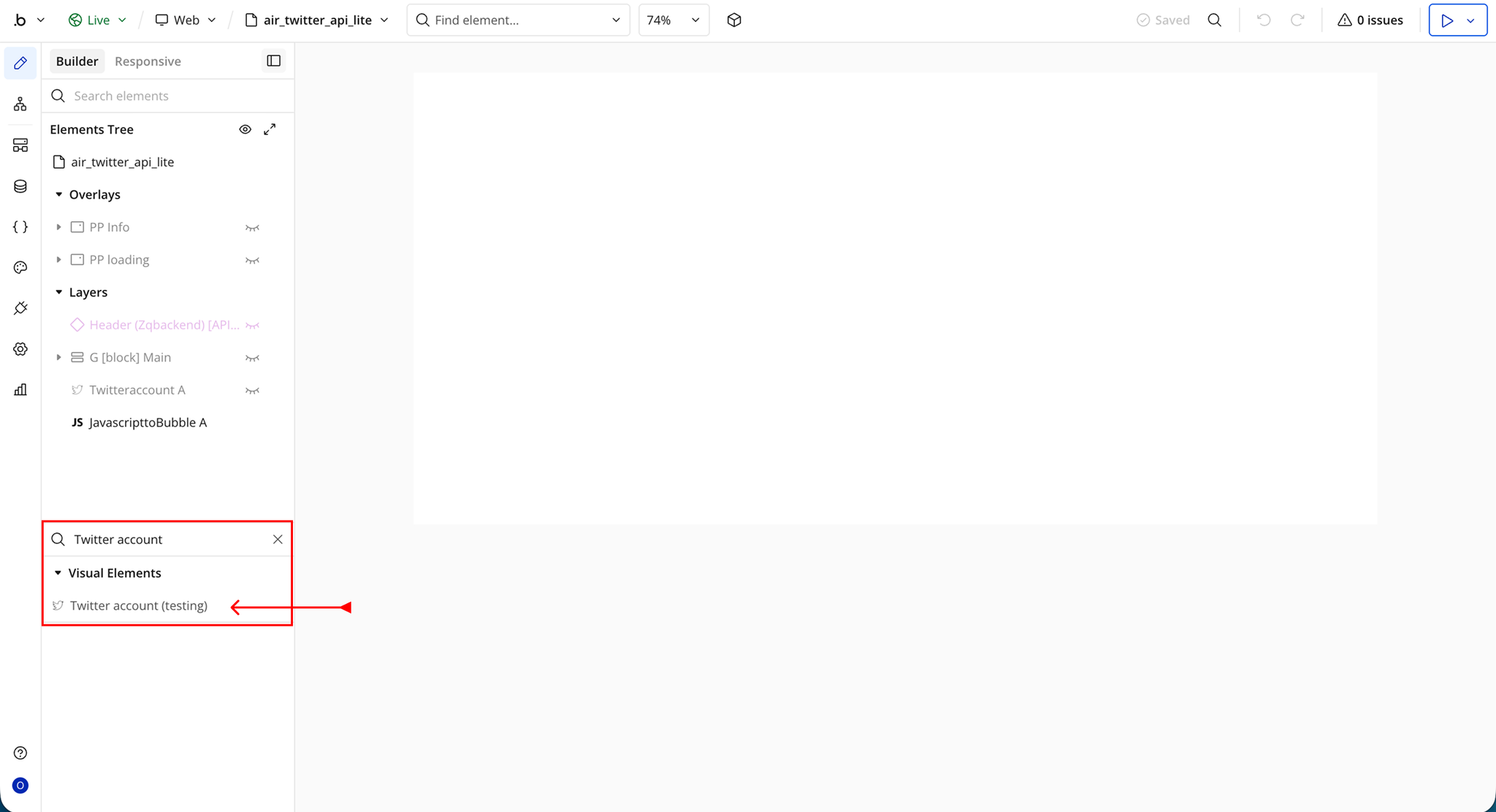
- You’ll see one option:
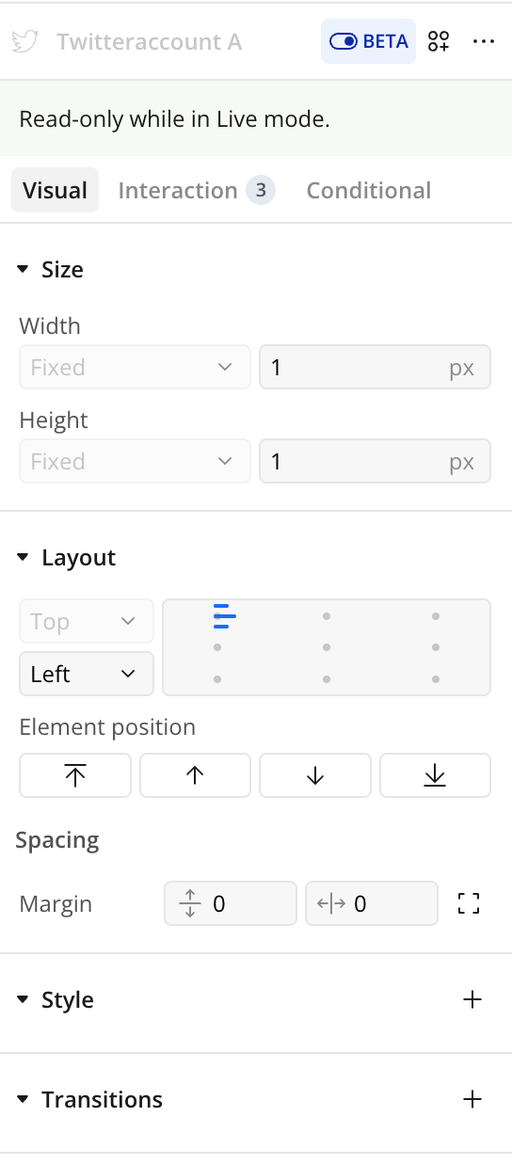
- Twitter account
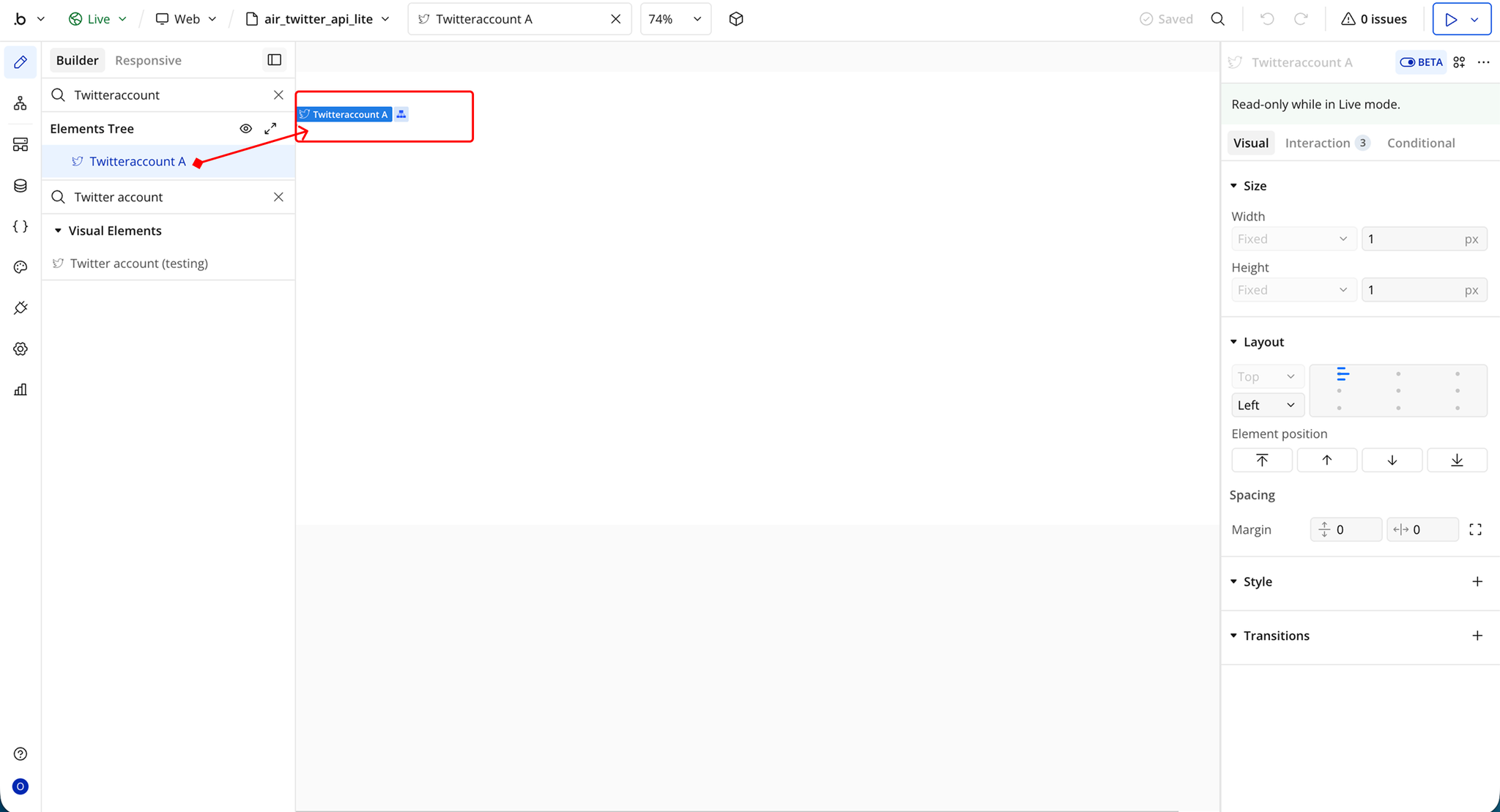
- Drag and drop the element onto your page.
Step 3 – X (Twitter) Developer Account Setup
- Go to the developer portal: https://developer.x.com/
- Sign in with your X (Twitter) account

- If you don’t have an account, create one using Google or email login
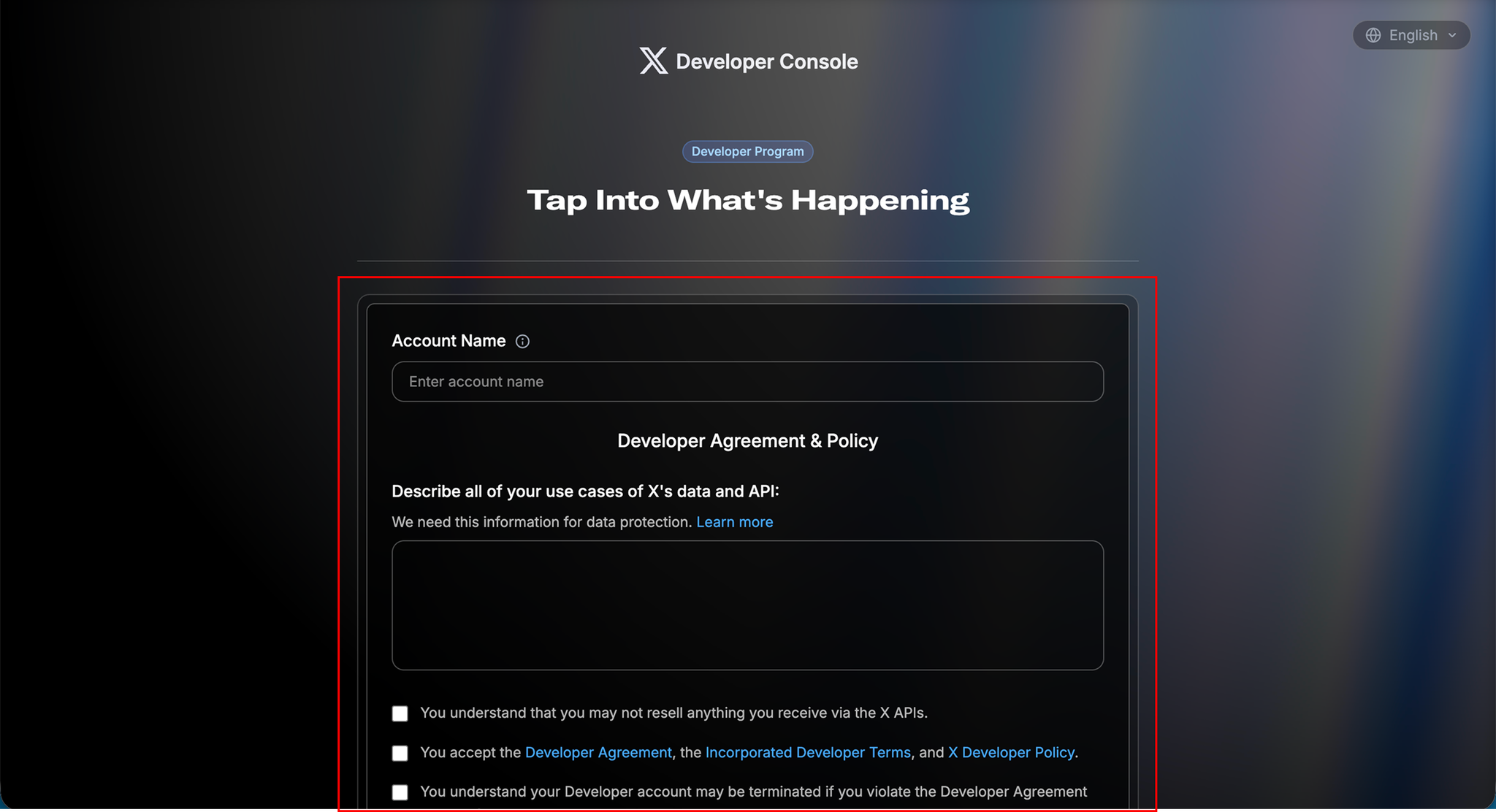
- Fill in your use case description when prompted
- Accept the required terms and complete your profile setup
- Open your developer dashboard
- Go to the Apps section
- Create a new app or select an existing one
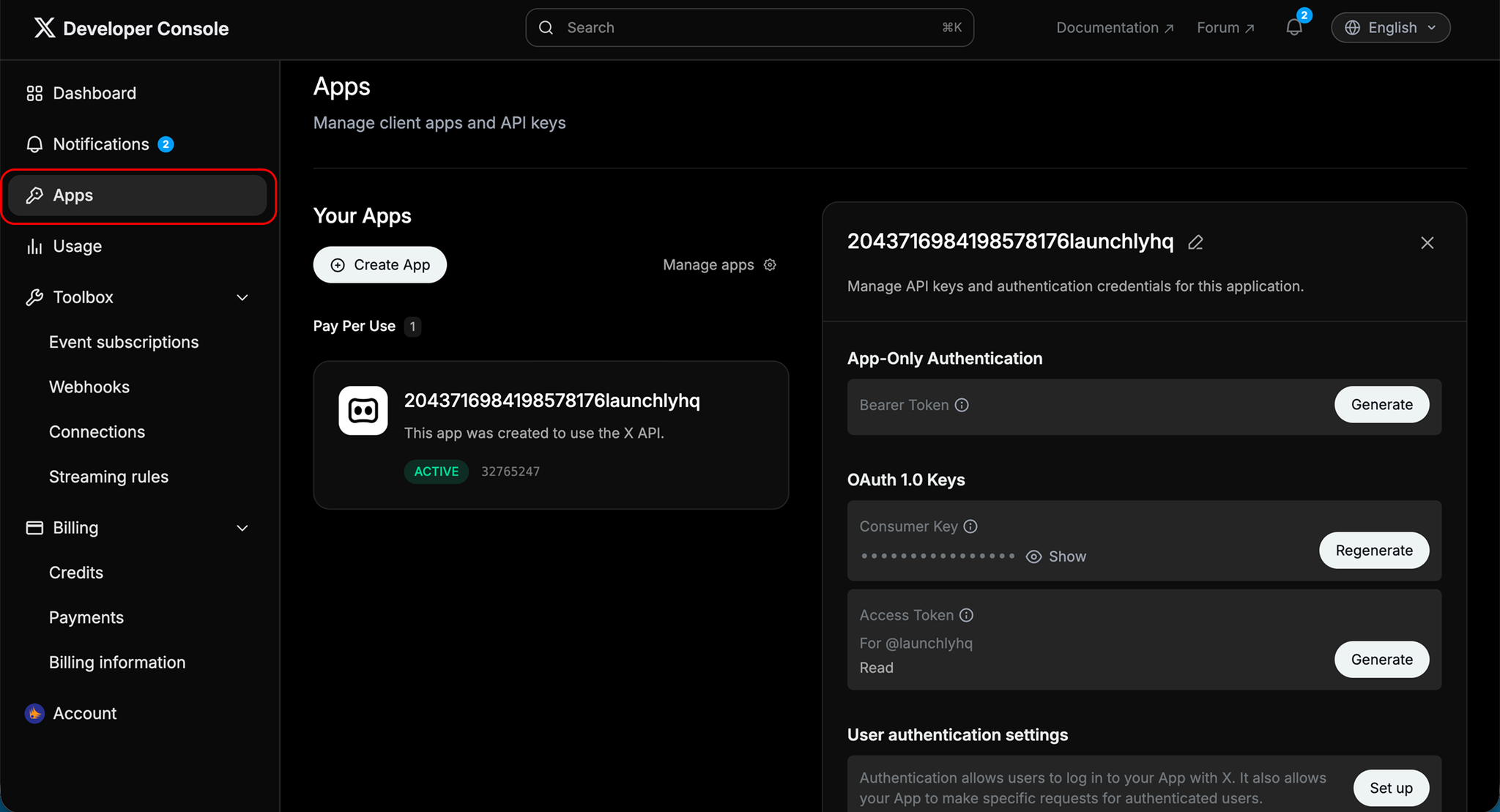
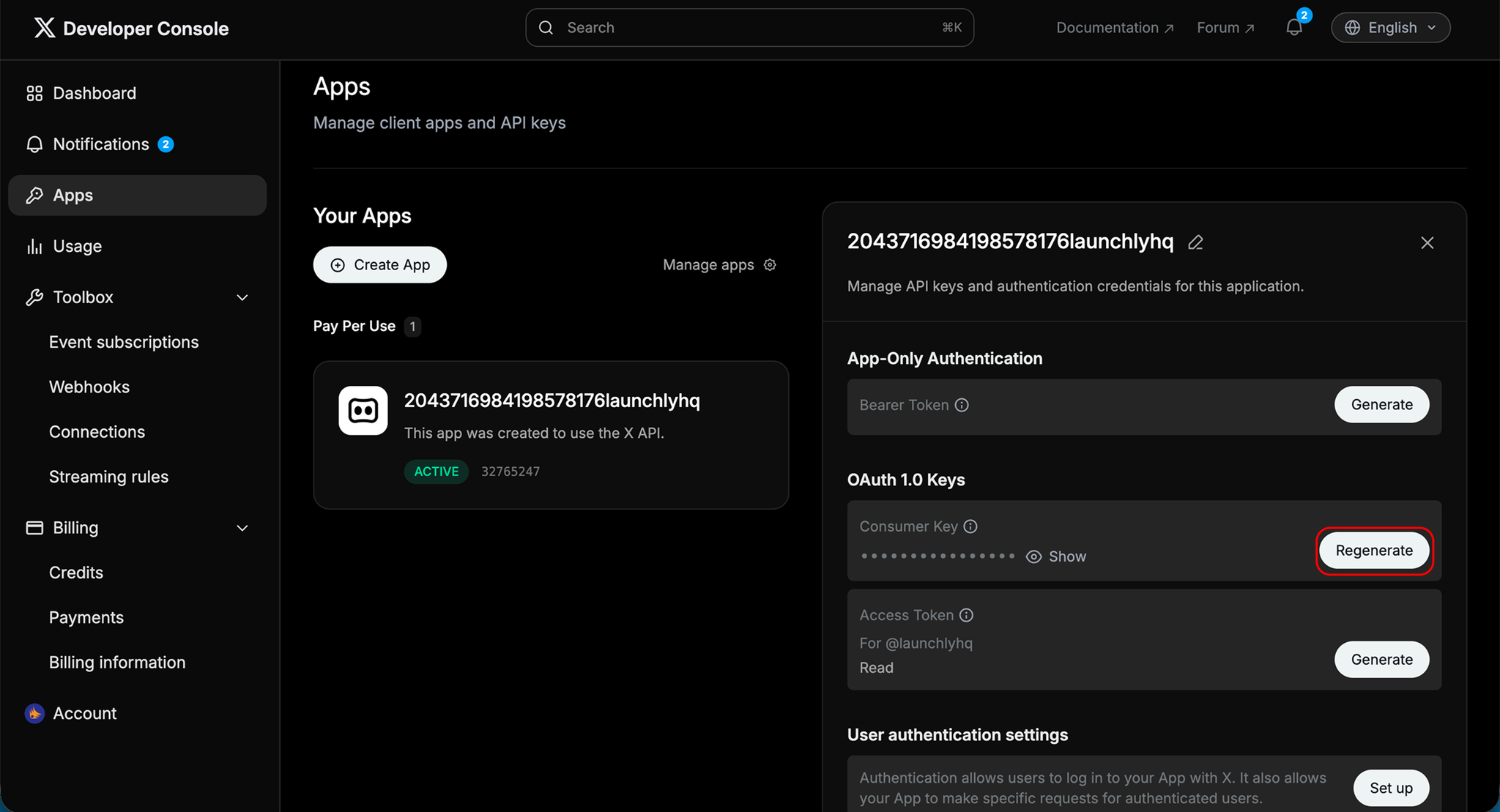
- Inside your app settings:
- Generate OAuth 1.0 Keys
- Consumer Key (Public Key)
- Consumer Key Secret (Private Secret)
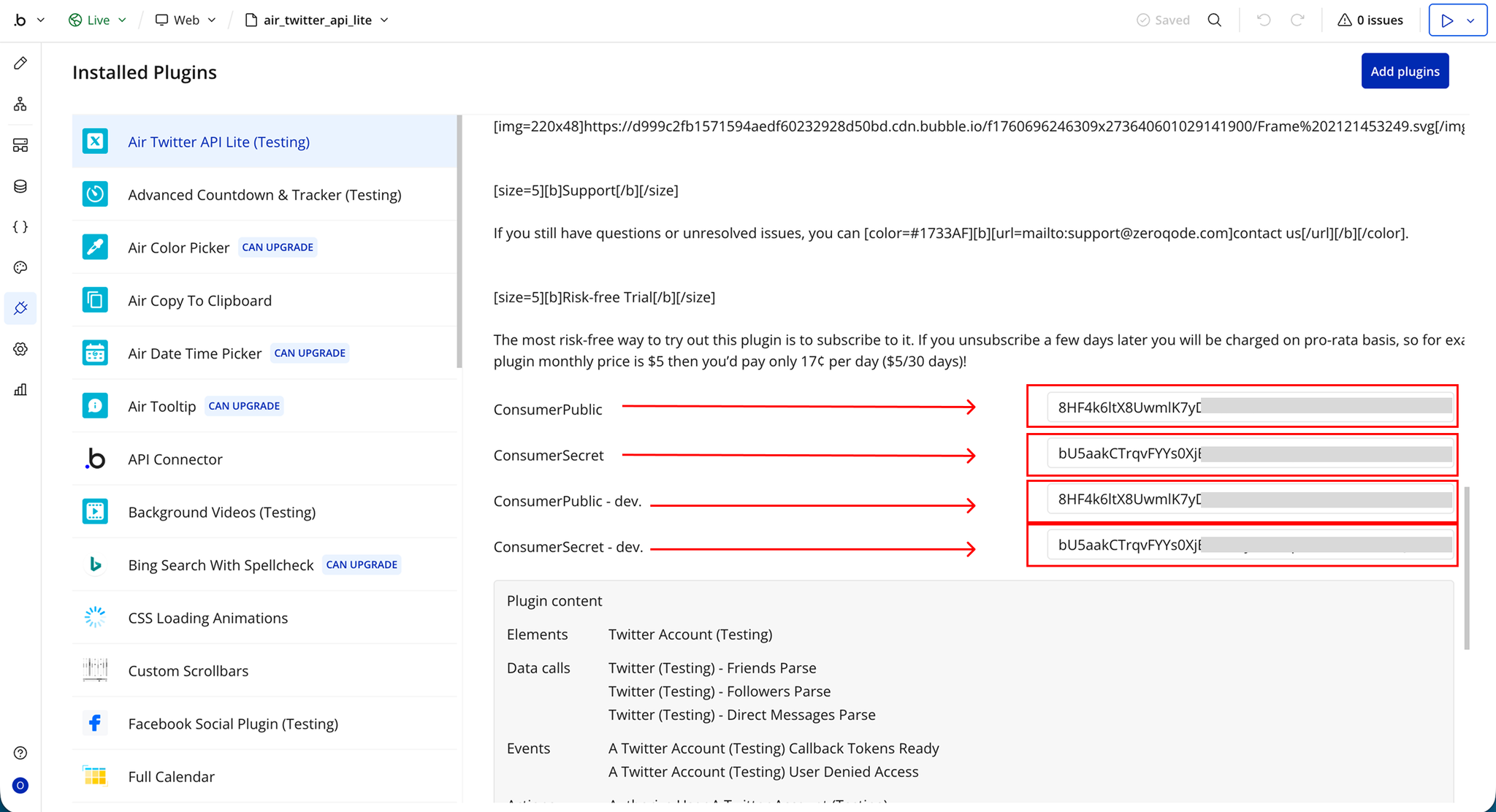
- Copy your Public Key into the plugin’s consumer public key field
- Copy your Secret Key into the plugin’s consumer secret field
Plugin Element: Twitter account
Exposed States
Name | Description | Type |
Callback Oauth token | The OAuth token returned in the callback URL after the user authorizes your app | Text |
Callback Oauth verifier | The OAuth verifier returned in the callback URL, used to complete the authentication process and exchange for an access token | Text |
Element Events
Name | Description | Type |
Callback Tokens ready | Triggered when valid OAuth token and verifier values are received from the callback URL and are ready to be used | Event |
User denied access | Triggered when the user declines or cancels the authorization request during the OAuth process | Event |
Element Actions
Authorize User
This action redirects the user to X (Twitter)’s authorization page to begin the login and consent process. It takes the OAuth token generated in the first step and uses it to initiate authentication. Once triggered, the user is taken to X where they can approve or deny access to your app.
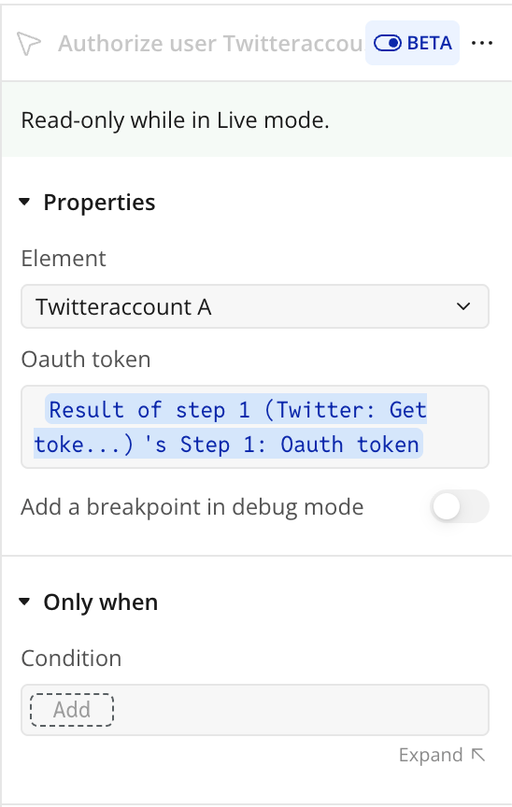
Name | Description | Type |
Oauth token | The OAuth token generated in step 1 (using Get tokens) and used to start the authorization process | Text |
Twitter: Get Tokens
This action manages the full OAuth 1.0a authentication process for X (Twitter), handling both the initial request and the final token exchange. It is required to establish a secure authenticated session for a user.
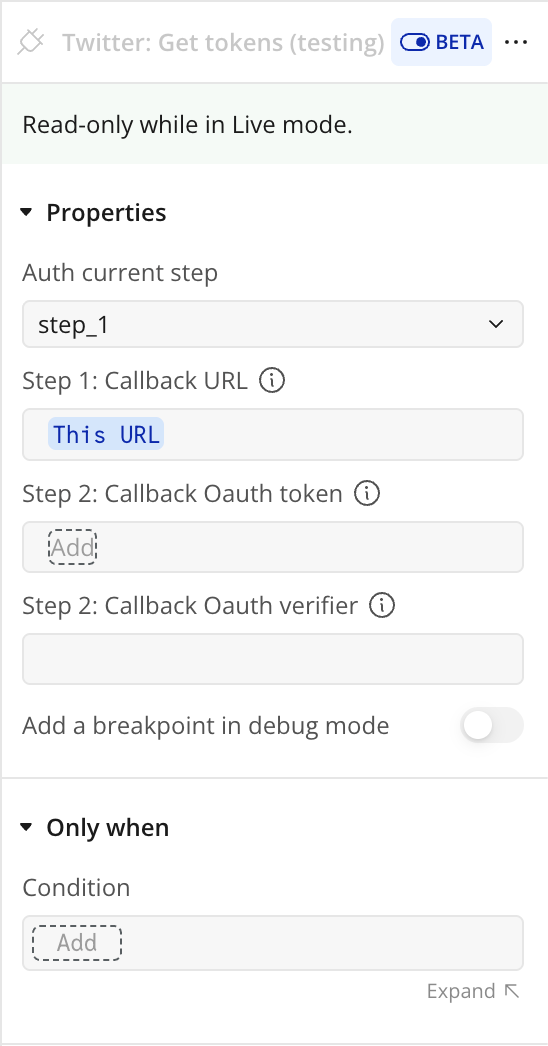
Name | Description | Type |
Auth current step | Defines which stage of the OAuth flow to execute: Step 1 (request token) or Step 2 (access token exchange) | Text |
Step 1: Callback URL | The URL-encoded callback URL used when requesting the initial OAuth token | Text |
Step 2: Callback Oauth token | The OAuth token returned by X after user authorization, used in step 2 of the flow | Text |
Step 2: Callback Oauth verifier | The OAuth verifier returned by X after user authorization, required to exchange for access credentials | Text |
Return values:
Name | Description | Type |
error | Error message returned if the OAuth request or token exchange fails | Text |
Step 1: Oauth token | Request token generated during step 1 of the OAuth flow | Text |
Step 1: Oauth token secret | Secret key paired with the request token from step 1 | Text |
Step 1: Oauth callback confirmed | Indicates whether X (Twitter) successfully confirmed the callback URL in step 1 | yes/no |
Step 2: Oauth token | Access token generated after successful user authorization (step 2) | Text |
Step 2: Oauth token secret | Secret key paired with the access token from step 2 | Text |
Step 2: User ID | Unique identifier of the authenticated X (Twitter) user | Text |
Step 2: Username | The X (Twitter) username of the authenticated user | Text |
Twitter: Post New Tweet
This action allows your app to publish a new tweet on behalf of the authenticated X (Twitter) user. It uses the access credentials obtained from the OAuth step 2 flow to securely send content to the user’s account.
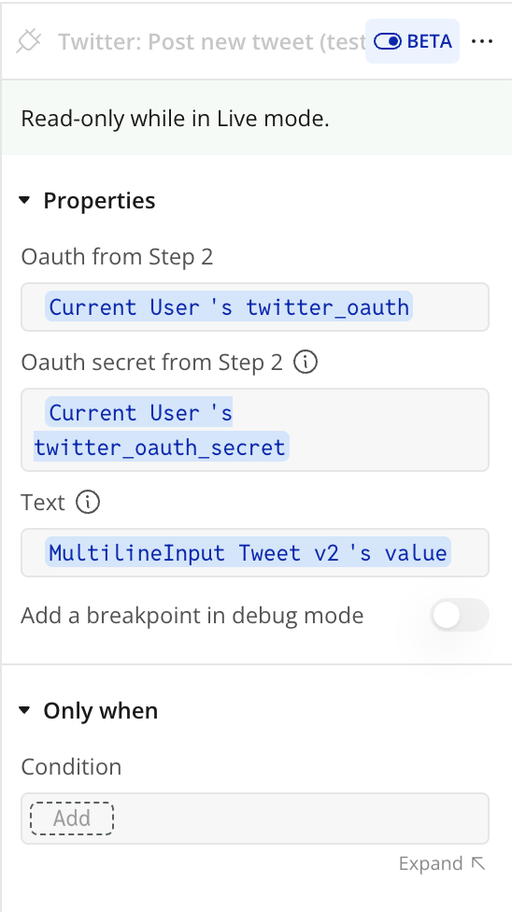
Name | Description | Type |
Oauth from Step 2 | The OAuth access token obtained after successful authentication (step 2) | Text |
Oauth secret from Step 2 | The OAuth access token secret obtained after successful authentication (step 2) | Text |
Text | The content of the tweet to be published (maximum 280 characters) | Text |
Return values:
Name | Description | Type |
Tweet ID | The unique identifier of the tweet that was created and published | Text |
Twitter: Delete Tweet
This action allows your app to delete a tweet that belongs to the authenticated X (Twitter) user. It uses the OAuth credentials from the authentication flow and requires the specific tweet ID to identify the content to remove. It is commonly used in moderation tools, content management systems, or undo/rollback features.
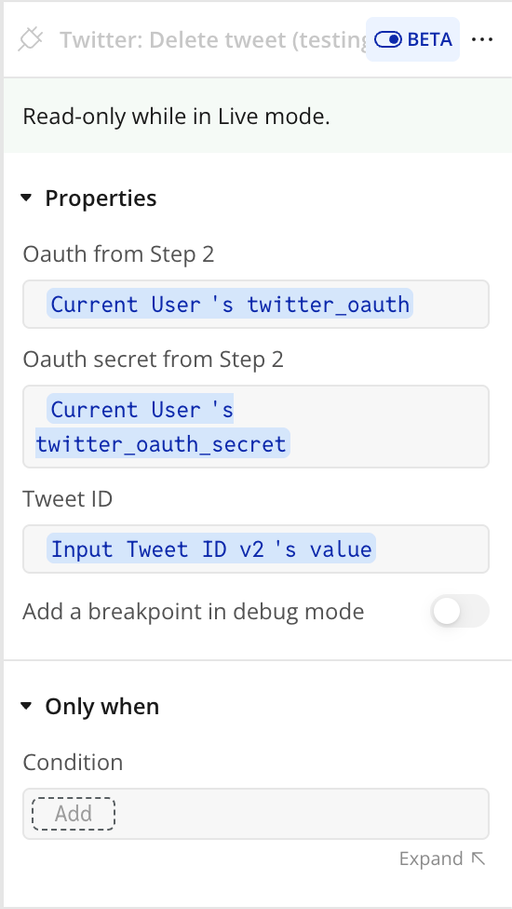
Name | Description | Type |
Oauth from Step 2 | The OAuth access token obtained after successful authentication (step 2) | Text |
Oauth secret from Step 2 | The OAuth access token secret obtained after successful authentication (step 2) | Text |
Tweet ID | The unique ID of the tweet that should be deleted | Text |
Return values:
Name | Description | Type |
Success | Indicates whether the tweet was successfully deleted | yes/no |
Error | Error message returned if the deletion fails | Text |
Twitter: Get User Details
This action retrieves profile information for the authenticated X (Twitter) user. It returns detailed account metadata such as name, username, follower counts, profile images, and recent activity. It is useful for displaying user profiles, storing account data, or personalizing your Bubble app experience.
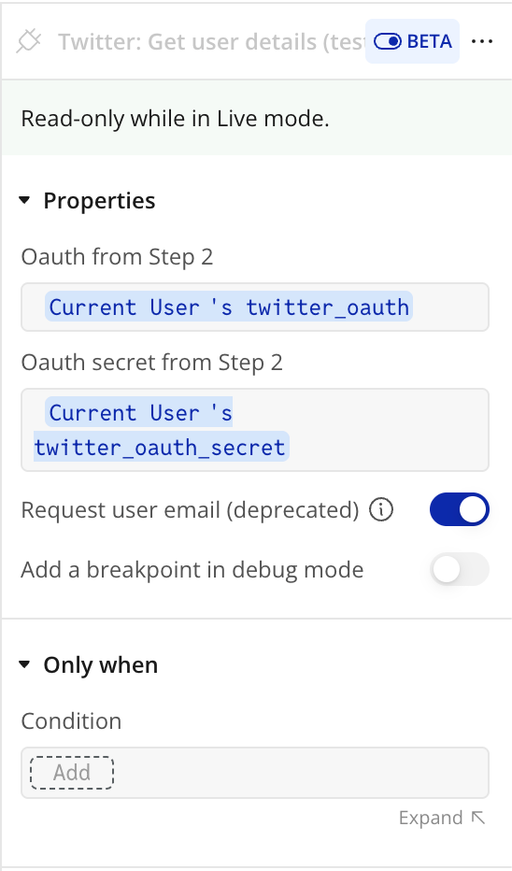
Name | Description | Type |
Oauth from Step 2 | The OAuth access token obtained after successful authentication (step 2) | Text |
Oauth secret from Step 2 | The OAuth access token secret obtained after successful authentication (step 2) | Text |
Request user email (deprecated) | If enabled, attempts to request the user’s email address (only available if permitted by the X app settings) | yes/no |
Return values:
Name | Description | Type |
Error | Error message returned if the request fails | Text |
User ID | Unique identifier of the Twitter user | Text |
Name | Display name of the user | Text |
Screen Name | Twitter handle (username) | Text |
Description | User bio or profile description | Text |
Url | Website URL from the user’s profile | Text |
Followers count | Number of followers the user has | Number |
Friends count | Number of accounts the user follows | Number |
Listed count | Number of public lists the user is included in | Number |
Created date | Date the account was created | Date |
Favourites count | Number of liked tweets | Number |
Is verified | Indicates whether the account is verified | yes/no |
Statuses count | Total number of tweets posted by the user | Number |
Last status text | Text of the most recent tweet | Text |
Last status date | Date of the most recent tweet | Date |
Last status id | ID of the most recent tweet | Text |
Profile image url | URL of the profile picture | Text |
Profile banner url | URL of the profile banner image | Text |
User email | Email address (only returned if permitted by X app settings) | Text |
Plugin Data/Action Calls
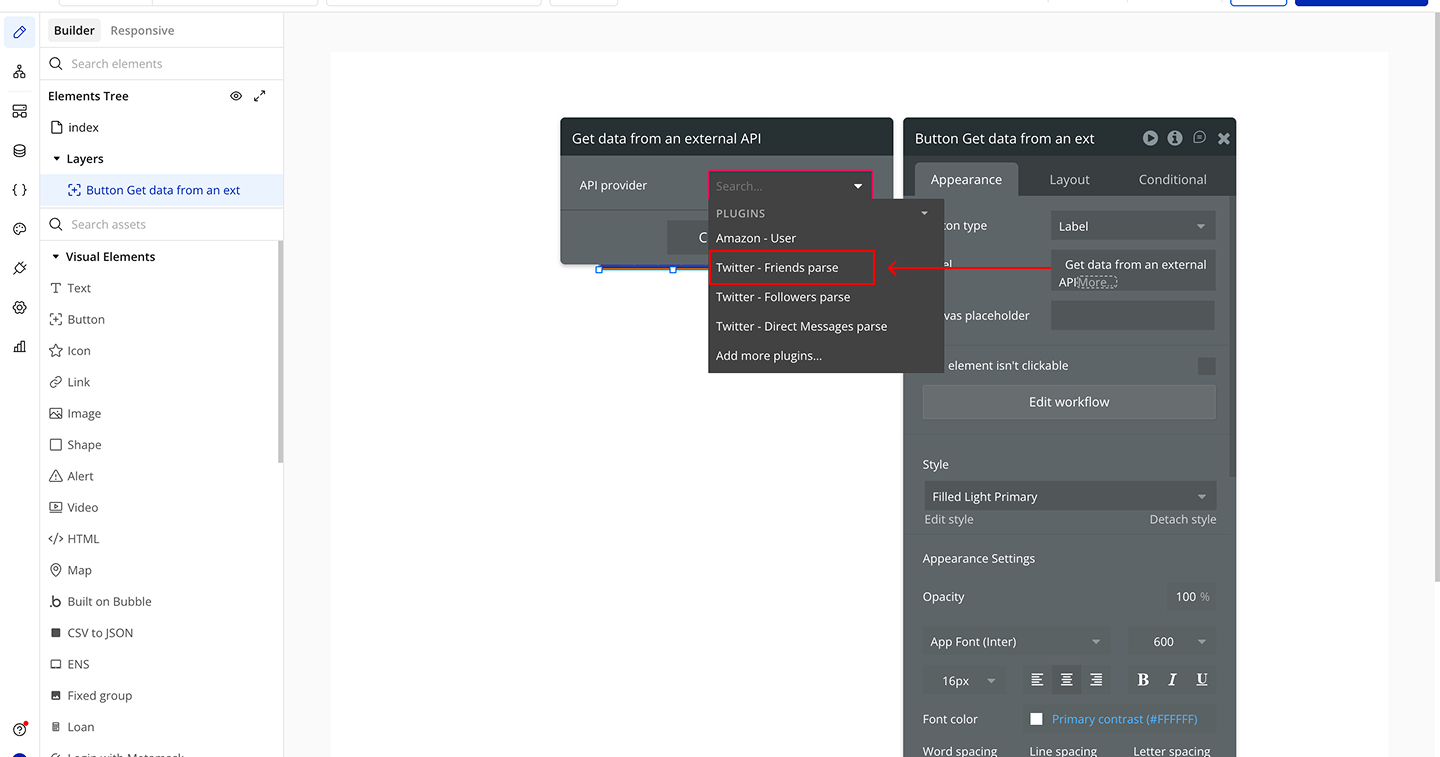
Friends Parse
This API call is used to structure and format the authenticated user’s Twitter (X) friends data into a Bubble-friendly format. It converts the raw response into clean, usable fields that can be displayed, stored, or reused in workflows. It is intended for data processing within the plugin, not for performing direct actions like posting or interacting with tweets.
Parameters
This call does not expose explicit parameters in the plugin JSON.
Response:
Name | Description | Type |
id | Unique numeric identifier of the Twitter friend record | Number |
id_str | String version of the Twitter friend ID | Text |
name | Display name of the friend account | Text |
screen_name | Twitter username (handle) of the friend | Text |
address | Parsed address field returned in the friend data (if available) | Text |
url | Website URL associated with the friend profile | Text |
description | Bio or profile description of the friend account | Text |
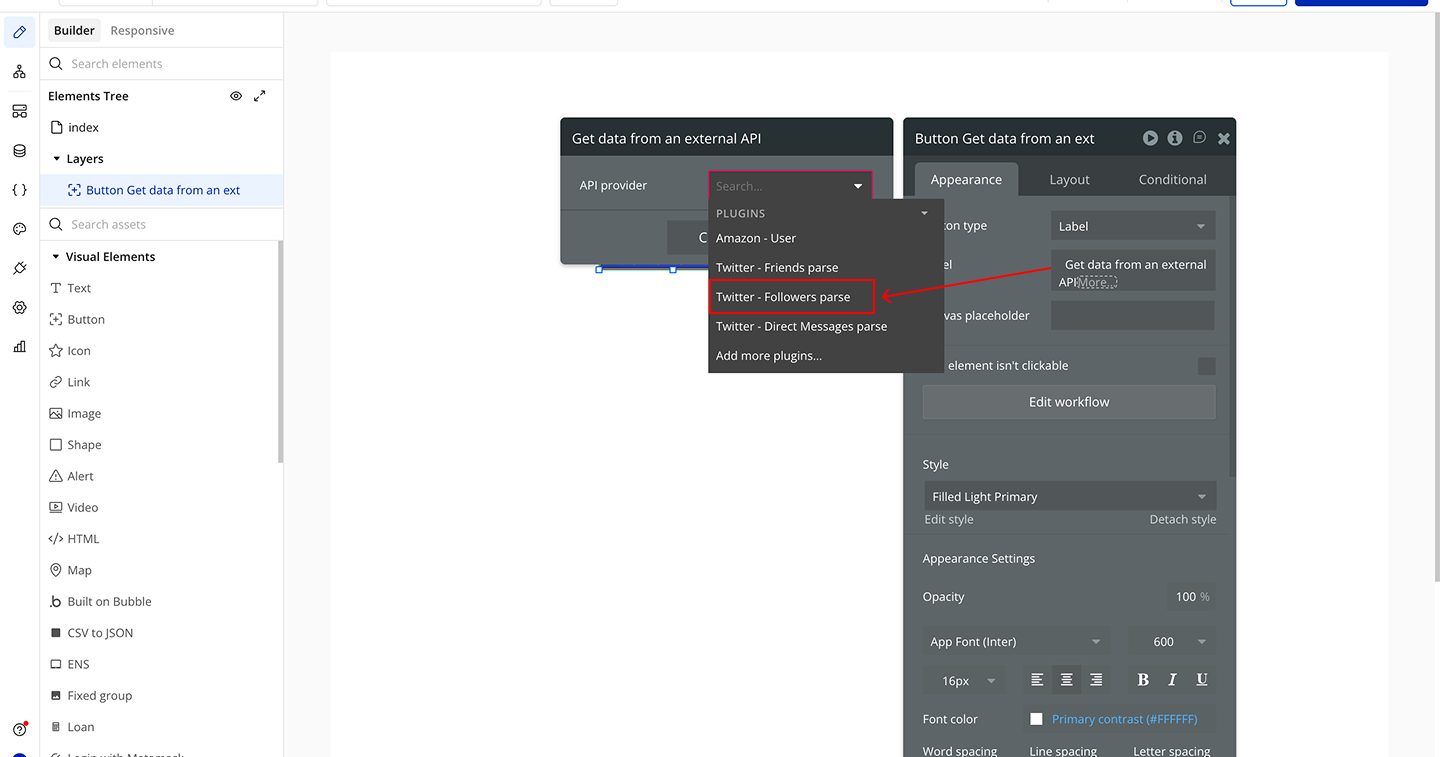
Followers Parse
This API call converts raw X (Twitter) follower data into a structured format that Bubble can easily read and display. It removes the need for manual parsing and prepares follower profile information for use in your app. It focuses on returning clean, profile-level data for each follower, making it ideal for lists, dashboards, and social features.
Parameters
This call does not expose explicit parameters in the plugin JSON.
Response:
Name | Description | Type |
id | Unique numeric identifier of the follower record | Number |
id_str | String version of the follower ID | Text |
name | Display name of the follower account | Text |
screen_name | Twitter username (handle) of the follower | Text |
location | Location text from the follower’s profile | Text |
profile_location | Additional structured location information (if available) | Text |
description | Bio or profile description of the follower | Text |
url | Website URL associated with the follower profile | Text |
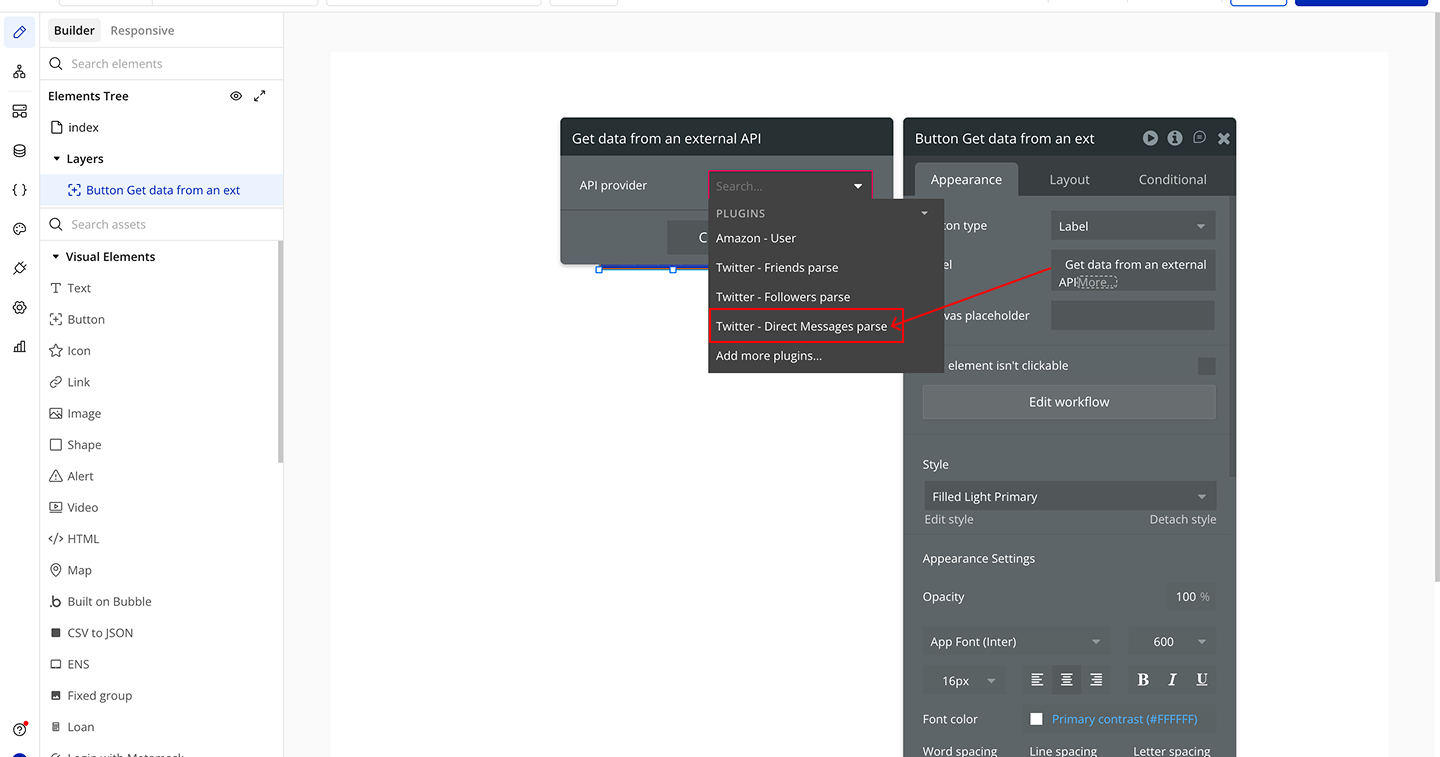
Direct Messages Parse
This API call converts raw X (Twitter) direct message data into a structured format that Bubble can easily consume. It organizes message details such as sender, recipient, timestamp, and message content into clean, consistent fields for use in your app. It is designed for reading and displaying conversations only, not for sending messages.
Parameters
This call does not expose explicit parameters in the plugin JSON.
Response:
Name | Description | Type |
type | The type of direct message event returned by X (Twitter) | Text |
id | Unique identifier of the direct message | Text |
created_timestamp | Timestamp showing when the message was created | Text |
recipient_id | The user ID of the message recipient | Text |
sender_id | The user ID of the message sender | Text |
text | The content of the direct message | Text |
source_app_id | The application ID that originated the message | Text |
Workflow example
Authorize X (Twitter) Account
- Place the Twitter plugin element on your page
- Add an Authorize button
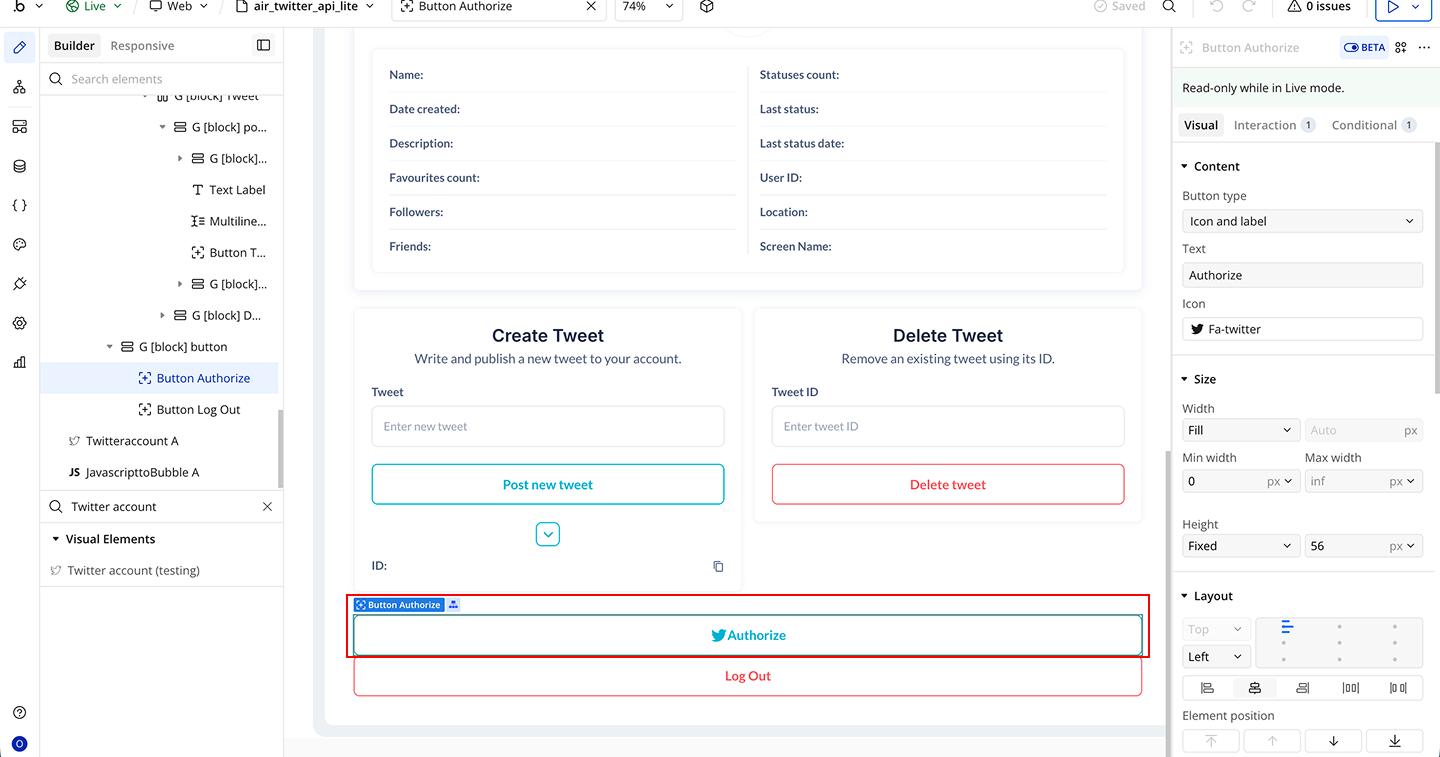
- Select the Authorize button
- Start a workflow → When button is clicked
- Add action → Twitter - Get Tokens
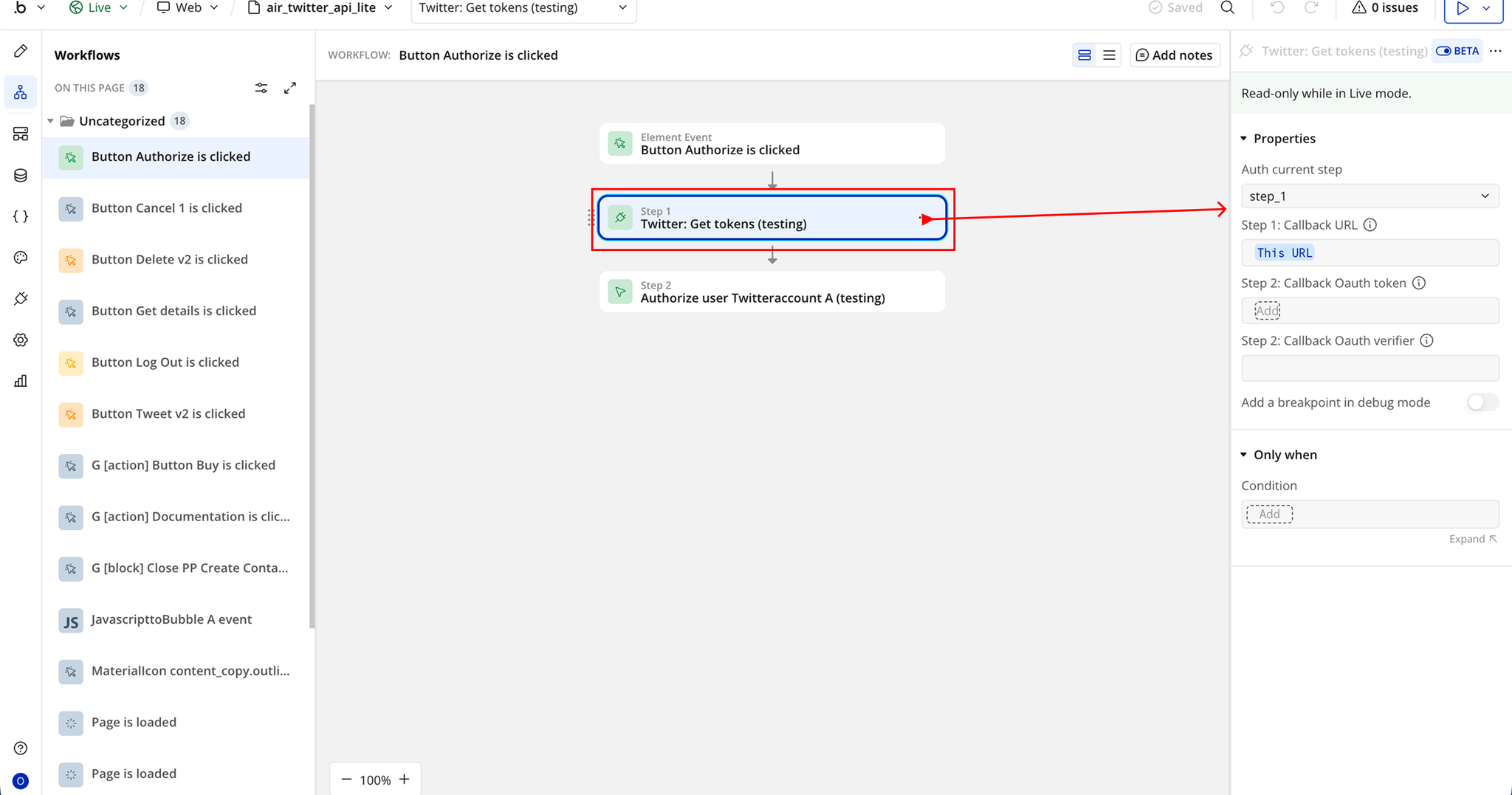
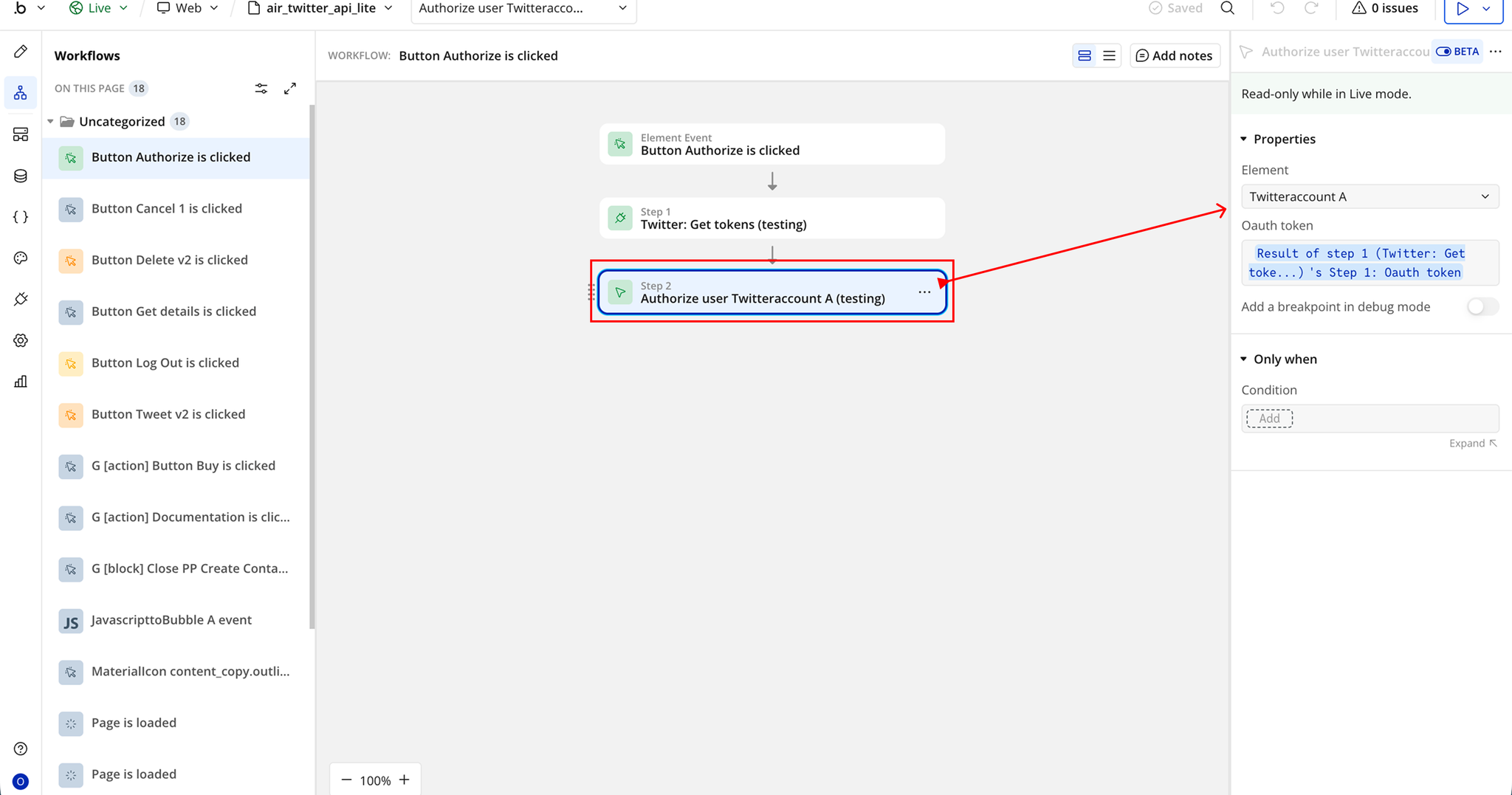
- Add a second action in the same workflow
- Choose Authorize User Twitter Account
- Set the inputs:
- Element → Twitter plugin element on the page
- OAuth token → Use the token returned from Get Tokens (Step 1)
Post Tweet via Button Click
- Place an Input element on your page
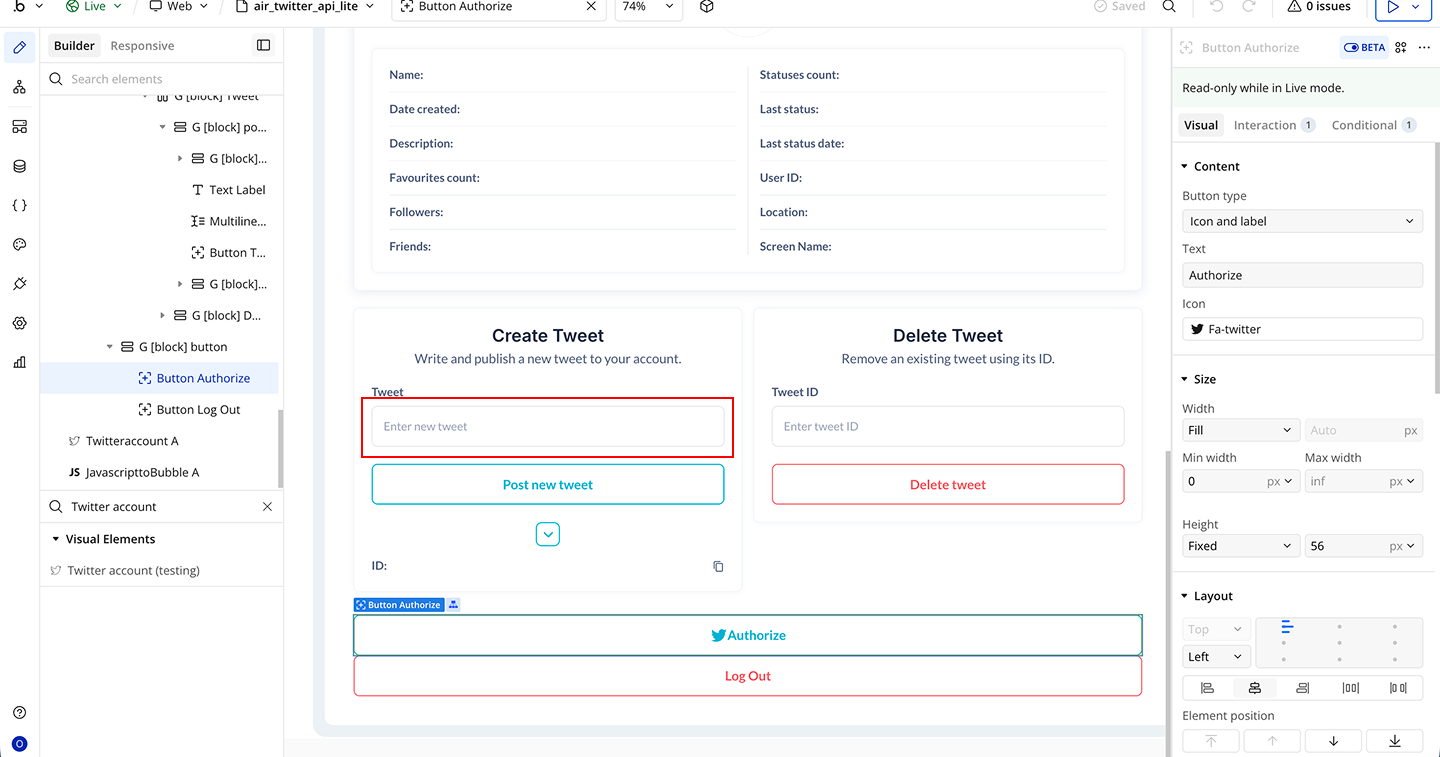
- Add an Post New Tweet button
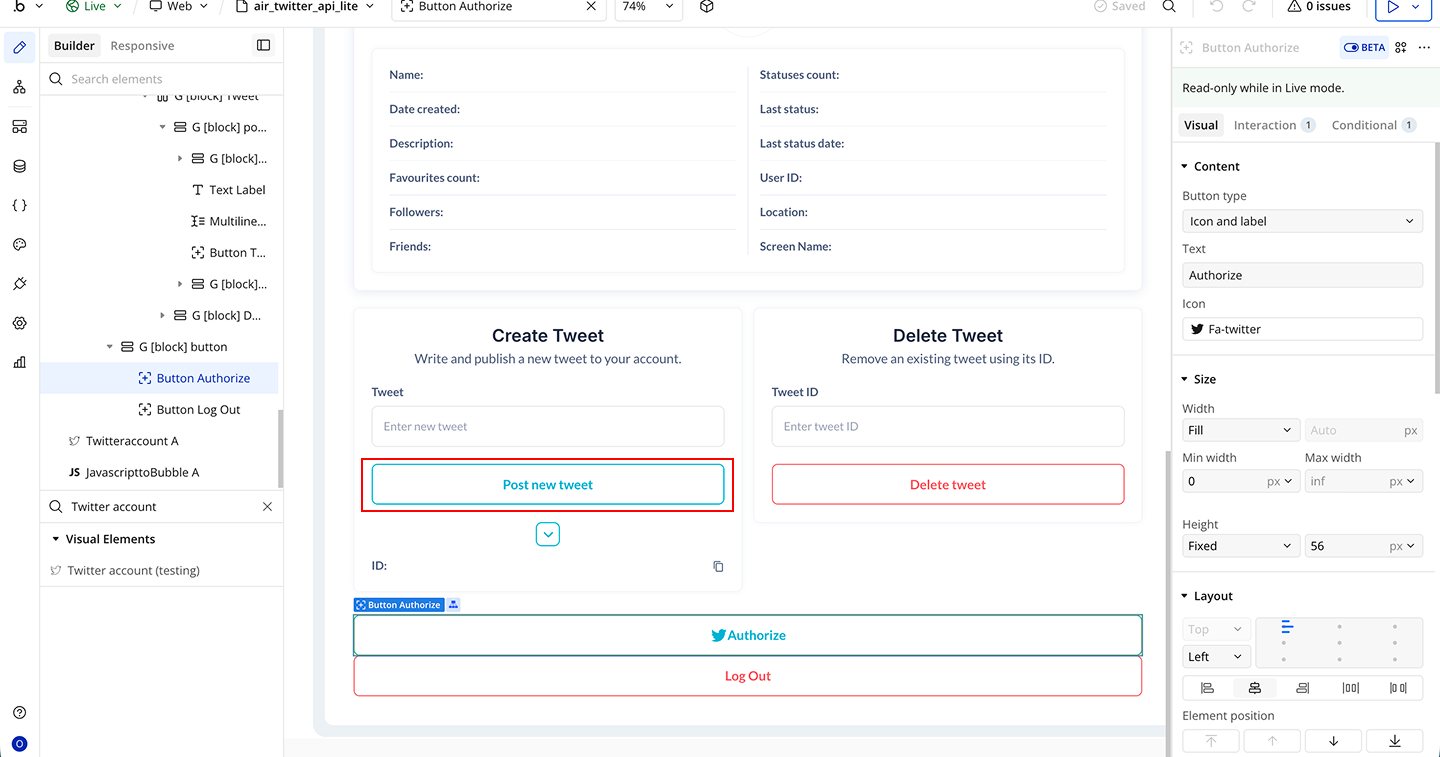
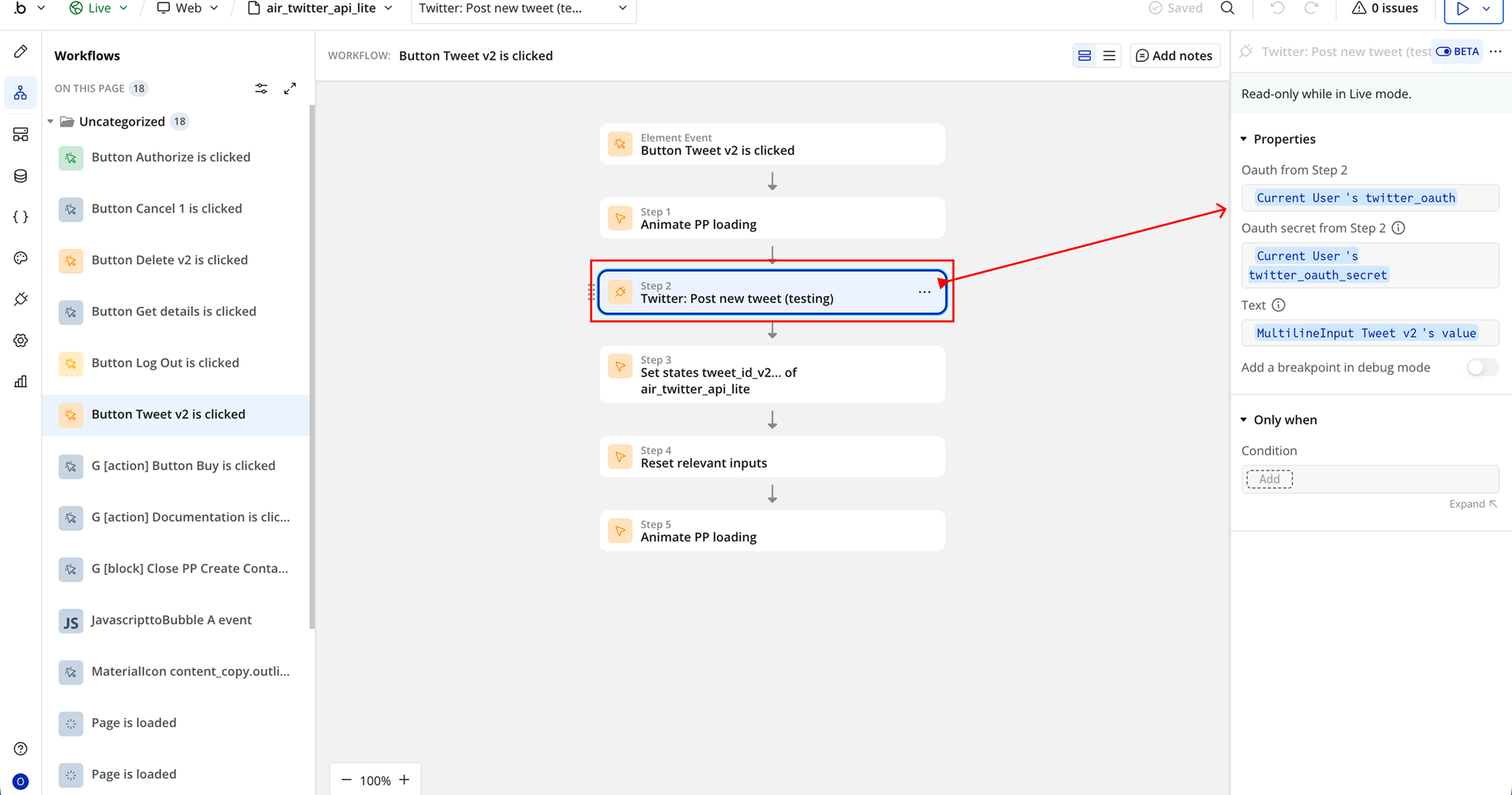
- Start a workflow on the Post New Tweet button
- Add event → When button is clicked
- Add action → Twitter - Post New Tweet
- Set the inputs:
- OAuth from Step 2 → User access token
- OAuth secret from Step 2 → User access token secret
- Text → Input element’s value (tweet content)

Changelogs
Update 11.05.26 - Version 2.0.0
- Bubble Plugin Page Update (Docs).
Update 09.02.26 - Version 1.38.0
- Fixed "Twitter: Post new tweet" action.
Update 03.07.25 - Version 1.37.0
- Bubble Plugin Page Update (Logo).
Update 11.06.25 - Version 1.36.0
- Marketing update (minor change).
Update 12.03.25 - Version 1.35.0
- Security keys updates.
Update 15.09.24 - Version 1.34.0
- Minor update (Marketing update).
Update 09.09.24 - Version 1.33.0
- Minor update (Marketing update).
Update 25.07.24 - Version 1.32.0
- Minor update .
Update 24.06.24 - Version 1.31.0
- Updated demo/service links.
Update 19.10.23 - Version 1.30.0
- Updated description.
Update 17.10.23 - Version 1.29.0
- Migration to new version 4 in plugins editor.
Update 06.10.23 - Version 1.28.0
- Air Twitter API Lite.
Update 15.09.23 - Version 1.27.0
- updated description.
Update 12.09.23 - Version 1.26.0
- minor updates.
Update 06.09.23 - Version 1.25.0
- Upgrade to node18.
Update 15.08.23 - Version 1.24.0
- updated description.
Update 11.07.23 - Version 1.23.0
- updated description.
Update 22.06.23 - Version 1.22.0
- Removed "AccessTokenPublic" & "AccessTokenSecret" settings..
Update 19.06.23 - Version 1.21.0
- Updated the description .
Update 05.06.23 - Version 1.20.0
- Migrate Post and Delete actions to API v2.
Update 01.03.23 - Version 1.19.0
- Fixed "Twitter: Get user details" action.
Update 23.02.23 - Version 1.18.0
- deleted the icons.
Update 22.02.23 - Version 1.17.0
- updated the description.
Update 18.10.22 - Version 1.16.0
- Minor fixies.
Update 12.10.22 - Version 1.15.0
- Fixed "Load timeline" action. Added “Update profile image”, “Update profile data”, “Update banner image” actions, and ".
Update 04.05.22 - Version 1.14.0
- Added a new action to get a list of messages.
Update 30.04.22 - Version 1.13.0
- Added new action to send direct messages.
Update 06.01.22 - Version 1.12.0
- added follow/unfollow actions.
Update 11.10.21 - Version 1.11.0
- Added new actions for getting lists of friends and followers.
Update 19.07.21 - Version 1.10.0
- Updated icon.
Update 13.06.21 - Version 1.9.0
- Added new actions for add threads.
Update 20.04.21 - Version 1.8.0
- Updated description.
Update 16.04.21 - Version 1.7.0
- Updated description.
Update 16.02.21 - Version 1.6.0
- Updated icon.
Update 13.11.20 - Version 1.5.0
- Add tweet with video support. Make tweet with GIF support gifs up to 15Mb.
Update 18.08.20 - Version 1.4.0
- Add new feature: Post a tweet with Gif.
Update 25.07.20 - Version 1.3.0
- Added possiblity to post tweet with image.
Update 22.03.20 - Version 1.2.0
- added request user's email feature.
Update 05.02.20 - Version 1.1.0
- Updated Description.
Update 17.01.20 - Version 1.0.0
- Initial Release.